


Small teams are under constant pressure to do more with less, and that is exactly why No-Code automation tools for small teams have moved from being “nice to have” to business-critical.
According to a McKinsey Global Institute report, up to 30% of tasks in around 60% of occupations could be automated using existing technology, freeing teams to focus on higher-value work rather than routine processes.
This growing reliance on no-code automation is reshaping how small teams scale efficiently, reduce errors, and focus their time on high-value work rather than manual processes.
Key Takeaways
- No-Code automation tools for small teams help lean businesses save time, reduce errors, and scale operations without hiring developers.
- Small teams get the highest ROI by starting with a few high-impact automations, such as lead handling, onboarding, and recurring admin tasks.
- Successful automation requires structure: clear ownership, documentation, and regular reviews to prevent tool sprawl and workflow breakdowns.

Types of No-Code Automation Tools
No-code automation tools generally fall into a few clear categories, each designed to solve a specific kind of operational problem.
Understanding these types helps small teams choose tools that fit how they work, rather than forcing their processes to fit the tool.
The right category will determine how easily you automate tasks, scale workflows, and avoid unnecessary complexity as your team grows.
Integration Automation Tools
These tools connect different apps and move data between them automatically.
They are ideal for small teams that rely on multiple tools, such as CRMs, email platforms, forms, and spreadsheets, and want information to flow seamlessly without manual updates.
Internal Workflow Automation Tools
Internal workflow tools automate actions within a single platform, such as task assignments, status changes, reminders, and notifications.
They work best for teams managing projects, content, or operations inside tools like work management or collaboration software.
Approval and Process Automation Tools
These tools are built for structured processes that require checks and sign-offs.
They are commonly used for HR requests, finance approvals, procurement, and compliance workflows, ensuring tasks progress only after the necessary approvals are obtained.
Data and Browser Automation Tools
Data automation tools handle repetitive data-heavy tasks, such as cleaning spreadsheets, syncing databases, scraping information from websites, or enriching records.
They are especially useful for operations, research, and reporting tasks that would otherwise consume hours of manual work.
What to Look For in No-Code Automation Tools
Not all no-code automation tools are built for small teams. The right choice should reduce workload, not add complexity or hidden costs.
Before committing to any tool, it is essential to assess how well it aligns with your current workflows, team size, and growth plans.
| Feature to Evaluate | Why It Matters for Small Teams |
|---|---|
| Ease of Use | Non-technical team members should be able to build, edit, and maintain automations without constant support. |
| Integration Options | The tool should connect easily with the apps you already use, such as email, CRM, forms, payments, and collaboration tools. |
| Workflow Flexibility | Look for support for multi-step automations, conditions, delays, and branching logic as your processes grow. |
| Team Collaboration | Shared workspaces, role-based access, and activity logs help teams manage automations without confusion. |
| Error Handling & Monitoring | Clear logs, alerts, and retry options make it easier to spot and fix failed automations quickly. |
| Pricing Structure | Transparent pricing that aligns with usage prevents unexpected costs as automation volume increases. |
| Security & Permissions | Access controls, data protection, and compliance features reduce risk as more processes become automated. |
| Templates & Pre-Built Recipes | Ready-made templates speed up setup and help teams launch effective automations faster. |
The Best No-Code Automation Tools for Small Teams
This section highlights the best no-code automation tools that help small teams and startups streamline work, connect apps, and scale efficiently.
Each tool supports practical no-code business automation, making them ideal automation tools for small businesses that want powerful results without technical complexity
1. Zapier

Zapier is one of the most widely used no-code automation tools for small teams and startups, largely because it removes the technical barrier to automation.
It enables teams to create automated workflows, known as Zaps, that trigger actions across thousands of apps, without writing code or relying on developers.
For many small businesses, Zapier becomes the central hub for no-code business automation, quietly running essential processes in the background while the team focuses on growth.
Key Features
- 5,000+ app integrations covering CRMs, email tools, forms, payment platforms, project management tools, and more
- Trigger–action workflows that automate tasks like lead routing, notifications, data syncing, and follow-ups
- Multi-step Zaps for more advanced workflows across several tools
- Filters and conditional logic to control when automations run
- Built-in automation templates for common small business use cases
- Team and shared folder support for collaboration
- Task history and error logs for monitoring automation health
Pricing Overview
| Free | $0/month |
| Professional | From $19.99/month (billed annually) |
| Team | From $69/month (billed annually) |
| Enterprise | Custom pricing |
Strengths
- Extremely easy to use, even for non-technical users
- One of the largest integration libraries among SaaS automation tools
- Fast setup with minimal learning curve
- Excellent documentation and onboarding resources
- Reliable for everyday small team automation tools needs
Limitations
- Pricing can become expensive as automation volume grows
- Advanced logic is possible but less flexible than some visual workflow tools
- Limited control over infrastructure compared to self-hosted alternatives
- Not ideal for highly complex data transformations
Best Use Cases
Zapier works best for:
- Automating lead capture and follow-ups
- Syncing data between marketing, sales, and operations tools
- Sending alerts and notifications across teams
- Handling repetitive admin tasks in the background
Zapier is often the first, and sometimes the only, no-code automation software small teams need to get started.
It excels at simplicity, speed, and breadth of integrations, making it one of the best no-code automation tools for startups and small businesses that want results quickly without technical overhead.
2. Make (formerly Integromat)
Make is a powerful visual automation platform designed for teams that need more flexibility than basic trigger–action workflows.
Unlike simpler automation tools, Make lets small teams see and control every step of an automation, making it one of the most advanced no-code automation tools available without crossing into developer territory.
For startups and growing businesses that want deeper logic, branching workflows, and better control over data, Make is a strong alternative to more linear no-code automation software.
Key Features
- Visual workflow builder that maps out automations step by step
- Advanced logic controls, including routers, filters, and conditional paths
- Multi-app, multi-step scenarios with data manipulation at each stage
- Scheduling and real-time triggers
- Error handling tools, including retries and fallback paths
- Support for APIs and webhooks without coding
- Hundreds of native integrations, with flexibility to connect custom apps
Pricing Overview
| Plan | Price |
| Free | $0/month |
| Core | $9/month |
| Pro | $16/month |
| Teams | $29/month |
| Enterprise | Custom |
Strengths
- Excellent for complex workflows and multi-step automations
- Visual interface makes logic easier to understand and troubleshoot
- More cost-efficient than some competitors at scale
- Strong data handling and transformation capabilities
- Ideal for teams graduating from basic automation needs
Limitations
- Steeper learning curve compared to entry-level tools
- Interface may feel overwhelming for very simple use cases
- Fewer one-click templates than simpler platforms
- Not fully beginner-friendly for non-technical users
Best Use Cases
Make is best suited for:
- Automating complex onboarding and lifecycle workflows
- Syncing data across multiple platforms with conditions
- Building reporting and analytics pipelines
- Running advanced no-code business automation behind the scenes
Make is one of the best no-code automation tools for small teams that need power without full-scale development.
It bridges the gap between simple automations and custom-built systems, making it a favourite among startups that are scaling fast and want more control over their small team automation tools.

3. Microsoft Power Automate
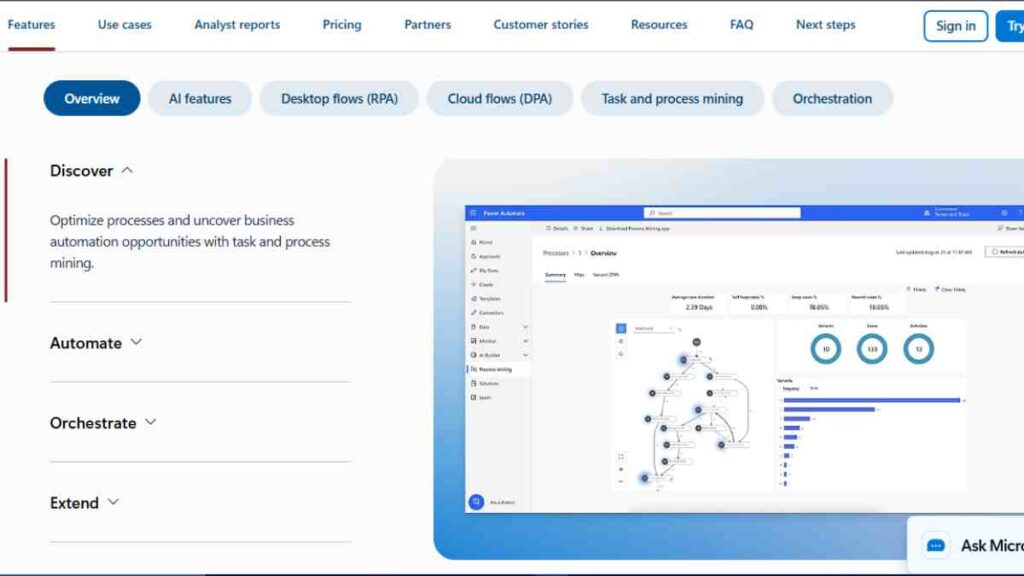
Microsoft Power Automate is a robust no-code automation software built for teams already using Microsoft 365.
It enables small businesses to automate workflows across Outlook, Excel, SharePoint, Teams, OneDrive, and hundreds of third-party apps, making it a practical choice for small businesses operating in the Microsoft ecosystem.
For startups and growing teams that rely heavily on Excel, email, and Teams, Power Automate provides structured, enterprise-grade no-code business automation without the need for custom development.
Key Features
- Deep Microsoft 365 integrations (Outlook, Excel, Teams, SharePoint, OneDrive)
- Trigger-based workflows for events like emails, form submissions, and file updates
- Built-in approval flows for finance, HR, and management sign-offs
- AI Builder for document processing and data extraction (plan dependent)
- Desktop automation (RPA) for automating legacy or non-API software
- Role-based access and governance controls
Pricing Overview
| Plan | Price |
| Free | $0/month |
| Premium | $15/month |
| Process | $150/month |
| Hosted Process | $215/month |
Strengths
- Excellent for small team automation tools within Microsoft environments
- Strong approval and compliance workflows
- Enterprise-level security and permissions
- Reduces reliance on external SaaS automation tools
Limitations
- Less intuitive than some standalone automation tools
- Premium connectors can increase costs
- Best value only if your team is already Microsoft-centric
- Interface can feel complex for very simple automations
Best Use Cases
Power Automate is ideal for:
- Automating approvals and internal requests
- Managing document workflows and notifications
- Connecting Excel-based operations with Teams and email
- Automating routine admin tasks across Microsoft apps
Microsoft Power Automate is one of the best no-code automation tools for small teams embedded in the Microsoft ecosystem.
While it may feel heavy for beginners, it offers powerful, secure, and scalable automation tools for startups that want to standardise internal processes without leaving Microsoft’s environment.
4. n8n
n8n is a powerful open-source alternative to mainstream no-code automation tools, designed for small teams that want flexibility, control, and lower long-term costs.
While it is still no-code at its core, n8n sits closer to the “advanced” end of no-code automation software, making it popular with technical founders and operations-focused startups.
For teams that are scaling fast and want to avoid rising SaaS fees, n8n offers a compelling approach to no-code business automation with fewer limits.
Key Features
- Visual workflow editor with node-based automation logic
- Self-hosting or cloud hosting options for greater control
- 400+ integrations, with the ability to create custom nodes
- Advanced logic, including loops, conditions, and data transformations
- Native support for APIs and webhooks
- Strong error handling and execution history
- Open-source ecosystem with active community support
Pricing Overview
| Plan | Price |
|---|---|
| Starter | $20/month |
| Pro | $50/month |
| Business | $800/month |
| Enterprise | Custom pricing |
Strengths
- Excellent for complex automations and backend workflows
- Greater ownership of data and infrastructure
- No hard limits on logic depth when self-hosted
- Ideal for startups outgrowing entry-level automation tools
- Strong alternative to expensive per-task pricing models
Limitations
- Steeper learning curve than beginner tools like Zapier
- Self-hosting requires basic technical setup and maintenance
- Interface may feel intimidating to non-technical users
- Smaller integration marketplace compared to larger platforms
Best Use Cases
n8n works best for:
- Internal operations and system-to-system automation
- Data syncing and transformation at scale
- Startups with technical founders or ops engineers
- Teams seeking long-term control over small team automation tools
n8n is one of the best no-code automation tools for startups and small teams that want power, flexibility, and cost control.
While it requires more ownership than plug-and-play platforms, it rewards teams willing to invest in a scalable, customisable automation tool that grows with their business.
5. IFTTT
IFTTT, short for If This Then That, is one of the simplest no-code automation tools available, designed for quick, lightweight automations.
It allows small teams to create basic rules, called Applets, that trigger one action when a specific event occurs.
For small businesses and startups that want fast, low-effort automation without dealing with complex workflows, IFTTT offers an easy entry point into no-code business automation.
Key Features
- Simple trigger–action applets with minimal setup
- Wide range of consumer and business app integrations
- Pre-built applets for common automation needs
- Multi-step applets available on paid plans
- Mobile-friendly automations, including notifications and alerts
- Webhook support for basic custom integrations
Pricing Overview
| Plan | Price |
| Free | $0/month |
| Pro | $2.99month |
| Pro+ | $8.99/month |
Strengths
- Extremely easy to use, even for complete beginners
- Fast setup with little to no learning curve
- Ideal for simple automations and alerts
- Useful for teams automating social media, notifications, or simple data triggers
Limitations
- Limited logic and workflow depth compared to advanced tools
- Not suited for complex business processes
- Fewer controls for error handling and monitoring
- Better for light automation than mission-critical workflows
Best Use Cases
IFTTT works best for:
- Social media posting triggers
- Simple alerts and notifications
- Automating basic admin tasks
- Teams new to no-code automation software
IFTTT is a lightweight option among small team automation tools, best suited for simple, low-risk tasks.
While it lacks the power of more advanced platforms, it remains a useful automation tool for startups that value speed, simplicity, and ease of use over complexity.
6. Pabbly Connect
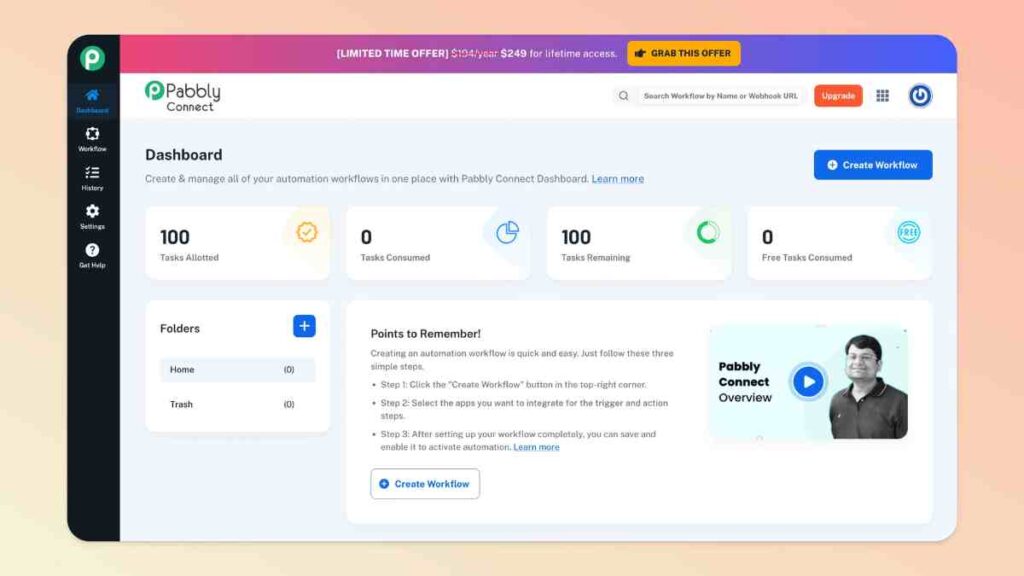
Pabbly Connect is a budget-friendly alternative among no-code automation tools, designed for small teams and startups that want reliable automation without rising per-task costs.
It offers a wide range of integrations and multi-step workflows, making it especially attractive for small businesses that need predictable pricing.
For teams running frequent automations but operating on tight budgets, Pabbly Connect provides practical no-code business automation without the premium price tag of some SaaS automation tools.
Key Features
- Multi-step automation workflows with unlimited steps
- 1,000+ app integrations, including marketing, CRM, and payment tools
- Built-in filters and conditional logic
- Webhook support for custom triggers
- Task history and execution logs
- Simple visual workflow builder
Pricing Overview
| Plan | Price |
| Free | $0/month |
| Standard | $249/month |
| Pro | $499month |
| Ultimate | $699/month |
Strengths
- Cost-effective for high-volume automation
- No restriction on the number of workflows
- Suitable for startups managing multiple processes
- Straightforward interface with minimal setup time
Limitations
- Smaller integration ecosystem than Zapier
- Interface feels less polished
- Limited advanced data manipulation features
- Community and documentation are improving but not as extensive
Best Use Cases
Pabbly Connect is best for:
- Automating marketing and sales workflows
- Handling e-commerce operations
- Syncing leads across tools
- Running frequent background automations
Pabbly Connect stands out as one of the most affordable small team automation tools, offering solid functionality for growing businesses.
It is a strong choice for teams that need dependable no-code automation software without unpredictable scaling costs.
7. Integrately
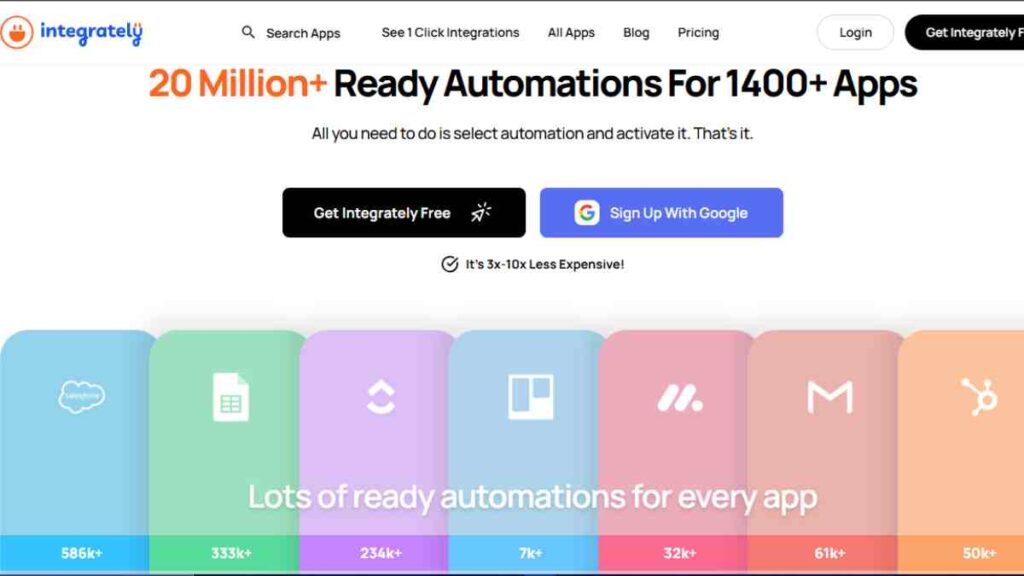
Integrately is built for speed. It positions itself as one of the fastest no-code automation tools for small teams by offering thousands of ready-made, one-click automations that remove the need to build workflows from scratch.
For founders and lean teams who want results immediately, Integrately simplifies no-code business automation without sacrificing reliability.
It is especially appealing for small businesses that want automation to “just work” with minimal setup time.
Key Features
- One-click automations for common business workflows
- Multi-step automations without complex configuration
- 1,200+ app integrations, including CRMs, email tools, and forms
- SmartConnect feature to auto-map triggers and actions
- Webhook and API support for custom use cases
- Real-time automation monitoring
Pricing Overview
| Plan | Price |
|---|---|
| Free | $0 |
| Starter | $29.99/month |
| Professional | $49/month |
| Growth | $124/month |
| Business | $299/month |
Strengths
- Extremely fast setup with minimal learning curve
- Ideal for beginners new to no-code automation software
- Good balance between simplicity and multi-step workflows
- Strong value for startups running standard business processes
Limitations
- Less flexibility for highly customised logic
- Advanced data handling is limited
- Not ideal for very complex or bespoke workflows
- Smaller developer-focused ecosystem
Best Use Cases
Integrately is best for:
- Lead capture and CRM updates
- Email marketing and follow-up automations
- Connecting forms, payments, and notifications
- Teams that want instant small team automation tools
Integrately is one of the most beginner-friendly best no-code automation tools available. It is perfect for startups and small businesses that value speed, ease of use, and predictable automation over deep customisation
8. Activepieces
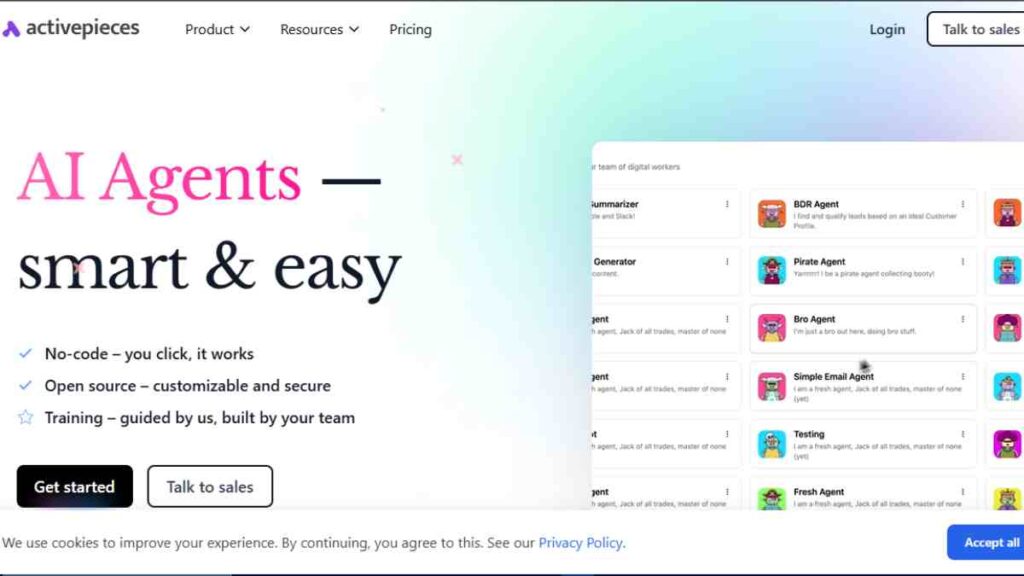
Activepieces is an open-source alternative to mainstream no-code automation tools, built specifically for small teams that want simplicity without vendor lock-in.
It offers a clean, Zapier-like experience while giving startups more control over their workflows and costs, making it an increasingly popular option among automation tools for startups.
For teams that want modern no-code automation software without enterprise pricing or unnecessary complexity, Activepieces strikes a strong balance.
Key Features
- Visual no-code workflow builder designed for non-technical users
- Open-source architecture with self-hosting and cloud options
- Growing library of integrations for popular SaaS tools
- Multi-step automations with conditional logic
- Webhook and API support for custom workflows
- Team-based workspaces for collaboration
Pricing Overview
| Plan | Price |
|---|---|
| Standard | Free, then $5 per active flow/month |
| Ultimate | Custom pricing (annual contract) |
Strengths
- Open-source with no vendor lock-in
- Easy to use compared to other self-hosted tools
- Cost-effective for small teams scaling automation
- Clean interface that feels familiar to Zapier users
- Ideal for long-term no-code business automation
Limitations
- Smaller integration ecosystem compared to Zapier or Make
- Advanced logic options are still evolving
- Community and documentation are growing but less mature
- Not ideal for extremely complex data transformations
Best Use Cases
Activepieces is best for:
- Startups seeking affordable small team automation tools
- Internal workflow automation
- Teams that want control without heavy technical setup
- Businesses moving away from expensive per-task pricing
Activepieces is one of the most promising best no-code automation tools for small teams that value ownership, affordability, and ease of use.
It is especially well-suited for startups that want scalable no-code tools without long-term SaaS dependency.
9. Airtable Automation
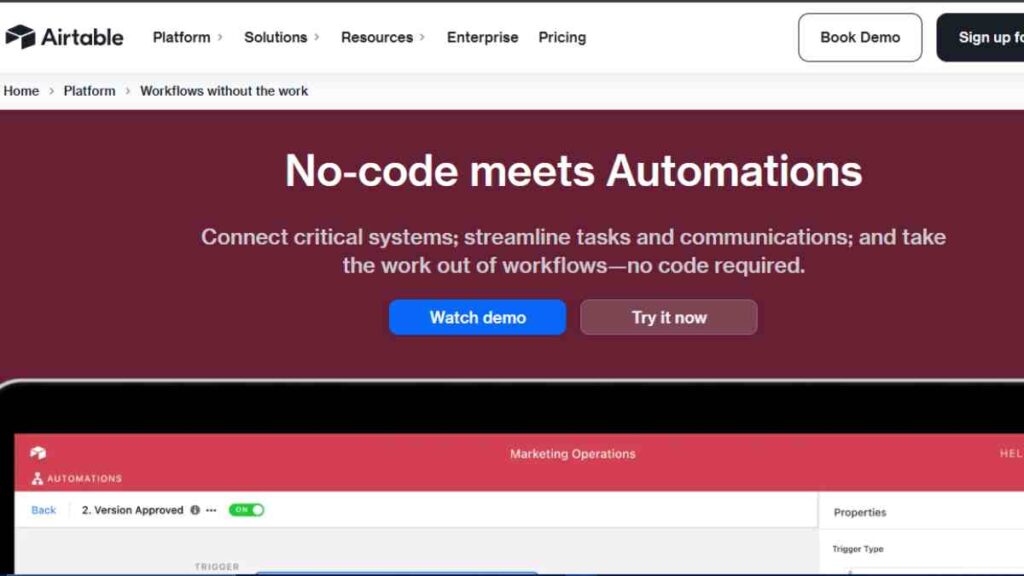
Airtable Automations turn spreadsheets into powerful no-code automation tools, allowing small teams to trigger actions directly from their data.
Instead of relying on external tools for every workflow, Airtable lets teams automate tasks inside the same workspace where they already manage projects, content, inventories, and CRMs.
For small businesses that use Airtable as their operational backbone, these built-in automations enable clean, efficient no-code business automation without adding another SaaS layer.
Key Features
- Trigger-based automations from record changes, form submissions, or schedules
- Actions within Airtable, such as updating fields, creating records, and sending notifications
- External actions, including emails, Slack messages, and webhook triggers
- Automation templates for common workflows
- Tight integration with Airtable bases and views
- Version history and logs for monitoring automation activity
Pricing Overview
| Plan | Price |
| Free | $0/month |
| Team | $120/month |
| Business | $150/month |
| Enterprise | Custom pricing |
Strengths
- Excellent for teams already managing data in Airtable
- Keeps workflows and data in one place
- Easy to set up and maintain
- Reduces reliance on third-party automation tools
Limitations
- Best used when Airtable is the central system
- Limited logic compared to dedicated automation platforms
- Cross-app automation is more basic
- Not designed for heavy external integrations at scale
Best Use Cases
Airtable Automations are ideal for:
- Content pipelines and editorial calendars
- Lightweight CRM and sales tracking
- Inventory and operations management
- Internal notifications and task updates
Airtable Automations are a strong choice for teams that already live inside Airtable.
While they do not replace full-scale SaaS automation tools, they are one of the most practical and best no-code automation tools for internal workflows driven by structured data.
10. Notion Automations
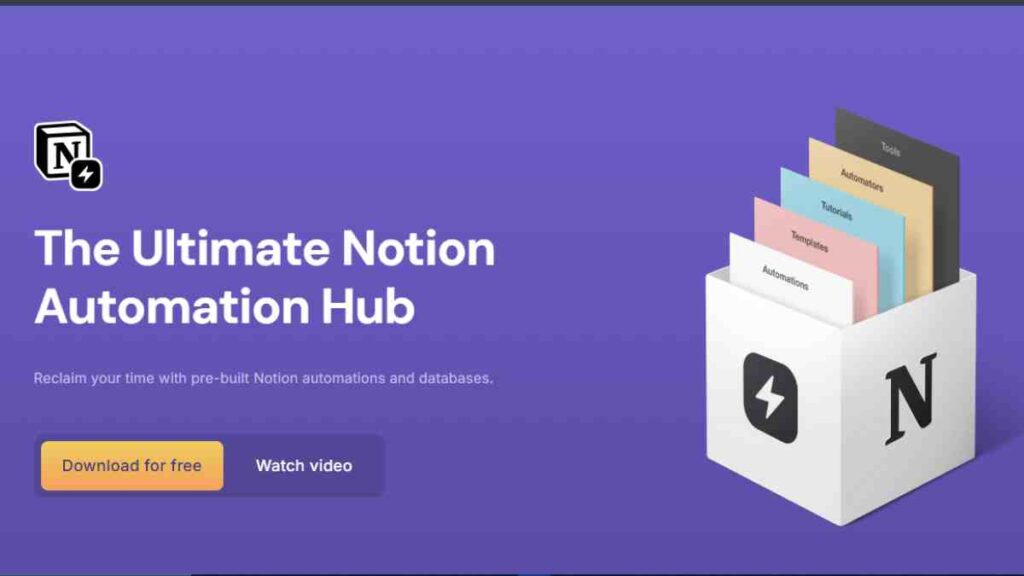
Notion Automations allow teams to automate routine actions directly inside their workspace, turning pages and databases into lightweight no-code automation tools.
Instead of stitching together multiple apps, small teams can automate status changes, reminders, and task creation where documentation and collaboration already happen.
For small businesses that run projects, content, and internal knowledge in one place, Notion provides simple but effective no-code business automation without additional software overhead.
Key Features
- Trigger-based automations tied to database changes
- Automatic status updates, assignments, and notifications
- Scheduled actions and recurring reminders
- Seamless integration with Notion databases and pages
- No-code setup designed for everyday users
- Activity logs for tracking automation behaviour
Pricing Overview
| Free | $0 |
| Plus | $12 |
| Business | $24 |
| Enterprise | Custom |
Strengths
- Ideal for teams already using Notion daily
- Keeps automation and documentation in one system
- Very easy to set up and maintain
- Reduces tool sprawl for small teams
- Useful small team automation tools for internal workflows
Limitations
- Limited external integrations compared to dedicated platforms
- Best suited for simple logic and internal workflows
- Not designed for complex, multi-app automations
- Scaling automation volume is tied to Notion plan limits
Best Use Cases
Notion Automations work best for:
- Content and editorial workflows
- Task tracking and project updates
- Onboarding checklists and internal processes
- Knowledge base-driven operations
Notion Automations are best viewed as internal no-code automation software, not full integration engines.
For teams already working inside Notion, they offer one of the simplest ways to implement practical no-code business automation without adding new tools or complexity.
11. Slack Workflow Builder
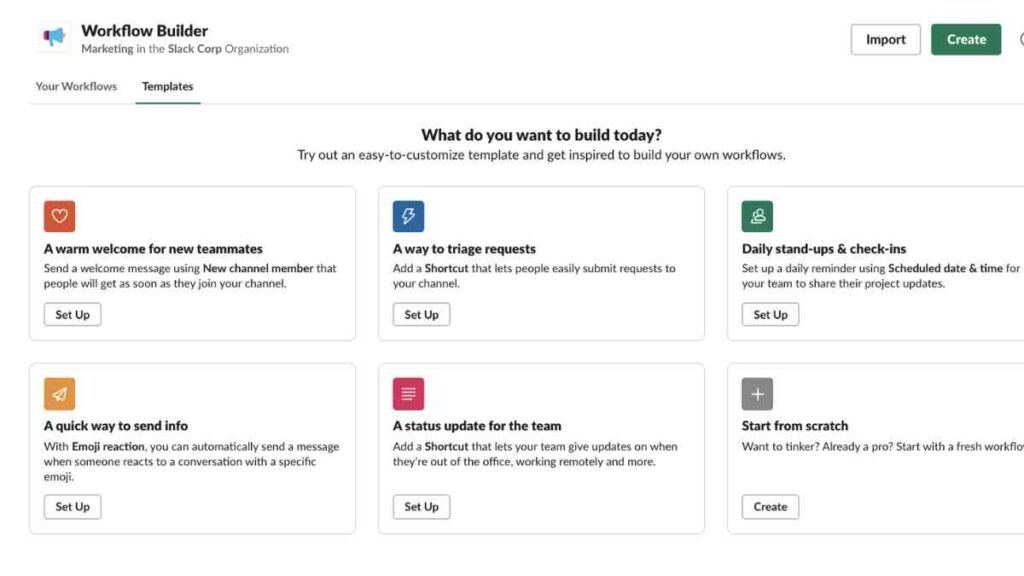
Slack Workflow Builder turns everyday conversations into practical no-code automations by allowing teams to automate routine requests and internal processes directly inside Slack.
Instead of emails, spreadsheets, or manual follow-ups, teams can trigger workflows using simple forms and messages, right where work already happens.
For small businesses and startups that rely heavily on Slack for communication, this tool enables lightweight no-code business automation without introducing new software or complexity.
Key Features
- Form-based workflow triggers inside Slack channels or DMs
- Automated message routing to people or channels
- Task assignments and notifications
- Scheduled and event-based triggers
- Native integration with Slack tools, plus connectors via external automation platforms
- No-code setup designed for non-technical users
Pricing Overview
| Plan | Price |
|---|---|
| Free | $0 |
| Pro | $4.38 per user/month* |
| Business+ | $9 per user/month* |
| Enterprise+ | Custom pricing |
Strengths
- Keeps automation where teams already work
- Extremely easy to use and deploy
- Reduces internal email and manual admin
- Ideal small team automation tools for internal requests
- Fast adoption with minimal training
Limitations
- Limited external app integrations on its own
- Not suitable for complex multi-system workflows
- Best used alongside other SaaS automation tools if integrations are required
- Logic depth is intentionally simple
Best Use Cases
Slack Workflow Builder is ideal for:
- Leave and remote-work requests
- IT and admin requests
- Daily stand-ups and check-ins
- Simple approval and notification flows
Slack Workflow Builder is not a full no-code automation software platform, but it excels at internal process automation.
For teams living in Slack, it is one of the most effective automation tools for startups looking to reduce friction and speed up everyday operations without adding new tools.

12. ClickUp Automations
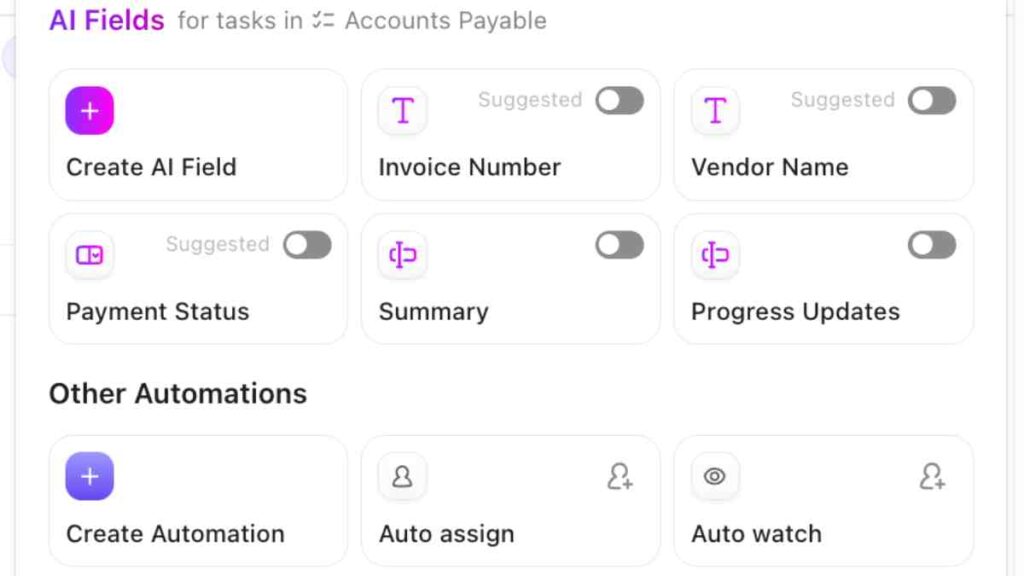
ClickUp Automations help teams eliminate repetitive task management by automatically updating statuses, assigning owners, setting priorities, and triggering notifications.
For fast-moving startups and agencies, ClickUp doubles as both a project hub and a practical no-code automation tool.
As one of the most popular no-code tools for small businesses, ClickUp makes it easy to standardise workflows without relying on external SaaS automation tools for everyday operations.
Key Features
- Rule-based automations triggered by task status, priority, or custom fields
- Automatic task assignments, due date updates, and notifications
- Recurring workflow automation for repeatable processes
- Native integration with ClickUp Spaces, Folders, and Lists
- Webhook support and integration via external automation platforms
- Automation templates for common team workflows
Pricing Overview
| Plan | Price |
| Free | $0/month |
| Unlimited | $10/month |
| Business | $19/user/month |
| Enterprise | Custom |
Strengths
- Excellent for task-heavy teams and agencies
- Keeps project management and automation in one platform
- Easy to set up and adjust as workflows change
- Reduces manual coordination and follow-ups
- Strong small team automation tools for operations and delivery
Limitations
- Best value when ClickUp is the main work hub
- External app automation is limited without third-party tools
- Automation limits may require plan upgrades at scale
- Not designed for complex data transformations
Best Use Cases
ClickUp Automations work best for:
- Client onboarding and delivery workflows
- Content production pipelines
- Operations and task handovers
- Managing recurring internal processes
ClickUp Automations is ideal for teams that manage most of their work inside ClickUp.
While not a replacement for full no-code automation software, it is among the most effective automation tools for startups looking to streamline task execution and keep teams aligned without extra complexity.
13. Asana Rules
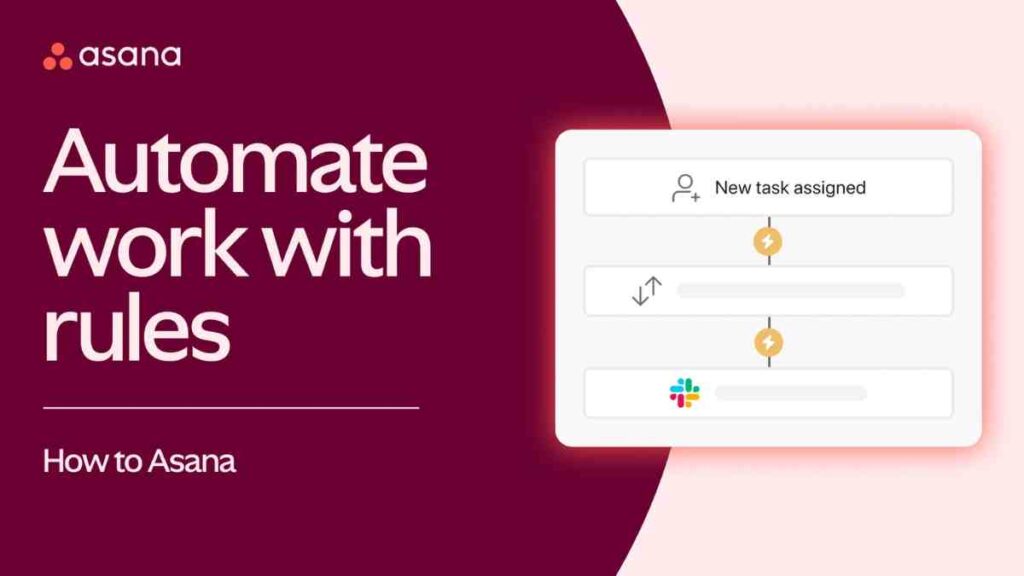
Asana Rules allow teams to automate routine project actions, such as task assignments, status changes, and due date updates, without leaving their project management tool.
For teams managing complex projects with multiple handovers, Asana acts as a dependable no-code automation tool for keeping work moving smoothly.
For small businesses and startups that already rely on Asana to manage projects, these built-in rules support clean, reliable no-code business automation without adding extra SaaS automation tools.
Key Features
- Rule-based task automation triggered by task status, fields, or project changes
- Automatic task assignment, priority updates, and due date shifts
- Cross-project automation for moving work between teams
- Custom field triggers for structured workflows
- Automation templates for common use cases
- Native integration within Asana projects
Pricing Overview
| Plan | Price |
| Personal | $0/month |
| Starter | $10.99/month |
| Advanced | $24.99/month |
| Enterprise | Custom price |
Strengths
- Excellent for structured project workflows
- Reduces manual coordination and task handovers
- Easy to understand and maintain
- Keeps automation close to day-to-day work
- Reliable small team automation tools for project delivery
Limitations
- Limited to automations within Asana
- External app integrations require third-party tools
- Not designed for complex logic or data workflows
- Automation volume depends on plan limits
Best Use Cases
Asana Rules work best for:
- Project and task handovers
- Approval workflows within teams
- Managing deadlines and dependencies
- Operational project tracking
Asana Rules are best suited for teams already using Asana as their project hub.
While they do not replace full no-code automation software, they are effective automation tools for startups that want consistency, clarity, and reduced manual work inside their project workflows.
14. Trello Butler
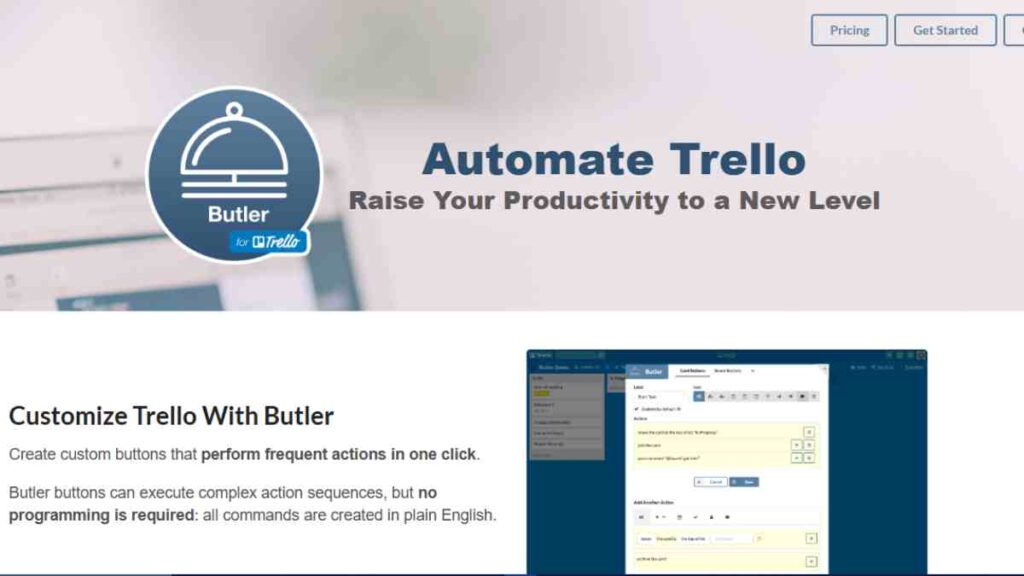
Trello Butler adds automation to Trello’s simple kanban boards, allowing small teams to reduce manual task management without losing Trello’s lightweight feel.
It enables rule-based actions, scheduled commands, and triggers that automatically move cards, assign members, and update due dates.
For teams that prefer visual workflows and simplicity, Trello Butler functions as an accessible no-code automation tool for managing everyday processes without overwhelming complexity.
Key Features
- Rule-based automations triggered by card moves, labels, or due dates
- Scheduled commands for recurring actions
- Button-based automations for one-click task updates
- Automatic card movement and assignments
- Native integration within Trello boards
- No-code setup designed for non-technical users
Pricing Overview
| Plan | Price |
| Free | $0/month |
| Standard | $5/month |
| Premium | $10/month |
| Enterprise | $17.50/month |
Strengths
- Very easy to set up and understand
- Ideal for visual, kanban-style workflows
- Keeps automation simple and focused
- Reduces repetitive board management
- Effective small team automation tools for lightweight operations
Limitations
- Limited to Trello boards and cards
- Not suitable for complex or cross-app automations
- Automation limits can feel restrictive at scale
- Best for simple logic only
Best Use Cases
Trello Butler works best for:
- Content calendars and editorial boards
- Simple sales or task pipelines
- Recurring admin and operational tasks
- Teams that value clarity over complexity
Trello Butler is a practical choice for teams that love Trello’s simplicity but want less manual work.
While it is not full no-code automation software, it remains one of the most approachable automation tools for startups that rely on visual task management.
15. monday.com
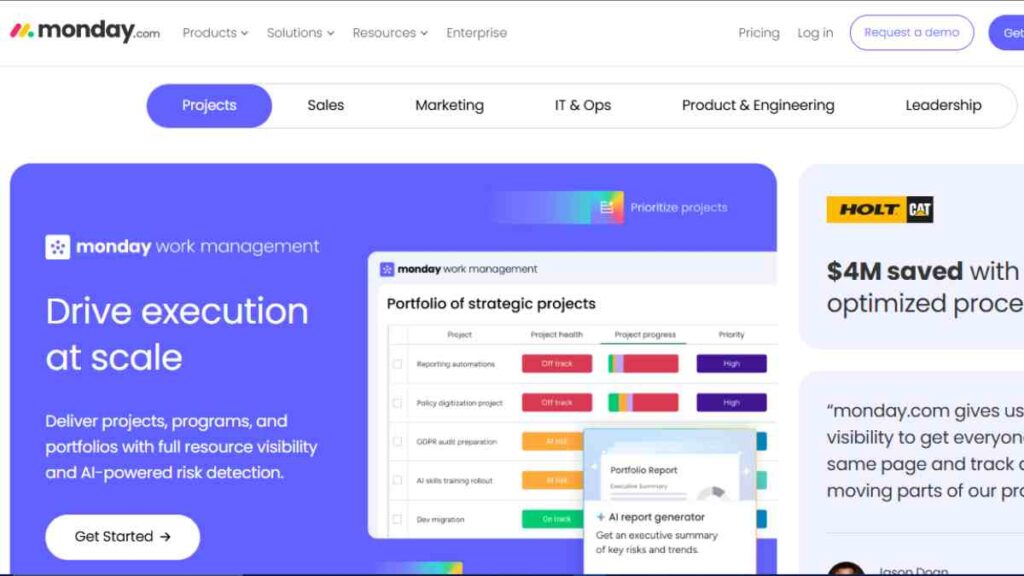
monday.com Automations help teams turn structured work into repeatable systems by automatically moving items, assigning owners, sending notifications, and updating statuses.
For growing teams that want visibility and control, monday.com doubles as both a work management platform and a reliable no-code automation tool.
Among no-code tools for small businesses, monday.com stands out for combining visual dashboards with practical no-code business automation that scales with team size.
Key Features
- Rule-based automations triggered by status changes, dates, and conditions
- Automatic assignments, notifications, and status updates
- Cross-board automations for multi-team workflows
- Pre-built automation recipes for quick setup
- Native integrations plus external automation via SaaS tools
- Real-time dashboards for monitoring workflow progress
Pricing Overview
| Plan | Price (Billed Annually) |
|---|---|
| Free | $0 (up to 2 users) |
| Standard | $12/seat/month |
| Pro | $19/seat/month |
| Enterprise | Custom pricing |
Strengths
- Strong balance between visibility and automation
- Easy for non-technical teams to adopt
- Scales well from small teams to larger organisations
- Excellent for operational clarity and accountability
- Effective small team automation tools for structured work
Limitations
- Best value when monday.com is the main work hub
- Automation limits may require plan upgrades
- External app automation is limited without third-party tools
- Less suitable for complex data-heavy workflows
Best Use Cases
monday.com Automations work best for:
- Sales and CRM-style workflows
- Operations and delivery tracking
- HR onboarding and internal processes
- Managing cross-functional projects
monday.com Automations are ideal for teams that want structure, visibility, and consistency.
While not a full no-code automation software replacement, they are among the most practical automation tools for startups and small teams managing complex workflows across multiple people.

How to Implement Automation Without Breaking Your Team’s Workflow
No-code automation delivers speed and efficiency, but without structure it can quickly create confusion, duplicated workflows, and hidden failures.
A clear implementation framework helps small teams build automation that scales cleanly, stays reliable, and remains easy to manage as the business grows.
| Step | What to Do | Why It is Important |
|---|---|---|
| Map Key Processes | Document repetitive tasks and decision points before automating | Prevents automating broken or unnecessary workflows |
| Start Small | Automate 2–3 high-impact processes first | Reduces risk and allows quick learning |
| Assign Ownership | Make one person responsible for each automation | Ensures accountability and faster issue resolution |
| Use Clear Naming | Standardise names for workflows and triggers | Avoids confusion as automations increase |
| Test With Real Scenarios | Run automations using real data and edge cases | Prevents silent failures in production |
| Monitor Regularly | Review logs and error reports weekly | Catches issues before they affect customers or revenue |
| Document Everything | Keep a simple automation library or SOP | Makes automation maintainable as teams grow |
| Review and Optimise | Retire or improve automations quarterly | Keeps systems efficient and cost-effective |
This approach ensures your no-code automation tools remain an asset, not a source of operational chaos, as your small team scales.
Conclusion
No-code automation is no longer a luxury for small teams, it is a practical way to work smarter, move faster, and scale without adding unnecessary complexity.
By choosing the right tools, starting with high-impact workflows, and implementing automation with clear ownership and structure, small teams can reclaim time, reduce errors, and focus on work that actually drives growth.
We want to see you succeed, and that’s why we provide valuable business resources to help you every step of the way.
- Join over 23,000 entrepreneurs by signing up for our newsletter and receiving valuable business insights.
- Register your business today with Entrepreneurs.ng’s Business Registration Services.
- Tell Your Brand Story on Entrepreneurs.ng, let’s showcase your brand to our global audience.
- Need help with your marketing strategy? Get a Comprehensive Marketing and Sales Plan here.
- Sign up for our Entrepreneurs Success Blueprint Programme to learn how to start and scale your business in just 30 days.
- Book our one-on-one consulting and speak to an expert about structuring and growing your business.
- Visit our shop for business plan templates and other valuable resources to guide you.
- Get our Employee-Employer Super Bundle NDA templates to legally protect your business and workforce.
- Advertise your business to over a million entrepreneurs through our different advertising packages.

Frequently Asked Questions (FAQs)
What are no-code automation tools?
No-code automation tools allow you to automate tasks and workflows using visual builders instead of programming, making automation accessible to non-technical teams.
Are no-code automation tools suitable for small teams?
Yes. They are ideal for small teams because they save time, reduce manual work, and help teams scale operations without hiring developers.
What is the difference between no-code and low-code automation?
No-code tools require no programming at all, while low-code tools may need light scripting or technical input for advanced use cases.
Which no-code automation tools are best for startups?
The best tools depend on your needs, but startups often choose simple integration tools for speed or workflow tools that fit their existing work platforms.
Can no-code automation tools replace developers?
No. They handle routine workflows well, but complex systems, custom software, and advanced integrations still require developers.
How long does it take to set up no-code automation?
Basic automations can be set up in minutes, while more complex workflows may take a few hours to plan, test, and refine.
Are no-code automation tools secure?
Most reputable tools offer strong security, but teams should manage permissions carefully and avoid automating sensitive data without proper controls.
What are common mistakes small teams make with automation?
Over-automating too early, skipping documentation, ignoring errors, and failing to assign ownership are the most common mistakes.
Can multiple automation tools be used together?
Yes. Many small teams combine internal workflow tools with external automation platforms to cover different use cases efficiently.
How do you measure the ROI of no-code automation?
Track time saved, error reduction, and process speed improvements, then compare those gains against the cost of the automation tools used.



