

Building strong customer relationships is no longer optional for growing companies. It is a necessity.
That is why many entrepreneurs are searching for the best CRM for small businesses to organise customer data, track leads, and increase sales efficiently.
According to a recent report by Nucleus Research, businesses that implement CRM solutions see an average 41% increase in revenue per salesperson, highlighting the real financial impact of adopting the right system.
In this guide, we explore the 15 best CRM for small businesses, comparing their features, pricing, and benefits to help you choose the right solution for building stronger relationships and increasing sales.
Key Takeaways
- CRM software helps small businesses organise customer data, manage leads, and build stronger customer relationships.
- The best CRM for small businesses improves sales efficiency through automation, analytics, and better pipeline management.
- Choosing the right CRM depends on your business size, budget, integrations, and ease of use.
- The right CRM tools for entrepreneurs can increase conversions, improve retention, and drive long-term revenue growth.

What Is CRM Software and Why Do Small Businesses Need It?
Customer Relationship Management (CRM) software is a digital tool that helps businesses organise, track, and manage interactions with customers and potential clients.
Instead of storing customer details across spreadsheets, emails, and notebooks, CRM systems keep all information in one central platform.
This allows businesses to track conversations, monitor sales pipelines, automate follow-ups, and understand customer behaviour more clearly.
For small businesses, CRM software plays an important role in improving efficiency and building lasting relationships with customers.
15 Best CRM for Small Businesses
Choosing the right CRM can make a significant difference in how effectively a small business manages customer relationships and drives sales.
With so many CRM tools for entrepreneurs available today, it is important to find solutions that combine ease of use, affordability, and powerful features.
Below are 15 of the best CRM for small businesses, carefully selected for their ability to help startups and growing companies organise customer data, streamline sales processes, and build stronger relationships with their clients.
1. HubSpot CRM
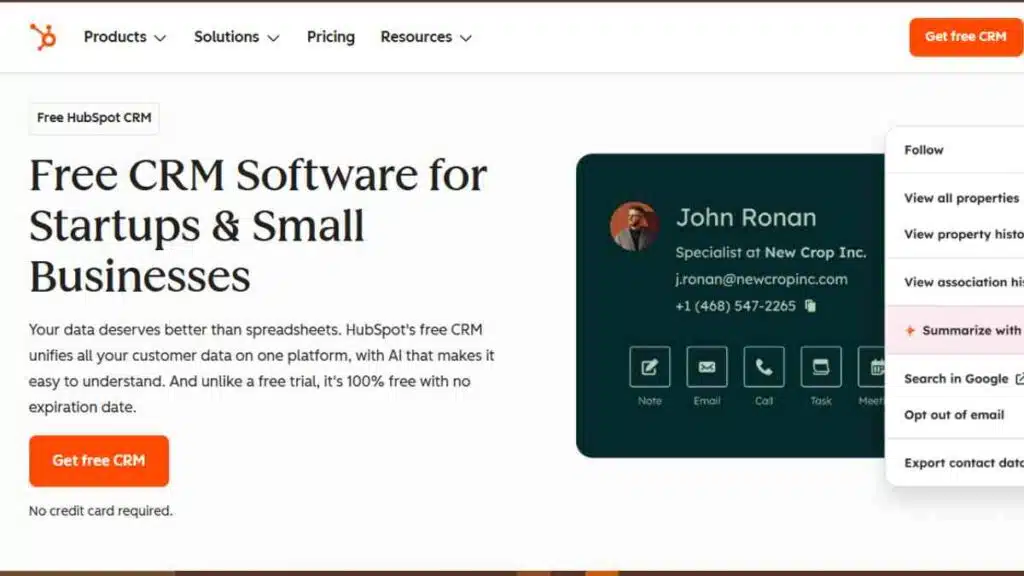
HubSpot CRM is widely considered one of the best CRM for small businesses, especially for startups and growing teams that want a powerful system without high upfront costs.
It offers a generous free plan and combines sales, marketing, and customer service tools in one platform.
Because of its intuitive interface and automation features, many entrepreneurs use HubSpot as their first customer relationship management software.
HubSpot allows businesses to manage contacts, track deals, automate follow-ups, and analyse sales performance from a single dashboard.
It also integrates easily with tools such as Gmail, Outlook, Slack, Shopify, and hundreds of other business apps.
Key Features
| Feature | Description |
|---|---|
| Contact Management | Stores unlimited contacts and tracks all customer interactions in one place |
| Deal & Pipeline Tracking | Visual sales pipeline that shows deals at every stage |
| Email Tracking | Real-time notifications when prospects open emails |
| Sales Automation | Automates follow-ups, task creation, and lead nurturing |
| Reporting Dashboard | Tracks sales performance, lead conversions, and team productivity |
| Integrations | Connects with 1,000+ apps including Gmail, Slack, Shopify, and Zapier |
Pricing
| Plan | Cost |
|---|---|
| Free | $0 |
| Starter CRM Suite | $45/month |
| Professional | Custom |
| Enterprise | Custom |
Pros
- Generous free CRM with powerful tools
- Easy to use for beginners
- Strong marketing automation features
- Excellent integrations with popular tools
- Scales easily as the business grows
Cons
- Advanced features can become expensive
- Some automation tools are locked behind higher plans
- Customisation can be limited in the free version
Best Use Cases
HubSpot CRM works best for:
- Startups looking for free CRM tools
- Small businesses building their first sales pipeline
- Entrepreneurs who want marketing and sales automation
- Businesses that rely heavily on email marketing
Why Small Businesses Choose HubSpot CRM
Many entrepreneurs choose HubSpot because it removes the complexity usually associated with CRM systems.
Instead of learning complicated software, teams can start managing leads and customers immediately.
As the business grows, additional tools such as marketing automation, customer support, and analytics can be added without migrating to another platform.
2. Salesforce Essentials
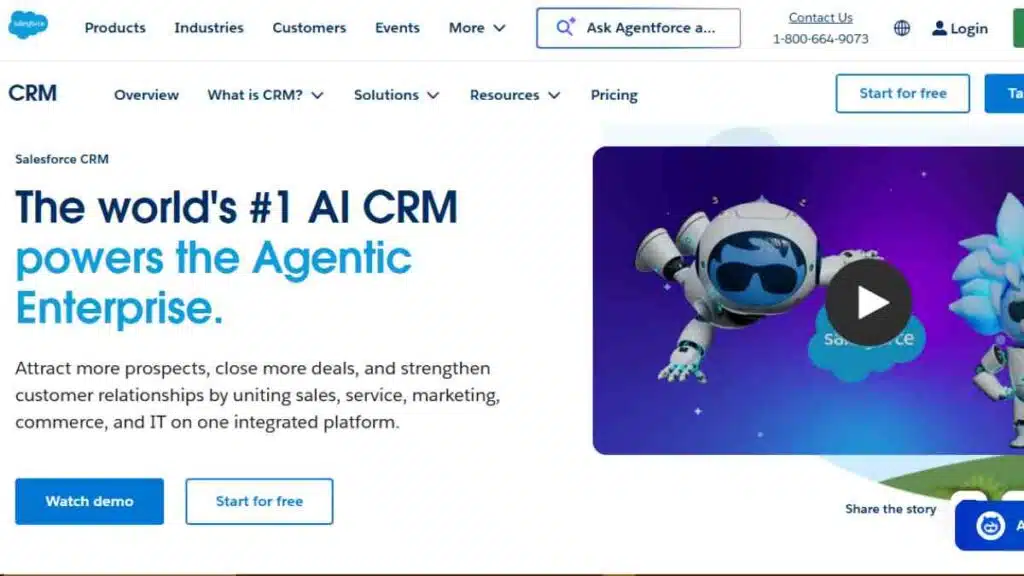
Salesforce Essentials is the small business version of Salesforce, one of the most recognised customer relationship management software platforms in the world.
It is designed specifically for small teams that want enterprise-level CRM capabilities without the complexity of large-scale systems.
This CRM helps businesses track leads, manage customer interactions, and automate sales processes from one dashboard.
For entrepreneurs planning long-term growth, Salesforce Essentials offers a scalable solution that can evolve into more advanced Salesforce products as the company expands.
Key Features
| Feature | Description |
|---|---|
| Contact & Account Management | Stores customer data, communication history, and company information |
| Lead Management | Captures and tracks leads through the sales pipeline |
| Sales Pipeline Tracking | Visual dashboard showing deal stages and progress |
| Task & Activity Tracking | Helps teams track calls, meetings, and follow-ups |
| Mobile CRM | Full CRM functionality available through mobile apps |
| App Integrations | Connects with tools like Gmail, Outlook, Slack, and Mailchimp |
Pricing
| Plan | Price |
|---|---|
| Starter Suite | $25 per user/month |
| Pro Suite | $100 per user/month |
Pros
- Highly scalable CRM platform
- Advanced reporting and analytics tools
- Strong automation capabilities
- Reliable cloud-based infrastructure
- Large ecosystem of integrations and apps
Cons
- Learning curve for beginners
- Interface may feel complex compared to simpler CRM tools
- Some advanced features require higher-tier plans
Best Use Cases
Salesforce Essentials works best for:
- Small businesses planning rapid growth
- Sales-driven teams that need structured pipelines
- Companies that want enterprise-grade CRM systems
- Businesses needing strong analytics and reporting tools
Why Small Businesses Choose Salesforce Essentials
Many companies adopt Salesforce Essentials because it provides the reliability and power of a world-class CRM platform while remaining accessible to small teams.
As the business grows, users can upgrade to more advanced Salesforce products without switching systems, making it a strong long-term investment for entrepreneurs building scalable operations.
3. Zoho CRM
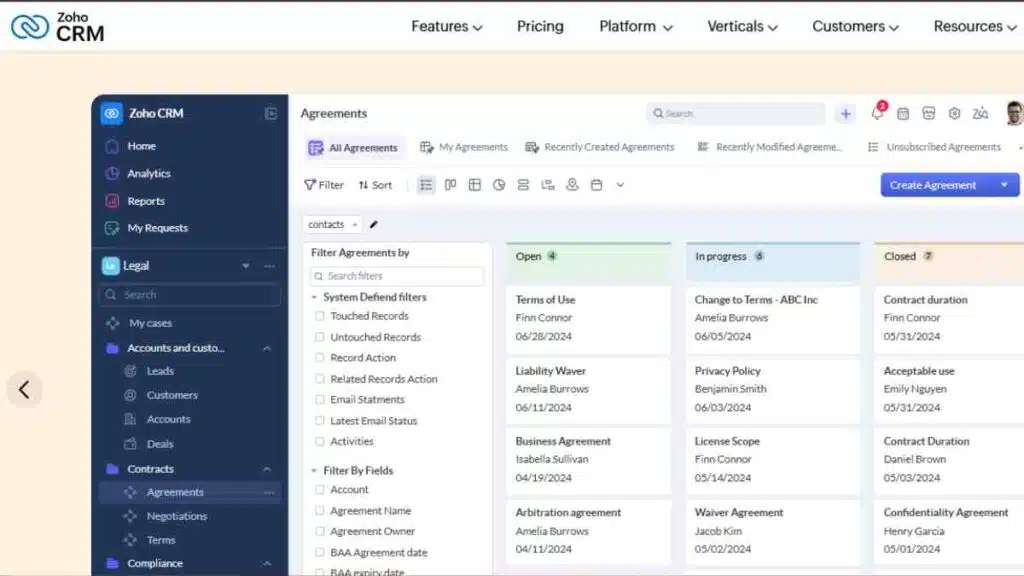
Zoho CRM is one of the most popular and affordable CRM software solutions for small businesses and startups.
It provides a complete set of sales, marketing, and customer management tools at a price that is accessible to entrepreneurs.
Because of its flexibility and wide range of features, Zoho CRM is widely used by small companies that want powerful CRM systems without paying enterprise-level prices.
The platform helps businesses capture leads, manage customer interactions, automate workflows, and analyse sales performance.
Key Features
| Feature | Description |
|---|---|
| Lead & Contact Management | Captures leads and organises customer information in one place |
| Sales Pipeline Management | Visual sales pipeline that tracks deals from lead to closing |
| Workflow Automation | Automates tasks, follow-ups, and notifications |
| AI Sales Assistant (Zia) | Provides insights, predictions, and reminders for sales activities |
| Multichannel Communication | Manage interactions through email, phone, live chat, and social media |
| Customisation | Custom fields, modules, and dashboards for different business needs |
Pricing
| Plan | Cost |
|---|---|
| Standard | $14/user/month |
| Professional | $23/user/month |
| Enterprise | $40/user/month |
| Ultimate | $52/user/month |
Pros
- Highly affordable compared to many CRM platforms
- Strong automation and customisation capabilities
- AI-powered insights through Zoho’s assistant (Zia)
- Large ecosystem of integrated Zoho business apps
- Suitable for businesses across multiple industries
Cons
- Interface can feel complex for beginners
- Some advanced features require higher-tier plans
- Initial setup may require time for customisation
Best Use Cases
Zoho CRM works best for:
- Startups looking for affordable CRM tools
- Small businesses that want automation without high costs
- Entrepreneurs already using Zoho business tools
- Companies managing sales across multiple communication channels
Why Small Businesses Choose Zoho CRM
Zoho CRM appeals to many entrepreneurs because it offers enterprise-level features at a small business price.
Businesses can start with a low-cost plan and gradually expand their CRM capabilities as their operations grow, making Zoho one of the most flexible and scalable CRM tools available today.
See Also: Best CRM for Manufacturing Business – Top 15 Tools Transforming Production
4. Pipedrive
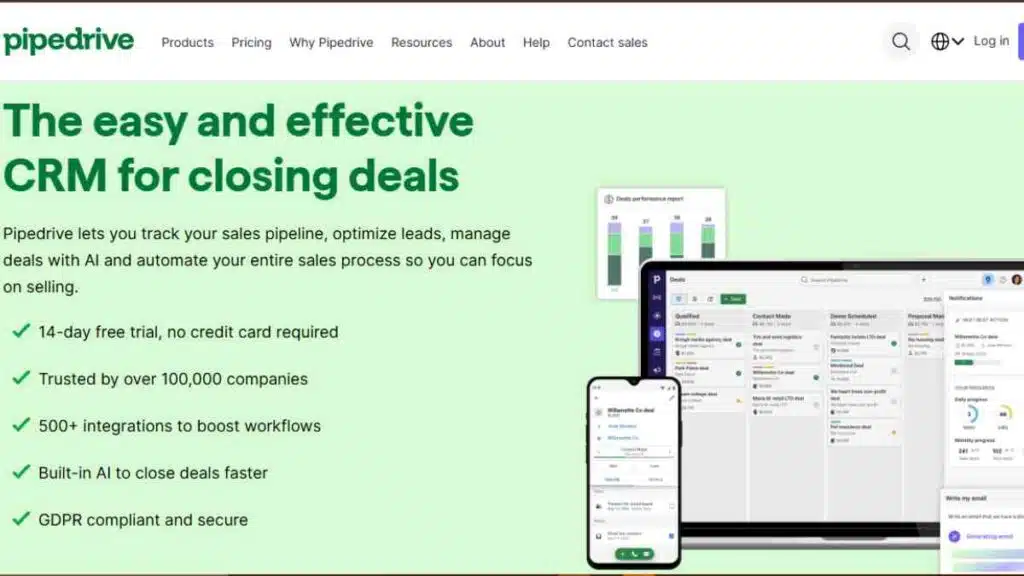
Pipedrive is a sales-focused CRM designed to help small businesses manage leads and close deals more efficiently.
Unlike many traditional CRM systems, Pipedrive focuses heavily on visual sales pipeline management, making it easier for entrepreneurs and sales teams to track opportunities and prioritise the right leads.
The platform is known for its clean interface and intuitive design. Small teams can quickly organise contacts, monitor deals, schedule activities, and automate sales tasks without needing extensive technical knowledge.
Because of this simplicity, Pipedrive is widely used by startups and sales-driven companies looking for practical CRM tools.
Key Features
| Feature | Description |
|---|---|
| Visual Sales Pipeline | Drag-and-drop deal tracking across different sales stages |
| Lead Management | Capture, organise, and track leads throughout the sales process |
| Activity & Task Tracking | Schedule calls, meetings, and follow-ups with reminders |
| Email Integration | Sync emails with Gmail and Outlook to track conversations |
| Sales Automation | Automate repetitive tasks and follow-up workflows |
| Reporting & Insights | Track sales performance with custom dashboards and reports |
Pricing
| Plan | Cost |
|---|---|
| Lite | $24/user/month |
| Growth | $49/user/month |
| Premium | $79/user/month |
| Ultimate | $99/user/month |
Pros
- Extremely easy to use
- Excellent visual pipeline management
- Strong sales tracking tools
- Good automation features
- Integrates with many business apps
Cons
- Limited marketing automation tools
- Some advanced features require higher plans
- Not as comprehensive for customer support management
Best Use Cases
Pipedrive works best for:
- Sales-driven startups
- Small teams that rely heavily on deal tracking
- Entrepreneurs who want a simple and visual CRM
- Businesses that prioritise pipeline management
Why Small Businesses Choose Pipedrive
Many small businesses prefer Pipedrive because it focuses on what matters most in CRM: closing deals.
Its visual pipeline makes it easy for teams to see where every opportunity stands, helping entrepreneurs stay organised, follow up with prospects, and maintain a consistent sales process.
5. Freshsales (Freshworks CRM)
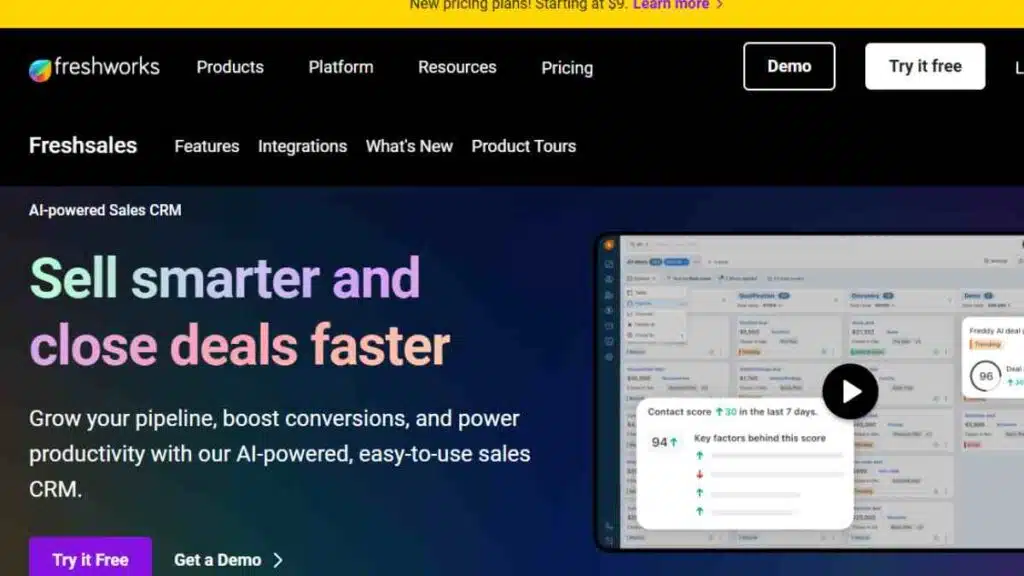
Freshsales, developed by Freshworks, is a modern CRM designed to help small businesses manage leads, automate sales tasks, and build better customer relationships.
It combines contact management, communication tools, and AI-powered insights in one platform, making it a strong choice for companies looking for smart CRM tools for startups.
One of the standout features of Freshsales is its built-in AI assistant, Freddy AI, which helps businesses identify high-quality leads, predict deal outcomes, and recommend the next best actions for sales teams.
Key Features
| Feature | Description |
|---|---|
| Contact & Account Management | Stores customer data, communication history, and deal information |
| AI Lead Scoring | Uses AI to identify leads most likely to convert |
| Built-in Phone & Email | Make calls, send emails, and track conversations within the CRM |
| Sales Pipeline Management | Visual pipelines that track deals through different sales stages |
| Workflow Automation | Automates follow-ups, tasks, and lead assignments |
| Analytics & Reporting | Provides insights into sales performance and conversion trends |
Pricing
| Plan | Cost |
|---|---|
| Free | $0 |
| Growth | $9/user/month |
| Pro | $39/user/month |
| Enterprise | $59/user/month |
Pros
- Built-in communication tools (phone and email)
- AI-powered sales insights
- Easy-to-use interface
- Strong automation capabilities
- Free plan available for small teams
Cons
- Some advanced features locked behind higher plans
- Customisation options are limited on lower tiers
- Reporting tools may require upgrades for full functionality
Best Use Cases
Freshsales works best for:
- Startups that want AI-powered CRM insights
- Small businesses managing high volumes of leads
- Sales teams that rely on phone and email communication
- Entrepreneurs who want automation and analytics in one platform
Why Small Businesses Choose Freshsales
Freshsales stands out because it combines CRM capabilities with communication tools and AI-driven insights.
Instead of juggling multiple platforms, entrepreneurs can manage leads, communicate with prospects, and track sales performance from a single dashboard.
This simplicity makes it a practical and efficient CRM solution for growing businesses.
See Also: Best CRM for Solar Businesses: Features, Comparisons & Buying Guide

6. Monday CRM
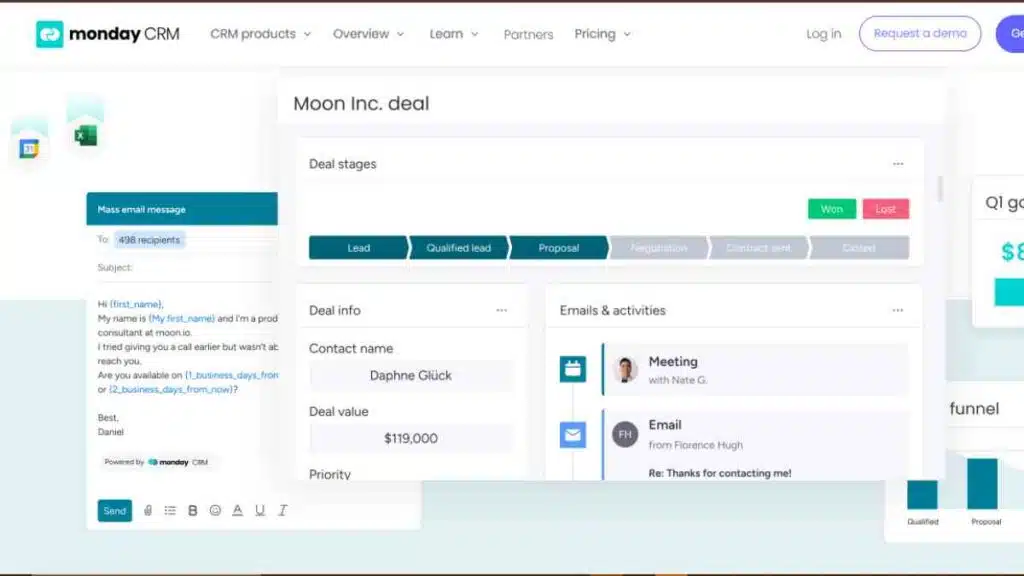
Monday CRM is a flexible customer relationship management platform built on top of the Monday.com work operating system.
It combines CRM functionality with project management and workflow automation, making it particularly useful for teams that want to manage both sales activities and business operations in one platform.
Unlike traditional CRM systems, Monday CRM uses visual boards that allow teams to track leads, deals, contacts, and tasks in a highly customisable environment.
This makes it attractive for startups and small teams looking for adaptable CRM tools without complicated setup processes.
Key Features
| Feature | Description |
|---|---|
| Visual Sales Pipelines | Track deals through customisable stages using visual boards |
| Contact Management | Store customer data, communication history, and deal information |
| Workflow Automation | Automate notifications, reminders, and task assignments |
| Email Integration | Sync with Gmail and Outlook to manage customer conversations |
| Sales Forecasting | Track performance and predict revenue trends |
| Custom Dashboards | Visual reports for sales performance and team productivity |
Pricing
| Plan | Cost |
|---|---|
| Basic CRM | $12/seat/month |
| Standard CRM | $17/seat/month |
| Pro CRM | $28/seat/month |
| Enterprise CRM | Custom pricing |
Pros
- Highly visual and intuitive interface
- Strong customisation options
- Combines CRM and workflow management
- Powerful automation features
- Integrates with many popular business tools
Cons
- Pricing increases quickly with more users
- Some CRM features require higher-tier plans
- May feel overwhelming for teams wanting a simple CRM
Best Use Cases
Monday CRM works best for:
- Startups managing both projects and sales
- Small businesses needing highly customisable CRM systems
- Entrepreneurs who prefer visual workflow management
- Teams that want CRM integrated with task management
Why Small Businesses Choose Monday CRM
Many small businesses choose Monday CRM because it provides more flexibility than traditional CRM platforms.
Instead of forcing companies into rigid workflows, the platform allows teams to design their own pipelines, dashboards, and automation processes.
This adaptability makes it particularly valuable for startups and growing businesses that need systems that can evolve with their operations.
7. Insightly CRM
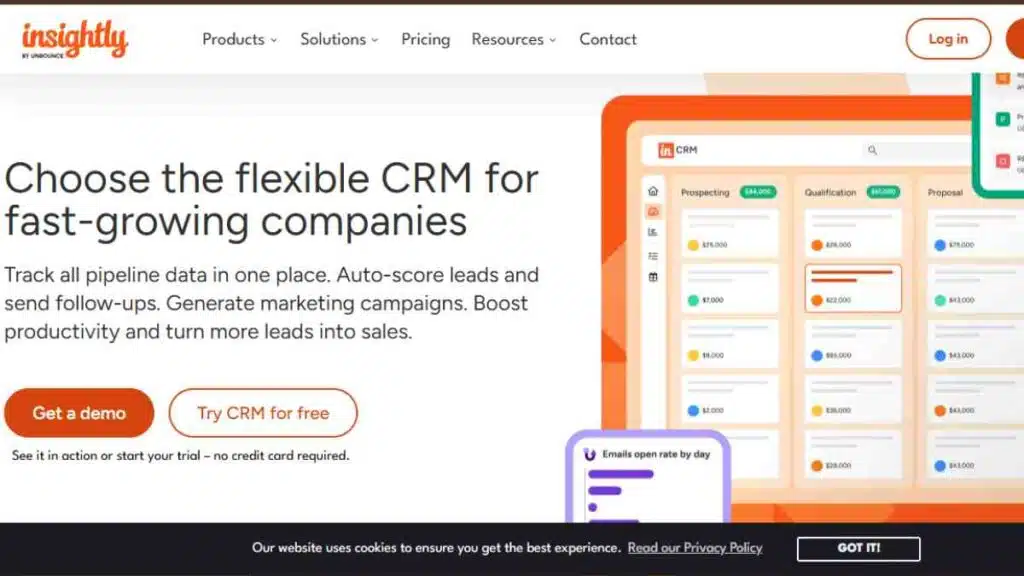
Insightly CRM is a powerful platform designed for small and mid-sized businesses that want to combine customer relationship management with project management.
Unlike many traditional CRM systems, Insightly helps businesses manage both sales pipelines and post-sale project delivery within the same platform.
This makes it particularly useful for service-based businesses that need to track customer relationships from the first contact through to project completion.
Insightly also offers strong integration capabilities with tools like Gmail, Outlook, Slack, and QuickBooks, making it a practical CRM system for small companies that rely on multiple business tools.
Key Features
| Feature | Description |
|---|---|
| Contact & Lead Management | Organises leads, contacts, and customer data in one central system |
| Sales Pipeline Management | Tracks deals and opportunities through customisable pipelines |
| Project Management | Converts closed deals into projects for seamless delivery |
| Workflow Automation | Automates repetitive tasks, approvals, and notifications |
| Email Integration | Connects with Gmail and Outlook for communication tracking |
| Reporting & Dashboards | Visual reports that track sales performance and project progress |
Pricing
| Plan | Cost |
|---|---|
| Plus | $29/user/month |
| Professional | $49/user/month |
| Enterprise | $99/user/month |
Pros
- Combines CRM and project management in one platform
- Strong automation features
- Good integration with business apps
- Customisable pipelines and workflows
- Reliable reporting tools
Cons
- No free plan available
- Interface may feel complex for beginners
- Some advanced features require higher-tier plans
Best Use Cases
Insightly CRM works best for:
- Service-based small businesses
- Consulting firms managing client projects
- Teams that need CRM and project tracking together
- Businesses managing long customer lifecycles
Why Small Businesses Choose Insightly CRM
Many small businesses prefer Insightly because it allows them to manage both customer relationships and project execution in one place.
Instead of switching between different tools, teams can track leads, close deals, and manage project delivery seamlessly, improving efficiency and customer satisfaction.
8. Nimble CRM
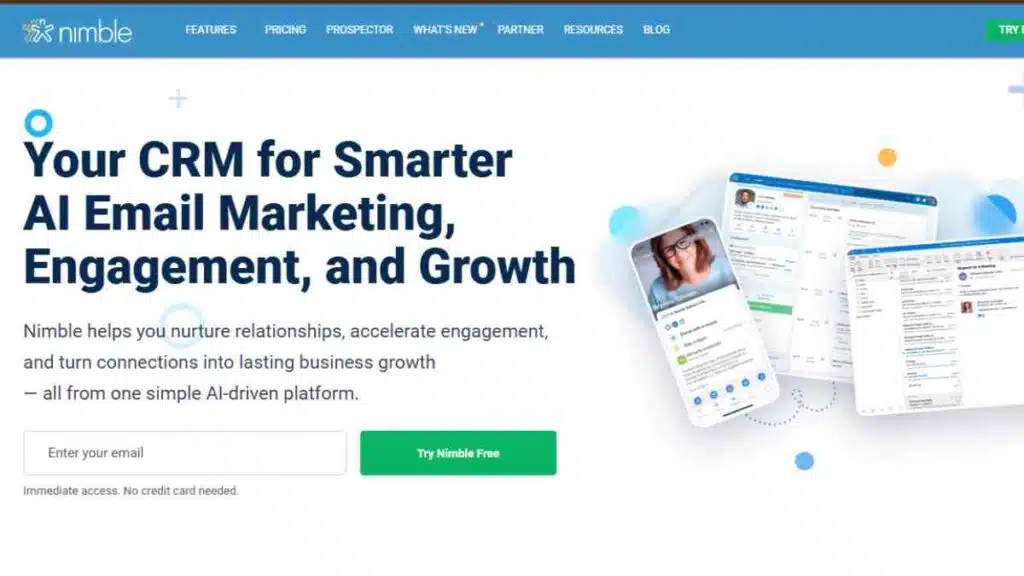
Nimble CRM is a relationship-focused CRM platform designed to help small businesses build stronger connections with customers and prospects.
It stands out because it combines traditional CRM capabilities with social media relationship management, allowing businesses to gather insights about contacts across multiple platforms.
For entrepreneurs who rely heavily on networking, email communication, and social media engagement, Nimble provides a simple way to track interactions and nurture relationships.
The platform automatically enriches contact profiles with data from social platforms, making it easier for businesses to understand and engage their audience.
Key Features
| Feature | Description |
|---|---|
| Contact Enrichment | Automatically gathers contact data from social media and online sources |
| Unified Contact Management | Combines emails, social profiles, and customer interactions in one place |
| Sales Pipeline Management | Tracks deals and opportunities through customisable sales pipelines |
| Email Integration | Works with Gmail and Outlook to track email conversations |
| Social Media Insights | Provides customer insights from LinkedIn, Twitter, and other networks |
| Task & Activity Tracking | Helps manage follow-ups, reminders, and communication activities |
Pricing
| Plan | Price |
|---|---|
| Nimble CRM Plan | $24.90 per user/month |
Pros
- Excellent social media contact insights
- Simple and easy-to-use interface
- Strong email and contact management tools
- Good integration with Microsoft 365 and Google Workspace
- Helpful for networking and relationship building
Cons
- Limited advanced automation features
- Smaller ecosystem compared to larger CRM platforms
- Not ideal for complex enterprise-level sales processes
Best Use Cases
Nimble CRM works best for:
- Entrepreneurs who rely on networking and relationships
- Small businesses active on social media
- Sales teams that manage contacts through email and social platforms
- Consultants and freelancers managing personal client relationships
Why Small Businesses Choose Nimble CRM
Many entrepreneurs prefer Nimble CRM because it focuses on the relationship aspect of CRM rather than just sales tracking.
By automatically enriching contact data and combining communication channels in one dashboard, Nimble helps businesses build deeper connections with prospects and maintain more meaningful customer relationships.
9. Keap CRM (formerly Infusionsoft)
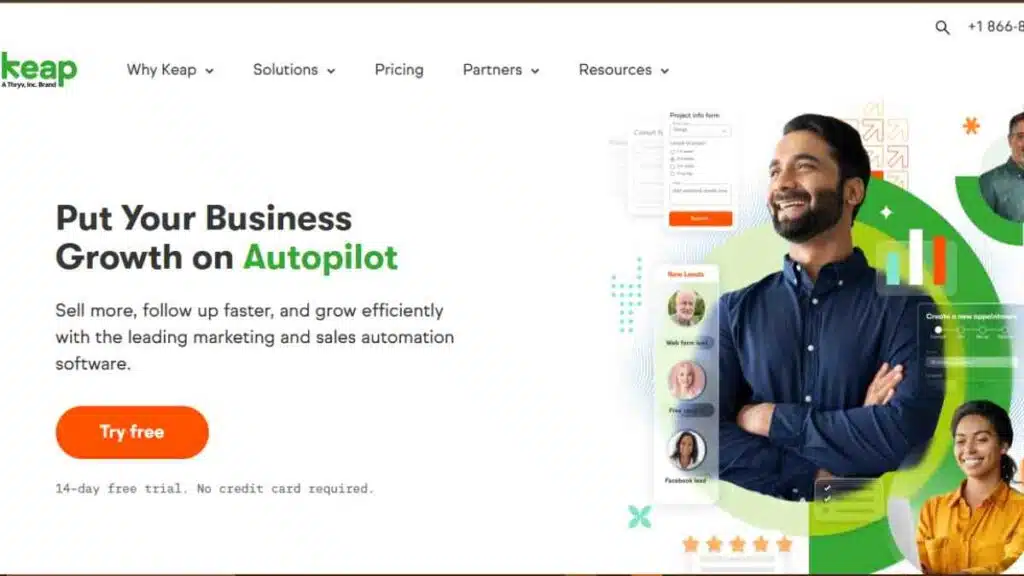
Keap CRM is a powerful platform designed for small businesses that want to combine CRM, sales automation, and marketing automation in one system.
It is especially popular among entrepreneurs who rely heavily on email marketing, lead nurturing, and automated sales funnels.
Unlike many traditional CRM systems, Keap focuses strongly on automation. Businesses can automatically follow up with leads, send personalised emails, and manage customer journeys without manual intervention.
Key Features
| Feature | Description |
|---|---|
| Contact & Lead Management | Organises customer data, communication history, and purchase behaviour |
| Marketing Automation | Automates email campaigns, follow-ups, and lead nurturing sequences |
| Sales Pipeline Management | Tracks deals through a visual sales pipeline |
| Appointment Scheduling | Allows clients to book meetings directly through the system |
| Payment & Invoicing | Built-in payment processing and invoice management |
| Workflow Automation | Automates repetitive tasks and customer journeys |
Pricing
| Plan | Cost |
|---|---|
| Keap Software | Starting at $229/month |
Pros
- Strong marketing automation tools
- Built-in email marketing and campaigns
- Payment and invoicing capabilities
- Powerful workflow automation
- Good for businesses with complex sales funnels
Cons
- Higher starting price compared to many CRM tools
- Initial setup may require time and training
- Not ideal for businesses that only need simple CRM features
Best Use Case
Keap CRM works best for:
- Small businesses running automated marketing campaigns
- Entrepreneurs managing sales funnels
- Online businesses selling digital products or services
- Companies needing CRM combined with payment and invoicing tools
Why Small Businesses Choose Keap CRM
Many small businesses choose Keap because it goes beyond basic CRM functions.
Instead of only managing contacts and deals, the platform helps automate the entire customer journey, from lead generation to follow-up, payment processing, and long-term customer engagement.
This makes it particularly valuable for businesses focused on scaling their marketing and sales operations.
10. Capsule CRM
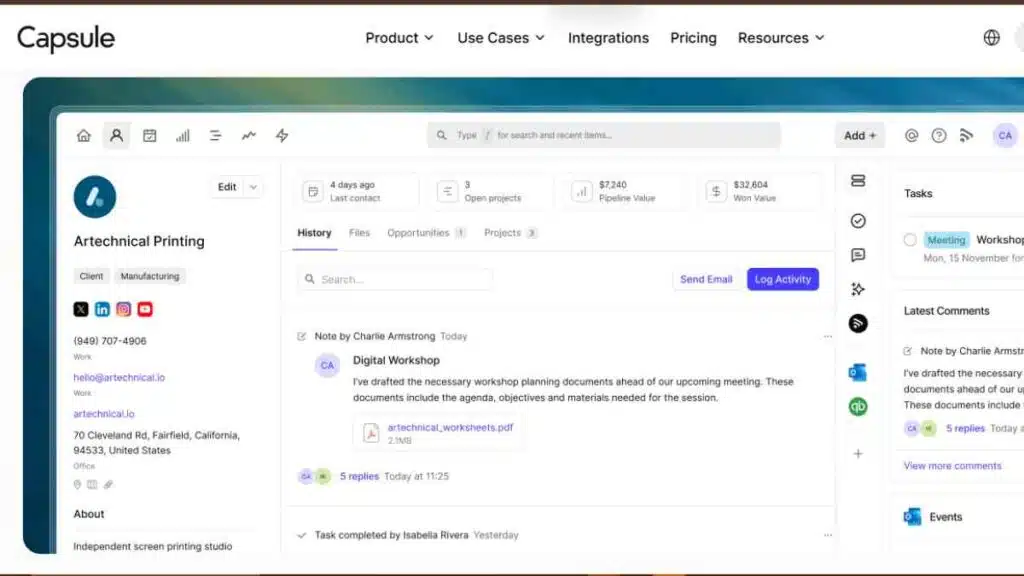
Capsule CRM is a simple yet effective customer relationship management software designed specifically for small businesses that want an easy way to organise contacts, track sales opportunities, and manage relationships.
Unlike complex CRM systems, Capsule focuses on simplicity and usability, making it ideal for entrepreneurs who want to get started quickly without a steep learning curve.
The platform allows businesses to store customer information, manage sales pipelines, track communication history, and organise tasks.
Capsule also integrates with popular tools such as Google Workspace, Mailchimp, Xero, and QuickBooks, making it a practical CRM system for small companies that already rely on these business apps.
Key Features
| Feature | Description |
|---|---|
| Contact Management | Stores detailed customer profiles, notes, and interaction history |
| Sales Pipeline Tracking | Visual pipelines that help businesses track deals and opportunities |
| Task & Activity Management | Organises follow-ups, reminders, and tasks related to contacts |
| Email Integration | Integrates with Gmail and Outlook for communication tracking |
| Custom Fields & Tags | Helps businesses organise contacts and segment customers |
| Third-Party Integrations | Connects with accounting, marketing, and productivity tools |
Pricing
| Plan | Cost |
|---|---|
| Free | $0 |
| Starter | $18/user/month |
| Growth | $36/user/month |
| Advanced | $54/user/month |
Pros
- Simple and easy-to-use interface
- Free plan available for small teams
- Strong contact and relationship management tools
- Good integrations with accounting and marketing tools
- Fast setup with minimal training required
Cons
- Limited automation features compared to advanced CRM platforms
- Fewer advanced analytics tools
- May not suit larger teams with complex workflows
Best Use Cases
Capsule CRM works best for:
- Small businesses that want a simple CRM system
- Entrepreneurs managing client relationships
- Startups that need affordable CRM software
- Businesses that prefer lightweight CRM tools
Why Small Businesses Choose Capsule CRM
Many small businesses choose Capsule CRM because it offers the core CRM features they need without unnecessary complexity.
Instead of overwhelming users with advanced tools they may never use, Capsule focuses on helping entrepreneurs manage contacts, track deals, and maintain strong customer relationships simply and efficiently.

11. Thryv CRM
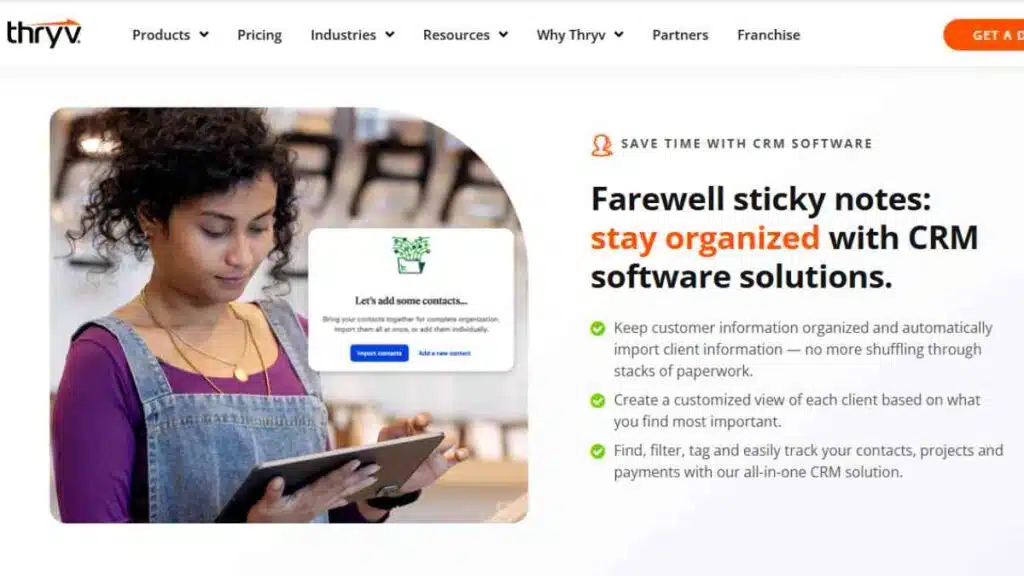
Thryv CRM is a business management platform designed specifically for small local businesses and service-based entrepreneurs.
Unlike many traditional CRM tools that focus mainly on sales tracking, Thryv combines customer relationship management with marketing, scheduling, payments, and reputation management.
This all-in-one approach makes it particularly useful for small businesses that want to manage customer communication, appointments, invoices, and marketing campaigns from a single dashboard.
Because of this, Thryv is often considered a practical CRM tool for entrepreneurs running service-driven businesses.
Key Features
| Feature | Description |
|---|---|
| Contact & Customer Management | Stores customer information, communication history, and service records |
| Appointment Scheduling | Allows clients to book appointments through an online booking system |
| Automated Customer Communication | Sends appointment reminders, follow-ups, and updates automatically |
| Payment Processing | Enables businesses to send invoices and accept online payments |
| Reputation Management | Helps manage online reviews and customer feedback |
| Marketing Tools | Email and SMS marketing tools to engage and retain customers |
Pricing
| Plan | Cost |
|---|---|
| Kickstart | $646 |
| Ignite | $881 |
| Accelerate | $1,475 |
Pros
- Combines CRM with scheduling, payments, and marketing
- Built specifically for small businesses
- Strong customer communication tools
- Online booking and appointment management
- Helps manage online reputation and reviews
Cons
- Pricing is not publicly listed and requires consultation
- May include features unnecessary for non-service businesses
- Less flexible compared to some traditional CRM platforms
Best Use Cases
Thryv CRM works best for:
- Service-based small businesses
- Local businesses managing appointments
- Entrepreneurs running home service companies
- Businesses that want CRM combined with scheduling and payments
Why Small Businesses Choose Thryv CRM
Many small businesses choose Thryv because it offers more than just CRM functionality.
By combining customer management, marketing tools, scheduling, and payment processing, Thryv allows entrepreneurs to manage multiple parts of their business from one platform, improving efficiency and customer experience.
12. Odoo CRM
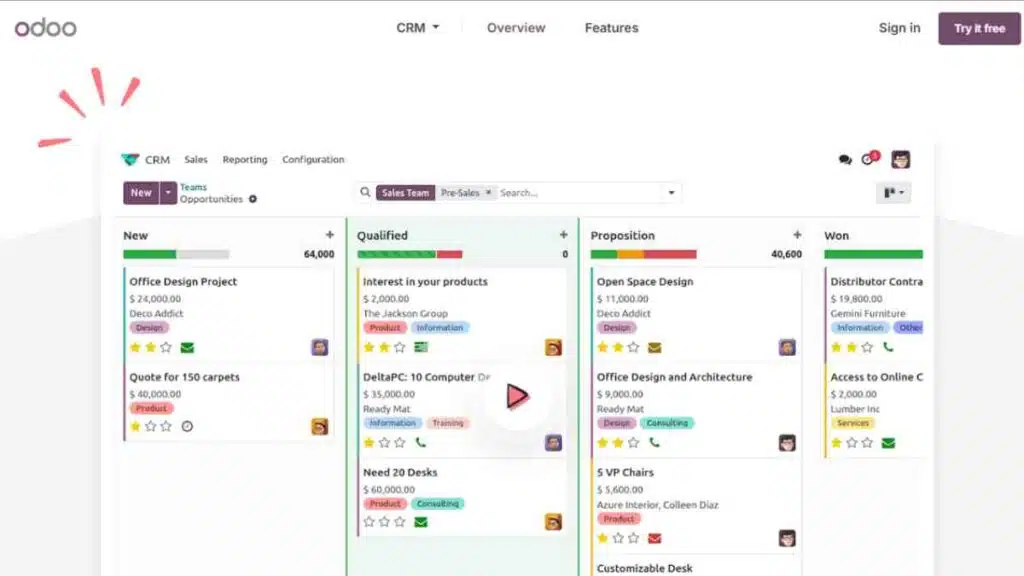
Odoo CRM is part of the broader Odoo business software ecosystem, which includes applications for accounting, inventory, marketing, e-commerce, and project management.
Because of this integrated approach, Odoo CRM is particularly attractive to small businesses that want a CRM system that can grow into a full business management platform.
The CRM focuses on helping businesses track leads, manage sales pipelines, automate follow-ups, and analyse performance.
What makes Odoo unique is its modular structure; companies can start with the CRM and later add other business apps such as invoicing, marketing automation, or inventory management as their operations expand.
Key Features
| Feature | Description |
|---|---|
| Lead & Opportunity Management | Capture and organise leads, then track them through the sales pipeline |
| Visual Sales Pipeline | Drag-and-drop deal stages that make it easy to manage opportunities |
| Activity Scheduling | Schedule calls, meetings, and follow-ups with automatic reminders |
| Automation Rules | Automatically assign leads, schedule tasks, and trigger follow-ups |
| Sales Forecasting | Provides insights into expected revenue and deal performance |
| Odoo App Integration | Connects seamlessly with Odoo apps like accounting, inventory, and marketing |
Pricing
| Plan | Cost |
|---|---|
| Odoo Online (One App Free) | $0 |
| Standard Plan | $31.10/user/month |
| Custom/On-Premise | Custom pricing |
Pros
- Highly flexible and modular platform
- Free option available for a single application
- Seamless integration with other Odoo business tools
- Strong automation and customisation capabilities
- Scales well as businesses grow
Cons
- Setup can be complex for beginners
- Full functionality requires multiple apps
- Some customisation may require technical expertise
Best Use Cases
Odoo CRM works best for:
- Small businesses planning to scale operations
- Entrepreneurs who want CRM integrated with accounting and inventory
- Companies that prefer an all-in-one business management platform
- Startups that want a modular CRM system
Why Small Businesses Choose Odoo CRM
Many entrepreneurs choose Odoo CRM because it provides more than just customer management.
Instead of relying on multiple disconnected tools, businesses can manage sales, marketing, finance, and operations within one integrated ecosystem.
This makes Odoo a strong choice for companies that want a CRM platform capable of evolving into a complete business management solution.
14. SAP CRM
SAP CRM is part of the SAP Customer Experience suite and is designed to help businesses manage customer interactions, sales processes, marketing campaigns, and service operations in one platform.
While SAP CRM is traditionally associated with larger organisations, many growing companies use it because of its powerful analytics, automation capabilities, and deep integration with other SAP business tools.
For businesses that already use SAP systems for accounting, supply chain, or enterprise management, SAP CRM provides a seamless way to integrate customer data with other operational processes.
This makes it a strong option for companies looking for advanced CRM systems for small companies planning long-term scalability.
Key Features
| Feature | Description |
|---|---|
| Customer Data Management | Centralised database that stores detailed customer profiles and interaction history |
| Sales Automation | Helps sales teams manage leads, opportunities, and customer interactions |
| Marketing Campaign Management | Supports targeted campaigns and customer segmentation |
| Customer Service Management | Tools for managing support tickets and service requests |
| Advanced Analytics | Provides insights into sales performance and customer behaviour |
| Integration with SAP Ecosystem | Connects with SAP ERP, SAP Marketing Cloud, and other SAP tools |
Pricing
| Plan | Price | Best For |
|---|---|---|
| SAP CRM Solutions | Custom pricing | Businesses needing enterprise-level CRM capabilities |
Pros
- Powerful enterprise-grade CRM capabilities
- Strong analytics and reporting tools
- Deep integration with SAP business applications
- Highly scalable platform
- Supports complex sales and service processes
Cons
- Expensive compared to most small business CRM tools
- Implementation may require technical expertise
- Interface can be complex for small teams
Best Use Cases
SAP CRM works best for:
- Growing companies planning enterprise-scale operations
- Businesses already using SAP software
- Companies needing advanced analytics and reporting
- Businesses managing complex sales and service processes
Why Small Businesses Choose SAP CRM
Some small businesses choose SAP CRM because it offers a highly scalable system that can grow alongside the company.
For organisations already operating within the SAP ecosystem, using SAP CRM allows them to connect customer data with finance, operations, and supply chain systems, creating a more unified view of their entire business.
15. Zendesk Sell
Zendesk Sell is a modern sales CRM built to help small businesses improve productivity, manage leads efficiently, and close deals faster.
It is part of the Zendesk ecosystem, which is widely known for its customer support software.
Because of this integration, Zendesk Sell is particularly useful for companies that want to connect sales and customer support operations in one unified system.
The platform provides tools for lead tracking, sales automation, communication management, and performance analytics.
With its clean interface and strong mobile capabilities, Zendesk Sell is a practical option for sales teams that work remotely or rely heavily on phone and email communication.
Key Features
| Feature | Description |
|---|---|
| Lead & Contact Management | Stores and organises leads, contacts, and interaction history |
| Sales Pipeline Tracking | Visual pipeline that helps teams track deals and opportunities |
| Built-in Communication Tools | Includes email tracking, call logging, and SMS capabilities |
| Sales Automation | Automates tasks, lead assignments, and follow-up reminders |
| Reporting & Analytics | Provides dashboards that track sales performance and forecasts |
| Mobile CRM | Fully functional mobile apps for managing sales on the go |
Pricing
| Plan | Cost |
|---|---|
| Team | $19/user/month |
| Growth | $55/user/month |
| Professional | $115/user/month |
Pro
- Clean and user-friendly interface
- Strong communication tools including calling and email tracking
- Excellent mobile CRM functionality
- Seamless integration with Zendesk support tools
- Reliable analytics and reporting dashboards
Cons
- Higher pricing compared to some small business CRM tools
- Some advanced features require premium plans
- Best suited for businesses already using Zendesk products
Best Use Cases
Zendesk Sell works best for:
- Sales teams that rely heavily on phone and email communication
- Businesses using Zendesk for customer support
- Remote sales teams needing mobile CRM access
- Companies looking to integrate sales and customer service operations
Why Small Businesses Choose Zendesk Sell
Many small businesses choose Zendesk Sell because it connects the sales process with customer support operations.
By combining CRM tools with communication tracking and analytics, the platform helps sales teams stay organised, respond faster to leads, and maintain strong relationships with customers throughout the entire sales journey.

How to Choose the Best CRM for Your Small Business
Selecting the right CRM is not just about picking the most popular platform. The best CRM for small businesses should align with your sales process, team size, budget, and growth plans.
With so many CRM tools available, it is important to focus on features that actually support your business operations rather than choosing software with unnecessary complexity.
By evaluating your business needs, comparing features, and considering long-term scalability, you can identify a customer relationship management software that helps you organise customer data, manage leads effectively, and increase sales.
Key Factors to Consider When Choosing a CRM
| Factor | What to Consider | Importance |
|---|---|---|
| Business Needs | Identify whether you need CRM mainly for sales, marketing automation, or customer support | Ensures the CRM supports your core business processes |
| Ease of Use | Choose software that your team can learn and use quickly | Reduces training time and increases productivity |
| Pricing & Budget | Compare subscription costs, user pricing, and hidden fees | Helps ensure the CRM remains affordable as your team grows |
| Integration Capabilities | Check compatibility with tools like email, accounting, and e-commerce platforms | Improves workflow efficiency by connecting your existing tools |
| Automation Features | Look for automation in follow-ups, task assignments, and lead nurturing | Saves time and improves sales consistency |
| Scalability | Choose a CRM that can grow with your business | Prevents the need to switch systems as the company expands |
Conclusion
Choosing the best CRM for small businesses helps you organise customer data, manage leads, and improve sales.
The right CRM makes it easier to build strong relationships and support long-term business growth.
We want to see you succeed, and that’s why we provide valuable business resources to help you every step of the way.
- Join over 23,000 entrepreneurs by signing up for our newsletter and receiving valuable business insights.
- Register your business today with Entrepreneurs.ng’s Business Registration Services.
- Tell Your Brand Story on Entrepreneurs.ng, let’s showcase your brand to our global audience.
- Need help with your marketing strategy? Get a Comprehensive Marketing and Sales Plan here.
- Sign up for our Entrepreneurs Success Blueprint Programme to learn how to start and scale your business in just 30 days.
- Book our one-on-one consulting and speak to an expert about structuring and growing your business.
- Visit our shop for business plan templates and other valuable resources to guide you.
- Get our Employee-Employer Super Bundle NDA templates to legally protect your business and workforce.
- Advertise your business to over a million entrepreneurs through our different advertising packages.

Frequently Asked Questions (FAQS)
What is CRM software for small businesses?
CRM software helps small businesses manage customer relationships, track sales leads, store contact information, and organise communication with clients in one system.
Why do small businesses need CRM software?
Small businesses need CRM software to organise customer data, manage leads efficiently, improve follow-ups, and increase sales opportunities.
What is the best CRM for small businesses?
Some of the best CRM for small businesses include HubSpot CRM, Zoho CRM, Pipedrive, Freshsales, and Monday CRM because they offer powerful features with affordable pricing.
Is there a free CRM for small businesses?
Yes. Many platforms such as HubSpot CRM, Freshsales, and Zoho CRM offer free plans that include basic contact management and sales tracking tools.
How much does CRM software cost for small businesses?
Most small business CRM software costs between $10 and $50 per user per month, although some platforms offer free plans with limited features.
What features should small businesses look for in a CRM?
Small businesses should look for contact management, sales pipeline tracking, automation tools, integrations, reporting features, and ease of use.
Can CRM software help increase sales?
Yes. CRM software helps businesses track leads, automate follow-ups, and analyse sales performance, which can significantly improve conversion rates.
What is the easiest CRM for beginners?
HubSpot CRM and Less Annoying CRM are often considered the easiest CRM systems for beginners because of their simple interfaces and straightforward setup.
Do startups need CRM software?
Yes. CRM tools for startups help organise customer data, track prospects, and manage sales pipelines from the early stages of business growth.
What is the difference between CRM and ERP software?
CRM focuses on managing customer relationships and sales processes, while ERP systems manage broader business operations such as accounting, inventory, and supply chain management.
Can CRM integrate with other business tools?
Yes. Most CRM systems integrate with email platforms, accounting software, marketing tools, and e-commerce platforms to streamline business operations.
How long does it take to implement a CRM system?
Simple CRM systems can be set up within a few hours, while more advanced platforms may take several days or weeks depending on customisation needs.
Is CRM useful for service-based businesses?
Yes. Service-based businesses use CRM systems to track client communication, manage appointments, monitor project progress, and maintain long-term customer relationships.
Can CRM software automate marketing tasks?
Many CRM platforms include marketing automation features such as email campaigns, lead nurturing workflows, and customer segmentation.
How do I choose the right CRM for my business?
Choose a CRM based on your business size, budget, ease of use, integration needs, automation features, and future growth plans.



