


When it is time to close a company, the best software to sunset a business does more than help you shut the doors; it gives you a structured, compliant and reputation-safe exit.
When you are navigating final accounts, dissolving legal structures, notifying stakeholders and protecting years of data, the right digital tools become essential.
And with regulatory bodies emphasising the importance of accurate dissolution filings and record-keeping, entrepreneurs can no longer afford to wing the process.
Key Takeaways
- Use legal, financial, and compliance software to complete every formal step of dissolving your business correctly.
- Rely on project management and communication tools to coordinate closure tasks and notify all stakeholders on time.
- Protect sensitive information with data backup, cybersecurity, and access-revocation tools during shutdown.
- Liquidate assets and archive essential records using specialised platforms for a clean, fully documented exit.

What Does It Mean to Sunset a Business?
Sunsetting a business means closing it down deliberately, thoughtfully, and in full alignment with legal, financial, and operational requirements. It is not an abrupt shutdown, but a structured end-of-life process that ensures every loose end is tied up.
This includes settling debts, notifying customers, finalising employee off-boarding, liquidating assets, protecting sensitive data, and formally dissolving the entity with regulators.
In short, sunsetting a business is about closing with dignity, compliance, and clarity so you do not leave behind liabilities, surprises, or reputational risk.
Difference Between Shutting Down Abruptly vs. Structured Sunsetting
Closing a business can happen in two very different ways: abruptly, often driven by crisis or through a well-planned sunsetting process.
The distinction matters because it directly affects your legal exposure, financial stability, brand reputation, and ability to move forward without complications.
The table below breaks down the core differences:
| Aspect | Abrupt Shutdown | Structured Sunsetting |
|---|---|---|
| Planning | No clear plan; decisions made reactively. | Follows a step-by-step closure roadmap. |
| Legal Compliance | High risk of fines due to skipped filings or unresolved obligations. | Ensures all dissolution, tax, and regulatory filings are completed properly. |
| Financial Management | Incomplete records, unpaid taxes or bills, and potential legal disputes. | Full reconciliation, final reporting, and clean financial closure. |
| Employee Impact | Sudden layoffs with little communication or support. | Planned off-boarding, final pay, and transparent communication. |
| Customer Notification | Customers are left confused or uninformed. | Clear and timely communication that protects brand reputation. |
| Data Handling | Risk of data breaches or loss due to rushed handling. | Secure data archiving, export, and destruction as required. |
| Asset Disposal | Assets often sold in distress at low value. | Strategic liquidation maximising value. |
| Reputational Impact | Damaged reputation and loss of trust. | Professional exit that preserves credibility. |
| Future Liabilities | High—unresolved debts, lawsuits, and penalties may surface later. | Low—documentation ensures all obligations are settled. |
Categories of Tools Needed for Business Sunsetting
Sunsetting a business requires more than one type of software, it demands a coordinated toolkit that handles compliance, communication, finances, HR, asset disposal, cybersecurity, and documentation.
Each category plays a specific role in helping entrepreneurs close operations cleanly, legally, and efficiently.
Below are the essential categories and what they help you achieve.
| Tool Category | Purpose in Business Sunsetting |
|---|---|
| Legal & Compliance Tools | Manage dissolution filings, contracts, licenses, and regulatory obligations. |
| Accounting & Financial Closure Tools | Prepare final statements, reconcile accounts, process taxes, and settle outstanding payments. |
| Project Management Tools | Organise closure tasks, timelines, and team responsibilities for a smooth transition. |
| HR & Off-Boarding Tools | Handle employee notifications, final pay, benefits termination, and record-keeping. |
| Communication Tools | Notify customers, suppliers, partners, and the public about the business shutdown. |
| Asset Liquidation Platforms | Sell remaining inventory, equipment, digital assets, and intellectual property. |
| Data Backup & Archiving Tools | Export, store, and secure critical business records for future reference. |
| Data Destruction & Cybersecurity Tools | Safely wipe sensitive data, revoke access, and secure digital accounts. |
| Password & Access Management Tools | Centralise login control and ensure all internal and external access is properly closed. |
See Also: 12 Best Mobile Device Management (MDM) Solutions for Small Businesses

The 15 Best Software to Sunset a Business
When you are preparing to close a company, the right mix of business closure software can make the entire process smoother, faster, and far more compliant.
From financial reconciliation to legal dissolution and data security, today’s tools for closing a business help entrepreneurs manage every stage of the transition with precision.
If you have ever wondered, “What software do I need to close my business?”, this section breaks down the most reliable business shutdown tools, covering everything from project management to HR off-boarding, asset liquidation, and data destruction.
1. QuickBooks
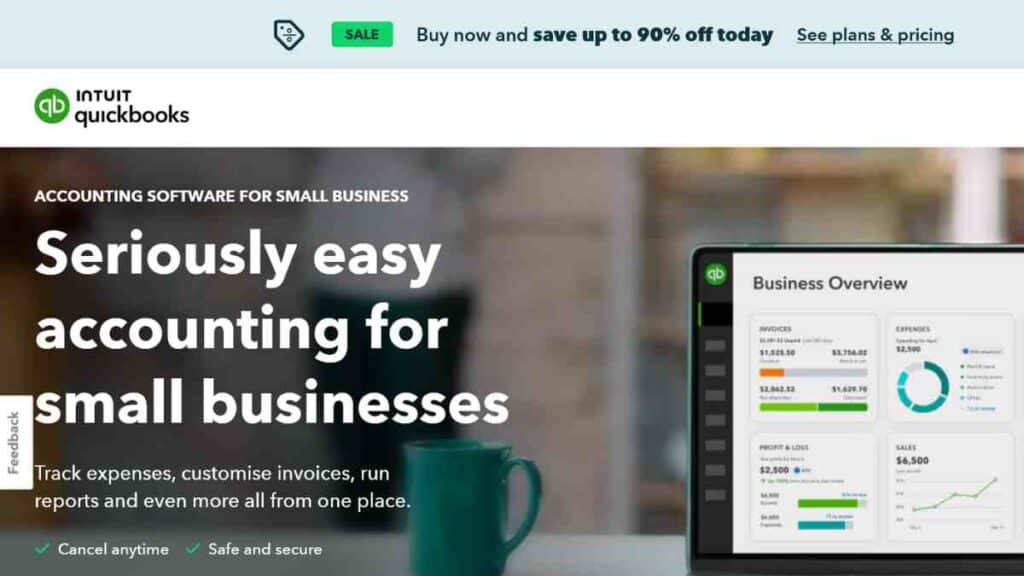
QuickBooks remains one of the most reliable business closure software tools for entrepreneurs who want to wrap up their financial obligations cleanly.
When sunsetting a business, accurate financial reporting is non-negotiable as tax authorities, creditors, and stakeholders all require clarity.
QuickBooks simplifies this with automated bookkeeping, audit-ready reports, and seamless reconciliation. It is one of the most essential tools for closing a business, especially when you need a transparent financial trail before filing for dissolution.
Key Features
- Final financial statements: Profit and loss, balance sheet, and cash-flow statements for closure documentation.
- Automated reconciliation: Matches payments, invoices, and expenses effortlessly.
- Tax-ready reports: Generates year-end and final-period tax documents needed for business dissolution filings.
- Invoice and debt tracking: Helps settle outstanding receivables and payables before shutdown.
- Data export tools: Download all historical records for future reference or regulatory audits.
Pricing
| Plan | Regular Price | Discounted Price (First 3 Months) |
|---|---|---|
| Simple Start | $38/mo | $19/mo |
| Essentials | $75/mo | $37.50/mo |
| Plus | $115/mo | $57.50/mo |
| Advanced | $275/mo | $137.50/mo |
Pros and Cons
| Pros | Cons |
|---|---|
| Easy to use for non-accountants | Higher tiers can be expensive |
| Generates all essential closure reports | Limited customisation for niche industries |
| Excellent automation for reconciliation | Add-ons may increase total cost |
| Cloud-based and accessible anywhere | Learning curve for complex features |
| Strong data export capabilities | Reliant on stable internet connection |
How QuickBooks Helps With Sunsetting a Business
QuickBooks is one of the most dependable business shutdown tools because it gives entrepreneurs total financial clarity before dissolving their companies.
From capturing outstanding liabilities to generating final tax documents, it ensures there are no surprises after closure.
Its robust data export tools also support regulatory compliance by enabling you to store all historical records long after operations have ended.
2. Xero
Xero is another powerful business dissolution software trusted by entrepreneurs who want a clean, well-documented financial exit.
Its cloud-based design makes it ideal for businesses preparing for shutdown because you can organise final books, reconcile accounts, and export complete financial histories from anywhere.
When evaluating software for shutting down a business, Xero stands out for its simplicity, accuracy, and collaborative features, especially when accountants or external advisors are involved in the closure process.
Key Features
- Full financial reporting: Generate profit and loss, balance sheets, and final-period summaries.
- Bank feeds and reconciliation: Automated syncing with your bank for precise closure numbers.
- Invoice and bill tracking: Settle outstanding receivables and payables before dissolution.
- Document storage: Upload and archive all receipts, contracts, and documents tied to your shutdown.
- Multi-user collaboration: Allow accountants, bookkeepers, or partners to access and finalise financial data.
- Easy export tools: Download all financial records for long-term storage or compliance needs.
Pricing
| Plan | Price (USD/month) |
|---|---|
| Starter | $29 |
| Standard | $46 |
| Premium | $69 |
Pros and Cons
| Pros | Cons |
|---|---|
| Highly user-friendly interface | Limited phone support |
| Excellent for remote collaboration | Some features require add-ons |
| Strong automation reduces manual work | Multi-currency only on higher tiers |
| Great for long-term record archiving | It can feel feature-light for complex industries |
| Integrates with 1,000+ business apps | Costs rise with add-ons |
How Xero Helps With Sunsetting a Business
Xero is one of the most efficient business dissolution tools because it gives you complete financial transparency as you prepare to close operations.
Its real-time reconciliation ensures that every invoice, bill, and transaction is accounted for before filing dissolution documents.
The platform also makes it easy to export and store years of financial history, which is crucial for audits, tax inquiries, or future reference.
See Also: Best 1099 Software for Small Businesses – Top Picks for Fast and Accurate IRS Compliance
3. LegalZoom

LegalZoom is one of the most essential business dissolution tools for entrepreneurs who want a compliant, stress-free way to formally close their company.
Instead of navigating state dissolution forms, termination notices, or legal requirements alone, LegalZoom provides guided support.
It is a go-to software for business dissolution because it simplifies legal paperwork, reduces errors, and ensures you meet your regulatory obligations when shutting down operations.
Key Features
- State-specific dissolution filings: Handles LLC, corporation, and nonprofit dissolution forms.
- Registered agent termination support: Ensures proper notifications and compliance steps are completed.
- Custom legal documents: Includes final resolutions, closure agreements, and asset transfer forms.
- Attorney consultations: Access to licensed attorneys for shutdown-related questions (with subscription).
- Compliance alerts: Notifications for outstanding legal obligations before closing.
- Document storage: Secure storage for dissolution paperwork and legal documents.
Pricing
| Plan | Price |
|---|---|
| Personal legal plans | $16.59 per month |
| Business legal plan | $39.09 per month |
Pros and Cons
| Pros | Cons |
|---|---|
| Handles all formal dissolution paperwork | Filing fees vary widely by state |
| Saves time and reduces compliance errors | Add-on services increase total cost |
| Access to licensed attorneys | No real-time chat with attorneys |
| Great for complex business structures | Not ideal for international businesses |
| Offers secure document storage | Turnaround time can vary by state |
How LegalZoom Helps With Sunsetting a Business
Filing dissolution documents incorrectly or skipping required forms can expose you to future taxes, penalties, and even lawsuits.
LegalZoom ensures every form is filed correctly, every legal obligation is closed, and your business is formally dissolved according to state requirements.
As part of your toolkit of tools for closing a business, it protects you from long-term liabilities and provides the legal clarity needed for a clean, official exit.
4. DocuSign
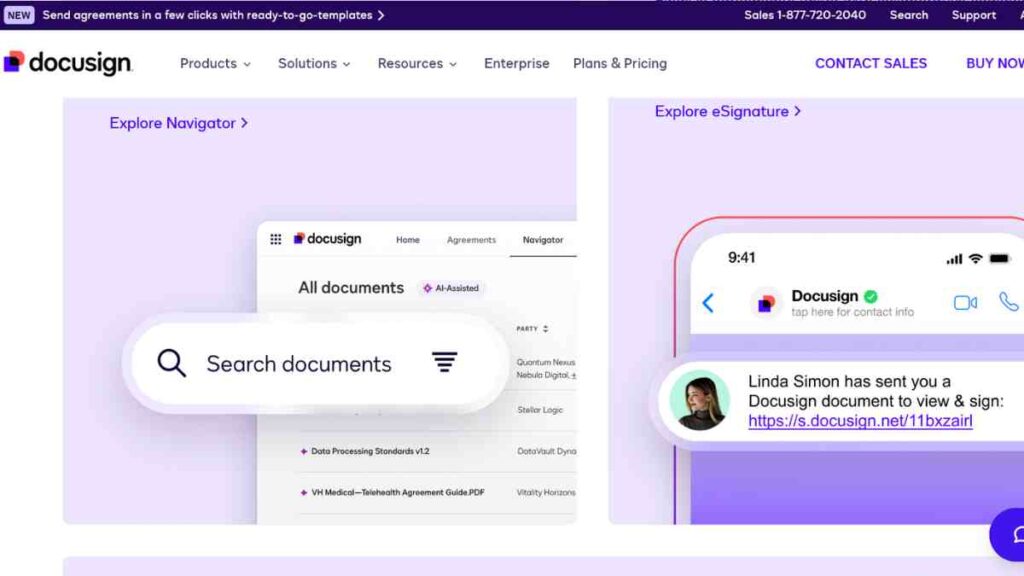
DocuSign is one of the most dependable business shutdown tools for managing all electronic signatures required during business sunsetting.
When closing a company, you will deal with contract terminations, employee separation documents, asset sale agreements, partner resolutions, and final compliance paperwork.
DocuSign streamlines all of this by enabling fast, legally binding e-signatures. It is widely used in professional environments, making it a trusted business closure software for entrepreneurs who want accuracy, speed, and an audit trail during dissolution.
Key Features
- Legally binding e-signatures: Compliant with ESIGN, UETA, and global e-signature laws.
- Automated routing: Sends documents to the right people in the correct order for approval.
- Audit trails: Tracks every action taken on a document, a requirement for many dissolution processes.
- Template library: Create templates for termination letters, resolutions, and closure agreements.
- Cloud storage integrations: Connects with Google Drive, Dropbox, OneDrive, and more.
- Mobile signing: Sign and send documents anytime, important for time-sensitive closure steps.
Pricbing
| Plan | Price |
|---|---|
| Personal | $15/mo |
| Standard | $45/mo |
| Business Pro | $65/mo |
| Enhanced Solutions | Custom pricing |
Pros and Cons
| Pros | Cons |
|---|---|
| Fast, secure, and legally binding signatures | More expensive than basic e-signature tools |
| Comprehensive audit trail for compliance | Advanced workflows locked behind higher-tier plans |
| Integrates with most cloud and workflow apps | UI can feel complex for first-time users |
| Supports multi-party, multi-step approvals | Limited document editing tools |
| Excellent mobile functionality | Requires internet for full functionality |
How DocuSign Helps With Sunsetting a Business
DocuSign plays a crucial role in business dissolution because almost every step of closing a company requires some form of signed documentation.
Whether you are terminating contracts, finalising asset transfers, completing board resolutions, or handling employee exits, DocuSign ensures everything is legally binding and fully documented.
Its audit trail is especially valuable as regulators, accountants, and legal advisors often require proof of approvals during dissolution.
5. Asana
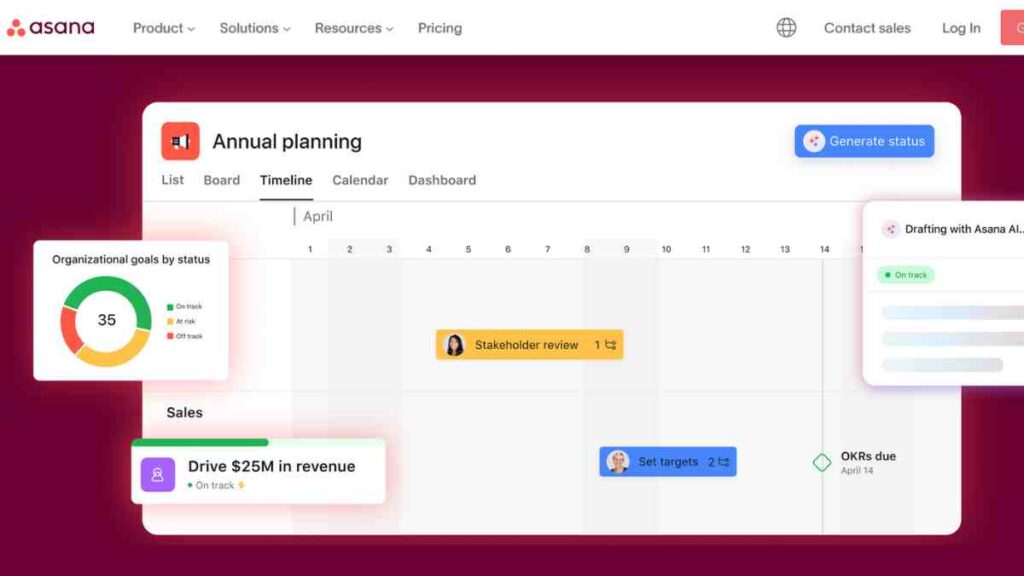
Asana is one of the most valuable tools for closing a business because it gives you a structured, visual way to manage every step of the shutdown.
From legal tasks and financial wrap-up to HR off-boarding and data archiving, Asana acts as the command centre for your entire dissolution timeline.
It is especially useful when multiple people or departments are involved, making it a standout choice among business shutdown tools for coordination, accountability, and clarity.
Key Features
- Task lists and timelines: Map out every phase of your closure with due dates and dependencies.
- Project templates: Create custom sunsetting workflows covering finance, legal, HR, and communications.
- Team collaboration: Assign tasks to team members, contractors, or advisors.
- Progress tracking: Dashboard views that show which tasks are pending, delayed, or completed.
- Workflow automation: Automate reminders, notifications, and recurring closure tasks.
- Integration ecosystem: Works seamlessly with Google Workspace, Slack, Dropbox, Microsoft 365, and more.
Pricing
| Plan | Price (Billed Annually) |
|---|---|
| Free | $0 (up to 10 users) |
| Starter | $10.99/user/month |
| Advanced | $24.99/user/month |
| Enterprise | Custom pricing |
Pros and Cons
| Pros | Cons |
|---|---|
| Perfect for organising complex shutdown workflows | It can feel overwhelming for first-time users |
| Excellent at keeping teams aligned and accountable | Higher-tier features add to cost |
| Highly visual and easy to customise | Requires setup time to build custom workflows |
| Integrates with most tools used during business closure | Advanced automation limited to paid plans |
| Strong reporting and progress tracking | Too feature-heavy for very simple closures |
How Asana Helps With Sunsetting a Business
Asana is one of the most strategic pieces of business closure software because sunsetting a business is not a single task but a series of interdependent steps.
Without a central system to manage them, deadlines slip, paperwork stalls, and compliance becomes risky. Asana eliminates that chaos by giving you a full bird’s-eye view of your closure plan.
You can build a complete dissolution workflow, from final bookkeeping and legal filings to staff communication and inventory liquidation and ensure nothing is missed.

6. Trello
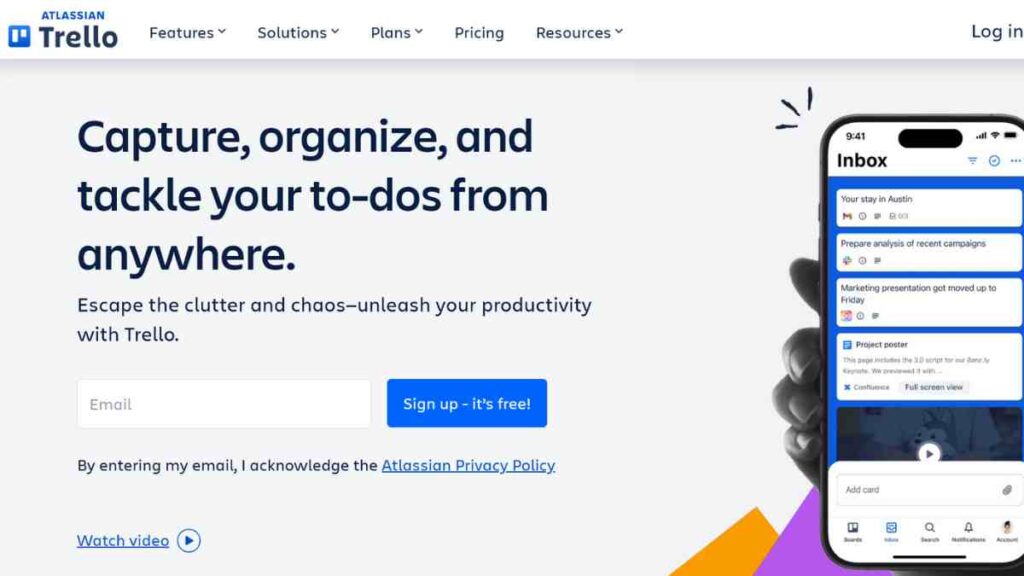
Trello is one of the most intuitive business shutdown tools for entrepreneurs who prefer a straightforward, visual workflow.
Its card-and-board system makes it easy to map out every step of your business closure, from financial wrap-up and legal tasks to employee communications and data cleanup.
For small businesses or solopreneurs, Trello is a lightweight yet powerful business closure software option that keeps the shutdown process organised without unnecessary complexity.
Key Features
- Drag-and-drop boards: Create visual boards for legal, finance, HR, asset liquidation, and data tasks.
- Checklists: Break down each step of your business dissolution into smaller, manageable actions.
- Labels and tags: Colour-code tasks for urgency, department, or closure stage.
- Due dates and reminders: Ensure nothing slips through the cracks during shutdown.
- Automation (Butler): Automate repetitive actions like moving tasks or sending reminders.
- App integrations: Works with Slack, Google Workspace, Dropbox, and hundreds of other tools you may use while shutting down your business.
Pricing
| Plan | Price (Billed Annually) |
|---|---|
| Free | $0 |
| Standard | $5/user/month |
| Premium | $10/user/month |
| Enterprise | From $17.50/user/month |
Pros and Cons
| Pros | Cons |
|---|---|
| Very easy to set up and use | Not ideal for highly complex shutdown workflows |
| Great visual overview of the entire closure process | Limited reporting tools |
| Free plan is powerful enough for many businesses | Automation features require configuration |
| Highly customisable boards | Large teams may find it too simple |
| Integrates well with tools used during business dissolution | Scaling requires paid plans |
How Trello Helps With Sunsetting a Business
Trello is one of the simplest and most practical tools for closing a business, especially for entrepreneurs who prefer clarity over complexity.
Its board-based layout lets you lay out your entire sunsetting roadmap, from “To Do” and “In Progress” to “Completed” stages, making it easy to track progress at a glance. This eliminates confusion and reduces errors during a sensitive transition period.
As part of your overall suite of software for shutting down a business, Trello ensures you maintain order, accountability, and visibility throughout the dissolution process.
7. Gusto

Gusto is one of the most essential business closure software options for handling the HR side of shutting down a business.
When a company is preparing for dissolution, employees must be off-boarded legally, paid accurately, and notified transparently.
Gusto simplifies this entire process, making it one of the most reliable tools for closing a business when people, payroll, and compliance are involved. Its automated payroll, tax filings, and separation processing help ensure a clean, compliant shutdown without HR chaos.
Key Features
- Automated final payroll: Processes last paychecks, PTO payouts, and final benefits.
- Tax filing support: Handles federal and state payroll tax filings even during closure.
- Employee separation tools: Generate termination letters and manage exit documentation.
- Benefits management: Cancels health, retirement, and other benefits correctly.
- Self-service portal: Employees can download pay stubs, tax forms, and records after shutdown.
- Compliance support: Helps ensure all HR steps meet labour laws during dissolution.
Pricing
| Plan | Price/month |
| Simple | $49 base + $6/employee |
| Plus | $60 base + $9/employee |
| Premium | $135 base + $16.50/employee |
| Contractor | $35 base + $6/employee |
Pros and Cons
| Pros | Cons |
|---|---|
| Automates final payroll and tax obligations | Pricing increases with team size |
| Excellent for employee off-boarding | Not ideal for global teams |
| Self-service access for former employees | Benefits features vary by state |
| Integrates with accounting and project tools | Limited customisation for unique shutdown situations |
| Highly compliant HR workflows | It requires accurate data input to avoid errors |
How Gusto Helps With Sunsetting a Business
Gusto is one of the most practical business dissolution tools because employee-related tasks are often the most sensitive part of shutting down a company.
From final paychecks and benefits termination to issuing separation letters and tax documents, mistakes here can lead to fines, disputes, or legal exposure.
Gusto eliminates that risk by automating payroll, guiding you through compliant off-boarding, and ensuring every former employee receives proper documentation.
See Also: Best HR and Payroll Compliance Software for Business Owners
8. BambooHR
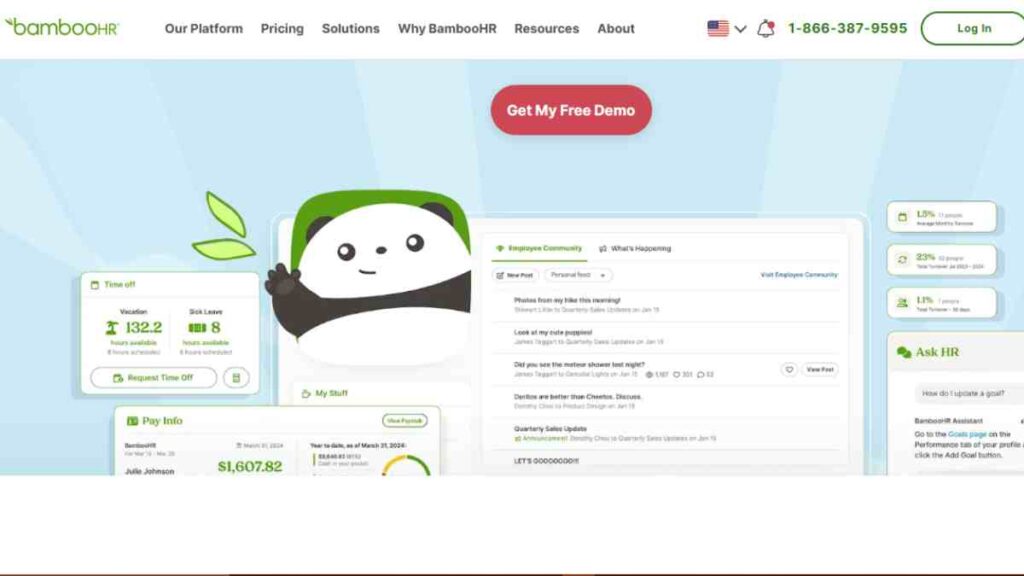
BambooHR is a powerful business dissolution software designed to simplify the employee-management side of shutting down a business.
When sunsetting operations, you must securely handle employee files, process final evaluations, store compliance documents, and ensure every staff member receives proper closure documentation.
BambooHR brings all HR records, workflows, and off-boarding tools into one place, making it one of the most organised and reliable business shutdown tools for people-centric tasks.
Key Features
- Centralised employee records: Securely store contracts, performance history, and HR files needed during dissolution.
- Off-boarding workflows: Automated checklists for exits, including return-of-property and documentation.
- E-signatures: Sign termination forms, agreements, and records digitally.
- Time-off and PTO tracking: Calculate and pay out remaining leave accurately.
- Reporting tools: Export personnel reports for compliance, audits, and future reference.
- Self-service access: Former employees can retrieve documents even after shutdown.
Pricing
| Plan | Price/month |
| Essentials | Custom quote |
| Advantage | Custom quote |
| Add-ons | Custom pricing |
Pros and Cons
| Pros | Cons |
|---|---|
| Excellent for securely organising employee records | No fixed public pricing |
| Streamlines off-boarding with automated workflows | Payroll and benefits features cost extra |
| Strong reporting and compliance support | More complex than simpler HR apps |
| Easy document signing and storage | Best suited for teams of 10+ |
| Self-service access reduces admin load | Limited integrations on lower tiers |
How BambooHR Helps With Sunsetting a Business
BambooHR is one of the most effective tools for closing a business because it ensures employees leave the organisation in a structured, compliant way.
Its off-boarding workflows help you manage critical steps, final paperwork, last-day checklists, separation agreements, and document storage, without missing any legal requirements.
The platform also consolidates every employee record into a secure archive, which is essential for compliance long after the business has dissolved.
9. Flippa

Flippa is one of the most practical business shutdown tools for entrepreneurs who need to sell digital assets as part of their business dissolution.
Websites, domains, mobile apps, online stores, content libraries, all of these can still generate value even after operations stop.
Flippa provides a global marketplace to sell these assets quickly and transparently, making it an essential business closure software tool if your business owns valuable online or digital properties.
Key Features
- Digital asset marketplace: Sell websites, domains, apps, blogs, SaaS products, and online stores.
- Valuation tools: Automated estimates help you price your digital assets correctly.
- Buyer network: Access thousands of active buyers seeking digital business assets.
- Broker assistance: Premium support for higher-value digital assets.
- Transfer support: Secure migration services for domains, websites, and digital files.
- Due diligence tools: Helps buyers and sellers verify financial and performance metrics.
Pricing
| Listing Type | Price |
|---|---|
| Standard Listing | $29 |
| Premium Listing | $399 |
| Success Fees | 5%–15% based on sale price |
Pros and Cons
| Pros | Cons |
|---|---|
| Large global marketplace for digital assets | Competition can be high |
| Built-in valuation and due diligence tools | Success fees reduce final profit |
| Great for selling websites, domains, and apps quickly | Marketplace attracts varying buyer quality |
| Offers broker support for complex sales | Premium listings can be costly |
| Reliable asset transfer assistance | Not suitable for physical asset liquidation |
How Flippa Helps With Sunsetting a Business
Flippa is a critical piece of software for shutting down a business when digital assets are part of your company’s value.
Instead of letting domains expire, websites go offline, or apps sit idle, you can liquidate them and recover significant value.
For entrepreneurs using a full suite of business dissolution tools, Flippa ensures nothing digital is wasted.
10. B-Stock

B-Stock is one of the most powerful business shutdown tools for companies that need to liquidate physical inventory, equipment, or returns during a business closure.
Instead of selling assets at distressed prices or scrambling for buyers, B-Stock connects you to a massive B2B auction network, helping you maximise value quickly.
For entrepreneurs looking for structured tools for closing a business, B-Stock ensures your physical assets are sold transparently, efficiently, and at competitive market rates.
Key Features
- B2B liquidation marketplace: Sell bulk inventory, equipment, store fixtures, and customer returns.
- Auction-style selling: Buyers compete, often increasing the final sale price.
- Global buyer network: Access thousands of verified business buyers.
- Custom auction controls: Set reserves, lot sizes, and auction duration.
- Logistics support: Assistance with shipping, freight, and buyer coordination.
- Performance insights: Track bids, buyer behaviour, and the sale outcomes.
Pricing
| Fee Type | Cost |
|---|---|
| Listing Fee | Free |
| Commission | 7%–20% depending on volume |
| Managed Services | Custom pricing |
Pros and Cons
| Pros | Cons |
|---|---|
| No listing fee, you can sell without upfront cost | Commission rates vary based on asset type |
| Access to a global network of verified buyers | Best suited for larger volumes |
| Auctions help maximise liquidation value | Not ideal for one-off or very small items |
| Strong logistics and support services | Requires time to create lots and manage listings |
| Transparent bidding and transaction process | Final prices depend on buyer demand |
How B-Stock Helps With Sunsetting a Business
B-Stock is an essential business closure software solution for companies holding physical inventory, equipment, or retail fixtures at shutdown.
Rather than selling assets in a rush or at unfavourable prices, B-Stock allows you to reach targeted business buyers and run competitive auctions that increase recovery value.
The platform handles the heavy lifting, from auction setup to buyer verification and logistics, making it one of the most efficient software for shutting down a business when physical asset liquidation is required.
11. Google Workspace
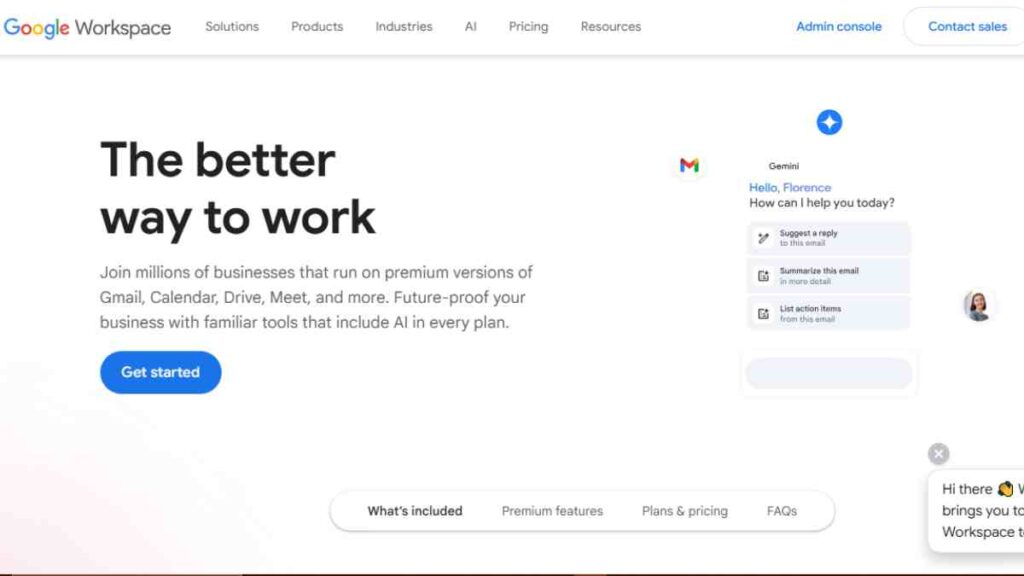
Google Workspace is one of the most indispensable business dissolution tools because every business, no matter its size, must properly store, export, and archive digital records during shutdown.
From emails and contracts to financial documents and customer communications, Google Workspace centralises everything.
Its powerful export and backup capabilities make it a top choice for entrepreneurs seeking reliable software for shutting down a business with minimal fuss.
Key Features
- Google Takeout data export: Download all emails, Drive files, calendars, and documents for long-term storage.
- Shared Drive organisation: Consolidate closure documents for teams and advisors.
- Email forwarding & auto-responders: Notify customers and stakeholders about the business closure.
- Document collaboration: Finalise dissolution files, spreadsheets, and reports with your team.
- Cloud storage: Securely archive records required for audits or legal compliance.
- Admin controls: Revoke access, disable accounts, and manage permissions during shutdown.
Pricing
| Plan | Price |
|---|---|
| Business Starter | $6/user/mo |
| Business Standard | $12/user/mo |
| Business Plus | $21/user/mo |
| Enterprise | Custom pricing |
Pros and Cons
| Pros | Cons |
|---|---|
| Excellent for data export, archiving, and long-term storage | Requires proper organisation to avoid clutter |
| Full suite of collaboration tools for final documentation | Storage limits apply on lower tiers |
| Easy account access control for security during shutdown | Admin tools may feel complex for beginners |
| Integrates with almost every closure-related tool | Internet-dependent for full functionality |
| Affordable compared to many alternatives | Advanced security features only on higher tiers |
How Google Workspace Helps With Sunsetting a Business
Google Workspace plays a critical role in the ecosystem of tools for closing a business because proper data management is legally and operationally essential during dissolution.
Whether you are exporting financial records, preserving HR documents, or storing signed agreements, Google Workspace ensures nothing is lost.
Its admin tools allow you to revoke employee access, secure sensitive files, and deactivate accounts, key steps in any compliant closure process.

12. Dropbox
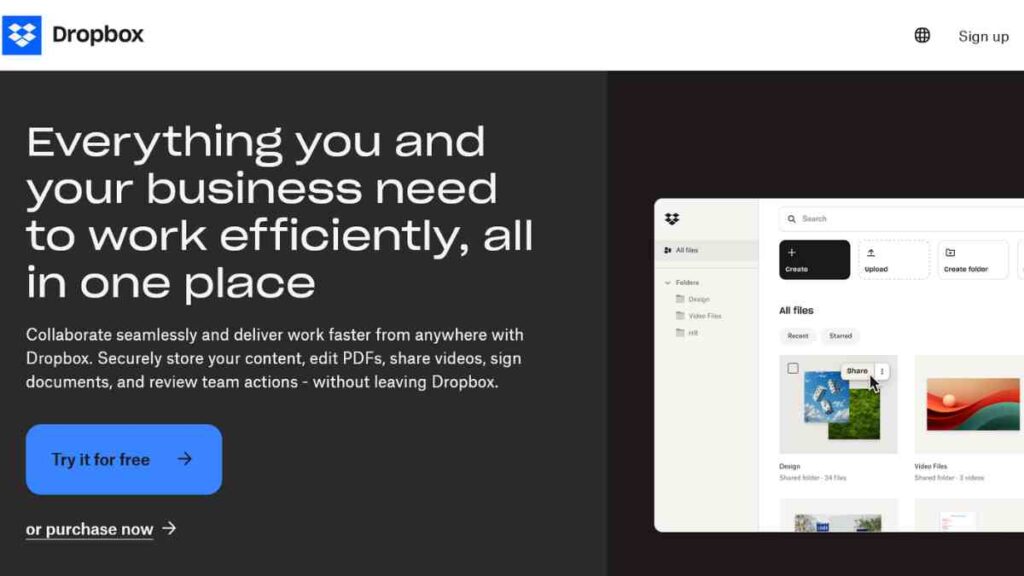
Dropbox is one of the most reliable business shutdown tools for entrepreneurs who need long-term, secure storage of all documents tied to their business dissolution.
While Google Workspace handles operational files, Dropbox excels at archiving, giving you a structured, accessible place to store financial records, contracts, employee documents, and compliance files long after the business has closed.
Its simplicity, security, and robust backup features make it an essential business closure software tool for keeping your digital history intact.
Key Features
- Long-term file storage: Preserve years’ worth of records for audits, tax reviews, or legal inquiries.
- File versioning: Access previous versions of documents, critical if you need older records during dissolution.
- Smart Sync: Save storage space while keeping files accessible in the cloud.
- Secure sharing: Share closure documents with lawyers, accountants, or regulators safely.
- Automated backups: Ensure you never lose key business files during the shutdown process.
- Cross-platform access: You can use Dropbox on desktops, mobile, and web for easy access anywhere.
Pricing
| Plan | Price |
| Plus | $9.99 |
| Standard | $15 |
| Professional | $16.58 |
| Advance | $24 |
Pros and Cons
| Pros | Cons |
|---|---|
| Excellent for long-term storage of dissolution records | Pricing rises with storage needs |
| Simple, intuitive file organisation | Limited collaboration tools compared to Google Workspace |
| Strong security and file recovery features | Offline access requires syncing |
| Ideal for backups during shutdown | Some features locked behind higher tiers |
| Works on any device and integrates widely | Advanced admin tools are enterprise-focused |
How Dropbox Helps With Sunsetting a Business
Dropbox is a vital part of your software for shutting down a business because proper record retention is legally required in most jurisdictions,
even after dissolution. Storing your contracts, tax documents, financial statements, employee files, and legal paperwork in Dropbox ensures they remain accessible and protected for years.
This is especially important if questions arise post-closure or if regulatory bodies request documentation.
See Also: Free Dropbox Alternatives- The 10 Best Cloud Storage Solutions to Use Right Now
13. Blancco Drive Eraser
Blancco Drive Eraser is one of the most critical business dissolution tools because secure data destruction is a legal and ethical requirement when shutting down a business.
Customer information, financial records, employee files, contracts, and operational data must be wiped permanently, not just deleted to prevent breaches, identity theft, or legal exposure.
As one of the most trusted software for shutting down a business, Blancco provides certified, audit-ready data erasure that meets global security standards.
Key Features
- Certified data erasure: Meets standards from NIST, ISO, DoD, and over 20 international data protection frameworks.
- Hardware-level wiping: Works on servers, laptops, desktops, drives, and removable media.
- Automatic audit reports: Generates verifiable erasure certificates for compliance and dissolution paperwork.
- Remote erasure capabilities: Erase multiple devices simultaneously, ideal for companies with teams or hardware in different locations.
- Drive diagnostics: Verify drive health before and after the erasure process.
- User-friendly interface: Clear workflows that guide you through secure data destruction.
Pricing
| License Type | Price |
|---|---|
| Per-Erasure License | Custom pricing |
| Volume Licenses | Custom pricing |
| Enterprise Licenses | Custom pricing |
Pros and Cons
| Pros | Cons |
|---|---|
| Certified, audit-ready data erasure ensures compliance | No public pricing available |
| Supports a wide range of devices and storage media | Requires some technical understanding |
| Remote wiping enables large-scale shutdowns | More advanced than basic users may need |
| Automatically generates compliance certificates | Costs rise with volume and enterprise needs |
| Reduces risk of data breaches and liability | Not a data backup tool, you must archive before wiping |
How Blancco Drive Eraser Helps With Sunsetting a Business
Blancco is an indispensable business dissolution software because data protection laws do not end when your business does.
In many regions, you are legally required to destroy sensitive data once it is no longer needed, and doing this improperly can expose you to fines or lawsuits.
Blancco ensures complete, irreversible data erasure and provides certificates proving compliance, documents often required during dissolution or final audits.
14. LastPass Enterprise
LastPass Enterprise is one of the most crucial business shutdown tools because controlling access during a closure is a high-risk area.
As operations wind down, passwords, logins, admin rights, and third-party integrations must be handled with precision.
LastPass helps you centralise, secure, and revoke access across all business systems, making it an essential part of any software for shutting down a business where cybersecurity and data protection matter.
Key Features
- Centralised password vault: Securely stores all business logins in one encrypted location.
- Access control & revocation: Instantly disable employee access during off-boarding.
- Shared folders: Transfer passwords to authorised individuals managing dissolution tasks.
- Multi-factor authentication (MFA): Strengthens security during sensitive shutdown phases.
- Security dashboard: Detects weak, duplicate, or risky passwords before closing down.
- Admin controls: Manage permissions, monitor usage, and enforce password policies.
Pricing
| Plan | Price (Billed Annually) |
|---|---|
| Premium | $1.50/mo |
| Families | $2.00/mo |
| Teams | $3.40/user/mo |
| Business | $5.60/user/mo |
| Business Max | $6.30/user/mo |
Pros and Cons
| Pros | Cons |
|---|---|
| Centralises all passwords for easy shutdown oversight | Requires employee cooperation to migrate passwords |
| Instant access revocation prevents post-closure security risks | Full features available only on higher tiers |
| Enhances cybersecurity during a vulnerable transition period | May feel overwhelming for non-technical users |
| MFA and admin controls add extra protection | Internet-dependent for full functionality |
| Great for transferring account control during dissolution | Not a full cybersecurity suite, just password management |
How LastPass Helps With Sunsetting a Business
LastPass is one of the most critical business dissolution tools because unmanaged access is a major security liability during a shutdown.
Former employees, contractors, or outdated logins can unintentionally or intentionally access sensitive systems after closure.
LastPass solves this by giving you full visibility and control over every login used by the business. You can revoke access instantly, transfer credentials to authorised personnel, and archive login data securely before wiping or deleting accounts.
15. Mailchimp

Mailchimp is one of the most valuable business closure software tools for handling communication during a shutdown.
Whether you are notifying customers, suppliers, partners, subscribers, or your wider audience, Mailchimp ensures your message is delivered professionally and at scale.
As one of the most widely used business shutdown tools, Mailchimp lets you send closure announcements, automate follow-up messages, and export subscriber data for compliance and record-keeping.
Key Features
- Email broadcast tools: Send closure announcements to customers, partners, and subscribers.
- Automation: Trigger follow-ups, final reminders, or thank-you messages.
- Audience segmentation: Target specific groups, customers, suppliers, or stakeholders during shutdown.
- Templates: Professionally designed layouts for closure messages or transition notices.
- Analytics: Track opens, clicks, and engagement during the announcement phase.
- Data export: Download your entire audience list for archiving or compliance.
Pricing
| Plan | Starting Price |
| Free | $0 |
| Essentials | $13/month |
| Standard | $20/month |
| Premium | $350/month |
Pros and Cons
| Pros | Cons |
|---|---|
| Perfect for mass communication during shutdown | Costs grow with audience size |
| Easy-to-use templates for professional announcements | Advanced automation locked behind higher tiers |
| Strong segmentation for targeted messaging | Can be too feature-rich for very small businesses |
| Reliable analytics for tracking message reach | Import/export limits on lower plans |
| Excellent for maintaining brand reputation during closure | Premium features are expensive |
How Mailchimp Helps With Sunsetting a Business
Mailchimp is an essential software for shutting down a business because communication plays a critical role in a smooth, professional exit.
Customers and partners deserve clarity, and failing to notify them properly can lead to misunderstandings, chargebacks, reputational damage, or legal complaints.
With Mailchimp, you can craft a clear, branded closure message, send it to your entire audience, automate reminders, and track engagement.
How to Use These Tools to Sunset Your Business Smoothly
Sunsetting a business is not one action, but a sequence of legal, financial, operational, and communication steps that must be executed with precision.
The right combination of business closure software, tools for closing a business, and business dissolution tools helps you manage each phase cleanly and confidently.
Below, we break down how to use each category of software in a coordinated workflow to ensure your shutdown is organised, compliant, and stress-free.
| Shutdown Stage | Tools to Use | How These Tools Help |
|---|---|---|
| 1. Conduct a Closure Audit | Asana, Trello | Maps out every shutdown requirement, assigns tasks, tracks progress, and identifies gaps before starting. |
| 2. Finalise Financial Records | QuickBooks, Xero | Reconcile accounts, generate final statements, settle invoices, and prepare tax documents for dissolution filings. |
| 3. Complete Legal Dissolution Filings | LegalZoom, DocuSign | File dissolution forms, terminate licences, sign resolutions, and secure legally binding documentation. |
| 4. Notify Employees & Process Off-Boarding | Gusto, BambooHR | Issue final paychecks, terminate benefits, generate exit documents, and store HR files securely. |
| 5. Communicate Closure to Customers & Stakeholders | Mailchimp, Google Workspace | Send closure announcements, set auto-responders, and manage stakeholder communication professionally. |
| 6. Liquidate Assets (Digital & Physical) | Flippa, B-Stock | Sell websites, domains, equipment, inventory, and other business assets efficiently and transparently. |
| 7. Archive Important Documents | Google Workspace, Dropbox | Export, organise, and store essential financial, legal, and HR records for long-term compliance. |
| 8. Revoke Access & Secure Digital Accounts | LastPass Enterprise | Disable access, consolidate passwords, and lock down all accounts to prevent post-closure breaches. |
| 9. Destroy Sensitive Data Permanently | Blancco Drive Eraser | Perform certified data erasure on devices to remain compliant with privacy laws and prevent future liability. |
Conclusion
Sunsetting a business is never simple, but the right tools make the process structured, compliant, and far less overwhelming.
With a clear plan and the right business closure software, you can exit confidently, protect your legacy, and move forward to your next chapter with peace of mind.
We want to see you succeed, and that’s why we provide valuable business resources to help you every step of the way.
- Join over 23,000 entrepreneurs by signing up for our newsletter and receiving valuable business insights.
- Register your business today with Entrepreneurs.ng’s Business Registration Services.
- Tell Your Brand Story on Entrepreneurs.ng, let’s showcase your brand to our global audience.
- Need help with your marketing strategy? Get a Comprehensive Marketing and Sales Plan here.
- Sign up for our Entrepreneurs Success Blueprint Programme to learn how to start and scale your business in just 30 days.
- Book our one-on-one consulting and speak to an expert about structuring and growing your business.
- Visit our shop for business plan templates and other valuable resources to guide you.
- Get our Employee-Employer Super Bundle NDA templates to legally protect your business and workforce.
- Advertise your business to over a million entrepreneurs through our different advertising packages.

Frequently Asked Questions (FAQ)
What business closure software do I need to close my business?
You need a combination of accounting tools, legal dissolution software, HR off-boarding platforms, communication tools, and data management or destruction business dissolution tools to complete a compliant shutdown.
Do I need both accounting and legal business closure software to sunset a business?
Yes. Accounting software helps you finalise financial records, while legal tools ensure your dissolution filings, contracts, and compliance documents are completed correctly.
How do I notify customers when shutting down a business?
Email marketing platforms like Mailchimp make it easy to send closure announcements, schedule reminders, and maintain transparent communication with customers and stakeholders.
What should I do with my business data after closure?
Archive essential records in tools like Google Workspace or Dropbox, then permanently erase sensitive data using certified solutions such as Blancco Drive Eraser.
How do I revoke employee and contractor access during shutdown?
Use access-management business shutdown tools like LastPass Enterprise to disable logins, transfer credentials, and secure all systems before dissolution.
Can I sell my business assets before closing?
Yes. Digital assets can be sold on Flippa, while physical assets and inventory can be liquidated through platforms like B-Stock.
How long should I keep business records after dissolution?
Most businesses must retain legal, financial, and employee records for 5–7 years, making secure cloud storage tools essential.
Is business closure software necessary for small businesses?
Yes. Even small businesses benefit from business closure software because it helps manage financial wrap-up, legal filings, and communication, reducing the risk of costly mistakes during shutdown.
What is the safest way to manage passwords during business dissolution?
Using business dissolution tools like LastPass Enterprise ensures all passwords are centralised, transferred securely, and revoked properly to protect your systems during and after closure.
Are business shutdown tools useful if I am closing a one-person business?
Absolutely, software for business dissolution streamlines tasks like tax filing, data archiving, asset liquidation, and customer notifications, making solo shutdowns far easier and more organised.



