


I have used WordPress for years to build client sites, personal blogs, and even e-commerce stores. But as the web evolved, I started noticing its limits, slow load times, endless plugin updates, and recurring security threats. That is when I began looking for WordPress alternatives.
According to W3Techs’ Web Usage Report, WordPress powers about 43% of all websites worldwide, but its market share has begun to decline as more people turn to no-code website builders and lightweight CMS platforms that prioritise speed, affordability, and simplicity.
In this guide, I will walk you through the top WordPress competitors that deliver powerful results without complexity. Each of these platforms offers unique benefits, from drag-and-drop interfaces to enterprise-grade security, helping you choose the perfect fit for your business or creative project.
Key Takeaways
- You do not need WordPress to build a fast, secure, and professional website, as there are simpler, smarter alternatives.
- No-code and lightweight CMS platforms now offer built-in security, speed, and design freedom without constant maintenance.
- Choosing the right platform depends on your goal, from blogging and e-commerce to startups and creative portfolios.
- Switching to a modern website builder can save time, reduce costs, and improve your site’s overall performance and reliability.

WordPress and Why I Started Looking For Alternatives to It
I have used WordPress for years, and for a long time, it felt like the perfect solution. It was flexible, powerful, and backed by an endless library of plugins.
But as my websites grew, so did the problems. They became slower, cluttered, and increasingly vulnerable to security issues. I found myself constantly updating plugins, fixing errors, and worrying about hacks instead of focusing on creating and growing.
The performance issues were frustrating, the maintenance was endless, and the reliance on third-party plugins made every update a risk. I wanted something simpler, a platform that was fast, secure, and required little upkeep.
That is when I started exploring alternatives that offered built-in performance, security, and design freedom without the technical burden. Moving beyond WordPress was not just a change in tools; it was a shift towards efficiency and peace of mind.
What I Look for in a WordPress Alternative
When I decided to step away from WordPress, I did not jump into the next platform blindly. I took time to define what truly mattered to me, the kind of features and experience I wanted from a modern website builder.
I was not just chasing trends; I was looking for tools that could simplify my work, strengthen security, and deliver consistent performance. Here is what guided my search.
1. Speed and Performance
A website’s speed is not just about user experience but also about credibility. I wanted a platform that loads instantly without relying on multiple optimisation plugins.
For me, a true WordPress alternative should be fast by design, not dependent on patches and add-ons to perform well.
2. Built-In Security
After years of dealing with plugin vulnerabilities and theme-related bugs, built-in security became non-negotiable. I looked for CMS platforms with built-in security, automatic SSL, and frequent updates that do not require my intervention.
A safe, self-protecting system means less time worrying about hacks and more time focusing on creativity.
3. Ease of Use and Design Freedom
I wanted the flexibility of WordPress without its complexity. The ideal alternative should allow drag-and-drop building, intuitive editing, and modern templates that adapt to my vision, all without writing a single line of code.
I was drawn to no-code website builders that make design effortless yet professional.
4. SEO and Scalability
Every business owner knows that a beautiful website is useless if no one can find it. I needed a platform with solid SEO foundations, clean code, fast loading times, and built-in analytics. At the same time, it had to scale easily as my audience or business grows.
5. Affordability and Value
Finally, I wanted a platform that made financial sense. Between premium plugins, hosting, and developer costs, WordPress can get expensive quickly.
The best CMS for small businesses should be affordable, transparent, and offer real value with no surprise costs or hidden upgrades.
See Also: 15 Best AI Website Builders to Design Your Site
The Top 15 WordPress Alternatives I Recommend
After testing, researching, and rebuilding more websites than I can count, I have discovered that the right platform can completely change how you manage your online presence.
Some tools prioritise speed, others focus on design freedom or built-in security, but the best ones strike a balance between all three.
These are the top 15 WordPress alternatives I personally recommend for anyone who wants a fast, secure, and stress-free way to build and grow their website.
1. Hostinger
Hostinger is one of my favourite WordPress alternatives for entrepreneurs and small business owners who want speed, security, and affordability in one place. More than a hosting company, it is now a full-fledged no-code website builder with impressive performance and ease of use.
Everything you need from hosting, domain, templates, and built-in security comes bundled in one lightweight platform. As one of the most affordable website builders available, Hostinger lets you create a professional, high-speed website without hiring developers or juggling plugins.
Powered by Google Cloud infrastructure, automatic caching, and a global CDN, Hostinger delivers excellent load times and reliability. For startups and small businesses that depend on conversions and a smooth user experience, that performance can make all the difference.
How it Compares to WordPress
Unlike WordPress, which often needs multiple plugins for speed optimisation and security, Hostinger’s builder is self-contained and fully optimised out of the box. You do not need to worry about managing hosting, updating plugins, or configuring backups, everything runs seamlessly.
While WordPress is great for those who want deep customisation and developer control, Hostinger’s all-in-one approach is ideal for people who want a no-code website builder that works instantly and securely.
Pros
- Affordable pricing plans for entrepreneurs and startups.
- Fast performance powered by Google Cloud infrastructure.
- Free SSL certificate and built-in security tools.
- Drag-and-drop website builder with AI tools for quick setup.
- Reliable uptime and responsive customer support.
Cons
- Limited design flexibility compared to platforms like Webflow or WordPress.
- Smaller app marketplace, meaning fewer third-party integrations.
- Support response times can vary during peak hours.
Pricing
Hostinger’s website builder plans start from $2.99/month, including hosting, a free domain, an SSL certificate, and a professional email. Even the higher-tier plans remain budget-friendly, making it one of the best CMS options for small businesses.
Why I Recommend It
I recommend Hostinger because it combines speed, simplicity, and security in one platform. It is a lightweight CMS built for entrepreneurs who want a strong online presence without the technical stress.
If you are looking for an affordable WordPress alternative that performs exceptionally well, Hostinger is the smart choice for your business.
See Also: 15 Best Docker Alternatives for Containers, Virtual Machines, and Dev Workflows
2. HubSpot Content Hub
HubSpot Content Hub is one of my top WordPress alternatives for entrepreneurs and growing businesses that rely heavily on content marketing. It is a powerful, all-in-one CMS built on the same platform as HubSpot’s CRM, which means your website, marketing, and sales tools work together seamlessly.
What I love most is how easy it is to manage everything, from landing pages and blogs to lead forms and analytics, all in one place. The system takes care of security, performance, and SEO automatically, allowing you to focus on creating and converting.
HubSpot Content Hub is ideal for B2B companies, service providers, and marketers who want a website that does more than look good. It helps drive leads, nurture relationships, and measure results.
How it Compares to WordPress
Unlike WordPress, which depends on plugins for lead generation and analytics, HubSpot has these tools built in. You do not need to connect external CRMs, install SEO plugins, or worry about data syncing, it is already part of the system.
While WordPress offers more design freedom, HubSpot’s strength lies in its integration and automation. Everything works smoothly behind the scenes to support your marketing and growth goals.
Pros
- Seamless integration with HubSpot’s CRM and marketing tools.
- Built-in SEO, analytics, and lead capture features.
- Automatic security updates and reliable hosting.
- User-friendly drag-and-drop editor.
- Excellent for inbound marketing and business growth.
Cons
- Higher cost compared to most standard website builders.
- Limited template customisation options.
- Best suited for marketing-led or CRM-focused businesses.
Pricing
HubSpot Content Hub offers a free tier with basic features. Paid plans start at $800/month, with advanced plans offering CRM integration, marketing automation, and premium hosting.
Why I Recommend It
I recommend HubSpot Content Hub for entrepreneurs who want their website to be more than a digital brochure. It is a smart choice if you need your site to attract leads, capture data, and power your marketing, all from one secure, reliable system.
See Also: Top 12 Etsy Alternatives for Handmade and Vintage Sellers
3. Shopify

When it comes to building a secure, scalable, and high-performing online store, Shopify is my top recommendation. It is purpose-built for e-commerce and trusted by millions of businesses globally.
What I like most is how it handles everything, from storefront design to payment processing and inventory management in one streamlined system. You do not need to worry about plugins, hosting, or security updates; Shopify’s infrastructure takes care of it all.
How it Compares to WordPress
Setting up an e-commerce site on WordPress usually means pairing it with WooCommerce, managing hosting, and securing multiple plugins for payments, shipping, and analytics. That setup can quickly become complex and fragile.
Shopify eliminates that chaos by providing a fully managed system with integrated security, hosting, and automatic updates. It is not as flexible in content management as WordPress, but for pure online selling, it is far superior, faster, safer, and more dependable.
Pros
- Purpose-built for online stores with powerful inventory and order management.
- Secure, PCI-compliant payment processing.
- Hundreds of professional themes optimised for mobile and conversion.
- Built-in SEO, analytics, and marketing integrations.
- 24/7 customer support and a massive app ecosystem.
Cons
- Monthly costs can add up, especially with premium apps.
- Limited customisation outside of Shopify’s ecosystem.
- Transaction fees apply unless you use Shopify Payments.
- Learning curve for advanced store features.
- Less flexible for non-e-commerce content (e.g., blogs or portfolios).
Pricing
Shopify offers a 3-day free trial, with plans starting at $19/month (Basic), $54/month (Grow), $299/month (Advanced) and $2,300 (plus plan).
Each plan includes inventory locations, staff accounts and In-person selling by phone or POS device, while Shopify Plus caters to high-volume businesses with enterprise-level features.
Why I Recommend It
I recommend Shopify because it simplifies e-commerce in a way WordPress never could. Everything you need to run a successful online business is included, from hosting and security to payment gateways and analytics.
It is stable, reliable, and built to scale as your store grows.
See Also: Top 15 Powerful Shopify Alternatives for Growing Your E-Commerce Business
4. Webflow
Webflow is a visual website builder that gives you complete design control without the need for coding. It is fast, secure, and built with designers and entrepreneurs in mind.
With features like automatic SSL, built-in hosting, and a global content delivery network (CDN), it removes the maintenance headaches that often come with WordPress.
How it Compares to WordPress
Unlike WordPress, which relies on third-party plugins for design, SEO, and security, Webflow has everything built in. There is no need to install extra tools or worry about compatibility issues.
It is more secure, faster, and easier to manage once you get used to the interface.
Pros
- Fully visual, drag-and-drop design control without coding.
- Built-in hosting, SSL, and security with no plugins required.
- Lightning-fast performance with a global CDN.
- Excellent SEO tools and clean, responsive code.
- Professional-level design features for creative freedom.
Cons
- Steeper learning curve for beginners.
- Slightly more expensive than entry-level WordPress hosting.
- Limited support for third-party integrations compared to WordPress.
Pricing
Webflow offers a free plan for basic sites, with paid plans starting at $14/month (billed annually). The CMS plan begins at $23/month, and the Business plan at $39/month, each offering enterprise-grade hosting and performance.
Why I Recommend It
I recommend Webflow because it gives me complete control without chaos. It is stable, beautifully designed, and takes the worry out of managing plugins or security patches.
For entrepreneurs, designers, and small businesses, it is a professional-grade solution that simply works.
See Also: How to Create a Website in 9 Simple Steps – A Complete Guide for Beginners

5. Squarespace
Squarespace is one of my favourite all-in-one website builders for entrepreneurs and creatives who want a stunning online presence without technical hassle. Everything you need from hosting, templates, SEO tools, and security is built in.
The platform is great for portfolios, small businesses, and e-commerce stores that value aesthetics and simplicity over complexity.
How it Compares to WordPress
Unlike WordPress, which often requires multiple plugins for design and security, Squarespace comes ready to use out of the box. There is no need for external hosting or complex configurations.
While WordPress offers more flexibility for developers, Squarespace provides a smoother, more reliable experience for everyday users.
Pros
- Professionally designed templates optimised for mobile and SEO.
- All-in-one solution: hosting, SSL, backups, and analytics included.
- Built-in e-commerce and blogging features.
- Excellent customer support and intuitive drag-and-drop editor.
- Great for branding and visual storytelling.
Cons
- Limited customisation beyond the provided templates.
- Slightly less flexibility for advanced developers.
- Page speed can lag on heavier, image-rich designs.
Pricing
Squarespace offers a 14-day free trial, with paid plans starting at $16/month (Personal) and $23/month (Business). E-commerce plans begin at $28/month, making it an affordable and secure option for entrepreneurs looking for style and substance in one platform.
Why I Recommend It
I recommend Squarespace because it takes care of everything behind the scenes, from hosting, security, to maintenance, so you can focus entirely on your business and creativity.
It is the ideal choice if you want a polished, professional website up and running quickly without worrying about plugins or technical upkeep.
6. Wix
Wix is one of the most popular no-code website builders for entrepreneurs who want to get online fast. It is beginner-friendly, visually appealing, and comes with a robust set of built-in tools for blogs, portfolios, and small e-commerce stores.
I especially like how it combines ease of use with smart design features. Thanks to its AI-powered site builder (Wix ADI), you can create a fully functional website in minutes.
How it Compares to WordPress
Wix and WordPress take entirely different approaches to website building. With WordPress, you start with a blank slate. You will need to handle hosting, themes, plugins, and regular maintenance. It gives you flexibility, but that freedom comes at the cost of time, security, and technical effort.
Wix, on the other hand, eliminates all that friction. It is a fully hosted platform, which means you never worry about updates, backups, or security patches. You can build, design, and publish your site in a single afternoon with no plugins, coding, or setup.
However, Wix trades off some of WordPress’s flexibility. While WordPress can scale into a complex e-commerce or membership site with advanced customisation, Wix is best suited for small to medium projects like business websites, portfolios, and small online stores that prioritise convenience and speed over deep custom control..
Pros
- Intuitive drag-and-drop editor with real-time visual control.
- AI-powered site creation with Wix ADI for ultra-fast setup.
- Built-in SEO, marketing, and analytics tools.
- Secure hosting with automatic backups and free SSL.
- Massive app marketplace for added functionality.
Cons
- Templates cannot be changed once your site goes live.
- Slightly slower performance on content-heavy or media-rich websites.
- Some advanced features require higher-tier plans.
- Limited flexibility for developers who want full code access.
- Migrating your site away from Wix can be difficult.
Pricing
Wix offers a free plan for basic sites, with premium plans starting at $17/month for the light plan and $29/month for the core plan. Each plan includes multi-cloud hosting, a marketing suite, and storage space, providing a complete, secure website solution from day one.
Why I Recommend It
I recommend Wix because it makes website creation accessible to everyone. It is ideal for small businesses, startups, and freelancers who need a professional site without dealing with plugins, hosting setups, or technical configurations.
It is a straightforward solution that delivers results.
7. Ghost
Ghost is a lightweight, modern CMS designed specifically for writers, publishers, and businesses that prioritise content. It is open-source, incredibly fast, and built on Node.js, making it far more efficient than traditional PHP-based platforms like WordPress.
I love how clean and distraction-free it feels. Ghost focuses on publishing, memberships, and newsletters, which are the essentials for anyone looking to build a content-driven brand.
How it Compares to WordPress
WordPress started as a blogging platform but evolved into a multipurpose CMS, which often makes it heavy and plugin-dependent. Ghost stays true to its publishing roots. It is lean, secure, and purpose-built for writing and memberships.
Unlike WordPress, it does not need third-party plugins for SEO, email, or subscriptions; everything is built in. This makes Ghost faster, safer, and far easier to manage.
Pros
- Fast, lightweight, and powered by Node.js for superior performance.
- Built-in SEO, email newsletters, and membership features.
- Secure by default with no need for plugins or constant updates.
- Clean, intuitive writing interface designed for focus.
- Open-source and self-hosted options for full control.
Cons
- Limited design flexibility compared to visual builders.
- Smaller ecosystem of themes and integrations.
- Requires basic technical setup for self-hosted versions.
- Fewer third-party apps than WordPress.
- Less suitable for complex e-commerce or multi-purpose sites.
Pricing
Ghost(Pro) offers flexible plans depending on your audience size. The Starter plan, at $15 per month (billed yearly), is perfect for solo bloggers and newsletter creators who want a personal publishing platform. For larger publications, the Publisher plan costs $29 per month (billed yearly) and includes multiple staff users, custom themes, and paid subscription support.
Growing teams can opt for the Business plan at $199 per month (billed yearly), which offers priority support, higher usage limits, and early access to new features. For enterprise-level needs, there is a Custom plan with dedicated IP addresses, advanced configurations, and guaranteed uptime.
With a launch offer that discounts the first three months, Ghost provides exceptional value, especially for creators ready to build a secure, professional, and independent publishing business.
Why I Recommend It
I recommend Ghost because it simplifies the publishing experience. It is ideal for writers and media brands who want to own their platform, control their audience, and monetise through memberships or newsletters, all without relying on third-party plugins or clunky workarounds.
8. Webnode
Webnode is one of those website builders that quietly does everything right. It is straightforward, reliable, and designed for people who want to build a professional website quickly, without wrestling with plugins or code.
I like how clean the interface is and how easily you can launch a multilingual website in just a few clicks. For small business owners and freelancers, it is an efficient way to create a fast, secure online presence with minimal effort.
How it Compares to WordPress
Unlike WordPress, which requires external hosting and constant plugin management, Webnode is entirely managed and self-contained. You do not have to worry about security patches, plugin conflicts, or updates breaking your site.
While WordPress offers greater flexibility for complex builds, Webnode’s appeal lies in its ease of use. It is fast, secure, and requires zero technical maintenance.
Pros
- Intuitive drag-and-drop editor that’s easy to learn.
- Supports multilingual websites out of the box.
- Built-in hosting, SSL, and email integration.
- Lightweight performance with quick load times.
- Affordable plans tailored for small businesses.
Cons
- Limited third-party integrations compared to larger platforms.
- Less flexibility for advanced customisation or unique designs.
- No built-in app store for added functionality.
- E-commerce tools are basic compared to Shopify or Wix.
- Limited SEO options on lower-tier plans.
Pricing
Webnode offers a free plan to help you get started, with paid options that provide more professional features. The limited plan starts at around $4.50 per month, suitable for personal use. For small businesses, the Mini plan costs roughly $8.50 per month, adding a custom domain and form builder.
The Standard plan, at about $12.90 per month, is perfect for growing businesses and includes analytics and multilingual support. Finally, the Profi plan costs around $22.90 per month and unlocks full access to premium design tools, unlimited pages, and advanced e-commerce features.
For anyone who wants a no-stress way to build a secure, good-looking business website, Webnode is a practical and budget-friendly WordPress alternative that simply gets the job done.
Why I Recommend It
I recommend Webnode because of its simplicity. It is ideal for entrepreneurs, consultants, and service-based businesses that need a clean, professional site without technical fuss.
It handles hosting, security, and updates automatically, letting you focus on running your business rather than maintaining your website.

9. Zyro
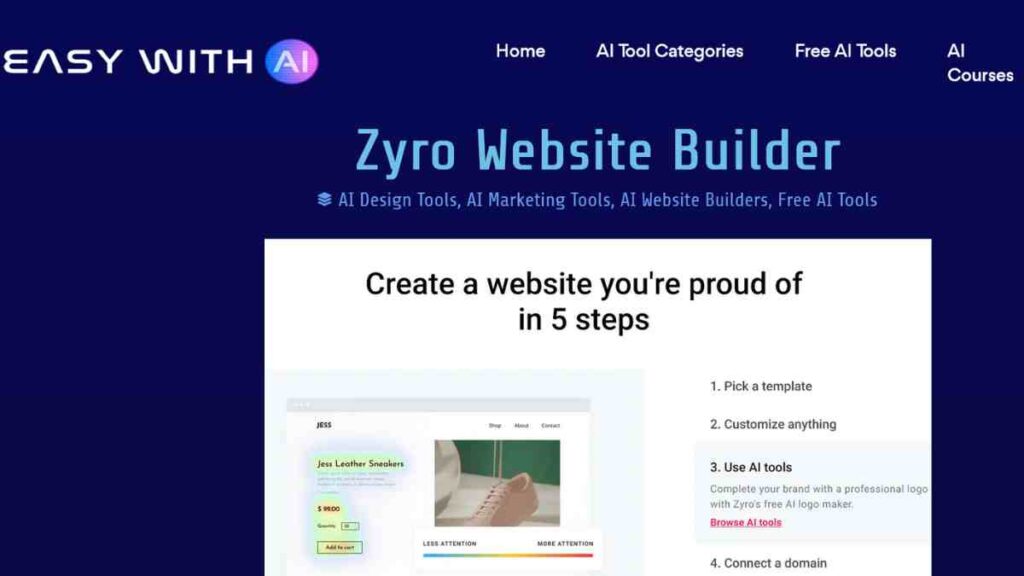
Zyro, developed by Hostinger, is one of the most impressive budget-friendly website builders I have come across. It is built for entrepreneurs and small business owners who want a professional online presence without the complexity or cost of traditional CMS platforms.
What stands out about Zyro is its speed. Sites load almost instantly, and its AI-powered tools make design, branding, and content creation remarkably easy.
Pros
- Extremely fast load times thanks to Hostinger’s optimised infrastructure.
- Built-in AI tools for content writing, logo design, and heatmaps.
- Affordable pricing with free hosting and SSL certificates.
- Clean, intuitive drag-and-drop interface.
- Integrated e-commerce and blogging features.
Cons
- Limited third-party app integrations compared to larger platforms.
- Template customisation can feel somewhat restrictive.
- Fewer advanced SEO options than WordPress.
- No built-in marketplace for plugins or extensions.
- Migration options are limited if you outgrow the platform.
How it Compares to WordPress
Where WordPress often demands time, setup, and technical management, Zyro delivers instant functionality. But the real difference is not just in convenience but in efficiency.
WordPress can do almost anything, but that flexibility comes with complexity: plugins to manage, updates to install, and performance to optimise. Zyro, on the other hand, offers a streamlined environment where design, hosting, and security are perfectly integrated.
For entrepreneurs who do not need heavy customisation or constant tinkering, Zyro provides a faster path to a professional website, one that performs well, looks clean, and stays secure without daily management. Think of it as the “set it and focus on your business” version of WordPress.
Why I Recommend It
I recommend Zyro because it allows you to go from idea to live website in a single afternoon. It is fast, polished, and cost-effective, which is ideal for freelancers, small business owners, and startups that need to launch quickly and focus on growth rather than maintenance.
10. Joomla
Joomla is an open-source content management system that sits somewhere between WordPress and Drupal in terms of flexibility and complexity.
I have always admired Joomla for its structure and power. It is a platform that rewards those who want more control over their website’s design and functionality, but without diving too deep into code.
It is stable, scalable, and known for its strong security framework, which makes it especially appealing to developers and organisations that manage sensitive or high-traffic websites.
How it Compares to WordPress
While WordPress is built around ease of use and a massive plugin ecosystem, Joomla focuses on structured power and built-in functionality.
Out of the box, Joomla includes advanced features, like multilingual site management, access control levels, and caching, that WordPress users usually need multiple plugins to achieve. WordPress might win on simplicity and design flexibility, but Joomla’s advantage lies in security, scalability, and developer-level control.
In essence, if WordPress feels too limited but Drupal seems overly complex, Joomla strikes the perfect middle ground. It is powerful yet manageable, flexible yet secure. It is a CMS that grows with your needs, not against them.
Pros
- Powerful and highly customisable CMS suitable for complex websites.
- Advanced user management and access control features.
- Excellent multilingual support is built directly into the core system.
- Strong security protocols and regular updates.
- Vast library of extensions and professional templates.
Cons
- Steeper learning curve for beginners.
- The backend interface can feel outdated compared to modern builders.
- Some extensions require manual configuration.
- Limited drag-and-drop design flexibility.
- Updates can occasionally cause compatibility issues.
Pricing
Joomla itself is completely free and open-source, but you will need to pay for hosting, premium templates, or certain extensions depending on your site’s needs.
Most reliable hosting plans for Joomla start from around $5 to $10 per month, making it a cost-effective choice for businesses that want enterprise-level power without enterprise-level costs.
For developers and experienced users who crave more control and integrated security without sacrificing stability, Joomla is one of the most capable WordPress alternatives available today.
Why I Recommend It
I recommend Joomla for developers, agencies, and businesses that need a robust CMS capable of handling complex data structures and secure environments.
It is not the platform for quick one-page sites, but it is ideal for large, content-heavy projects like membership sites, educational platforms, and business portals. Once configured properly, it runs smoothly, performs well, and offers a level of control that lighter builders cannot match.
11. Drupal
Drupal is the platform I turn to when performance, scalability, and security are non-negotiable. It is a heavyweight CMS used by government agencies, universities, and global corporations.
Built with developers in mind, Drupal offers deep customisation, strong content management capabilities, and one of the most secure frameworks on the market. While it is not the easiest platform to learn, it is incredibly rewarding once you master its structure.
How it Compares to WordPress
While WordPress is built for ease of use, Drupal is built for power and precision. WordPress thrives on plugins and third-party themes, but that flexibility can introduce vulnerabilities.
Drupal’s core, on the other hand, comes equipped with role-based access control, advanced caching, and top-tier security protocols, features that WordPress typically achieves only through add-ons.
Another key difference lies in scalability: WordPress can power blogs and small businesses beautifully, but Drupal shines when managing large, content-heavy websites with thousands of pages, complex workflows, or multiple user permissions. It is more technical, yes, but also more stable in demanding environments where uptime and protection matter most.
Pros
- Enterprise-level security trusted by governments and major brands.
- Exceptionally flexible for custom web applications and large sites.
- Handles complex, multi-user and multilingual websites with ease.
- Advanced caching and performance optimisation built in.
- Massive open-source community with regular security updates.
Cons
- Steep learning curve, not beginner-friendly.
- Requires technical knowledge for setup and maintenance.
- Custom designs often need developer support.
- Fewer ready-made templates compared to WordPress.
- Development and maintenance costs can be higher.
Pricing
Drupal itself is completely free and open-source, but implementation costs depend on your hosting and technical setup. Reliable hosting plans start around $10 to $20 per month, while enterprise deployments may require custom infrastructure.
If you are hiring developers or using managed Drupal hosting, expect costs to increase, but what you gain in security, reliability, and custom capability more than justifies the investment.
For organisations and developers who need an unshakable foundation for their digital presence, Drupal is the ultimate WordPress alternative.
Why I Recommend It
I recommend Drupal for large-scale organisations or tech-savvy businesses that prioritise data security, performance, and scalability over simplicity. It is ideal for websites that handle sensitive information or need complex content structures, for example, universities, government portals, or enterprise intranets.
Drupal gives you full control, with the stability and confidence that comes from one of the most secure open-source CMS frameworks available
12. Carrd
Carrd is my go-to tool when I need to launch something fast, such as a personal landing page, a portfolio, a product teaser, or a simple “coming soon” site.
It is minimal, elegant, and unbelievably easy to use. In just a few minutes, you can build a fully responsive one-page website that looks polished and professional, even if you have never designed anything before.
Carrd focuses on simplicity, and that is what makes it brilliant.
How it Compares to WordPress
Where WordPress can feel overwhelming for simple projects, Carrd thrives in minimalism. WordPress requires plugins, themes, and setup time, even for the smallest website. Carrd eliminates all that.
While WordPress is a full CMS capable of managing blogs, e-commerce, and dynamic content, Carrd is ideal for static, single-purpose sites that need to look good and load instantly. Think of it as the “elevator pitch” version of a website, which is concise, fast, and focused.
Pros
- Extremely easy to use with a clean, intuitive editor.
- Lightning-fast performance and responsive design.
- Ideal for personal portfolios, landing pages, or startup previews.
- Integrates easily with forms, mailing lists, and payment options.
- Incredibly affordable and one of the best value-for-money tools available.
Cons
- Limited to one-page or small multi-section sites.
- Not suitable for blogs or complex e-commerce stores.
- Minimal built-in SEO controls.
- Few advanced integrations compared to bigger platforms.
- No built-in CMS for managing large amounts of content.
Pricing
Carrd is one of the most affordable website builders available today. You can start with a free plan, which includes core features and a Carrd-branded domain.
For full functionality, the Pro Lite plan starts at around $9 per year, while the Pro Standard plan costs $19 per year, unlocking custom domains, forms, and integrations.
The Pro Plus plan, at $49 per year, offers advanced features such as site embedding, custom scripts, and payment options, perfect for freelancers or small product launches.
Why I Recommend It
I recommend Carrd because it strips away everything unnecessary. It is perfect for entrepreneurs, freelancers, or creators who just need a beautiful online space to introduce themselves or showcase one product or service.
When I need a quick landing page for a project, I can go from idea to live site in under an hour with no setup or stress.
13. Framer
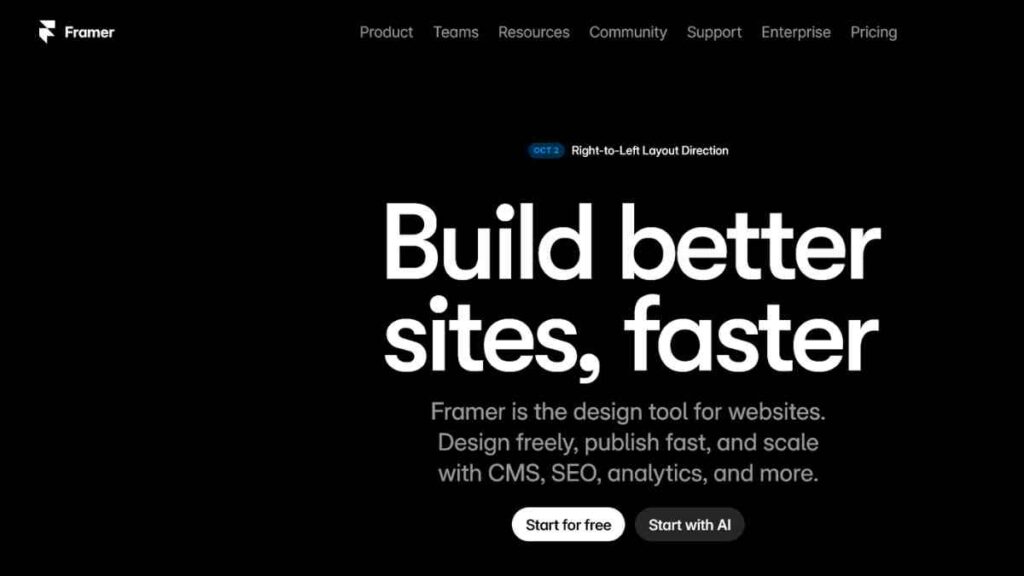
Framer is one of the most exciting modern website builders I have used, especially if you care deeply about design and interactivity.
Originally built as a design and prototyping tool, Framer has evolved into a powerful no-code website builder that lets you create stunning, responsive websites with the precision of a professional designer.
What impresses me most is how fluid and natural it feels. Every design change you make looks pixel-perfect and loads lightning fast.
How it Compares to WordPress
While WordPress relies on themes and plugins for visual control, Framer allows true real-time design freedom with no templates or rigid layouts.
Everything you see on the canvas is editable, down to the smallest detail, yet the site it produces is optimised and production-ready. WordPress is excellent for large, content-heavy websites, but Framer is unbeatable for portfolio sites, marketing pages, and creative agencies that need elegance, speed, and precision.
WordPress also depends heavily on plugins for design customisation, which can affect performance. Framer, on the other hand, uses a React-based front end, ensuring lightning-fast loading speeds and fluid animations straight out of the box.
Pros
- Beautiful, design-focused interface ideal for creatives and agencies.
- Blazing-fast performance thanks to React-based technology.
- Fully responsive layouts with real-time visual editing.
- Built-in hosting, SSL, and SEO features included.
- Integrates easily with analytics, form tools, and payment platforms.
Cons
- Slightly steeper learning curve for complete beginners.
- Limited third-party app marketplace compared to bigger platforms.
- Best suited for smaller, design-driven websites, not complex portals.
- Pricing may feel high for very small projects.
- Offline editing is not supported.
Pricing
Framer offers a free plan for personal or experimental sites hosted on a Framer subdomain. The Basic plan, starting at $10 per month, is ideal for simple one-page sites. The Pro plan, at $30 per month, supports custom domains and advanced SEO options.
For businesses or professionals, the Scale plan costs $100 per month, unlocking A/B testing, analytics integration, and custom code support.
Why I Recommend It
I recommend Framer because it gives me the control of a designer and the simplicity of a builder. It is perfect for creatives, startups, and marketing teams that value storytelling and visual impact.
If you have ever wished you could design freely in Figma and publish instantly, that is exactly what Framer delivers. It is fast, modern, and built for the way people design websites today.
14. Duda
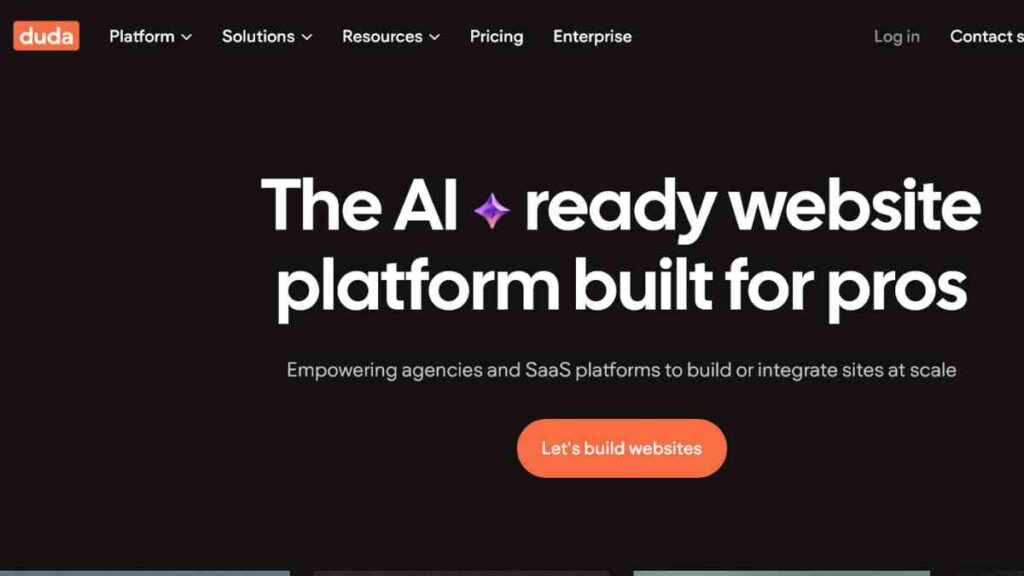
Duda is one of the most robust website builders I have used, especially when managing multiple clients or projects. It is designed with agencies, freelancers, and web professionals in mind, offering collaborative tools, client management features, and high-performance websites that are fast and secure.
What I like about Duda is its balance. It combines ease of use with advanced customisation, making it perfect for professional web developers who want efficiency without complexity.
How it Compares to WordPress
While WordPress is incredibly flexible, managing multiple client sites can quickly become chaotic with different plugins, hosting environments, and maintenance schedules. Duda, on the other hand, centralises everything. You can manage multiple sites from a single dashboard, collaborate with clients in real time, and deploy updates instantly.
In terms of performance, Duda outshines WordPress with its AWS hosting and global CDN, ensuring consistently fast load times and built-in security.
WordPress often requires third-party plugins for backups, analytics, or SEO tools; Duda includes all of these natively. For agencies, that means less maintenance and more focus on delivering value to clients.
Pros
- Built specifically for agencies and client-based work.
- Fast, secure websites hosted on Amazon Web Services (AWS).
- Advanced client management and white-labelling options.
- Drag-and-drop builder with full responsive control.
- Integrated SEO tools, analytics, and team collaboration features.
Cons
- Pricing can be high for individuals or small startups.
- Template-based design system limits deep customisation.
- Fewer third-party integrations than WordPress.
- Learning curve for advanced client features.
- Limited scalability for very large e-commerce operations.
Pricing
Duda offers a 14-day free trial to test its features. Paid plans start at $19 per month for the Basic plan, which suits individuals managing a single website. The Team plan, at $29 per month, adds collaboration tools and client management.
For agencies, the Agency plan costs $59 per month, unlocking white-label features, priority support, and dynamic content options. There’s also a Custom plan for large agencies needing API access, bulk site creation, and dedicated account management.
If you manage websites professionally and need a platform that combines power, security, and efficiency, Duda is one of the strongest WordPress alternatives available today.
Why I Recommend It
I recommend Duda because it is built for professionals who manage multiple websites or clients. It saves me hours through features like automated client feedback, white-labelled dashboards, and custom widgets.
If you are running an agency or freelancing at scale, Duda is an efficient and secure solution that keeps everything in one place.

15. BigCommerce
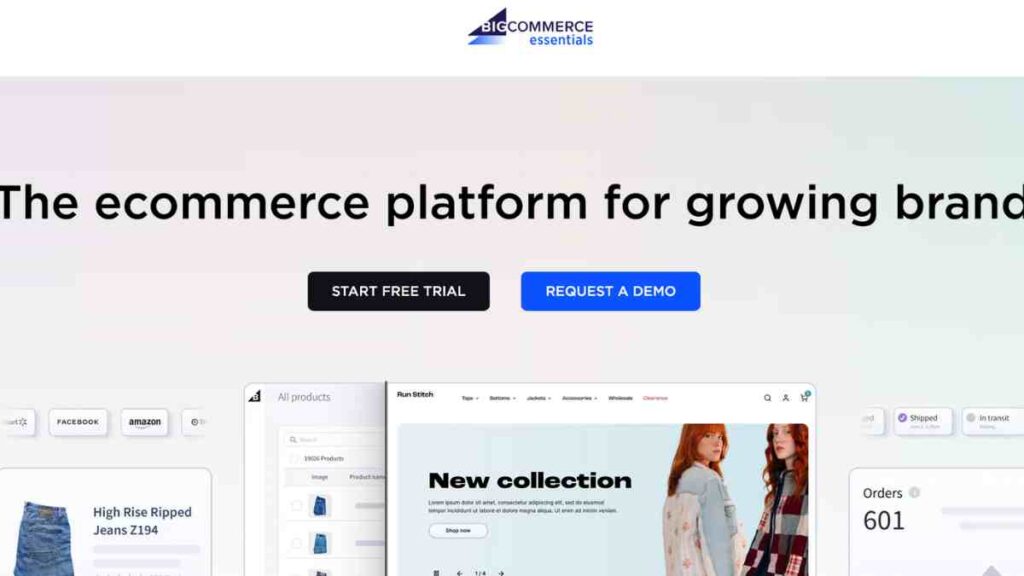
BigCommerce is one of my favourite WordPress alternatives for entrepreneurs who want to build a powerful and scalable online store without technical complexity. It is a fully hosted e-commerce platform designed for growth, offering strong security, fast performance, and built-in sales tools.
I like that BigCommerce allows you to manage everything, from products, orders, shipping, to marketing from one dashboard. You can sell across multiple channels, including Facebook, Instagram, and Amazon, while keeping your inventory in sync.
Its enterprise-level speed and security make it ideal for fast-growing businesses that need reliability and performance from day one.
How it Compares to WordPress
While WordPress with WooCommerce can be flexible, it requires constant updates, plugin maintenance, and external hosting. BigCommerce removes that burden completely. Everything, from PCI compliance to SSL certificates, is handled automatically.
In short, WordPress gives you control, but BigCommerce gives you peace of mind and scalability.
Pros
- Built-in e-commerce features with no need for plugins.
- Secure and PCI-compliant hosting.
- Multi-channel selling across marketplaces and social media.
- Fast, stable performance for large product catalogues.
- Integrated analytics and SEO tools.
Cons
- Learning curve for beginners.
- Fewer theme customisation options compared to WordPress.
- Transaction fees on lower-tier plans.
Pricing
BigCommerce offers a 15-day free trial, with paid plans starting at $29/month for the Standard Plan. Higher plans unlock more advanced marketing and reporting tools.
Why I Recommend It
I recommend BigCommerce to entrepreneurs who want to scale confidently without worrying about hosting, security, or technical setup. It is built for serious business owners who need speed, reliability, and professional-grade e-commerce performance from the start.
How to Choose the Right Platform for Your Goals
When I first started exploring different WordPress alternatives, I quickly realised how easy it is to get overwhelmed. There are numerous options available, ranging from lightweight CMS platforms to no-code website builders and secure WordPress alternatives, all promising the ideal balance of speed, security, and affordability. However, not every tool will align with your goals or skill level.
The trick is to match your platform to your purpose. Whether you are running an online store, building a portfolio, or managing a startup website, you need to focus on what truly matters: performance, security, scalability, and user experience.
Below is a quick guide on what to look out for when comparing the best CMS for small businesses, website builders for startups, and other top WordPress competitors.
| What to Look Out For | Why It Matters | What to Consider or My Recommendation |
|---|---|---|
| Speed & Performance | A slow website can lose up to 40% of visitors if it takes more than 3 seconds to load. | Choose lightweight CMS platforms or static site generators like Ghost for speed. |
| Built-in Security | Cyber threats are rising, with over 30,000 websites being hacked daily. | Go for CMS platforms with built-in security like Shopify, Squarespace, or Webflow. Avoid reliance on third-party plugins. |
| Ease of Use (No-Code Builders) | Not everyone can code; simplicity means faster setup. | Pick no-code website builders like Wix, Zyro, or Carrd if you want drag-and-drop simplicity. |
| Scalability | Your platform should grow with your business. | Webflow and Duda are great for businesses expecting rapid growth or multiple client sites. |
| SEO Capabilities | Good SEO ensures visibility and traffic. | Look for builders with integrated SEO tools like Webflow, Ghost, or Squarespace. |
| Affordability | Budget matters, especially for startups and small businesses. | Consider affordable website builders like Zyro or Carrd. Avoid platforms that charge extra for basic features. |
| E-Commerce Support | Selling online? You need secure checkout and inventory management. | Shopify and Squarespace Commerce are the best CMS options for e-commerce. |
| Customisation & Flexibility | The ability to customise layouts, code, or features is key for branding. | Go for Webflow or Joomla if you want full creative control. |
| Community & Support | Strong support means faster troubleshooting and learning. | Choose platforms with active communities or 24/7 support, like Shopify or Squarespace. |
| Maintenance & Updates | Frequent updates can break plugins or slow your site. | Avoid platforms needing constant updates. Website builders without plugins like Ghost or Webflow are best. |
Quick Tip from My Experience
When I am helping clients choose a CMS or website builder, I always ask them to focus on time-to-value. If you cannot get your site live within a few days, or if you need to constantly patch updates, it is not the right fit.
Prioritise security, speed, and simplicity over flashy features.
Common Mistakes to Avoid When Switching from WordPress
When I first decided to move away from WordPress, I thought it would be a quick and easy transition; download the files, upload them to a new platform, and go live. I could not have been more wrong.
Migrating a website is a delicate process, and even small errors can lead to downtime, broken links, or data loss. Over the years, I have seen entrepreneurs make the same avoidable mistakes when switching from WordPress to lightweight CMS platforms or no-code website builders.
If you are considering a move to one of the best WordPress alternatives, it is essential to plan your WordPress migration carefully. Below, I have listed the most common pitfalls I have seen and how you can avoid them to ensure a smooth, secure website migration without losing SEO value, content, or traffic.
| Common Mistake | Why It is a Problem | How to Avoid It |
|---|---|---|
| 1. Not Backing Up Your WordPress Site | Without a full backup, you risk losing all your data, posts, images, and plugins. | Always create a complete backup (files + database) before migration using tools like UpdraftPlus or BlogVault. |
| 2. Ignoring SEO and Redirects | Moving to a new platform without proper redirects can cause massive SEO ranking drops. | Set up 301 redirects for all key URLs and maintain your permalink structure on your new platform. |
| 3. Migrating Without an SSL Certificate | Running your site without HTTPS can harm security and trust. | Choose CMS platforms with built-in security and SSL, like Webflow, Squarespace, or Shopify. |
| 4. Overlooking Media Files and Downloads | Many people migrate text but forget images, videos, or downloadable assets. | Double-check that all media files transfer correctly, and re-optimise them for performance. |
| 5. Forgetting to Test Before Going Live | Launching without testing can lead to broken links, slow loading, or missing elements. | Test your new website on a staging domain and check functionality across all devices and browsers. |
| 6. Choosing the Wrong Platform for Your Goals | Switching to a CMS that does not meet your needs can set you back. | Define your goals, such as blogging, e-commerce, or portfolio and match them with the right platform (Ghost, Shopify, Webflow, etc.). |
| 7. Failing to Optimise for Mobile | Most users browse on mobile. If your new site is not mobile-friendly, you will lose traffic fast. | Use responsive website builders for startups like Squarespace or Carrd that adapt automatically to all screens. |
| 8. Ignoring Analytics Integration | Without analytics, you cannot track traffic or measure performance after migration. | Reconnect Google Analytics or GA4 and verify tracking before publishing your new site. |
| 9. Forgetting About Plugin Dependencies | Many WordPress plugins perform crucial functions (forms, SEO, etc.) that might break post-migration. | Identify essential plugins and replace them with native tools offered by your new platform. |
| 10. Not Informing Your Audience | A sudden platform switch may confuse loyal visitors or subscribers. | Communicate early. Announce your migration and provide links to your new site to maintain engagement. |
Conclusion
Switching from WordPress does not mean starting over, it means stepping up. The best WordPress alternatives today offer faster performance, stronger security, and simpler management for entrepreneurs, creators, and small businesses.
Whether you choose Webflow, Shopify, or Ghost, the right platform will free you from constant maintenance and let you focus on growth. Explore your options, test what fits, and build a site that reflects your brand’s future, not its limitations.
We want to see you succeed, and that’s why we provide valuable business resources to help you every step of the way.
- Join over 23,000 entrepreneurs by signing up for our newsletter and receiving valuable business insights.
- Register your business today with Entrepreneurs.ng’s Business Registration Services.
- Tell Your Brand Story on Entrepreneurs.ng, let’s showcase your brand to our global audience.
- Need help with your marketing strategy? Get a Comprehensive Marketing and Sales Plan here.
- Sign up for our Entrepreneurs Success Blueprint Programme to learn how to start and scale your business in just 30 days.
- Book our one-on-one consulting and speak to an expert about structuring and growing your business.
- Visit our shop for business plan templates and other valuable resources to guide you.
- Get our Employee-Employer Super Bundle NDA templates to legally protect your business and workforce.
- Advertise your business to over a million entrepreneurs through our different advertising packages.

Frequently Asked Questions (FAQs)
What are the best WordPress alternatives for small businesses?
Some of the best WordPress alternatives for small businesses include Squarespace, Webflow, and Zyro. These platforms offer built-in security, fast performance, and easy drag-and-drop tools.
Which WordPress alternative is best for e-commerce?
If your goal is online selling, Shopify is the best alternative to WordPress. It is a secure e-commerce CMS with integrated payment gateways, inventory management, and SEO tools with no plugins or extra maintenance required.
Are no-code website builders better than WordPress?
For many entrepreneurs, no-code website builders like Webflow, Wix, or Carrd are better choices. They are faster to set up, easier to maintain, and come with built-in hosting and security, eliminating the need for technical updates or plugins.
Is migrating from WordPress to another platform difficult?
Not necessarily, but it requires planning. Before migrating, back up your site, set up redirects, and test everything on a staging site. Platforms like Webflow and Squarespace offer smooth import tools that make WordPress migration easier and safer.
Which WordPress alternative is best for bloggers?
Ghost is one of the best WordPress alternatives for bloggers. It is a lightweight CMS platform built specifically for publishing, with modern SEO tools, email newsletter integration, and no plugin clutter.
What is the most affordable WordPress alternative?
If you are on a budget, Carrd and Zyro are two of the most affordable website builders available. Both offer professional designs, secure hosting, and fast performance.
Are WordPress alternatives secure?
Yes, in fact, many CMS platforms with built-in security, like Squarespace, Shopify, and Webflow, provide stronger default protection than WordPress. They manage SSL certificates, backups, and updates automatically, reducing the risk of hacks or downtime.
Can I build a professional website without plugins?
Absolutely. Platforms such as Webflow, Duda, and Squarespace are website builders without plugins. They come with all essential features (SEO, forms, analytics, hosting) built right in. That means fewer vulnerabilities and a more stable website.



