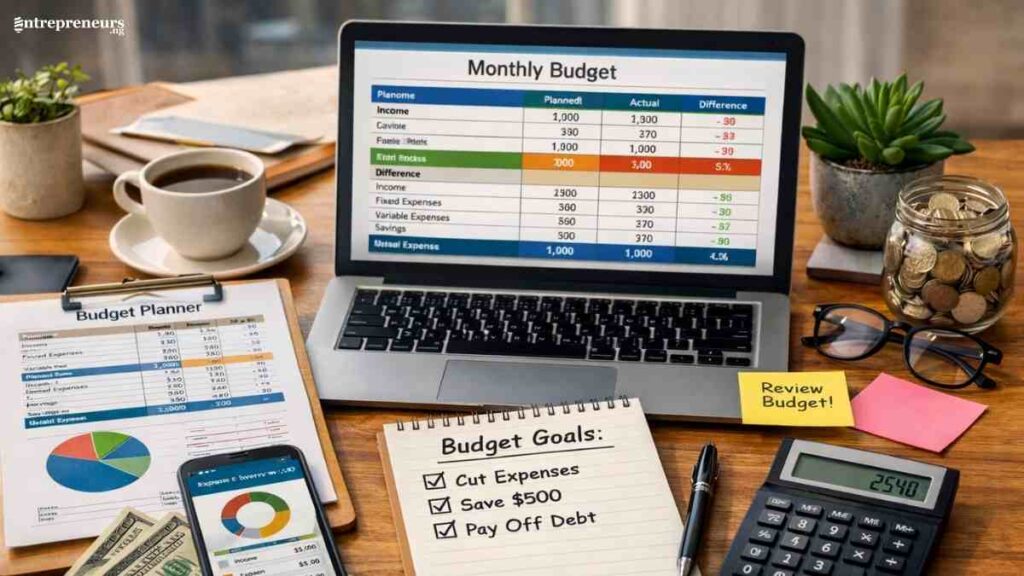
Creating a clear budget spreadsheet is one of the smartest steps you can take towards financial stability, whether you are managing personal expenses, running a startup, or scaling an existing business.
In fact, research from the JPMorgan Chase Institute found that 50% of small businesses have fewer than 15 cash buffer days, making effective budgeting essential for survival.
If you are building a business budget spreadsheet in Excel or using small business budgeting tools, this guide simplifies financial planning for entrepreneurs with practical templates, examples, and automation tips that work.
Key Takeaways
- A budget spreadsheet helps you track income, control expenses, and make smarter financial decisions with clarity.
- You can create a simple, effective budget spreadsheet using Excel or Google Sheets with the right structure and formulas.
- Ready-made budget spreadsheet templates save time and support better financial planning for entrepreneurs and small businesses.
- Consistent use of a budget spreadsheet improves cash flow, supports growth, and strengthens long-term money management.

What Is a Budget Spreadsheet?
A budget spreadsheet is a simple financial tool used to track income, expenses, savings, and financial goals in one organised place.
It helps individuals, entrepreneurs, and small business owners see exactly where their money is coming from and where it is going, making budgeting clearer and more intentional.
Whether created in Excel or Google Sheets, a budget spreadsheet supports better money management, improves cash flow control, and makes financial planning easier and more accurate over time.
Core Elements of an Effective Budget Spreadsheet
An effective budget spreadsheet is built around a few essential components that work together to give you a clear, accurate picture of your finances.
Whether you are budgeting for personal use or managing business finances, these core elements ensure you can track money, plan, and make informed financial decisions with confidence.
| Core Element | What It Includes | Importance |
|---|---|---|
| Income | Salary, business revenue, freelance income, side hustles, other cash inflows | Helps you understand how much money you actually have to work with |
| Fixed Expenses | Rent, utilities, insurance, loan repayments, subscriptions | Ensures essential bills are covered before allocating money elsewhere |
| Variable Expenses | Food, transportation, entertainment, marketing, supplies | Shows spending patterns and highlights areas to cut or optimise |
| Savings | Emergency fund, retirement, short-term goals | Supports financial security and future planning |
| Debt Repayment | Credit cards, personal loans, business loans | Helps reduce interest costs and improve cash flow |
| Sinking Funds | Travel, equipment upgrades, taxes, annual fees | Prepares you for irregular or large future expenses |
| Budget vs Actual | Planned amounts compared with real spending | Reveals overspending or savings opportunities |
| Totals & Balance | Total income, total expenses, net surplus or deficit | Shows whether you are living or operating within your means |
| Notes & Adjustments | One-off expenses, financial changes, explanations | Adds context and improves accuracy over time |
When these elements are clearly structured in your budget spreadsheet, budgeting becomes easier to maintain, more accurate, and far more effective for long-term financial success.
See Also: How to Write a Sales Report- A Step-by-Step Guide For Sales Teams

How to Create a Budget Spreadsheet Step-by-Step
Creating a budget spreadsheet is a straightforward process that gives you full visibility into your finances and helps you make better money decisions.
Whether you are budgeting for personal use or managing business finances, the goal is to build a simple structure that tracks income, expenses, and savings in one place.
With the right layout and a few basic formulas, a budget spreadsheet becomes a powerful tool for planning, controlling costs, and improving cash flow over time.
Step 1: Choose the right platform for your needs
Start by deciding where your budget spreadsheet will live.
Excel works well if you prefer offline access and advanced formulas, while Google Sheets is ideal for cloud access, collaboration, and automatic saving.
For entrepreneurs or couples managing money together, Google Sheets often provides more flexibility.
Step 2: Define your budgeting purpose and goals
Before adding numbers, clarify why you are budgeting. Are you trying to cut costs, save aggressively, manage business cash flow, or prepare for growth?
Your goal determines how detailed your spreadsheet should be and which categories matter most.
For example, personal budgeting focuses on lifestyle control and savings, and business budgeting prioritises cash flow, operating costs, and profit visibility
Step 3: Set your budgeting time frame
Most people and small businesses budget monthly because income and bills typically follow a monthly cycle.
However, if you are a freelancer or entrepreneur with irregular income, you may also add a weekly breakdown to improve short-term cash control.
Step 4: Create a clean, logical layout
Structure your spreadsheet so it is easy to read at a glance. The most effective layouts include columns for:
- Category
- Planned Amount
- Actual Amount
- Difference (Over or Under Budget)
This comparison-based structure instantly shows where your money is going off track and where you are doing well.
Step 5: List all income sources accurately
Add every reliable source of income, salary, business revenue, freelance payments, commissions, rental income, or side hustles.
If income fluctuates, use conservative estimates based on past averages to avoid overestimating what you can spend.
Separate personal and business income lines to maintain clarity and tax readiness.
Step 6: Break expenses into fixed and variable categories
Fixed expenses stay mostly the same each month, such as rent, insurance, software subscriptions, or loan payments.
Variable expenses change and often cause overspending, such as food, transport, entertainment, marketing, or supplies.
Creating clear categories helps you identify unnecessary spending, spot cost-cutting opportunities and control lifestyle creep and business waste.
7) Assign realistic planned amounts
Use past bank statements, credit card bills, or accounting records to estimate planned spending.
Avoid guessing. Accuracy here makes your budget useful rather than frustrating.
Rule of thumb: Start with realistic numbers, then optimise later. Budgets fail when they are too restrictive.
Step 8: Track actual spending consistently
Update the spreadsheet as transactions happen. Daily updates work best, but weekly updates are acceptable if you stay disciplined.
Consistency matters more than frequency.
Many people fail at budgeting because they track too late or not at all. Your spreadsheet only works if it reflects reality.
Step 9: Use formulas to automate calculations
Automation reduces errors and saves time. At a minimum, your spreadsheet should automatically calculate:
- Total income
- Total expenses
- Remaining balance or surplus
This turns your budget from a static document into a live financial dashboard.
Step 10: Add a summary section for quick decisions
Create a summary at the top or on a separate tab showing:
- Net balance
- Biggest expense categories
- Savings or profit for the month
This high-level view helps entrepreneurs and individuals make faster, smarter financial decisions without scanning every row.
11) Review results and refine monthly
At the end of each month, review what worked and what did not. Look for overspending patterns, underused categories, and savings opportunities.
Adjust next month’s planned figures based on real data.
A budget spreadsheet improves with use. The more months you track, the more powerful it becomes.
Real-Life Budget Spreadsheet Sample
A real-life budget spreadsheet sample helps you see how budgeting works in practice, not just in theory.
This example shows a simple monthly budget for a small business owner or entrepreneur, using a clear “planned vs actual” structure that makes tracking, reviewing, and adjusting finances easy.
Monthly Budget Spreadsheet Sample (Small Business Owner)
| Category | Planned Amount ($) | Actual Amount ($) | Difference ($) |
|---|---|---|---|
| Income | |||
| Business Revenue | 6,000 | 5,700 | -300 |
| Side Income | 800 | 850 | +50 |
| Total Income | 6,800 | 6,550 | -250 |
| Fixed Expenses | |||
| Office Rent | 1,200 | 1,200 | 0 |
| Internet & Phone | 180 | 170 | +10 |
| Software Subscriptions | 220 | 220 | 0 |
| Insurance | 150 | 150 | 0 |
| Total Fixed Expenses | 1,750 | 1,740 | +10 |
| Variable Expenses | |||
| Marketing & Ads | 600 | 750 | -150 |
| Transportation | 300 | 280 | +20 |
| Meals & Entertainment | 350 | 420 | -70 |
| Office Supplies | 200 | 160 | +40 |
| Total Variable Expenses | 1,450 | 1,610 | -160 |
| Savings & Debt | |||
| Emergency Fund | 500 | 500 | 0 |
| Loan Repayment | 600 | 600 | 0 |
| Total Savings & Debt | 1,100 | 1,100 | 0 |
| Overall Summary | |||
| Total Expenses | 4,300 | 4,450 | -150 |
| Remaining Balance | 2,500 | 2,100 | -400 |
How to Use This Sample
- The Difference column quickly shows overspending or savings.
- Reviewing this at month-end highlights problem areas (e.g., marketing overspend).
- Adjust next month’s planned figures based on actual results.
This simple structure works equally well for personal budgets, freelancers, and small businesses, and it scales easily as your finances grow.

Downloadable Budget Spreadsheet Templates (Ready-to-Use Samples)
If you want to skip building a budget from scratch, downloadable budget spreadsheet templates are the fastest and most effective way to get started.
These templates are designed to be simple, editable, and practical, helping individuals, entrepreneurs, and small business owners manage money with less stress and more clarity.
Below are the most useful budget spreadsheet templates you can use immediately and customise to fit your financial situation.
1. Personal Monthly Budget Spreadsheet Template
| Category | Planned ($) | Actual ($) | Difference ($) |
|---|---|---|---|
| Income | |||
| Salary | 3,500 | 3,500 | 0 |
| Side Hustle | 600 | 550 | -50 |
| Total Income | 4,100 | 4,050 | -50 |
| Expenses | |||
| Rent | 1,200 | 1,200 | 0 |
| Utilities | 250 | 230 | +20 |
| Groceries | 450 | 480 | -30 |
| Transportation | 300 | 290 | +10 |
| Entertainment | 200 | 260 | -60 |
| Total Expenses | 2,400 | 2,460 | -60 |
| Savings | |||
| Emergency Fund | 500 | 500 | 0 |
| Remaining Balance | 1,200 | 1,090 | -110 |
2. Small Business Budget Spreadsheet Template
| Category | Planned ($) | Actual ($) | Difference ($) |
|---|---|---|---|
| Income | |||
| Product Sales | 7,000 | 6,600 | -400 |
| Services | 2,500 | 2,800 | +300 |
| Total Income | 9,500 | 9,400 | -100 |
| Operating Expenses | |||
| Rent | 1,500 | 1,500 | 0 |
| Software Tools | 350 | 350 | 0 |
| Marketing & Ads | 900 | 1,100 | -200 |
| Utilities | 250 | 230 | +20 |
| Total Expenses | 3,000 | 3,180 | -180 |
| Net Profit | 6,500 | 6,220 | -280 |
3. Freelancer or Irregular Income Budget Template
| Week | Expected Income ($) | Actual Income ($) | Difference ($) |
|---|---|---|---|
| Week 1 | 800 | 900 | +100 |
| Week 2 | 1,200 | 1,000 | -200 |
| Week 3 | 1,000 | 1,150 | +150 |
| Week 4 | 1,000 | 950 | -50 |
| Monthly Total | 4,000 | 4,000 | 0 |
| Expenses | Amount ($) |
|---|---|
| Rent | 1,100 |
| Internet & Phone | 180 |
| Food | 500 |
| Transport | 280 |
| Savings | 600 |
| Total Expenses | 2,660 |
4. Family or Household Budget Spreadsheet Template
| Category | Planned ($) | Actual ($) |
|---|---|---|
| Household Income | ||
| Partner 1 Income | 3,200 | 3,200 |
| Partner 2 Income | 2,800 | 2,750 |
| Total Income | 6,000 | 5,950 |
| Household Expenses | ||
| Mortgage | 1,600 | 1,600 |
| Childcare | 900 | 900 |
| Groceries | 650 | 700 |
| Utilities | 300 | 290 |
| Transportation | 450 | 420 |
| Total Expenses | 3,900 | 3,910 |
| Savings | 1,200 | 1,100 |
5. Simple Cash Flow Tracker Template
| Date | Description | Money In ($) | Money Out ($) | Balance ($) |
|---|---|---|---|---|
| May 1 | Opening Balance | 2,000 | ||
| May 3 | Client Payment | 1,200 | 3,200 | |
| May 5 | Office Supplies | 180 | 3,020 | |
| May 8 | Internet Bill | 120 | 2,900 | |
| May 10 | Sales Income | 800 | 3,700 |
Budget Spreadsheet Mistakes to Avoid and How to Avoid Them
Even the best budget spreadsheet will not work if it is set up or used wrongly.
Many people abandon budgeting not because it fails, but because small, avoidable mistakes make the process frustrating or unrealistic.
Knowing these common pitfalls and how to avoid them will help you build a budget spreadsheet that actually supports better money management.
| Common Mistake | Why It is a Problem | How to Avoid It |
|---|---|---|
| Overestimating income | Leads to overspending and cash shortages when expected money doesn’t arrive | Use conservative income estimates based on past averages, especially for freelancers and entrepreneurs |
| Forgetting irregular expenses | Causes surprise costs that blow your budget | Create sinking funds for annual, quarterly, or unexpected expenses |
| Making the spreadsheet too complex | Becomes hard to maintain and discourages regular use | Start simple and add detail only when necessary |
| Not tracking actual spending | Makes the budget inaccurate and ineffective | Update the spreadsheet daily or weekly to reflect real spending |
| Ignoring small expenses | Small costs add up and distort your spending picture | Track all expenses, including subscriptions and daily purchases |
| Setting unrealistic limits | Creates frustration and leads to budget abandonment | Base planned amounts on real spending, not ideal behaviour |
| Not reviewing the budget regularly | Prevents learning and improvement over time | Schedule a monthly review to adjust categories and amounts |
| Mixing personal and business finances | Causes confusion and poor financial decisions | Use separate budget spreadsheets or clearly labelled sections |
How to Avoid Budget Spreadsheet Mistakes Long-Term
- Keep your budget realistic, not perfect
- Focus on consistency over precision
- Review and adjust monthly instead of starting over
- Let your budget evolve as your income and expenses change
When your budget spreadsheet reflects real life, and not wishful thinking, it becomes a reliable tool for smarter decisions, stronger cash flow, and long-term financial control.

Advanced Budget Spreadsheet Tips for Power Users
Once you have mastered the basics, an advanced budget spreadsheet can do far more than track income and expenses.
With a few smart upgrades, your spreadsheet becomes a financial control centre, helping entrepreneurs and small business owners forecast cash flow, spot risks early, and make faster, data-driven decisions.
Use Automated Formulas Instead of Manual Calculations
Relying on formulas reduces errors and saves time. Automate totals, balances, and differences so your spreadsheet updates instantly whenever numbers change.
This keeps your budget accurate and eliminates repetitive manual work.
Add Conditional Formatting for Instant Insights
Conditional formatting highlights overspending, low balances, or missed savings goals using colour rules. For example, expenses that exceed the budget can automatically turn red, helping you spot problems at a glance without scanning every row.
Build a Monthly and Annual Summary Dashboard
Create a separate summary tab that pulls key data from your main budget. Include total income, total expenses, savings rate, and net balance.
This bird’s-eye view helps power users evaluate financial performance quickly and make confident decisions.
Track Trends with Historical Data
Instead of overwriting old numbers, keep monthly tabs or records. Over time, this reveals spending trends, seasonal patterns, and growth opportunities, especially useful for entrepreneurs managing fluctuating income.
Separate Fixed, Variable, and Discretionary Spending
Advanced users benefit from deeper categorisation. Splitting expenses into fixed, variable, and discretionary groups makes it easier to cut costs strategically without harming essential operations or lifestyle needs.
Automate Data Entry Where Possible
Import bank statements or transaction exports directly into your spreadsheet. This reduces manual entry, improves accuracy, and makes frequent tracking easier, especially for busy business owners.
Include Savings, Investment, and Debt Tracking Tabs
A powerful budget spreadsheet goes beyond monthly expenses. Add dedicated tabs to track emergency funds, investments, and debt repayment progress so your financial planning stays holistic and long-term focused.
Use Scenario Planning for Smarter Decisions
Create “what-if” scenarios by duplicating your budget and adjusting income or expense assumptions.
This helps you plan for growth, prepare for downturns, and make confident financial choices before committing resources.
When used strategically, an advanced budget spreadsheet becomes more than a tracking tool, it becomes a decision-making system that supports sustainable growth, stronger cash flow, and long-term financial success.
Alternatives to Budget Spreadsheets When You Need More Automation
While a budget spreadsheet offers flexibility and control, it can become time-consuming as finances grow more complex.
If you want automatic transaction tracking, real-time insights, and less manual work, budgeting tools can provide a more hands-off approach, especially for busy entrepreneurs and small business owners.
| Tool | Best For | Key Automation Features | Limitations Compared to Spreadsheets |
|---|---|---|---|
| YNAB (You Need A Budget) | Individuals and entrepreneurs focused on cash discipline | Automatic bank syncing, real-time budgeting, goal tracking | Less flexible for custom layouts and business-specific categories |
| Mint | Beginners who want simple automation | Auto transaction categorisation, bill reminders, spending alerts | Limited customisation and declining feature depth |
| QuickBooks | Small businesses managing full finances | Automated expense tracking, reporting, cash flow insights | More complex and costly than a simple budget spreadsheet |
| EveryDollar | Zero-based budgeting fans | Guided budgeting structure, expense tracking | Bank sync requires paid plan; less flexible than spreadsheets |
| Tiller Money | Spreadsheet lovers who want automation | Auto bank feeds into Google Sheets or Excel | Paid service and still requires spreadsheet maintenance |
When to Choose Automation Over a Spreadsheet
- You want real-time transaction syncing
- Manual updates feel overwhelming
- You manage multiple accounts or frequent transactions
- You need reporting without building formulas
When a Budget Spreadsheet Is Still the Better Choice
- You want full control and custom layouts
- You’re managing both personal and business finances in one view
- You prefer one-time setup with no monthly fees
- You need flexibility that apps can’t offer
In practice, many entrepreneurs combine both using automated tools for tracking and a budget spreadsheet for planning, forecasting, and decision-making.
Conclusion
A budget spreadsheet is more than a tracking tool, but a practical system for making smarter financial decisions.
When built simply and used consistently, it helps you control spending, plan confidently, and create sustainable growth, whether for personal finances or your business.
We want to see you succeed, and that’s why we provide valuable business resources to help you every step of the way.
- Join over 23,000 entrepreneurs by signing up for our newsletter and receiving valuable business insights.
- Register your business today with Entrepreneurs.ng’s Business Registration Services.
- Tell Your Brand Story on Entrepreneurs.ng, let’s showcase your brand to our global audience.
- Need help with your marketing strategy? Get a Comprehensive Marketing and Sales Plan here.
- Sign up for our Entrepreneurs Success Blueprint Programme to learn how to start and scale your business in just 30 days.
- Book our one-on-one consulting and speak to an expert about structuring and growing your business.
- Visit our shop for business plan templates and other valuable resources to guide you.
- Get our Employee-Employer Super Bundle NDA templates to legally protect your business and workforce.
- Advertise your business to over a million entrepreneurs through our different advertising packages.

Frequently Asked Questions (FAQs)
What is a budget spreadsheet?
A budget spreadsheet is a tool used to track income, expenses, savings, and financial goals in one organised place, usually in Excel or Google Sheets.
Who should use a budget spreadsheet?
Anyone managing money can benefit from a budget spreadsheet, including individuals, families, freelancers, entrepreneurs, and small business owners.
Is a budget spreadsheet better than a budgeting app?
A budget spreadsheet offers more flexibility and control, while budgeting apps provide automation. The better option depends on your preferences and financial complexity.
What should I include in a budget spreadsheet?
You should include income, fixed expenses, variable expenses, savings, debt repayment, and a summary showing your remaining balance.
How often should I update my budget spreadsheet?
Ideally, update it daily or weekly to keep your numbers accurate and avoid surprises at the end of the month.
Can beginners use a budget spreadsheet?
Yes. A simple budget spreadsheet with basic categories is beginner-friendly and often easier to understand than budgeting apps.
What’s the easiest way to create a budget spreadsheet?
Using a ready-made template in Excel or Google Sheets is the fastest and easiest way to get started.
How do I budget with irregular income?
Use conservative income estimates, track cash flow weekly, and prioritise essential expenses and savings first.
Can I use one budget spreadsheet for personal and business finances?
It’s better to separate them, but if necessary, clearly label sections to avoid confusion and poor financial decisions.
What formulas are most important in a budget spreadsheet?
Basic formulas like totals for income and expenses, and a balance calculation (income minus expenses), are usually enough.
Why does my budget spreadsheet keep failing?
Common reasons include unrealistic spending limits, inconsistent tracking, and making the spreadsheet too complicated to maintain.
How long does it take to see results from budgeting?
Most people see better awareness immediately, with real financial improvements appearing after one to three months of consistent use.