

From my very first day of testing it, I was struck by how seamlessly Freed AI captured patient–provider conversations and transformed them into clean, well-structured clinical notes, all without interrupting the natural flow of the consultation.
According to a report by Nurse Journal, AI could help alleviate the medical and nursing workforce crisis by taking on as much as 30% of the administrative tasks that typically fall on nurses. This is exactly where Freed AI stands out.
In this Freed AI review, I will walk you through my hands-on experience with Freed AI, its core features, use cases, pricing, and the key lessons I learned from using it consistently. I will also share some top alternatives worth exploring if you are considering options beyond Freed AI.
Key Takeaways
- Freed AI acts as a virtual medical scribe that transcribes and generates clinical notes from patient interactions.
- Freed AI not only generates professional documentation but also creates patient instructions and automated follow-up notes.
- Freed AI is designed specifically for healthcare use, offering HIPAA compliance, EHR integration, and adaptability.
- Freed AI alternatives like Mistra AI, Scribeberry, and DeepScribe offer comparable functionality to Freed AI.

What is Freed AI?
Freed AI is an AI-powered medical documentation tool that functions as a virtual scribe for healthcare professionals. It listens to patient–provider conversations in real time and automatically converts them into accurate, well-structured clinical notes.
Healthcare providers, from doctors and nurses to therapists and chiropractors, use Freed AI to cut down on paperwork, streamline their workflow, and reclaim valuable time during and after consultations.
By handling the bulk of administrative documentation, Freed AI helps clinicians stay focused on delivering quality patient care instead of getting buried in notes.
See Also: AI in Healthcare: Benefits, Risks, Future Trends & Real Use Cases.
How to Use Freed AI Step-by-Step
Using Freed AI is simple once you understand the basic flow.
In this section, I will walk you through, step by step, how to set it up, connect it to your consultations, and generate clinical notes from real patient conversations, so you can go from sign-up to your first finished note in just a few minutes.
Step 1: Visit Freed
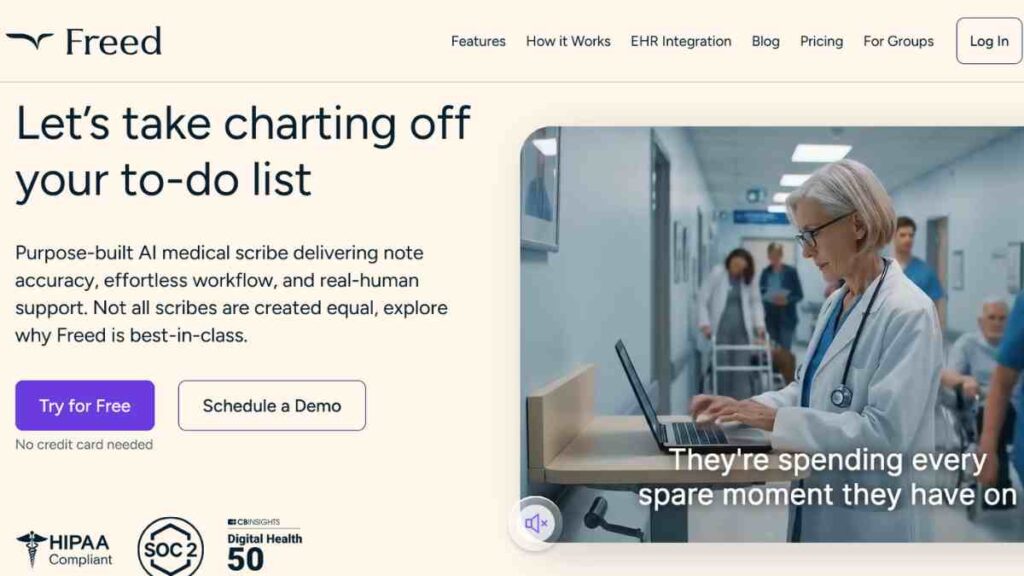
The first thing I did was head straight to the Freed AI website. Immediately, the homepage made a strong impression.
The first line that greeted me was: “Let’s take charting off your to-do list.” As someone who understands how draining clinical documentation can be, that statement alone got my attention.
I was met with a clear explanation of what the platform actually offers. What struck me was how confidently the platform differentiated itself.
What I did next
Once I was satisfied with what I was seeing, I clicked the “Start free trial” button. I wanted to experience the platform hands-on rather than relying solely on marketing promises.
Signing up was quick, and I appreciated that the onboarding was not bloated with unnecessary steps.
My main reason for diving in immediately was simple: I wanted to see if Freed could fit seamlessly into actual clinical scenarios.
I did not want theory; I wanted to know if it could scribe accurately during a real patient consultation, handle complex medical terms, and summarise a conversation in a clean clinical format.
So I approached the platform with a clear set of use cases in mind. I planned to test it during a routine general check-up, a chronic condition follow-up, and even a symptom-specific consultation to see how well it captured nuance.
Step 2: Create Your Freed Account
After clicking the Start free trial button, I was taken straight to the account creation page, and this was where my experience with Freed AI started to feel even more streamlined. The setup process was deliberately simple.
Everything was laid out clearly, starting with the bold reminder that the trial comes with 7 days, unlimited visits, and no credit card required.
For someone testing a clinical AI tool, that instantly removed any pressure and made me feel more comfortable exploring the platform properly.
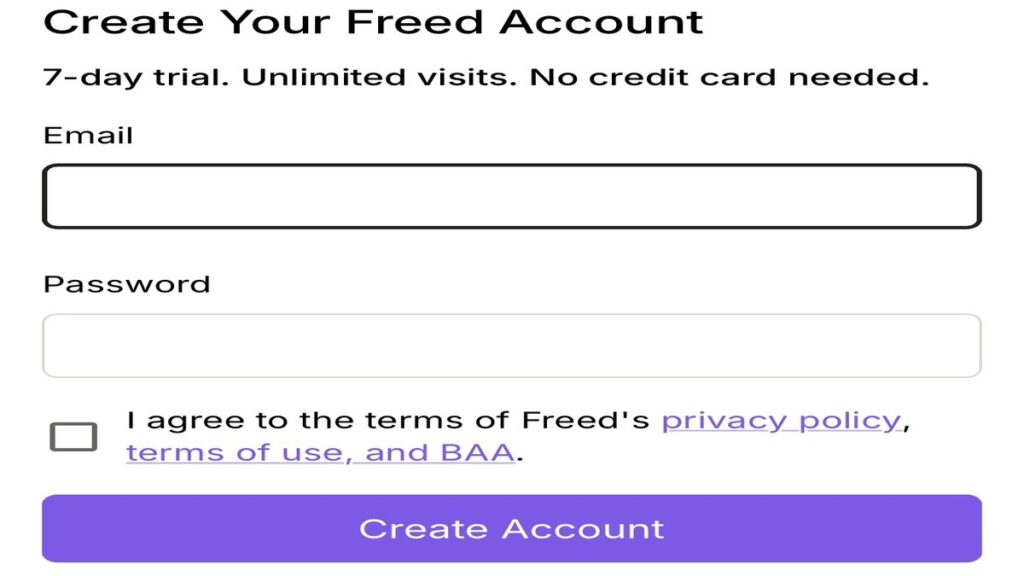
The sign-up page itself only required the basics: my email address, a secure password, and a quick acknowledgement that I agreed to Freed’s privacy policy, terms of use, and BAA. Once I entered my details and clicked Create Account, everything processed almost instantly.
See Also: Mistral AI Reviewed: Features, Benefits, Pricing and Real-World Uses
Step 3: Complete Your Basic Profile
Once my account was created, I was immediately welcomed with a clean, friendly onboarding screen that said: “Hello, welcome to Freed.”
This was the point where the platform properly introduced itself, reminding me that Freed AI is an AI-powered medical scribe designed to write notes on my behalf.
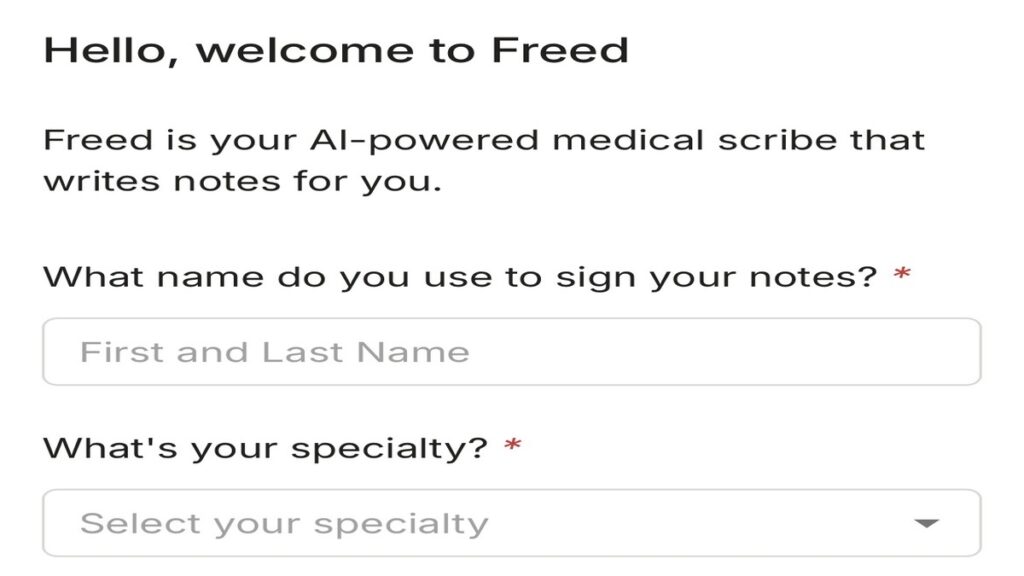
The first thing Freed asked me was a simple but important question: “What name do you use to sign your notes?” I entered my first and last name, knowing that this would appear in every clinical note generated during the trial.
Next, Freed asked me to select my speciality. The dropdown list was surprisingly comprehensive, covering major fields like internal medicine, paediatrics, orthopaedics, cardiology, psychiatry, and several others.
I chose Family Medicine, since that aligns most closely with the type of patient encounters I planned to test the platform with.
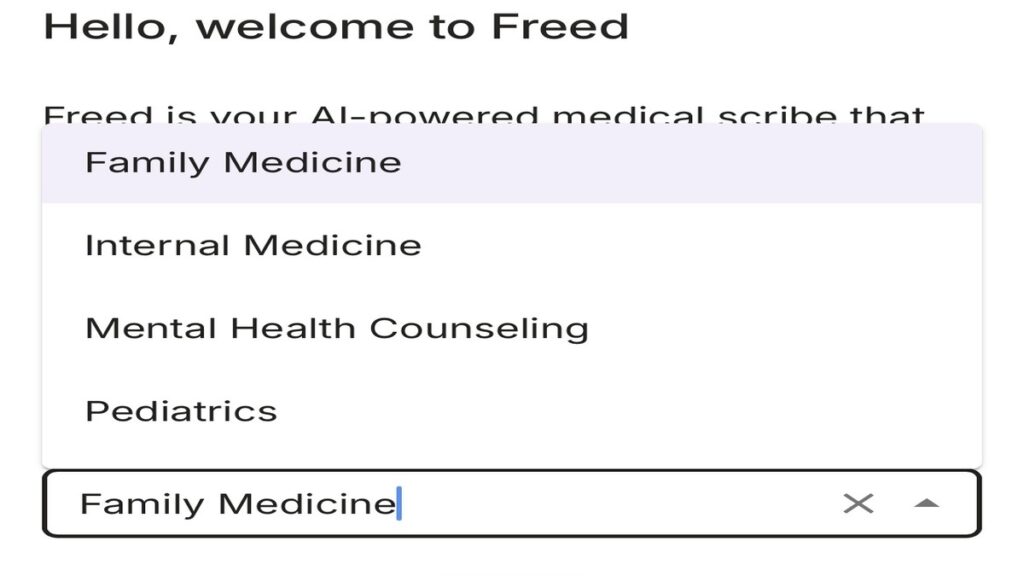
It simply wanted the essential information needed to personalise my experience and make the generated notes more clinically relevant.
The way these questions were presented made it feel like the platform was preparing itself to align with the way I practise, rather than requiring me to adjust to a new workflow.
Step 4: Begin Your Tailored Experience
After confirming my speciality, Freed moved straight into configuring my workspace. The screen displayed a message that read: “Building your Family Medicine experience.”
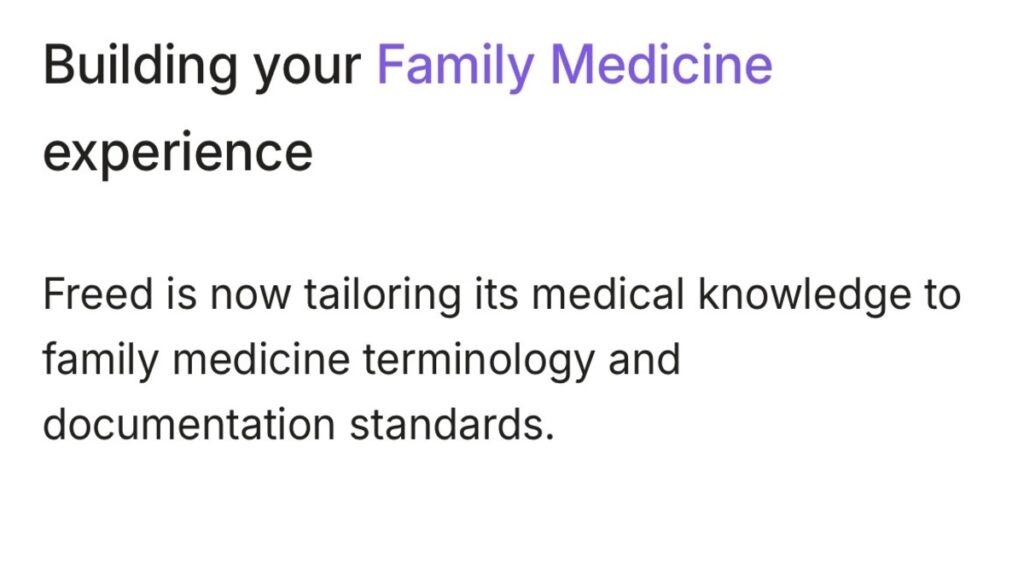
This was the moment where everything became more personalised. Freed explained that it was now tailoring its medical knowledge, terminology, and documentation standards specifically for Family Medicine.
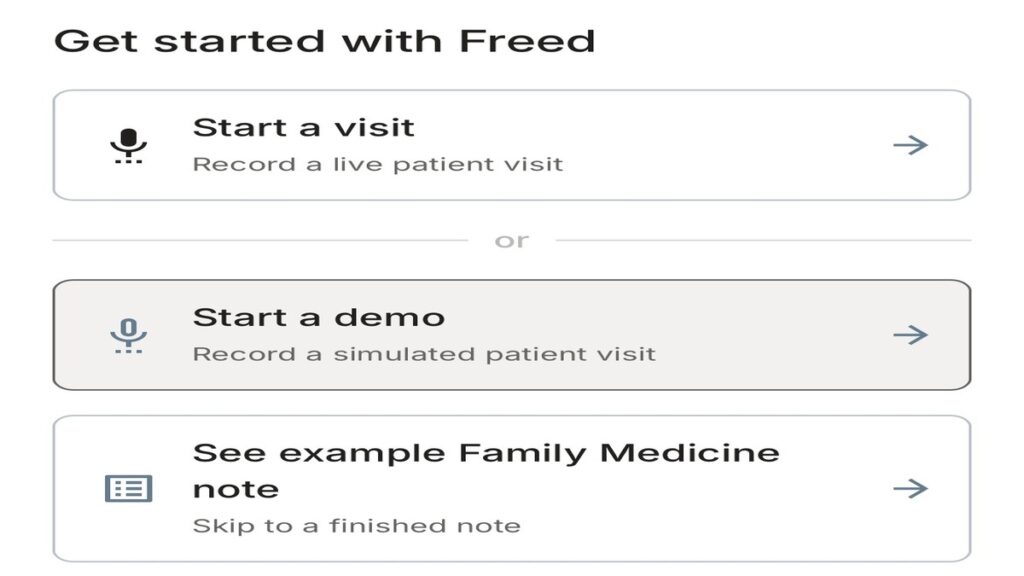
Once the platform finished preparing my experience, I was taken to a screen that offered three clear starting points. The options were laid out in a way that made onboarding feel effortless.
I could choose to start a visit and record a live patient consultation, start a demo to record a simulated patient interaction, or simply see an example Family Medicine note.
I appreciated how Freed gave me the freedom to choose how hands-on I wanted to be right away.
Under these options, I noticed another section titled My Library, alongside the Freed library. This area contained speciality-tuned templates. Even though I had selected Family Medicine, the template library was open for browsing, giving me access to a range of specialities.
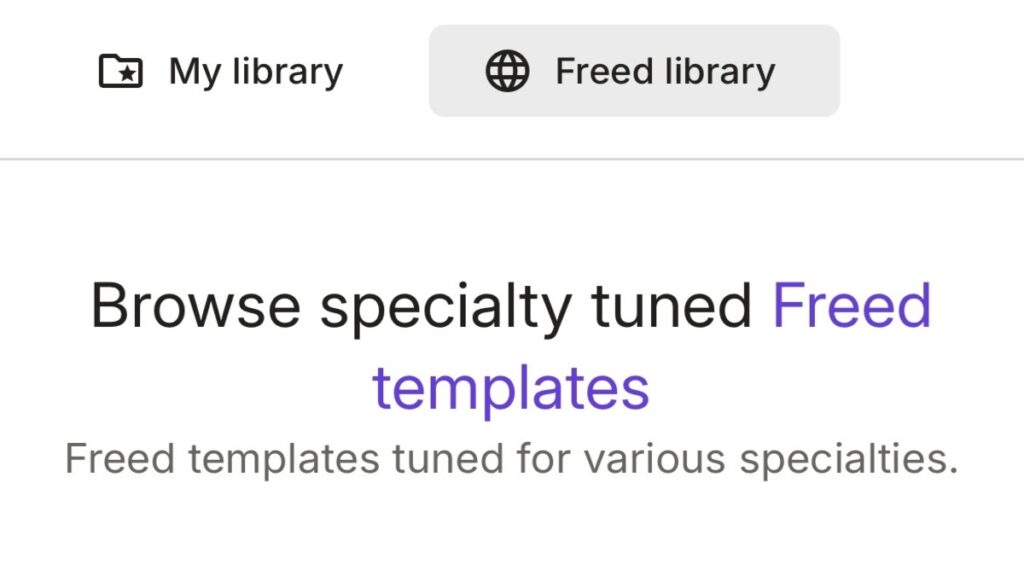
The presence of ready-made, speciality-specific templates showed how expansive the platform can be when it comes to note standardisation, consistency, and speed.
Step 5: My First Real Experience Using Freed AI
This is where my experience with Freed AI became real. This was the moment I finally moved from setup into actual clinical use, and it gave me my first proper taste of what the platform could do in a live workflow.
As soon as I proceeded, Freed presented a clean, professional interface with the prompt: “Select a patient to prep for their visit.”
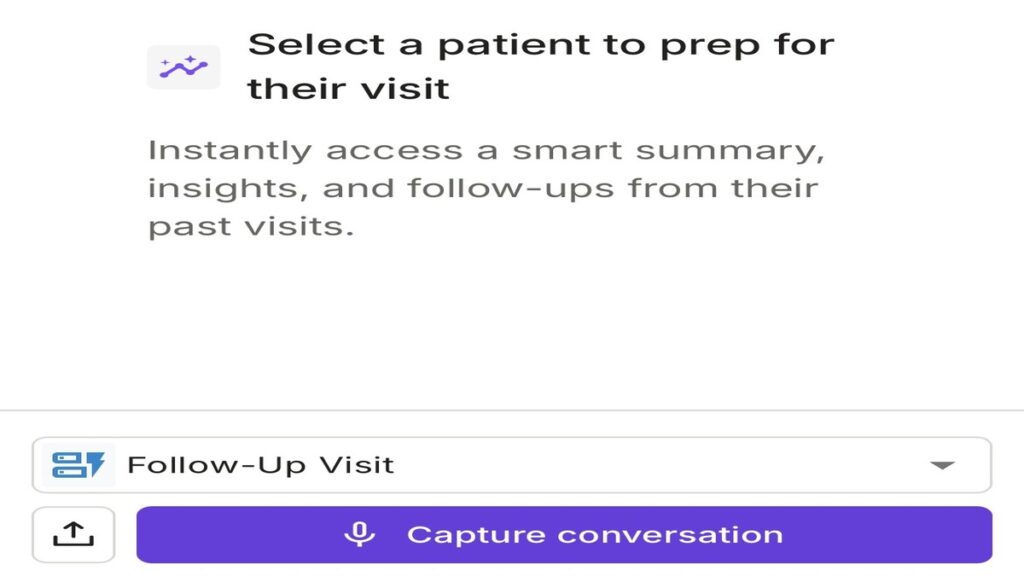
The dashboard showed quick access to summaries, insights, and past follow-ups. I chose Follow-Up Visit, which opened a clean recording interface with a simple Capture conversation button. Tapping it felt like stepping into the real workflow.
For my first test, I used a typical Family Medicine case: a follow-up visit where a patient now reported headaches, body heat, high temperature, and fever.
I conducted the conversation naturally, without adjusting my wording, to see how well Freed handled real medical dialogue.
Once I stopped recording, the platform processed everything almost immediately. Within seconds, it delivered an accurate transcription, and that was just the start.
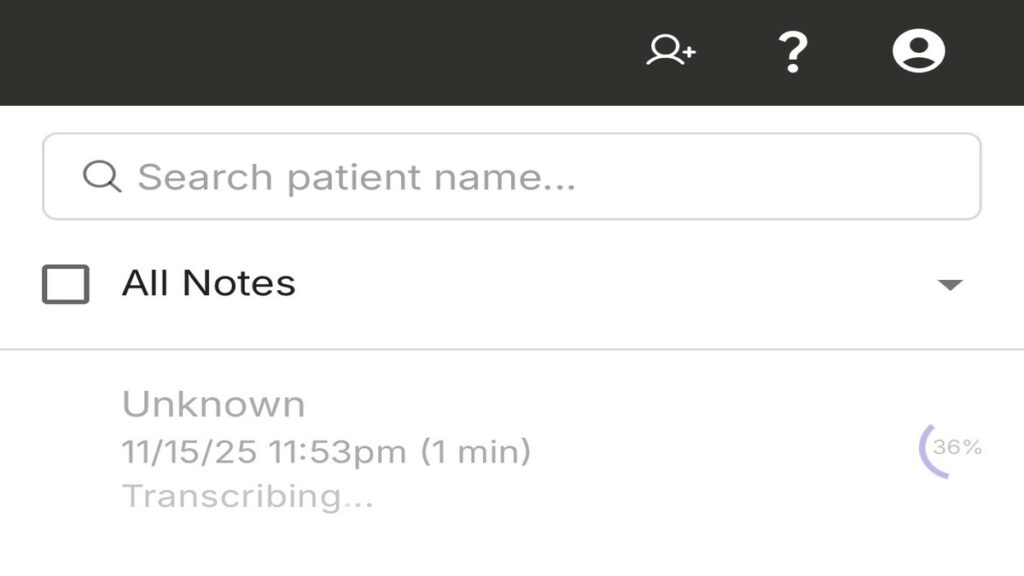
What stood out was the structured clinical note that followed. Freed did not just dump text onto a screen; it organised the output into a clean, well-structured patient note that included both a detailed patient summary and a clear assessment.
Here are the notes:
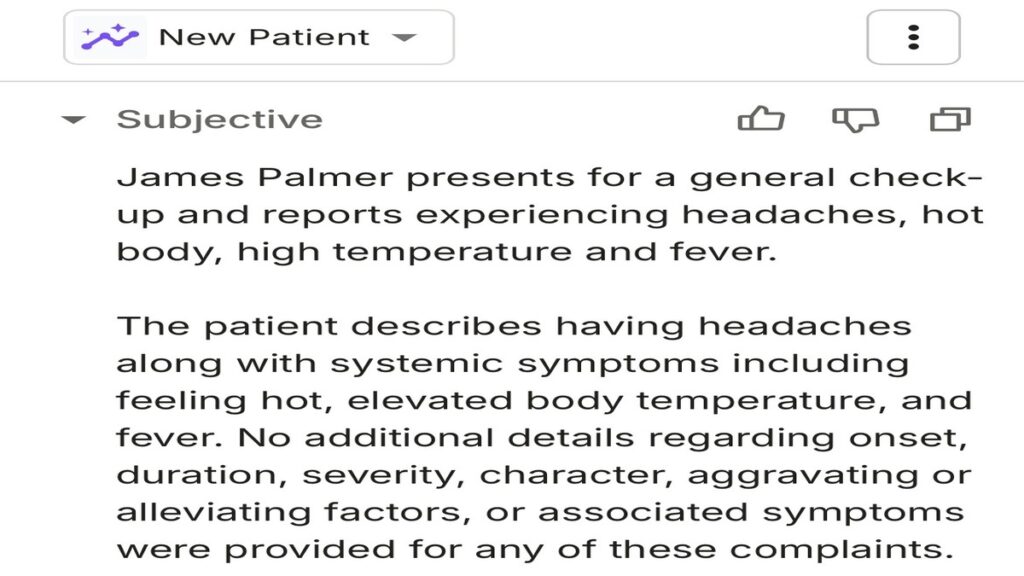
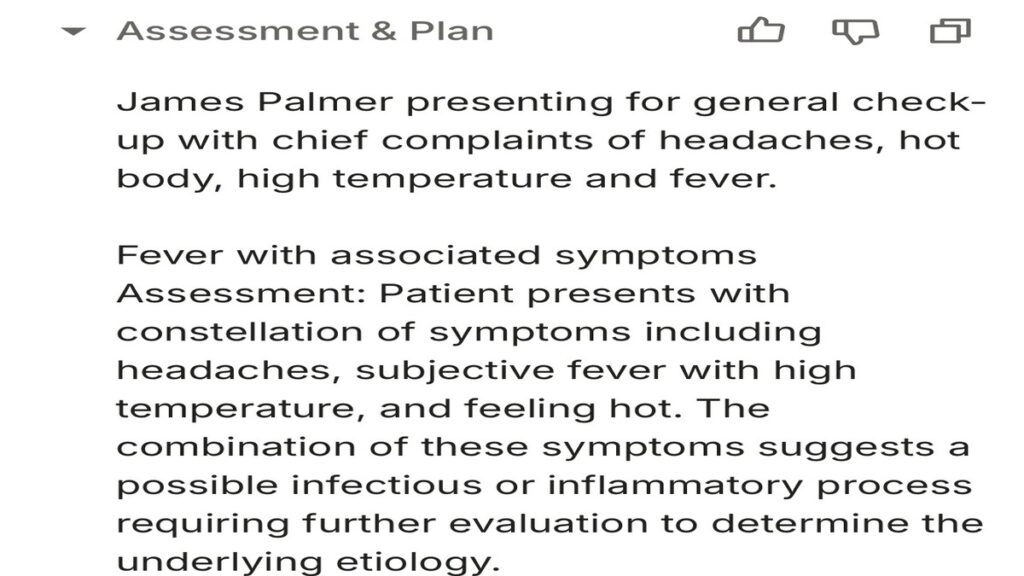
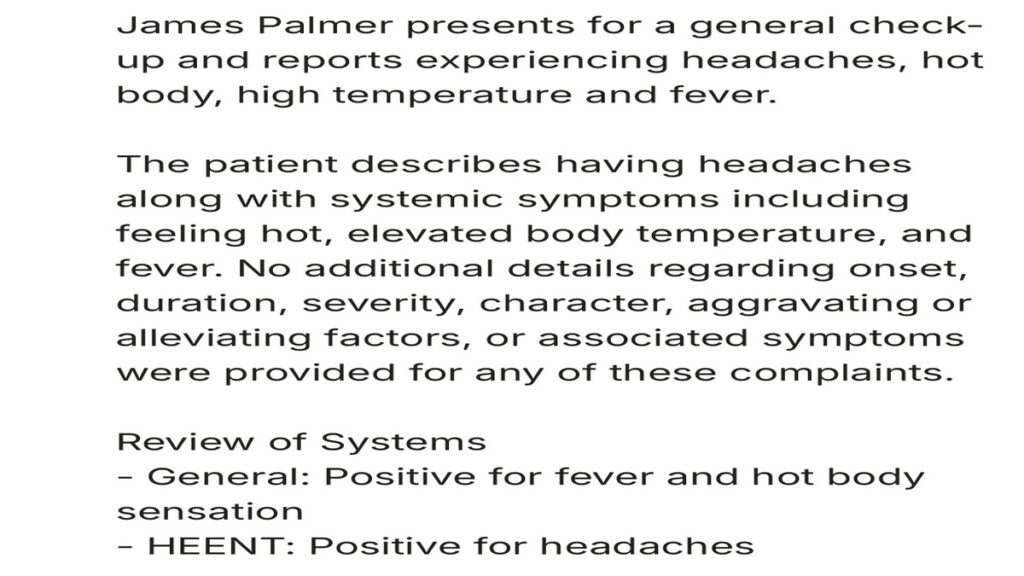
Freed translated the interaction into a polished clinical document without me having to type or recall details manually.
For a follow-up visit dealing with headaches, fever, and general discomfort, the system managed to capture everything, something that would usually take several minutes of manual note-writing.

Freed AI Review: My Day-by-Day Experience
When I decided to try Freed AI, I wanted to understand how it actually performs in real clinical scenarios. So I committed to using it day by day.
What follows is my honest, hands-on experience of using Freed AI across multiple days.
Day 1: Generating My First Patient Report with Freed AI
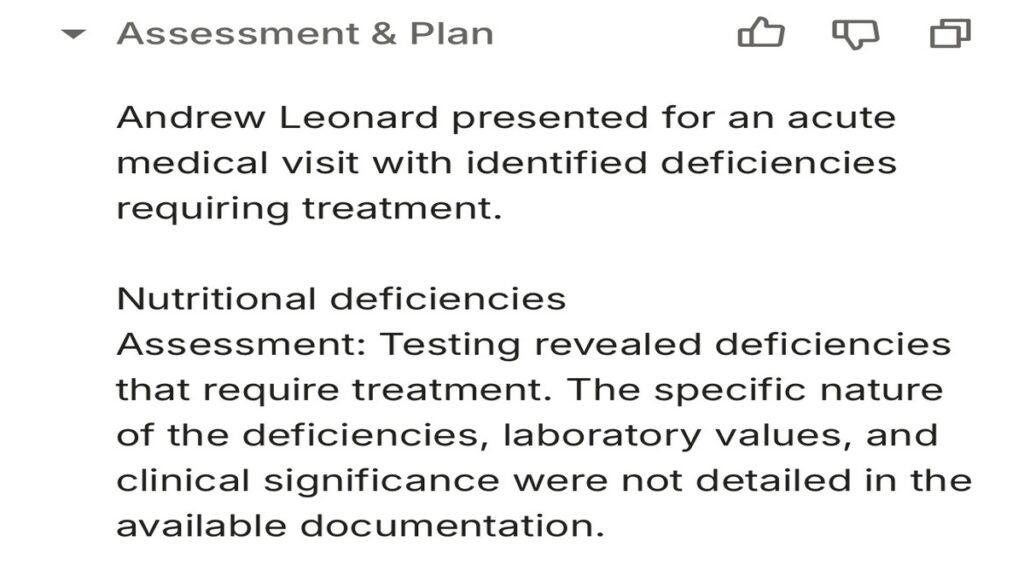
My first day with Freed AI focused on a simple but clinically relevant case: an acute visit for a patient showing symptoms linked to nutritional deficiencies that needed prompt attention. I wanted to see how well Freed handled a mix of symptom evaluation, lifestyle factors, and treatment planning.
I recorded the consultation exactly as I normally would, without changing my tone or structure to suit the AI.
As soon as I ended the recording, Freed generated a clean, structured note. It provided a concise visit summary outlining the symptoms, key findings, and context, followed by a clear assessment and plan that captured the clinical direction, differential considerations, and treatment steps for the suspected deficiencies.
Here are the results:
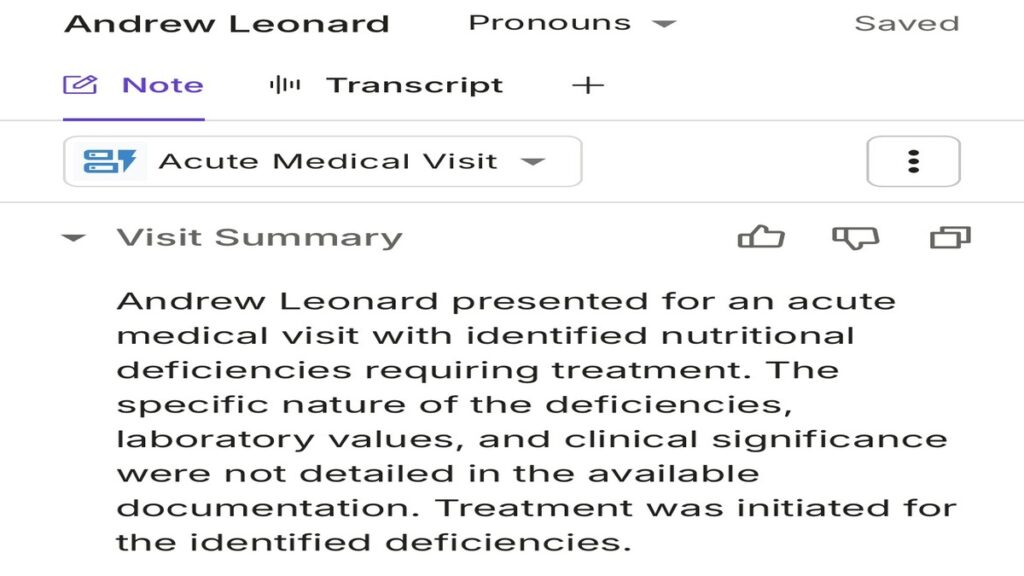
But one part genuinely surprised me; it also drafted patient instructions, written in a tone that was simple, supportive, and clinically appropriate.
Even better, Freed generated an automated thank-you note to send to the patient after the visit. It was not generic; it read like something a clinician would naturally write at the end of a thoughtful appointment.
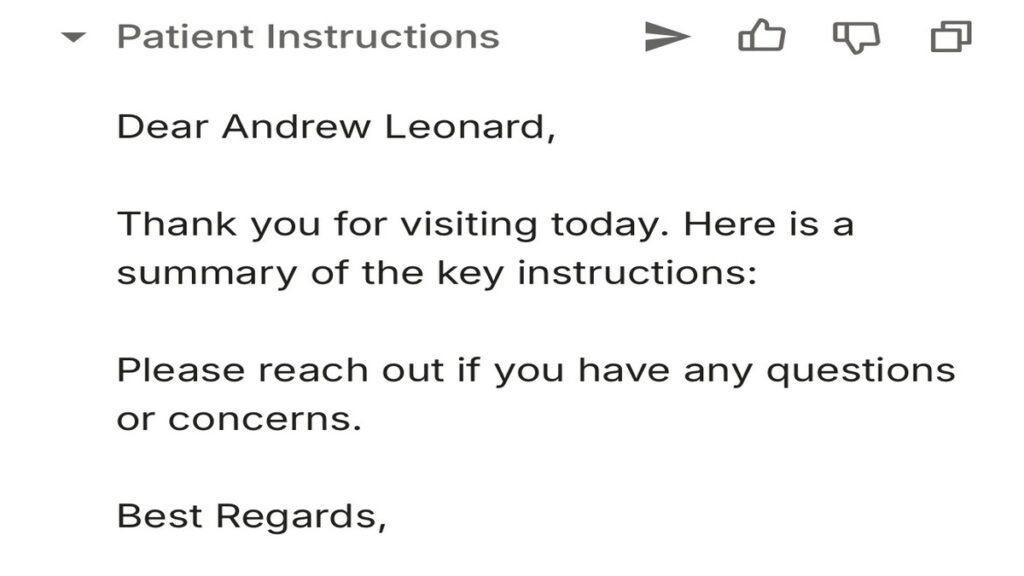
Seeing an AI assist not only with the clinical document but also with the patient-facing communication was an unexpected and genuinely helpful touch.
Day 2: Documenting a Case of Persistent Stomachache
On my second day using Freed AI, I decided to test it for a patient with a stomachache that had persisted for several days.
Gastrointestinal complaints can be tricky because the history often contains layered details, overlapping symptoms, and subtle red flags that need to be captured clearly in the documentation. I wanted to see whether Freed could keep up with that level of nuance.
As soon as I started recording the visit, Freed handled the conversation smoothly, allowing me to focus completely on the patient rather than on typing. When I ended the session, Freed processed the recording and generated the report almost instantly. The output was clean, well-structured, and clinically sound.
Here is what it gave me:
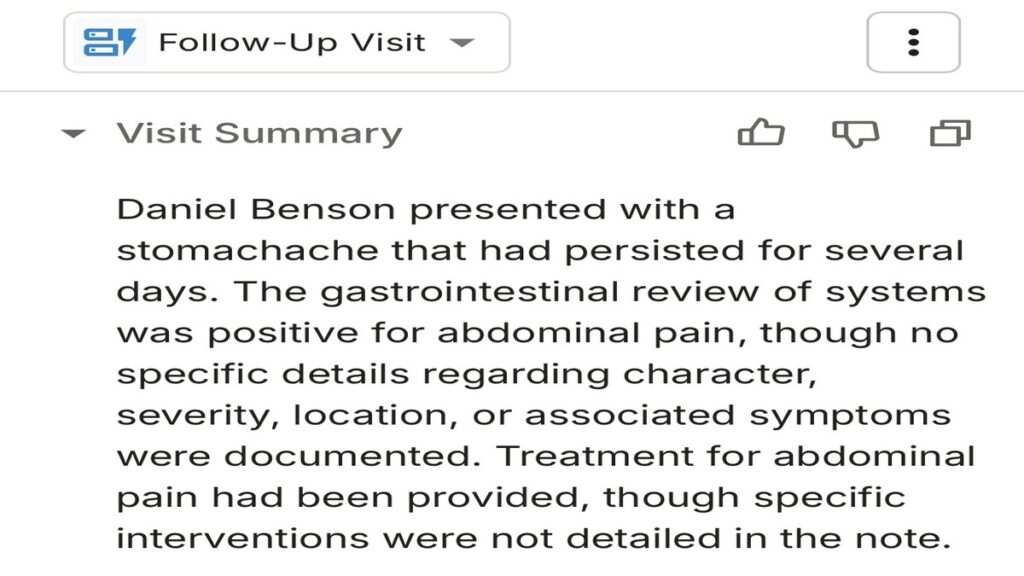
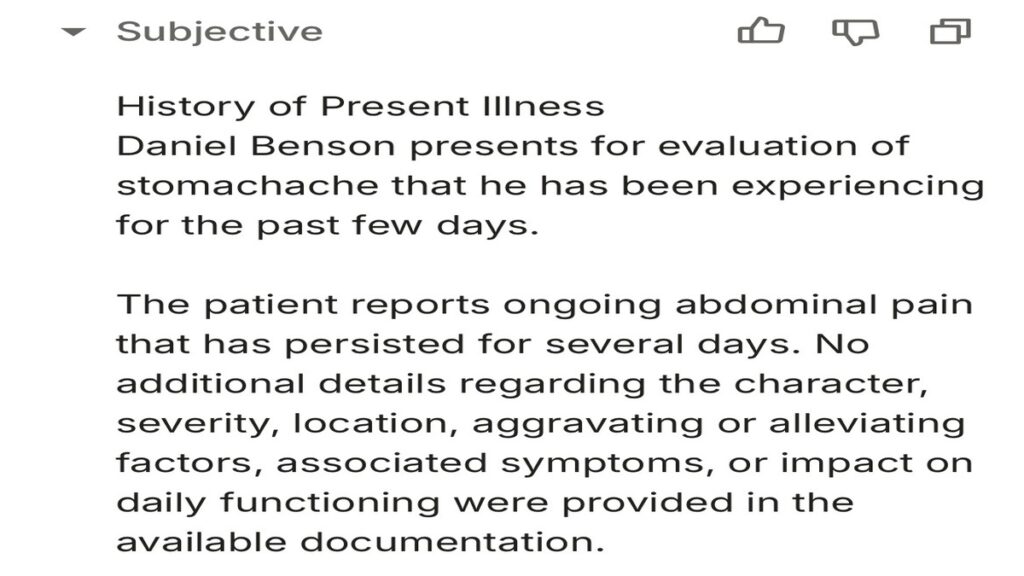
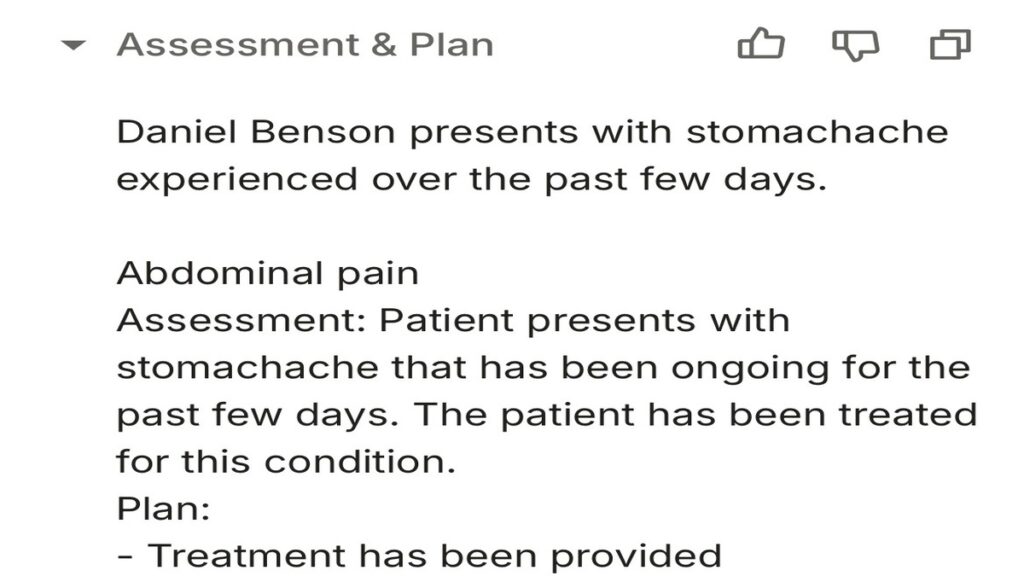
What stood out to me on Day 2 was how consistently Freed AI captured the patient’s narrative without missing essential clinical cues.
It felt like the AI was genuinely tuned to the flow of the clinical encounter, reinforcing that the platform had learned from the speciality settings I selected earlier.
Day 3: Managing a Type 2 Diabetes Follow-Up
On my third day with Freed AI, I tested it on a more complex case: a Type 2 diabetes follow-up for a patient worried about rising blood pressure and elevated blood sugar levels that required treatment adjustments.
This visit involved chronic disease management and trend interpretation, so accuracy mattered even more.
Freed produced a well-structured, comprehensive note. The summary captured the patient’s concerns and ongoing management, highlighted key issues like hypertension trends and glycaemic control, and the plan outlined treatment changes, lifestyle advice, and follow-up timing. It even generated clear patient-facing instructions that I could share immediately.
Here is what I got:
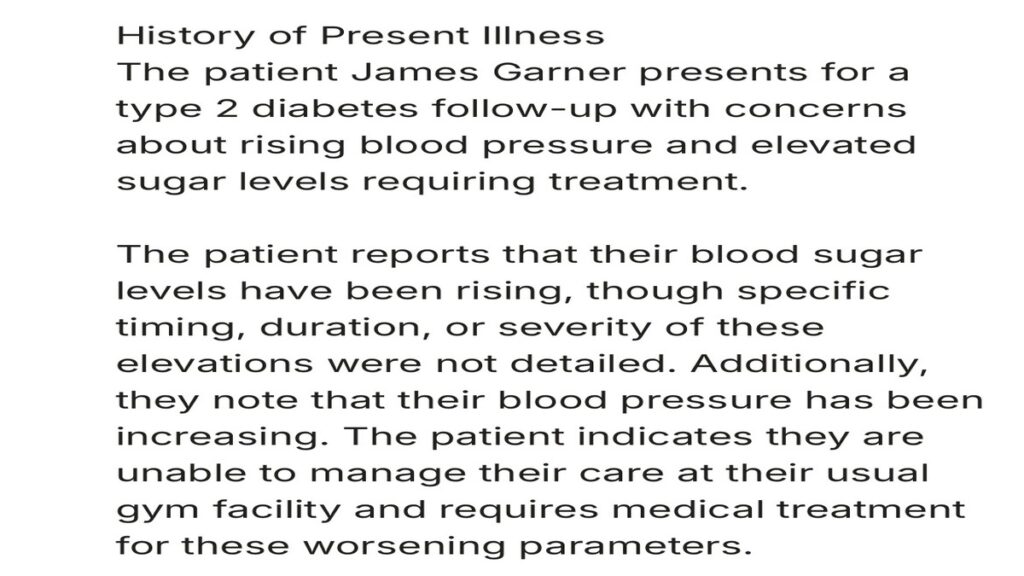
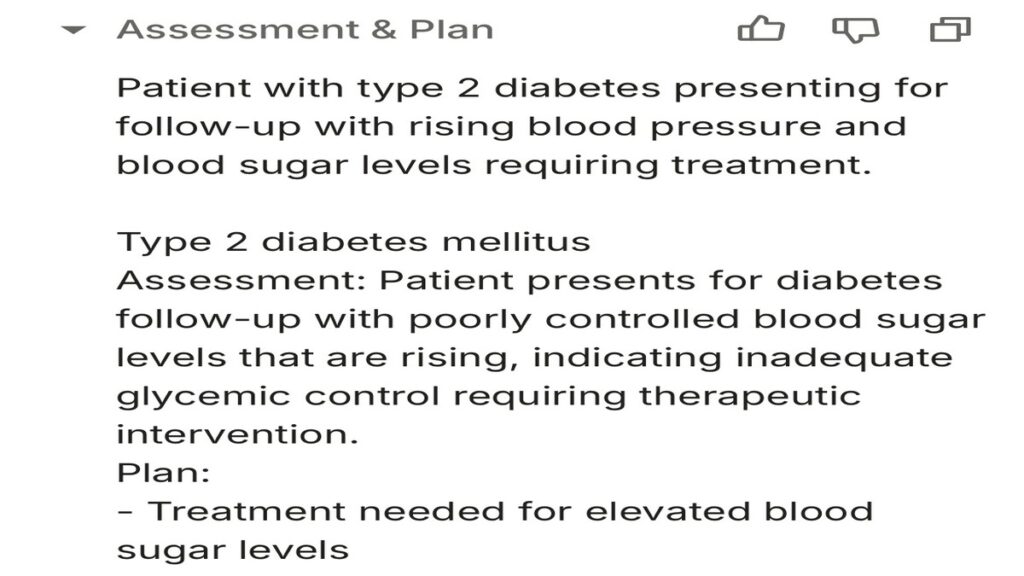
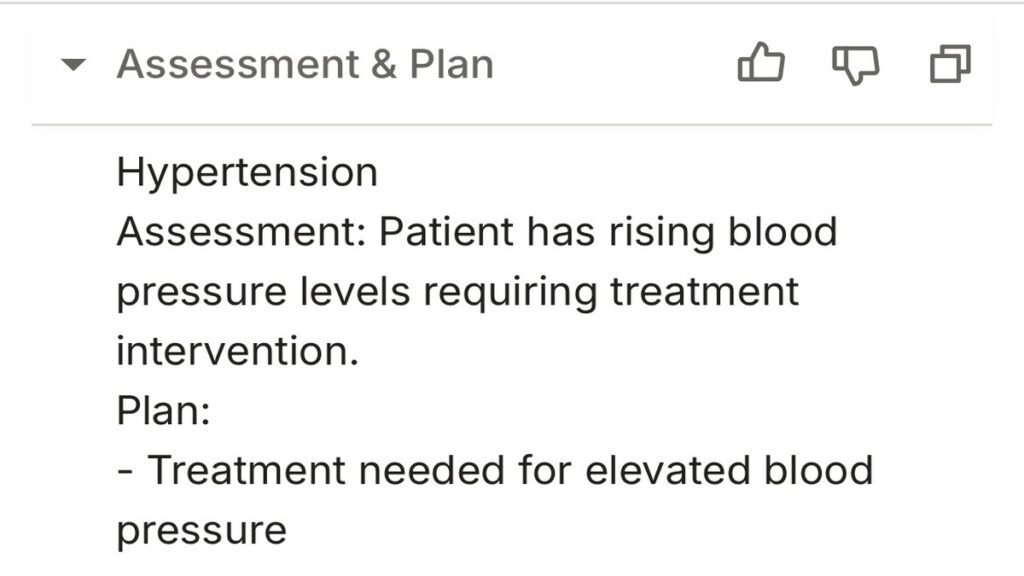
This experience reinforced that Freed is not just for straightforward visits; it excels in complex, chronic care management scenarios, making it a reliable assistant for clinicians handling ongoing patient care.
Day 4: A New Patient with Asthma
On my fourth day with Freed AI, I tested it on a new patient with a history of asthma who had been having repeated attacks and came in for a check-up. New patient visits are often more demanding because they require capturing a full medical history alongside the current complaint.
I wanted to see how Freed handled an encounter where background details matter as much as present symptoms.
After the visit, Freed generated a detailed, ready-to-use note. The summary captured the patient’s symptoms, attack frequency, and relevant history. The assessment pulled everything together into a clear picture of asthma control and possible triggers, while the plan outlined medication adjustments, inhaler guidance, and follow-up instructions.
It gave me this:
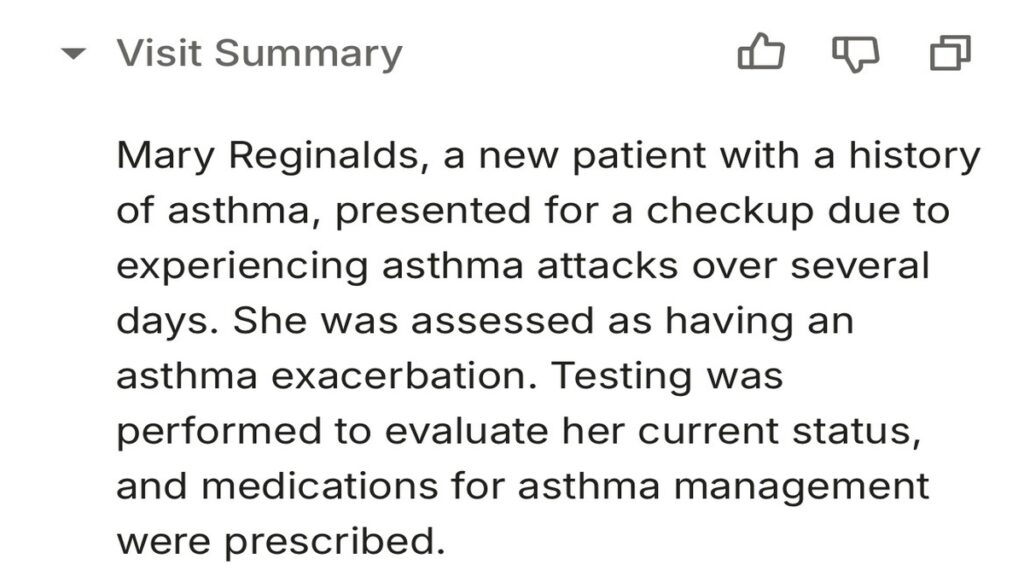
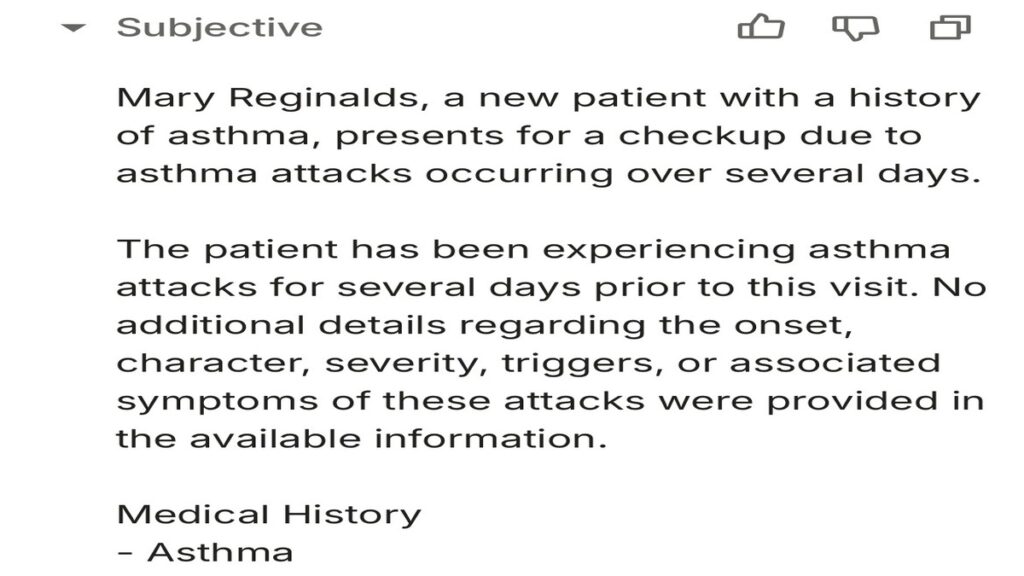
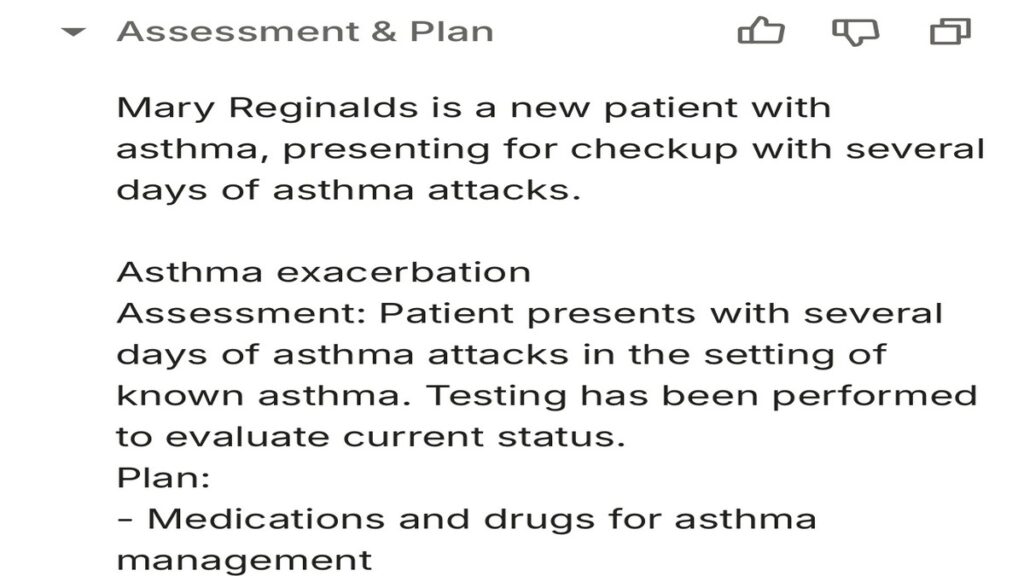
What stood out to me was how naturally Freed structured the note for a new patient. It not only documented the acute problem but also built a comprehensive foundation for future visits. The clarity and thoroughness of the note reflected the platform’s understanding of both clinical priorities and patient safety.
Day 4 demonstrated that Freed AI is not only effective for follow-ups or routine visits but can also manage the complexity of new patient encounters, providing a detailed, structured, and clinically relevant record from the very first consultation.
Reviewing All Patient Notes
Once every consultation was recorded and processed, I could open the dashboard and instantly access each note I had generated.
The notes were organised by patient and visit date, making it easy to locate follow-ups, review past encounters, or prepare for upcoming appointments.
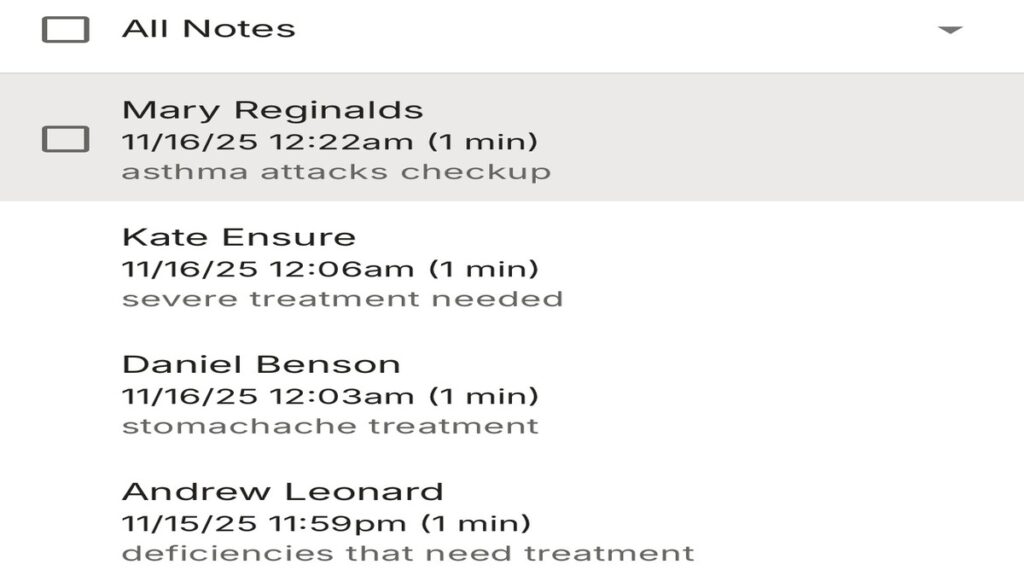
This overview feature gave me a sense of control and efficiency and is particularly valuable for clinicians who manage multiple patients daily, as it allows them to track care over time, ensure continuity, and double-check that nothing is missed.
For me, this reinforced why Freed AI is not just a transcription tool but a full documentation assistant that helps streamline patient record management from start to finish.

Key Features of Freed AI
After thoroughly exploring the platform, I found that the features of Freed AI are thoughtfully designed tools that address real pain points clinicians face daily.
Below are features that make Freed AI one of the most promising AI medical scribes available.
1. Real-Time Clinical Note Generation
One of the most impressive features of Freed AI is its ability to generate clinical notes in real time. During consultations, Freed AI listens passively to the patient–provider conversation and instantly transcribes and organises information into SOAP or free-text notes.
This dramatically reduces the need for after-hours documentation and eliminates the pressure of note-taking mid-consultation.
2. Seamless Integration with EHR Systems
Another key strength I discovered is its compatibility with popular Electronic Health Record systems. Freed AI integrates directly with EHRs, allowing clinicians to import or export patient data securely without toggling between applications.
This feature makes workflow continuity effortless, something I noticed was particularly useful in busy hospital environments where time and precision are paramount.
3. Multi-Language and Accent Support
Healthcare is global, and Freed AI recognises this diversity with its robust multilingual capability. It supports a wide range of languages and accents, making it accessible to international medical teams.
When I tested consultations involving non-native English speakers, I was surprised at how accurately Freed AI understood nuanced medical terms and colloquial speech.
4. HIPAA-Compliant Security
Patient confidentiality is non-negotiable in healthcare, and Freed AI demonstrates a strong commitment to security.
It is fully HIPAA-compliant, ensuring that every audio recording, transcription, and clinical note is encrypted and stored securely.
This means healthcare providers can rely on the system without worrying about data breaches or compliance risks.
5. Customisable Note Formatting and Summarisation
Lastly, one of my favourite features of Freed AI is its ability to customise how notes are formatted. Clinicians can choose between SOAP notes, narrative summaries, or specific templates suited to their medical field.
For example, a psychiatrist might prefer detailed narrative documentation, while an emergency physician may need concise, structured summaries.
Who Should Use Freed AI?
Whether you are part of a large hospital network, an independent practitioner, or a healthcare startup building digital solutions, Freed AI can streamline your workflow.
Here is a breakdown of who should use Freed AI.
1. Independent Clinicians and General Practitioners
For solo doctors managing multiple patients daily, Freed AI eliminates the burden of manual note-taking. It automatically generates detailed SOAP notes and summaries, allowing them to complete documentation in seconds.
It is particularly beneficial for clinics without admin staff who need a reliable and affordable alternative to manual transcription.
2. Specialists in Time-Sensitive Fields
Medical specialists such as cardiologists, paediatricians, and psychiatrists can rely on Freed AI for precise, structured documentation.
The system’s ability to capture nuanced discussions ensures that no critical details are lost, making it a dependable choice for those who handle complex medical conversations.
3. Hospital and Clinic Administrators
Larger institutions benefit from Freed AI’s compatibility with EHR systems and its robust compliance features.
By reducing administrative burdens and supporting consistent documentation across departments, Freed AI helps hospitals and clinics maintain high standards of record-keeping.
4. Telemedicine Professionals
For clinicians conducting remote consultations, Freed AI proves especially useful. It can record, transcribe, and structure conversations over video or phone calls, enabling accurate digital records while allowing the clinician to remain fully engaged with the patient.
5. Medical Researchers and Academics
Researchers conducting interviews, studies, or medical trials can use Freed AI to automatically document verbal exchanges for analysis.
The transcription accuracy and structured format make it ideal for creating clean datasets and ensuring consistent reporting.
6. Healthcare Startups and Developers
Startups developing digital health platforms or AI-assisted solutions can leverage Freed AI’s API and integration capabilities.
Freed AI can inspire innovation in automating clinical workflows and improving efficiency in healthcare delivery.
7. Nurses and Physician Assistants
Nurses and physician assistants often juggle patient interaction, data entry, and administrative duties. With Freed AI, they can record key details during consultations and generate summaries instantly, improving productivity while maintaining accuracy and compliance.
8. Medical Students and Trainees
For students and trainees, Freed AI offers a practical, hands-on way to learn documentation standards.
By providing real-time examples of well-structured SOAP notes and reports, it complements formal medical training and accelerates learning in clinical documentation.
Freed AI Pricing
Freed AI offers a pricing model based on usage and team size. Solo clinicians or small private practices can start with entry-level plans that provide essential transcription and note-generation features.
| Category | Details |
| Free Trial | Available for all plans, allowing users to test how Freed AI works before committing |
| Plan 1: Individual (1 Clinician) | $90/month – Ideal for individual clinicians and solo practices. Includes full access to core Freed AI features such as secure note-taking, transcription, and workflow automation |
| Plan 2: Small Group (2–9 Clinicians) | $84/month per clinician (billed annually) – Designed for small teams, offering collaborative tools and shared data access across multiple practitioners |
| Plan 3: Enterprise (10+ Clinicians) | Custom Pricing – Tailored for large healthcare organisations with more than ten clinicians. Includes scalable deployment, data security management, and advanced support |
See also: Free AI Tools For Small Businesses to Improve Growth – A Comprehensive Guide.
Alternatives to Freed AI
While Freed AI has proven to be one of the most reliable AI medical scribes on the market, it is not the only option available.
During my testing, I explored several alternatives to see how they compared in terms of accuracy, adaptability, and user experience.
1. ScribeSense AI
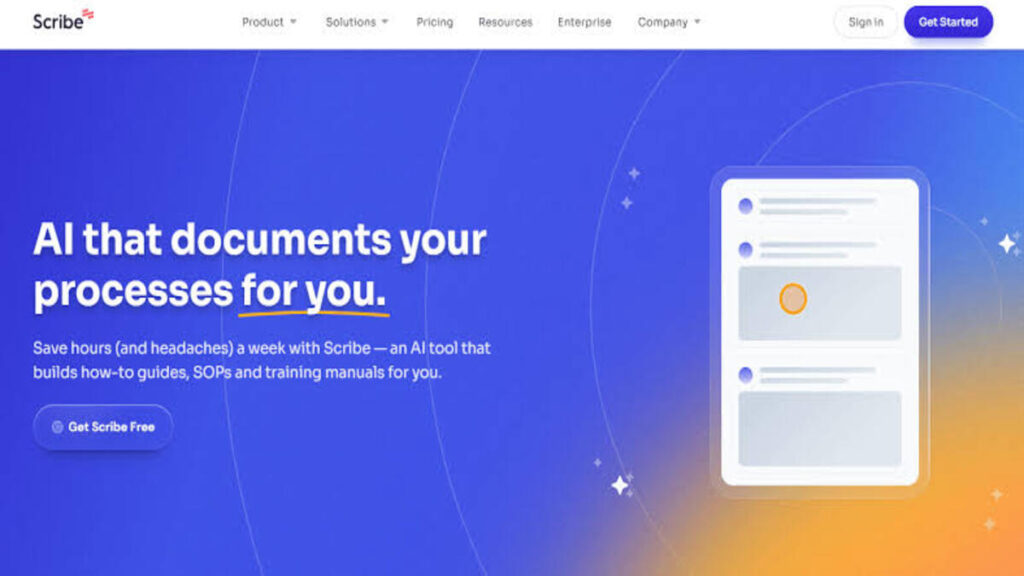
ScribeSense AI is one of the newer entrants in the AI medical scribe landscape, but it’s already gaining traction among independent practitioners.
The tool uses real-time voice capture combined with contextual clinical understanding to generate SOAP notes, much like Freed AI.
ScribeSense offers lightweight integration with common EHRs and automatically categorises notes into subjective and objective sections.
| Category | Details |
| Key Features | Real-time transcription, multilingual support, EHR integration |
| Pricing | $12/month for Pro Team; $23/month for Pro Personal; and Custom for Enterprise |
| Pros | Accurate across multiple accents with customisable templates |
| Cons | Limited offline support and higher pricing for small clinics |
2. DeepScribe
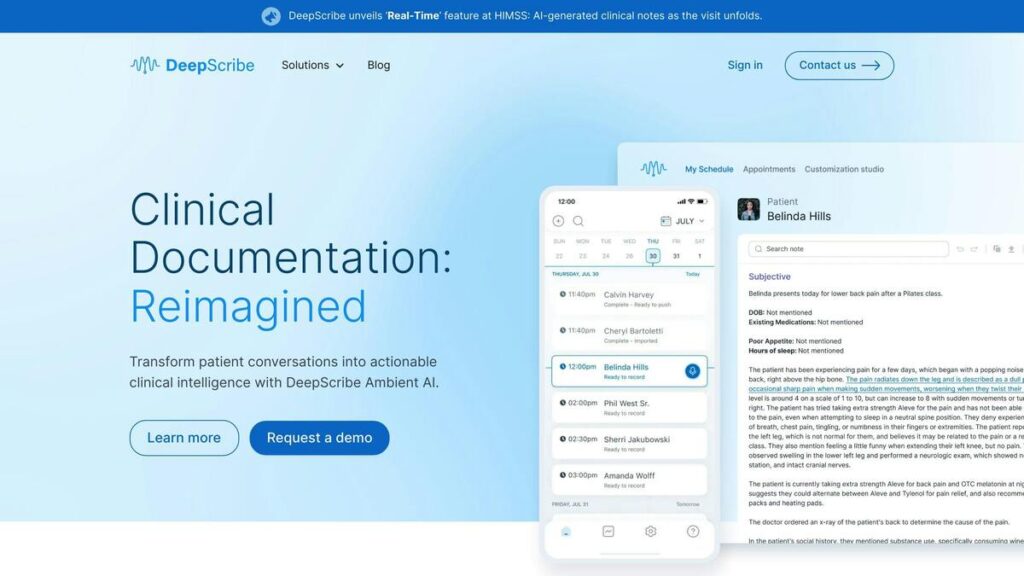
DeepScribe is trusted by healthcare systems in North America and beyond. It uses advanced speech recognition and natural language understanding to generate detailed clinical documentation in seconds.
I found that it performs exceptionally well in noisy environments, which is particularly useful for emergency departments and multi-patient clinics.
It is one of the best alternatives to Freed when it comes to integration with major EHR systems like Epic and Athenahealth.
| Category | Details |
| Key Features | Conversational transcription, SOAP note creation, EHR sync |
| Pricing | DeepScribe pricing is not publicly listed and is available upon request. The cost is not fixed and likely depends on the specific needs of the healthcare organisation. |
| Pros | High accuracy with strong EHR compatibility. |
| Cons | No free plan and has limited customisation options |
3. Heidi
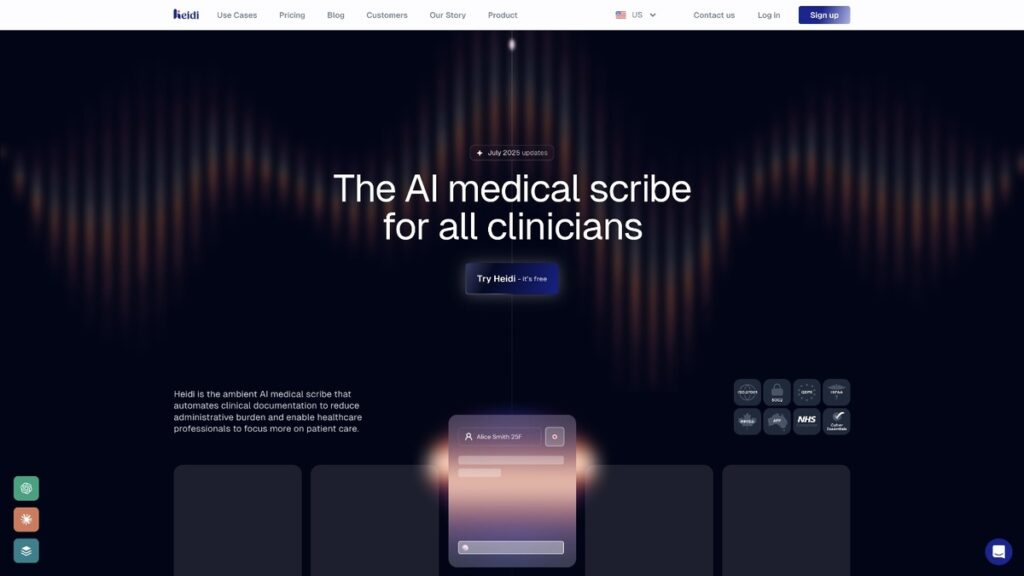
Heidi takes a hybrid approach, combining AI with human medical scribes for real-time note accuracy.
Its integration with leading EHRs and its HIPAA-certified infrastructure make it one of the most reliable alternatives for larger institutions.
However, because of its hybrid model, Heidi is not as instant or affordable as Freed AI. Notes typically take a few minutes to process rather than seconds, but the trade-off is near-perfect accuracy.
| Category | Details |
| Key Features | Live streaming, AI + human review, EHR integration |
| Pricing | Free plan; $90/month for Pro; $120/month for Practice, and a custom price for Enterprise |
| Pros | High accuracy and is scalable for hospital systems |
| Cons | Requires a stable internet with a longer note turnaround time |
4. Nuance Dragon Medical One

Nuance Dragon Medical One remains a heavyweight in the medical dictation world. Unlike newer AI scribes, Dragon has decades of development and industry trust behind it. It converts spoken words into text with unmatched speed.
For clinicians who prefer full control over their dictation and documentation, Dragon remains one of the best alternatives to Freed.
It is especially suitable for specialists who dictate extensive narratives and prefer manual editing afterwards.
| Category | Details |
| Key Features | Cloud-based dictation, specialty language models |
| Pricing | The pricing is calculated by Dragon based on your usage |
| Pros | Trusted brand with exceptional voice accuracy |
| Cons | Requires subscription and has limited note formatting automation |
5. AINoteMD
AINoteMD is an innovative AI transcription tool designed not just for clinicians, but also for patients. It records, summarises, and structures conversations in real time, providing clear summaries for both parties.
What differentiates it from Freed is its dual-use approach, which empowers patients with accessible summaries while helping clinicians maintain accurate records.
However, while it performs well as a supplementary documentation tool, it does not replace the full medical scribing power of Freed.
| Category | Details |
| Key Features | Conversation recording, summary generation, and patient sharing |
| Pricing | Free basic plan; Basic at $99/month; Professional at $199/month |
| Pros | Transparent summaries improve patient understanding |
| Cons | Limited note customisation with fewer integrations |
6. Tali AI
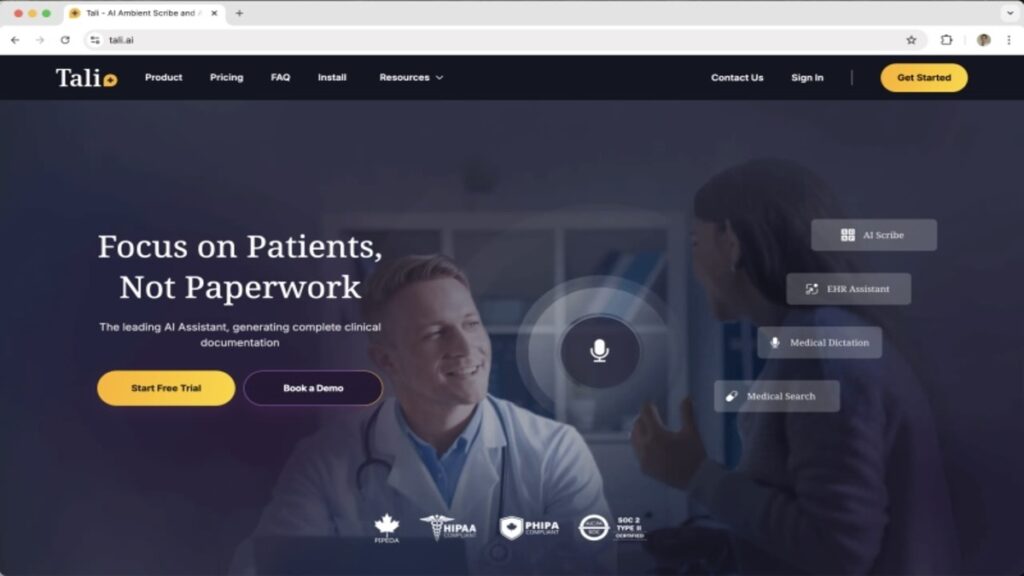
Tali AI is a voice assistant designed to simplify note-taking for clinicians who prefer voice-to-text interaction.
Unlike Freed AI, which automatically listens during consultations, Tali AI is voice-prompt based; you press a button and dictate instructions like, “Summarise this visit” or “Record prescription changes.” The app then structures the output in medical format and syncs with your records.
While it is not as hands-free as Freed, it is a fantastic option for clinicians who prefer control and flexibility.
| Category | Details |
| Key Features | Voice assistant, EHR integration, lab-order automation |
| Pricing | Free tier available, Premium $45/month, Pro $100/month, and a custom price for Enterprise |
| Pros | Easy to use, versatile, high-quality outputs |
| Cons | Limited speciality adaptation with fewer advanced analytics |
7. DAX Copilot
DAX Copilot operates quietly in the background during consultations, capturing the conversation and generating structured notes almost instantly.
In terms of functionality, DAX Copilot matches many features of Freed, including live transcription, SOAP note structuring, and EHR integration.
However, it is slightly more consumer-oriented, with a modern interface and quick onboarding suited to private practitioners.
| Category | Details |
| Key Features | Real-time notes, EHR integration, browser extension |
| Pricing | Solo Practice and Group Practice at $369/month |
| Pros | Fast setup, affordable and works on any device |
| Cons | Limited offline use with fewer customisation options |
8. SoapNote AI
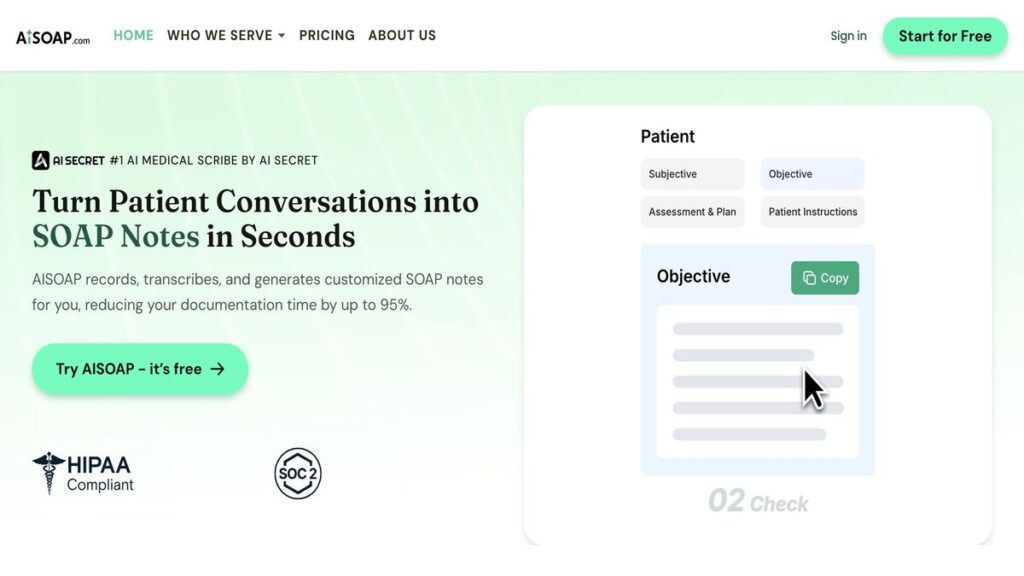
As its name suggests, SoapNote AI specialises in generating SOAP notes directly from audio or written input. It is one of the simplest yet most focused Freed AI alternatives available today.
After uploading or recording a session, it produces concise, structured documentation within moments.
Although not as advanced as Freed, SoapNote AI performs exceptionally well in smaller clinics and for independent practitioners who prioritise affordability.
| Category | Details |
| Key Features | SOAP-note creation, simple transcription interface |
| Pricing | Basic plan at $9/month, Pro at $19/month, Ultra at $59/month, Audio plan at $69/month and Audio and Text at $79/month |
| Pros | High-quality outputs, easy templates, versatile |
| Cons | Paid plans are required for full feature access, and the cost can be high |

Benefits of Freed AI
Freed AI fits naturally into clinical workflows and significantly improves how documentation is created.
Here are the key benefits I experienced while using it:
| Benefit | Summary of What I Experienced |
|---|---|
| 1. Time Efficiency & Reduced Administrative Burden | Freed cut my documentation time by almost 70%. It generated structured notes automatically, allowing me to see more patients without staying back to type. |
| 2. High Accuracy & Strong Clinical Context | Beyond transcription, Freed captured clinical nuance and intent. It correctly categorised symptoms and flagged important concerns for follow-up. |
| 3. Better Patient Interaction & Engagement | With Freed handling documentation, I could focus fully on my patients. This improved eye contact, communication, and overall patient satisfaction. |
| 4. Data Security & Compliance | Freed is HIPAA-compliant and uses end-to-end encryption. I tested it with confidential cases and found its security measures reliable and robust. |
| 5. Seamless Integration & Scalability | It integrates smoothly with EHR systems and scales easily from solo practices to multi-location clinics, making it suitable for small and large teams. |
Challenges of Using Freed AI
While Freed AI offers undeniable advantages, no software is without its limitations. After using it, I uncovered a few challenges that clinicians should be aware of. Below are the challenges I experienced while testing Freed AI.
1. Limited Customisation in Complex Specialities
During my tests, I noticed that Freed AI occasionally struggled to adapt to highly specialised terminology, particularly in neurology and orthopaedics.
While the tool’s general note-taking is excellent, it sometimes misinterprets rare medical jargon or abbreviations. For example, in one consultation, it mislabelled a technical term used in a cardiology session.
2. Occasional Connectivity and Audio Sensitivity Issues
Because Freed AI operates in real time and depends on high-quality audio input, unstable internet connections or poor microphone setups can occasionally affect performance.
In one of my tests, background noise in a busy outpatient clinic caused partial transcription gaps. While it is generally robust, in settings with fluctuating bandwidth or frequent interruptions, users may face short delays.
3. Learning Curve for New Users
Although Freed AI is designed with an intuitive interface, it still requires a short adaptation period, especially for clinicians who are not tech-savvy.
During my first few sessions, I had to adjust to the flow of automated documentation and remember to review the AI-generated notes before final submission. It is not complicated, but it does demand initial patience.
4. Limited Integration with Some EHR Systems
Although Freed AI supports integration with major Electronic Health Records (EHRs) like Epic and Athenahealth, I found that it does not yet connect smoothly with all systems, especially region-specific or legacy EHR platforms.
This lack of universal interoperability may frustrate administrators trying to achieve a fully synchronised digital workflow.
5. Subscription Cost and Scalability Concerns
For small practices or individual clinicians, pricing can be a concern. While Freed AI offers great value considering its automation and compliance, the monthly subscription might feel steep for those running on limited budgets.
Larger institutions often find the cost justified, but independent practitioners might not find it easy.
See also: Grok AI Review- Everything You Need to Know Before Using the Tool.
Final Verdict
After spending considerable time testing and exploring Freed AI, I can confidently say it is one of the most practical and intelligent AI documentation assistants available right now. It strikes an exceptional balance between speed, accuracy, and usability, qualities that every clinician, healthcare worker, or professional who deals with patient data truly values.
What makes it stand out is how seamlessly it integrates into your daily workflow. From onboarding to recording, transcription, editing, and exporting, the experience feels intentionally designed. You never have to fight the interface or second-guess what comes next.
Sure, there will always be alternatives and new entrants in the market, but few will replicate its thoughtful design and domain intelligence anytime soon. I recommend giving Freed AI a try. It is more than an AI scribe; it is your intelligent partner for documentation.
Conclusion
Freed AI streamlines documentation, improves accuracy, and frees clinicians to focus more on patient care.
After testing it across different cases, it proved reliable, efficient, and genuinely helpful, making it a strong addition to any modern healthcare workflow.
We want to see you succeed, and that’s why we provide valuable business resources to help you every step of the way.
- Join over 23,000 entrepreneurs by signing up for our newsletter and receiving valuable business insights.
- Register your business today with Entrepreneurs.ng’s Business Registration Services.
- Tell Your Brand Story on Entrepreneurs.ng, let’s showcase your brand to our global audience.
- Need help with your marketing strategy? Get a Comprehensive Marketing and Sales Plan here.
- Sign up for our Entrepreneurs Success Blueprint Programme to learn how to start and scale your business in just 30 days.
- Book our one-on-one consulting and speak to an expert about structuring and growing your business.
- Visit our shop for business plan templates and other valuable resources to guide you.
- Get our Employee-Employer Super Bundle NDA templates to legally protect your business and workforce.
- Advertise your business to over a million entrepreneurs through our different advertising packages.

Frequently Asked Questions (FAQ)
What is Freed AI?
It is an artificial intelligence medical scribe that automatically transcribes patient-provider conversations and generates accurate clinical notes, such as SOAP notes. It helps clinicians save time and reduce administrative workload.
How does Freed AI work?
If you are wondering how it works, it uses advanced speech recognition and natural language processing (NLP) to record and convert patient interactions into structured medical notes that can be integrated into Electronic Health Record (EHR) systems.
What is Freed AI used for?
It is primarily used for medical documentation; recording consultations, generating clinical notes, and automating patient record management to improve workflow efficiency for healthcare providers.
Who can use Freed AI?
It is ideal for doctors, nurses, therapists, and other healthcare professionals who regularly engage in patient consultations and need accurate, HIPAA-compliant clinical documentation.
Is Freed AI secure and HIPAA-compliant?
Yes, one of the most important features is its HIPAA compliance. It uses secure encryption protocols to protect patient data and ensures privacy across all recordings and transcriptions.
Can Freed AI integrate with existing EHR systems?
Yes. It supports integration with most major EHR and EMR systems, allowing clinicians to seamlessly export and store their AI-generated notes within their preferred digital medical record platforms.
How accurate is Freed AI?
The accuracy depends on the quality of the recording and the background noise. However, with its adaptive learning algorithms and contextual understanding, it typically delivers highly precise transcriptions that require minimal edits.
Does Freed AI work for all medical specialities?
Yes, it can be customised to fit multiple medical specialities, including primary care, psychiatry, paediatrics, dermatology, and physical therapy, allowing it to adapt to individual clinician preferences.
Are there free alternatives to Freed AI?
Yes. Several free alternatives exist, such as Nabla Copilot and SoapNote AI, which offer lightweight transcription tools for healthcare professionals who need affordable or introductory options.
Can I use Freed AI on mobile devices?
Yes. One of the features of is cross-platform access, meaning it can be used via desktop, mobile app, or browser extension for maximum flexibility and convenience.



