

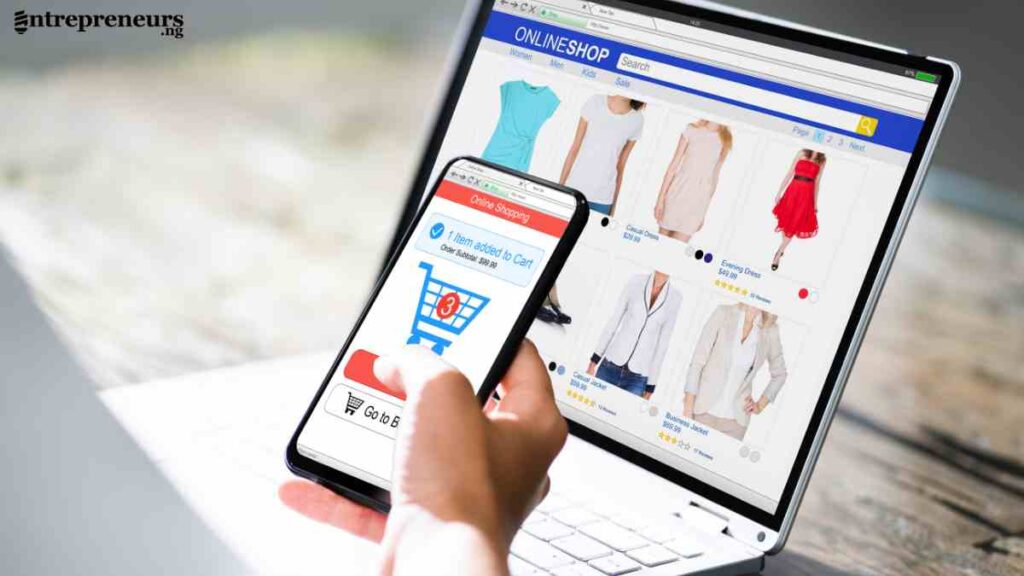
Starting a business online has never been more accessible, and understanding how to start an online store is often the first step for many new entrepreneurs.
People want convenience, and your online store can deliver it.
This guide will show you how to build, launch and grow an online store with clarity and confidence.
Key Takeaways
- Start an online store by choosing a product with real demand, selecting the right business model and building on a strong technical foundation.
- Clear product pages, strong visuals, accurate pricing and reliable payments and shipping systems increase customer trust and conversions.
- Consistent marketing through SEO, social media, email and content drives steady traffic and long term growth.
- Avoid common mistakes such as poor navigation, weak descriptions and unclear shipping, as these reduce sales and limit repeat customers.
Why Should You Start an Online Store
Starting an online store gives you the chance to reach customers far beyond your local environment.
People prefer buying online because it saves time, provides variety and offers convenience that traditional retail often cannot match.
Global demand for online shopping keeps growing
Online shopping has become part of everyday life. Data from Statista shows that global ecommerce sales surpassed 5.8 trillion US dollars recently, and projections indicate continued growth (Source: Statista).
This reflects a strong and ongoing appetite for buying online.
The cost of starting an online store is lower than physical retail
Creating an online store does not require paying rent, hiring large teams or maintaining physical inventory if you choose a model like dropshipping or print on demand.
You can start an online store with a small budget and scale your expenses only as revenue grows.
You can start an online store from anywhere
Many people want to know how to start an online store because it allows them to work from home, run a side business or expand an existing company.
You can serve customers in different countries without relocating or opening physical branches.
Online stores offer different business models for beginners
Ecommerce gives you flexibility. You can sell physical products, digital goods, subscription services or partner with suppliers through dropshipping.
This makes starting an online store easier for beginners and small business owners who want a model that fits their strengths and financial capacity.
Your earning potential increases with scale
When you open an online store, you are not limited by foot traffic or a local market. You can reach thousands of shoppers daily through search engines and targeted marketing.
Once your system is set, the business can grow consistently with optimised product pages, automation and ongoing marketing.
Comparison of traditional retail and online stores
The table below highlights why more entrepreneurs choose to start an online store.
| Factor | Traditional Retail | Online Store |
|---|---|---|
| Startup cost | High rentals, furnishing, team | Lower cost, flexible budget |
| Reach | Local customers | Global customers |
| Operating hours | Limited | 24 hours |
| Inventory | Must stock | Flexible or no inventory |
| Scalability | Slow and expensive | Fast and cost efficient |
| Customer data | Limited | Rich analytics for better decisions |
How Online Stores Work
Understanding how online stores work gives you a clear picture of what happens behind the scenes when you start an online store.
Every successful ecommerce business follows the same simple flow that guides customers from browsing to checkout.
The basic process of how online stores operate
Online stores operate through a smooth sequence that helps customers find products, place orders, and receive delivery.
- A shopper visits your online store through search engines, social media or direct links.
- The shopper browses products and adds items to the cart.
- The shopper enters shipping details and selects a payment method.
- You or your supplier processes the order and ships the item.
- The customer receives the product and can request support or make a repeat purchase.
This predictable system makes it easier for beginners to start an online store because the process does not require advanced technical skills.
How online stores earn revenue
Revenue comes from product sales, upsells, subscriptions, delivery fees, digital downloads, or service-based add-ons.
Margins vary depending on the products and the business model you choose.
The different business models available to you
Online stores can operate with different structures. Each model fits a specific type of entrepreneur and budget.
| Business Model | Description | Who It Suits |
|---|---|---|
| Inventory based | You buy and store physical products yourself | Entrepreneurs with capital and storage |
| Dropshipping | Supplier stores and ships products directly to customers | Beginners who want low startup costs |
| Print on demand | Products are created only after an order is placed | Creatives and low risk sellers |
| Digital products | You sell files, courses, templates or software | Experts and creators |
| Hybrid model | Mix of physical and digital products | Businesses ready to scale |
Choosing the right model is a key step when you start an online store because it influences cost, pricing, delivery speed and customer experience.
The technology that powers an online store
Behind every online shop is a combination of tools that handle different functions.
| Function | Tool or System |
|---|---|
| Store building | Shopify, WooCommerce, BigCommerce |
| Product management | Catalog tools, inventory trackers |
| Payments | Stripe, PayPal, local gateways |
| Shipping | Courier integrations, fulfilment tools |
| Customer service | Email platforms, helpdesk tools |
| Marketing | SEO tools, email marketing platforms, social media |
These tools make running an online store efficient, even for beginners with no technical background.
See Also: How To Sell on Etsy Marketplace – A Step-by-Step Guide for Creators and Entrepreneurs
How to Start an Online Store – Step by Step
Starting an online store becomes easier when you follow a clear process. Each step helps you move from idea to launch with confidence.
Step 1: Decide What to Sell and Validate Market Demand
Choosing the right product is the first major decision you will make when you start an online store.
Strong product selection increases your chances of attracting customers, improving conversions and sustaining long-term growth.
How to identify products with strong demand
You want to sell products that people are actively searching for. The easiest way to confirm this is through simple research.
Use search behaviour to guide product ideas
People usually express demand through searches. Look for signs of interest such as:
• High-frequency search suggestions on Google
• Questions in People Also Ask boxes
• Trending categories on marketplaces like Amazon or Etsy
• Products ranked consistently by top online stores
These signals help you understand if buyers are already looking for the item you plan to sell.
Evaluate profitability before committing
A profitable product should allow you to make a healthy margin after deducting cost of goods, packaging, marketing and shipping.
Below is a simple guide that helps you assess potential profitability.
| Item | Why It Matters | What You Want to See |
|---|---|---|
| Cost price | Determines how much capital you need | Lower cost with reliable suppliers |
| Selling price | Affects competitiveness and revenue | Price that customers accept with ease |
| Margin | Determines profit per sale | At least 20 to 50 percent depending on product |
| Shipping cost | Impacts total cost to the customer | Affordable rates that do not discourage buyers |
A clear margin helps you maintain a sustainable online store.
Study competitors to confirm market interest
Competition is useful because it shows that customers exist. Competitor checks help you understand what sells well and where you can differentiate.
What to analyse
• Best-selling products in your category
• Customer reviews showing what buyers like or dislike
• Market gaps such as poor product descriptions or slow delivery
• Pricing ranges across different brands
This insight helps you position your online store more effectively.
Validate interest before stocking or listing products
Before investing heavily, test interest by:
• Asking potential customers directly
• Sharing a simple product preview on social media
• Setting up a basic landing page to gauge sign-ups
• Offering limited pre-orders
Validation reduces uncertainty and helps you confirm if the product idea is worth pursuing.
Product selection summary
The table below gives a quick view of what makes a strong product when you want to start an online store.
| Factor | Strong Product | Weak Product |
|---|---|---|
| Demand | Active searches, marketplace traction | Low interest, no search activity |
| Profitability | Healthy margins | Tight margins |
| Competition | Moderate and healthy | No competition or overcrowded |
| Shipping | Easy to ship | Bulky or fragile |
| Customer need | Clear problem solving | No clear reason to buy |
Completing this step gives you clarity and reduces the risk of building an online store around products that will not sell.
Step 2: Choose the Right Business Model for Your Online Store
Choosing the right business model determines how you will operate, fulfil orders and manage costs when you start an online store.
A suitable model makes it easier to scale, while the wrong one creates challenges in pricing, delivery and customer expectations.
Each model defines how products reach your customers and how you manage operations behind the scenes.
Below are the most common models used by people starting an online store.
Inventory-based online store
In this model, you buy and store physical products before selling them. It offers maximum control over quality, branding and delivery speed, but it requires capital and storage space.
Dropshipping
Dropshipping allows you to sell products without holding inventory. Your supplier manages storage and shipping.
This is popular among beginners searching for how to start an online store with low capital.
Print on demand
Print on demand works well for creatives who want to sell custom designs. Products are produced only after an order is received, reducing risk and eliminating leftover stock.
Digital products
Digital products include templates, courses, ebooks and files. They have low operating costs and can be delivered instantly.
This model is attractive for entrepreneurs who want strong margins without dealing with shipping.
Hybrid model
Some online stores combine physical items with digital products or mix inventory and dropshipping. This gives flexibility and allows you to test different revenue streams.
Comparing ecommerce business models
The table below shows how these models differ and helps you choose the best approach for your online store.
| Model | Startup Cost | Control Level | Shipping Responsibility | Best For |
|---|---|---|---|---|
| Inventory based | Medium to high | Very high | Store owner | Sellers who want full control |
| Dropshipping | Low | Low to medium | Supplier | Beginners and low budget sellers |
| Print on demand | Low | Medium | Supplier | Designers and creatives |
| Digital products | Very low | High | None | Knowledge based entrepreneurs |
| Hybrid | Varies | Medium to high | Shared | Stores looking to scale |
Choosing the right model aligns your budget, skills and long-term goals. Once you select a business model that fits your vision, you can move ahead to planning the structure and cost of your online store.
Step 3: Write a Simple Online Store Business Plan
A simple business plan helps you stay focused as you start an online store. It guides your decisions, clarifies your goals and ensures that every part of your ecommerce business works together.
You do not need a complicated document. You only need a clear plan that covers the essentials.
Define what your online store will offer
Your plan should begin with a clear explanation of the problem your product solves and the value it provides.
This helps you build a stronger brand and communicate your offer effectively when you create your online store.
Understand your target customer
Knowing who your product is for helps you choose the right tone, price point and marketing approach.
Here is a simple customer profile layout.
| Customer Detail | What to Identify |
|---|---|
| Age range | Groups most likely to buy your product |
| Location | Local or international audience |
| Goals | What they want to achieve with the product |
| Pain points | Problems your product solves |
| Buying motivation | What influences their decision to purchase |
A clear customer profile helps you create compelling product descriptions and marketing messages.
Plan your pricing and revenue structure
Your business plan must outline how you will price your products. Pricing affects your competitiveness, profit margins and long-term sustainability when you start an online store.
What to consider when setting prices
• Total cost of goods
• Platform fees
• Payment processing charges
• Packaging and shipping
• Marketing expenses
• Desired profit margin
Below is a simple illustration of how pricing works.
| Item | Amount |
|---|---|
| Cost of product | 10 |
| Packaging and handling | 2 |
| Payment processing | 1 |
| Marketing cost per item | 2 |
| Your selling price | 25 |
| Profit | 10 |
A structured pricing plan makes it easier to forecast revenue and plan your marketing budget.
Map out your sales and marketing approach
Your business plan should include how you intend to attract visitors and convert them into customers. Traffic drives sales, and sales sustain your online store.
Popular marketing channels include:
• Search engine optimisation
• Social media content
• Paid advertising
• Email marketing
• Influencer partnerships
• Content marketing
Listing your marketing approach early helps you allocate your time and resources more effectively.
Outline your operations and fulfilment
Your plan should highlight how products will move from supplier to customer. This depends on the business model you selected in Step 2.
Key details to outline include:
• Order processing steps
• Shipping method
• Delivery timelines
• Refund and return process
• Customer support workflow
Clear operations reduce errors and improve customer satisfaction.
Include a simple financial forecast
A basic financial forecast gives you a realistic view of your online store potential. It does not need to be complex. You only need to understand expected revenue, expenses and profit targets.
Below is a basic example.
| Item | Monthly Estimate |
|---|---|
| Website and platform cost | 30 to 100 |
| Marketing budget | 100 to 500 |
| Average monthly sales | Based on product pricing |
| Expected profit | Revenue minus total cost |
A simple forecast helps you make informed decisions and stay on track as your online store grows.

Step 4: Choose the Best Platform for Your Online Store
Choosing the best platform is one of the most important decisions you will make when you start an online store.
The right platform determines how easily you can build your website, manage products, accept payments and scale your business. Your choice should match your budget, skills and long-term goals.
What to look for when choosing an ecommerce platform
A strong ecommerce platform should help you set up quickly, optimise for search engines and offer tools that support growth.
Below are key factors to consider.
| Factor | Why It Is Important | What It Means for Your Online Store |
|---|---|---|
| Ease of use | Helps beginners set up without technical skills | You can focus on selling, not coding |
| Customisation | Allows branding and design flexibility | You can create a unique shopping experience |
| Payment options | Determines how customers pay you | Better conversions with multiple gateways |
| Integrations | Connects apps and tools you need | Automates marketing, shipping and analytics |
| Security | Protects customer data | Builds trust and supports safe transactions |
| SEO features | Helps customers find your store on search engines | Higher visibility and organic traffic |
These factors influence long-term performance and customer experience.
Popular platforms for starting an online store
Below is a simple comparison of popular platforms used by people creating online stores.
| Platform | Strengths | When to Choose It |
|---|---|---|
| Shopify | Very easy to use, many apps, strong support | Beginners who want an all in one solution |
| WooCommerce | Flexible and powerful, ideal for WordPress users | Store owners who want full control |
| BigCommerce | Scalable and feature rich | Businesses planning for rapid growth |
| Squarespace Commerce | Beautiful templates and simple setup | Brands focused on design and aesthetics |
| Wix eCommerce | Scalable and feature-rich | Beginners with small product catalogues |
Each platform offers different strengths, so your final choice depends on how you plan to run your online store.
Hosted platforms vs self-hosted platforms
Your platform options fall into two main groups. Understanding the difference helps you pick the best structure for your needs.
Hosted platforms
Hosted platforms manage everything for you, including security, hosting and updates. Shopify, BigCommerce and Wix fall into this category. They are simple to use and ideal for beginners.
Self-hosted platforms
Self-hosted platforms like WooCommerce give you more control but require more setup. You will manage hosting, security and maintenance yourself. This option suits sellers who want flexibility and technical control.
Matching your platform to your business model
Your choice should align with the ecommerce model you selected in Step 2.
| Business Model | Best Platform Options | Why |
|---|---|---|
| Dropshipping | Shopify, WooCommerce | Strong integrations with dropshipping tools |
| Inventory based | Shopify, BigCommerce | Better inventory management features |
| Print on demand | Shopify, Wix | Easy integration with print on demand apps |
| Digital products | WooCommerce, Squarespace | Strong digital delivery systems |
| Hybrid | Shopify, WooCommerce | Flexible for multiple product types |
Selecting a platform that supports your model makes daily operations easier and ensures your online store runs smoothly.
Consider cost before final selection
Platforms vary in price. Some charge monthly fees, while others only require hosting expenses. Compare your options carefully, so you choose what fits your budget today and in the future.
Step 5: Secure Your Domain Name and Hosting
Securing your domain name and hosting is an important step when you start an online store.
Your domain is your digital address, and your hosting is the space where your online store lives. Choosing both wisely helps your website load quickly, rank well on search engines and create a trustworthy first impression.
How to choose the right domain name
Your domain name shapes how customers perceive your brand and influences how easy it is to find your online store.
Qualities of a strong domain
A good domain should be:
• Simple and easy to type
• Short and memorable
• Relevant to your niche or product category
• Free from unusual characters or complex spellings
• Consistent with your brand identity
Below is a comparison of strong domains and weak domains.
| Type of Domain | Example | Why It Works or Fails |
|---|---|---|
| Strong | pureglowskin.com | Easy to remember and type |
| Strong | urbanfitgear.com | Clear niche focus |
| Weak | buycheapbeststore123.com | Hard to trust and difficult to type |
| Weak | trendz4uandme.com | Confusing spelling and unclear purpose |
A strong domain increases the credibility of your online store and helps customers find you easily.
Securing your domain
Once you choose a name, register it through a domain registrar. Many ecommerce platforms also allow you to buy your domain directly during setup, which keeps everything in one place.
Understanding hosting for online stores
Hosting determines how fast your online store loads and how reliably it runs. Search engines favour fast websites, so choosing the right hosting structure supports your SEO efforts when you start an online store.
There are two types of hosting to consider.
Hosting for self-hosted platforms
If you use WooCommerce or other self-hosted platforms, you will need an external hosting provider. Look for providers that offer strong security, reliable uptime and fast loading speeds.
Hosting for hosted platforms
If you choose Shopify, BigCommerce, Wix or Squarespace, hosting is already included. This simplifies setup and reduces technical tasks.
What to look for in hosting
No matter the option, hosting should meet the following criteria:
• High uptime rate
• Fast loading speed
• SSL certificate included
• Customer support available
• Scalable resources as your online store grows
Hosting comparison
The table below shows how hosting differs across platform types.
| Platform Type | Hosting Provided | What It Means |
|---|---|---|
| Hosted platforms | Yes | Setup is easier and maintenance is handled for you |
| Self hosted platforms | No | You manage security, updates and speed through your hosting provider |
SSL certificate and why it matters
An SSL certificate protects customer data and allows your website to show a secure connection. Search engines also prioritise secure websites. Most platforms and hosting providers include SSL automatically.
Securing your domain name and hosting creates a strong foundation for your online store. Once this is in place, you can focus on designing your website and shaping your customer experience.

Step 6: Design and Build Your Online Store
Designing and building your online store is where your business starts to take shape. This step influences how customers experience your brand, how easily they find products and how smoothly they checkout.
A well-designed store builds trust, improves conversions and creates a professional foundation as you start an online store.
Choose a theme that fits your brand
Your theme determines the structure, layout and appearance of your online shop. A clean, modern and mobile-friendly theme makes it easier for customers to browse and buy.
Below are qualities to look for when choosing a theme.
| Feature | Why It Matters |
|---|---|
| Mobile responsiveness | Most shoppers buy on mobile, so your store must adjust perfectly |
| Clean navigation | Helps customers find products quickly |
| Fast loading speed | Supports SEO and reduces bounce rate |
| Customisable sections | Allows you to shape the store around your brand |
| Visual appeal | Helps you stand out in a competitive market |
Choose a theme that supports your niche, whether you sell fashion, beauty, tech accessories or home goods.
Structure your homepage for clarity
Your homepage should guide the visitor from arrival to action. Keep it simple and focused on introducing your brand and showcasing your best products.
Key elements include:
• A clear headline summarising what your store offers
• High-quality visuals
• Featured products or top categories
• Trust elements such as reviews or guarantees
• A simple navigation bar with clear product categories
Build a simple, intuitive navigation
Navigation shapes how people explore your online store. Customers leave quickly if the menu is confusing or overwhelming.
An effective structure includes:
• Clear category names
• Filters for size, colour, price or type
• A visible search bar
• A quick link to the cart and account page
This setup helps customers find what they need without frustration.
Create your essential pages
Every online store needs a set of core pages that improve credibility and guide customers through the shopping process.
| Page | Purpose |
|---|---|
| Home | Introduces your brand and highlights key products |
| Shop or catalog | Displays all products clearly |
| Product pages | Shows details, images and pricing |
| About page | Builds trust by sharing your brand story |
| Contact page | Offers a clear way to reach customer service |
| FAQ page | Answers common questions quickly |
| Shipping and returns | Sets accurate expectations |
| Privacy and terms | Supports compliance and trust |
Having these pages ready positions your online store as professional and reliable.
Ensure your design supports SEO
Strong design is not only visual. It also affects how search engines understand your website. A well-built structure helps customers and search engines navigate your online store easily.
SEO supportive elements include:
• Clean URLs
• Descriptive headings
• Image alt text
• Proper internal linking
• Fast loading pages
These elements work together to help your online store appear in search results and attract organic traffic.
Design that enhances conversions
Design influences buying behaviour. Small improvements can significantly increase sales.
Focus on:
• Displaying clear calls to action like Add to Cart
• Using consistent brand colours
• Showing social proof, such as ratings
• Keeping the checkout button visible
• Avoiding clutter that distracts from buying
Design pitfalls to avoid
Avoid these common issues that reduce conversions:
| Issue | Why It Hurts Your Store |
|---|---|
| Slow loading pages | Customers leave before exploring |
| Busy layouts | Reduces focus and confuses visitors |
| Overwhelming pop-ups | Creates a poor impression |
| Overwhelming pop ups | Distracts and irritates shoppers |
A clean, friendly design builds trust and encourages customers to complete their purchases.
Designing and building your online store is the step where your brand comes alive.
Once your structure, layout and essential pages are ready, you can move on to adding products that make your shop complete.
Step 7: Add Products, Photos, Descriptions and Pricing
Adding your products is the point where your online store begins to take shape. This step directly affects how customers understand your offer, compare options and decide whether to buy.
Clear images, detailed descriptions and accurate pricing help you start an online store that converts visitors into paying customers.
Prepare your products for listing
Before uploading, organise your products in a way that makes sense for your niche. Grouping items properly improves user experience and influences search behaviour when customers explore your store.
Structure your product catalog
• Group items into clear categories
• Add subcategories for easier filtering
• Create consistent naming patterns
• Tag products with relevant keywords for better search visibility
Upload high-quality product photos
Product photos are one of the strongest sales drivers in any online store. Shoppers rely on visuals because they cannot touch or test the product.
What strong product photos should include
• Clear and bright lighting
• Multiple angles
• Close-up views showing texture or important details
• Lifestyle images showing the product in use
• Consistent background across all items
Below is a simple comparison.
| Photo Quality | Description | Impact on Conversion |
|---|---|---|
| High quality | Bright, sharp, multiple views | Builds trust and increases purchases |
| Medium quality | Acceptable but not consistent | Customers hesitate but may still buy |
| Low quality | Blurry, dark or unclear | High bounce rate and low sales |
High-quality visuals help your online store stand out in a competitive market.
Write descriptions that inform and persuade
Descriptions tell the story of your product. Search engines use your description to understand what you sell, and customers use it to evaluate whether the product is right for them.
What a strong description includes
• A clear opening sentence that summarises the main benefit
• Bullet points highlighting features and advantages
• Precise specifications such as size, material or weight
• Answers to common questions customers ask before buying
Example of a clear product description structure
| Section | Purpose |
|---|---|
| Short intro | Gives the main benefit in one sentence |
| Features | Lists what the product offers |
| Benefits | Explains how it helps the customer |
| Specifications | Gives accurate technical details |
| Care or usage instructions | Helps customers use the product correctly |
This structure supports both SEO and conversions.
Set your pricing using real cost data
Pricing should be strategic, especially when you start an online store with limited resources. Competitive pricing supports sales, but profitability must be your primary focus.
How to calculate your price
Below is a simple pricing breakdown to guide you.
| Item | Cost |
|---|---|
| Cost of product | 12 |
| Packaging | 1 |
| Payment processing | 1 |
| Average shipping support per order | 2 |
| Marketing cost per customer | 3 |
| Total cost | 19 |
| Selling price | 35 |
| Profit | 16 |
This structure helps you stay profitable while remaining competitive.
Add supporting elements customers care about
Small details help customers finalise their decision when shopping online.
Include:
• Size guides
• Variants such as colours or styles
• Stock status
• Estimated delivery time
• Warranty or guarantee information
• Social proof when available
Each detail contributes to a smooth shopping experience.
Optimise each product page for search engines
Optimisation helps customers find your products when they search online. This is essential for anyone who wants to start an online store and generate consistent organic traffic.
SEO elements to include:
• Keyword-rich product titles
• Clear meta descriptions
• Clean URL structure
• Alt text for each product image
• Internal links to related products
When your product pages are properly optimised, they perform better on search engines and help your online store grow organically over time.
Adding strong products, clear descriptions and accurate pricing positions your store as trustworthy and professional.
With your catalog in place, you are ready for the next stage of building your ecommerce business.
Step 8: Set Up Payments, Shipping and Taxes
Setting up payments, shipping, and taxes is a crucial step when you start an online store.
These systems determine how customers complete their orders, how you deliver products and how you stay compliant. A smooth setup helps you build trust and reduces abandoned carts.
Set up payment gateways that customers trust
Your payment gateway must be secure, simple and widely accepted. Payment setup is always a key concern because it affects conversions.
Qualities of a strong payment setup
• Simple checkout process
• Support for major cards
• Option for digital wallets
• Transparent fees
• Fast settlement time
Below is a comparison of common payment methods.
| Payment Method | Strengths | Considerations |
|---|---|---|
| Credit and debit cards | Universally used, trusted | Transaction fees apply |
| PayPal and similar wallets | Fast and familiar to global customers | Higher fees in some regions |
| Bank transfers | Useful for markets with low card penetration | Slower processing time |
| Mobile payment solutions | Popular in emerging markets | Depends on regional availability |
Offering multiple payment options increases your chances of closing the sale.
Configure shipping to match your business model
Shipping influences customer satisfaction because buyers want clarity about cost, delivery time and reliability.
Shipping options you can offer
• Local delivery
• Standard shipping
• Express shipping
• Free shipping for specific order values
• International delivery for global buyers
Choose the right shipping strategy
Your choice depends on your product type, location and customer expectations.
| Strategy | Best For | Notes |
|---|---|---|
| Flat rate | Stores with similar product sizes | Simple and predictable |
| Weight based | Stores selling varied product sizes | More accurate pricing |
| Real time carrier rates | Stores using major couriers | Shows exact cost at checkout |
| Free shipping threshold | Stores wanting to increase cart value | Encourages higher purchases |
Clear shipping rules reduce cart abandonment and set accurate expectations.
Prepare your shipping workflow
A smooth workflow supports timely delivery. Your plan should outline:
• How orders are packed
• Which courier you will use
• How tracking numbers are generated
• How returns are processed
This helps create a consistent experience as your online store grows.
Set up taxes according to your region
Tax rules differ by country, so you must understand how they apply to your products. Applying the correct tax rates is an important part of building a compliant online store.
What to consider
• Whether your product is taxable
• Tax percentage based on your location
• Whether you sell internationally
• How your platform automates tax calculation
Most ecommerce platforms include automated tax tools, but you should still review them to ensure accuracy.
Tax considerations for different store types
| Store Type | Tax Notes |
|---|---|
| Physical products | Usually taxable based on customer location |
| Digital products | Some regions apply tax, others do not |
| Mixed products | Tax may differ for each product category |
Correct tax setup protects your business and keeps your online store legitimate in every market you serve.
Setting up payments, shipping, and taxes brings your online store closer to launch. With these systems in place, customers can buy confidently, and you can process orders smoothly.
Step 9: Optimise Your Online Store for SEO
SEO helps customers find your online store through search engines. Strong optimisation improves visibility, increases traffic and supports long-term growth without relying only on paid ads.
Structure your online store for search engines
Search engines need to understand your site clearly. A well-structured store helps Google and other engines crawl your pages and recommend your products to buyers.
Key structural elements to focus on
• Clean URLs
• Logical category hierarchy
• Relevant internal links
• Fast loading speed
• Mobile-friendly design
Below is a comparison to guide you.
| Structure Quality | Description | SEO Impact |
|---|---|---|
| Strong | Clear categories, fast pages, tidy links | Better ranking potential |
| Medium | Some structure issues | Slower growth but still workable |
| Weak | Cluttered layout, confusing links | Low visibility and fewer visitors |
Good structure supports both user experience and SEO.
Optimise your product pages
Product pages influence search visibility and buying decisions. Every page should include clear keywords, accurate details and helpful content.
What to include on each product page
• Keyword-rich product title
• Clear description that answers customer questions
• High-quality images with alt text
• Technical details
• Internal links to related products
This helps search engines understand what you sell and increases your chances of ranking for product-related searches.
Improve your on-page SEO
On-page SEO is essential when you create an online store. It helps you communicate relevance directly to search engines.
Key areas to optimise:
• Title tags
• Meta descriptions
• Header tags
• Keyword placement
• Schema where supported
• Image optimisation
Below is a simple guide.
| On Page Element | Best Practice |
|---|---|
| Title tag | Include primary keyword and product name |
| Meta description | Add benefits and relevant keywords |
| Headings | Use clear, descriptive titles |
| Images | Add descriptive alt text |
| URL | Use short and clean structure |
Strong on-page SEO helps search engines match your store with customer searches.
Increase your site speed
Speed influences how long visitors stay on your site and how search engines rank your online store. Slow websites lead to higher bounce rates and lower conversions.
Speed boosters include:
• Compressing images
• Using a fast theme
• Reducing unnecessary apps or plugins
• Using a high-quality hosting provider
• Caching where applicable
Fast pages improve both SEO and user experience.
Use content to drive long-term visibility
If you want sustained traffic, content marketing plays an important role. Search engines reward online stores that answer questions and share useful information related to their products.
Content formats include:
• Guides
• Product comparisons
• How-to articles
• Buying tips
• Category explanations
This approach builds topical authority and supports your ranking across many keywords.
Set up analytics to monitor performance
Analytics tools help you understand how visitors behave and which pages drive the most sales. Monitoring performance helps you improve your online store continuously.
Analytics help you track:
• Traffic source
• Time spent on each page
• Conversion rates
• Popular products
• Bounce rates
This information guides future improvements and helps you stay competitive.
Optimising your online store for SEO ensures steady traffic and visibility. Once you have strong optimisation in place, you are ready to focus on launching your store and attracting your first customers.
Step 10: Launch Your Online Store
Launching your online store is a major milestone. This is the moment you move from preparation to real activity, where visitors begin browsing, buying and interacting with your brand.
A well-planned launch helps you attract your first customers, gather early feedback and establish your presence in the market.
Prepare your store for launch
Before going live, ensure every element of your online store is complete and functional. This helps you avoid customer frustration and creates a strong first impression.
Key areas to review
• All product pages display correctly
• Checkout process is smooth
• Payment gateways work without issues
• Shipping rates are accurate
• Legal pages are in place
• Store displays well on mobile
• Images load quickly
• Add to cart button is easy to find
A final review increases your confidence before turning on your online store.
Test the full buying journey
Testing helps you identify issues that customers might face. Conduct test orders and walk through each step from browsing to payment.
Parts to test:
• Add to cart function
• Discounts or coupon codes
• Account creation
• Shipping selection
• Order confirmation email
• Tracking notifications if applicable
Testing ensures your online store delivers a smooth customer experience from day one.
Create your launch message
Your launch message is your first communication with potential customers. It should be clear and highlight what makes your online store unique.
Elements of a strong launch message:
• A clear statement of what your store offers
• A reason to visit, such as new products or limited offers
• A link to your website
• Clear visuals if posted on social platforms
Keep the tone simple, confident and friendly.
Promote your launch across multiple channels
The moment you launch, you want people to know your online store exists. Promotion increases your visibility and drives early traffic.
Popular channels include:
• Social media posts
• Email announcements
• Community groups
• Product teasers
• Influencer mentions
• Early bird incentives
Below is a summary of tactics you can use during your launch.
| Channel | How It Helps | What to Share |
|---|---|---|
| Social media | Increases visibility | Product photos, short videos, store link |
| Reaches warm contacts | Launch announcement, exclusive offer | |
| Community forums | Builds early trust | Intro message and store link |
| Influencers | Broadens reach | Reviews or shoutouts |
| Online ads | Drives targeted traffic | Product promotions |
Launching with multiple touchpoints helps your online store gain early traction.
Offer launch incentives
Incentives encourage people to explore your online store. They also help you collect data that you can use to refine your marketing.
Common incentives include:
• Limited-time discounts
• Free shipping for orders above a minimum value
• Free gifts with first orders
• Referral rewards
Gather early feedback
Customer feedback during the first days of launch provides valuable insight. Pay attention to comments about user experience, product quality and delivery speed.
Feedback sources include:
• Social media
• Customer emails
• On-site forms
• Reviews
• Direct messages
Use this information to improve your store and enhance the shopping experience.
Monitor your store performance
Monitoring helps you understand how customers behave during launch. Analytics reveal what works and what needs adjustment.
Metrics to track:
• Traffic volume
• Conversion rate
• Cart abandonment rate
• Best performing pages
• Popular products
• Bounce rate
Early monitoring helps you make informed decisions as you grow your online store.
A successful launch combines preparation, testing, communication and early feedback. With your online store live, you are now ready to move into the next phase: growing your visibility and attracting consistent customers.

How Much Does It Cost to Start an Online Store
Understanding how much it costs to start an online store helps you plan correctly and avoid surprises.
The total cost depends on your chosen platform, business model, marketing strategy and product type.
With the right structure, you can start an online store on a small budget and scale your expenses as the business grows.
Main cost categories for starting an online store
Every online store has a few core expenses. These costs vary depending on the tools you choose and the size of your inventory.
Below is a breakdown of the main cost areas.
| Cost Category | What It Covers | Typical Range (in dollars) |
|---|---|---|
| Domain name | Website address | 10 to 20 yearly |
| Hosting (for self hosted stores) | Server to run your website | 60 to 200 yearly |
| Ecommerce platform fees | Monthly subscription for store builders | 19 to 299 monthly |
| Theme or template | Store design layout | Free to 250 once |
| Apps and plugins | Email tools, reviews, SEO features | 10 to 100 monthly |
| Product cost | Cost of goods or production | Varies by product |
| Marketing | Ads, content, email tools | 50 to 500 monthly |
| Payment processing | Gateway transaction fees | 2 to 3 percent per sale |
| Packaging and shipping | Labels, materials and courier fees | Varies by item size |
| Photography | Product images | Free to 200 depending on setup |
These represent the most common costs for anyone starting an online store an ecommerce business.
Cost differences by business model
Your business model also affects startup costs. Inventory based stores need more upfront capital, while dropshipping and digital products require much less.
| Business Model | Starting Cost Level | What Influences Cost |
|---|---|---|
| Inventory based | Medium to high | Buying stock, storage and packaging |
| Dropshipping | Low | No inventory or storage |
| Print on demand | Low | Products made after purchase |
| Digital products | Very low | No shipping or production |
| Hybrid model | Medium to high | Mix of multiple product types |
Selecting the right model helps you manage your budget better.
Cost of building your online store
The cost of creating your online store depends on the platform you choose. Some platforms include hosting, while others require separate hosting plans.
| Platform Type | Estimated Cost (in dollars) | Notes |
|---|---|---|
| Hosted platforms | 19 to 299 monthly | Hosting included |
| Self hosted platforms | 60 to 200 yearly for hosting plus plugins | Flexible but more setup work |
| Visual site builders with commerce | 20 to 70 monthly | Easy for beginners |
Each option supports you differently depending on your goals and technical comfort level.
Marketing costs for a new online store
Marketing determines how fast you get customers. While some strategies are free, effective marketing often requires a small budget.
| Marketing Method | Cost | Best For |
|---|---|---|
| Organic SEO | Free to low | Long term visibility |
| Social media | Free to moderate | Early brand awareness |
| Paid ads | 50 to 500 monthly | Fast results |
| Email marketing tools | 10 to 30 monthly | Customer retention |
| Influencer promotions | Varies widely | Broad reach within specific niches |
Marketing represents a major variable cost when you create an online store.
Sample startup budgets
Below are three cost scenarios to help you estimate how much it will cost to start your online store.
Low budget start
For beginners working with minimal funds.
| Item | Cost (in dollars) |
|---|---|
| Domain | 15 |
| Hosted platform basic plan | 19 monthly |
| Free theme | 0 |
| DIY product photos | 0 |
| Minimal marketing | 30 |
| Total initial cost | Around 65 |
Medium budget start
For sellers who want better design and advanced tools.
| Item | Cost (in dollars) |
|---|---|
| Domain | 15 |
| Platform standard plan | 39 monthly |
| Premium theme | 150 |
| Basic apps | 30 |
| Marketing | 100 |
| Total initial cost | Around 334 |
High budget start
For businesses launching with premium branding and paid traffic.
| Item | Cost (in dollars) |
|---|---|
| Domain | 15 |
| Platform advanced plan | 299 monthly |
| Premium theme | 250 |
| Professional photography | 200 |
| Apps | 100 |
| Marketing | 300 |
| Total initial cost | Around 1164 |
These scenarios help you plan depending on your capacity and growth goals.
Your costs will vary, but a clear budget ensures you start an online store that is sustainable and ready to grow.
How to Market Your Online Store
Marketing determines how fast your online store gains visibility, attracts visitors and converts them into paying customers.
Even the best designed store needs consistent promotion to reach the right audience.
Use SEO to attract long term organic traffic
SEO remains one of the strongest marketing channels for online stores because customers find you naturally through search engines.
Your aim is to appear when people search for your product type or related topics.
How to use SEO for online store growth
• Optimise product pages with relevant keywords
• Write blog content related to your niche
• Use clear headings and image alt text
• Improve site speed and mobile experience
• Add internal links to help search engines understand your content
SEO builds steady traffic over time without depending only on ads.
Promote your online store through social media
Social media helps you reach people who may not be actively searching for your products yet. It is a powerful tool for showing personality, sharing product visuals and building trust.
Effective social media ideas
• Product demonstrations
• Behind the scenes content
• Customer testimonials
• Short videos highlighting benefits
• Lifestyle images
• Giveaways and contests
Use the platforms your customers spend the most time on, whether Instagram, TikTok, Facebook or Pinterest.
Create content that supports buying decisions
Content marketing helps customers understand your products better and strengthens your authority in the market.
Common content formats include:
• Buying guides
• Product comparisons
• How to articles
• Style suggestions
• Usage tutorials
Content gives you new ways to answer questions and build trust among potential customers.
Invest in paid ads for quick visibility
Paid ads help your online store appear in front of targeted audiences who are ready to buy. Ads offer speed, while SEO offers long term sustainability.
Below is a simple guide to the main ad platforms.
| Ad Platform | Strength | Best Use Case |
|---|---|---|
| Google Ads | Reaches ready to buy customers | Search based intent |
| Facebook Ads | Strong targeting options | Broad interest based audiences |
| Instagram Ads | Visual based promotions | Fashion, beauty, lifestyle stores |
| TikTok Ads | High engagement | Trend driven niches |
Paid ads work best when combined with strong product pages and clear messaging.
Use email marketing to drive repeat sales
Email marketing helps you stay connected to customers after their first visit. It is one of the highest converting marketing channels for online stores.
Emails that work well
• Welcome sequence
• Abandoned cart reminder
• New product announcement
• Exclusive discount
• Buyer follow up email
• Weekly or monthly newsletter
Email keeps your audience aware of your products even when they are not browsing your store.
Collaborate with influencers and partners
Influencer marketing helps you reach new audiences that trust the creator promoting your product. This can accelerate growth, especially for fashion, beauty, fitness and lifestyle brands.
Types of collaborations include:
• Product reviews
• Unboxing videos
• Styled photos
• Discount code partnerships
• Giveaways
Choose influencers whose audience matches your ideal customer.
Encourage customer reviews and social proof
People want assurance before buying. Reviews, ratings and user generated content increase credibility and boost conversions.
Ways to collect social proof:
• Request reviews after delivery
• Offer discount codes for submitted photos
• Highlight testimonials on your homepage
• Share unboxing or usage videos from customers
Social proof strengthens the reputation of your online store.
Track your marketing performance
Tracking results helps you understand what works and where to improve. Marketing becomes easier when you rely on data rather than guesswork.
Key metrics to monitor:
• Website traffic
• Conversion rate
• Cost per acquisition
• Email open rate
• Ad performance
• Best selling products
These insights help you adjust your marketing strategy and grow your online store with confidence.
Marketing is not a one time activity. It is an ongoing process that helps you attract a steady flow of customers and build a sustainable online business.
Common Mistakes When Starting an Online Store
Avoiding common mistakes helps you start an online store more efficiently. These mistakes affect sales, customer experience and long term growth.
Understanding them early saves you money and reduces frustration as you build your ecommerce business.
Choosing products without real demand
Some beginners pick products they like rather than products customers want. This leads to slow sales and poor engagement.
| Mistake | Impact |
|---|---|
| No demand research | Low sales volume |
| Ignoring search behaviour | Difficult to attract customers |
| Selling only trending items | Short term traffic but unstable income |
Focus on validated products that match real customer needs.
Poor quality product photos
Weak photos make customers question quality and trustworthiness.
| Photo Problem | Result |
|---|---|
| Blurry images | Low interest |
| Inconsistent lighting | Unprofessional look |
| Too few angles | Customers hesitate to buy |
Clear photos increase conversions and reduce returns.
Weak product descriptions
Descriptions that lack detail or fail to answer common questions reduce buyer confidence.
A strong description should explain:
• Key benefits
• Features
• Size or material
• How the product solves a problem
Clear information improves both SEO and conversions.
Complicated website navigation
Complex menus cause visitors to leave your store quickly.
Common issues include:
• Confusing category names
• No search bar
• Overloaded menus
• Poor product organisation
A simple structure helps customers find what they want faster.
Slow website speed
Speed matters for both SEO and sales. Slow pages frustrate users and reduce ranking potential.
Causes of slow speed:
• Heavy images
• Unnecessary apps
• Poor hosting
• Overdesigned themes
Fast pages support better visibility and a smoother experience.
High or unclear shipping costs
Customers abandon carts when shipping feels too expensive or unclear.
| Shipping Issue | Customer Reaction |
|---|---|
| Unexpected fees | Cart abandonment |
| No delivery timeline | Lack of trust |
| Slow shipping | Fewer repeat purchases |
Clear shipping rules reduce friction and increase sales.
Relying only on social media for sales
Social media is important, but it cannot be your only traffic source. Without SEO and email marketing, your growth becomes unpredictable.
A balanced strategy includes:
• SEO for long term traffic
• Email marketing for retention
• Social media for awareness
• Content for engagement
Ignoring customer service
Poor support damages reputation and reduces repeat sales.
Customer service errors include:
• Late replies
• No clear return policy
• Unhelpful responses
Strong customer service builds trust and keeps customers returning.
No marketing plan
Many new store owners expect traffic to appear automatically after launch. Without consistent marketing, visitors will not find your store.
Marketing activities should include:
• SEO
• Social media content
• Paid campaigns if budget permits
• Email sequences
A simple marketing plan helps your online store grow with direction.
Avoiding these mistakes helps you build a stronger foundation and increases your chances of success when you start an online store.

Conclusion
Building an online store becomes easier when you follow a clear process. Each step, from choosing the right products to setting up payments and marketing your store, helps you create a strong foundation for growth.
When you apply the strategies in this guide, you increase your chances of building an online store that attracts visitors and converts them into loyal customers.
Now that you have a complete roadmap, take the first step, put your ideas into motion and build an online store that reflects your vision and serves your ideal customers.
We want to see you succeed, and that’s why we provide valuable business resources to help you every step of the way.
- Join over 23,000 entrepreneurs by signing up for our newsletter and receiving valuable business insights.
- Register your business today with Entrepreneurs.ng’s Business Registration Services.
- Tell Your Brand Story on Entrepreneurs.ng, let’s showcase your brand to our global audience.
- Need help with your marketing strategy? Get a Comprehensive Marketing and Sales Plan here.
- Sign up for our Entrepreneurs Success Blueprint Programme to learn how to start and scale your business in just 30 days.
- Book our one-on-one consulting and speak to an expert about structuring and growing your business.
- Visit our shop for business plan templates and other valuable resources to guide you.
- Get our Employee-Employer Super Bundle NDA templates to legally protect your business and workforce.
- Advertise your business to over a million entrepreneurs through our different advertising packages.
Frequently Asked Questions
How do I start an online store as a beginner
You start an online store by choosing a product to sell, selecting a business model, picking a platform, securing your domain, designing your store, adding products, setting up payments and shipping, then launching and marketing it.
Following a step by step process helps you avoid overwhelm and stay focused.
How much does it cost to start an online store
The cost depends on your platform, tools and business model. Most people spend money on a domain name, platform subscription, product costs, marketing and transaction fees.
You can start with a small budget and scale your expenses as your online store grows.
Can I start an online store with no money
Yes, you can start an online store with very little or no money if you choose a low cost model like dropshipping or print on demand.
Using free themes, organic marketing and basic tools helps you minimise expenses while you validate demand.
Do I need to register my business before I start an online store
Requirements vary by country, but most store owners eventually register their business for tax, compliance and payment processing.
Many people start small, then register once they begin making consistent sales and want to operate formally.
What is the best platform to start an online store
The best platform depends on your needs. Hosted platforms are easy for beginners, while self hosted platforms offer more control.
Your choice should be based on budget, technical comfort and the product type you plan to sell.
How long does it take to build an online store
A simple online store can be created in a few days if your products and content are ready. A more complex store with custom features, larger catalogues or advanced integrations can take several weeks.
Most of the time goes into product photos, descriptions and setup, not coding.
Is it still profitable to start an online store
Yes, online shopping continues to grow globally, and customers prefer convenient buying options.
Profitability depends on choosing the right products, setting strong pricing, building a good customer experience and maintaining consistent marketing.
How do I get traffic to a new online store
Use SEO for long term traffic, share visuals on social media, run targeted ads if your budget allows, collaborate with influencers and build an email list.
Combining several marketing channels is the fastest way to attract visitors to your store.
Can I run an online store while working full time
Yes. Many people run online stores alongside their jobs. Automations, simplified processes and business models like dropshipping or digital products make it easier to manage your store with limited time.
Do I need inventory to start an online store
No. You can start an online store without holding inventory by using dropshipping or print on demand.
If you prefer more control, you can choose an inventory based model. Your choice depends on budget, product type and how you want to fulfil orders.


