

If you have been involved in Agile project management, chances are you’ve used Jira. However, many teams are now exploring Jira alternatives to find simpler, more flexible, and cost-effective solutions.
According to Research Nester, the global project management software market is projected to reach $18.9 billion by 2035, a clear sign that businesses are rapidly embracing tools that boost collaboration, streamline workflows, and support Agile practices without the heavy cost or complexity of Jira.
This guide highlights the best Jira alternatives to help you find the right fit for your team’s goals, size, and budget.
Key Takeaways
- Jira is powerful for Agile project management, but often replaced due to its complexity and high cost.
- Affordable Jira alternatives like Trello, Notion, ClickUp, and Zoho Projects suit small teams, startups, and non-technical users.
- Many teams choose Jira alternatives for their simplicity, intuitive design, and smooth Agile workflows.
- When choosing Jira alternatives, teams should consider features, pricing, workflow fit, and team size for best results.

What Is Jira?
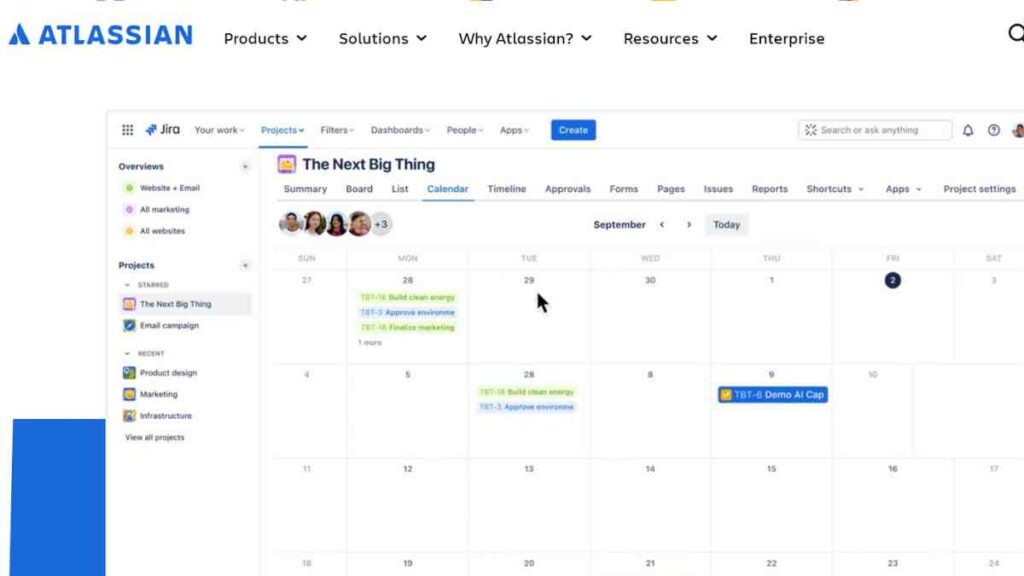
Jira is a project management and issue-tracking tool developed by Atlassian, designed to help teams plan, track, and manage Agile software development projects.
It is widely used for managing tasks, sprints, and workflows, but is often considered complex and better suited for larger or technical teams.
| Category | Details |
|---|---|
| Standout Features | Agile boards (Scrum and Kanban), custom workflows and automation, advanced issue tracking and reporting, integrations with Confluence, Bitbucket, and Slack, robust permissions management |
| Pricing | Free plan for up to 10 users, Standard – $7.91 per user/month, Premium – $14.54 per user/month, Enterprise – custom pricing |
| Pros | Highly customisable, strong Agile and DevOps support, scalable for large teams, detailed reporting and analytics. |
| Cons | Steep learning curve, overwhelming for small or non-technical teams, higher cost than alternatives, and requires ongoing administration. |
See also: Top 25 Project Management Tools to Kickstart Your New Business
The 10 Best Jira Alternatives for Agile Project Management
If Jira feels too complex or costly for your team, there are plenty of powerful yet user-friendly tools to choose from.
Here are the 10 best Jira alternatives that simplify Agile project management, enhance collaboration, and help teams stay productive without the overwhelm.
1. Trello
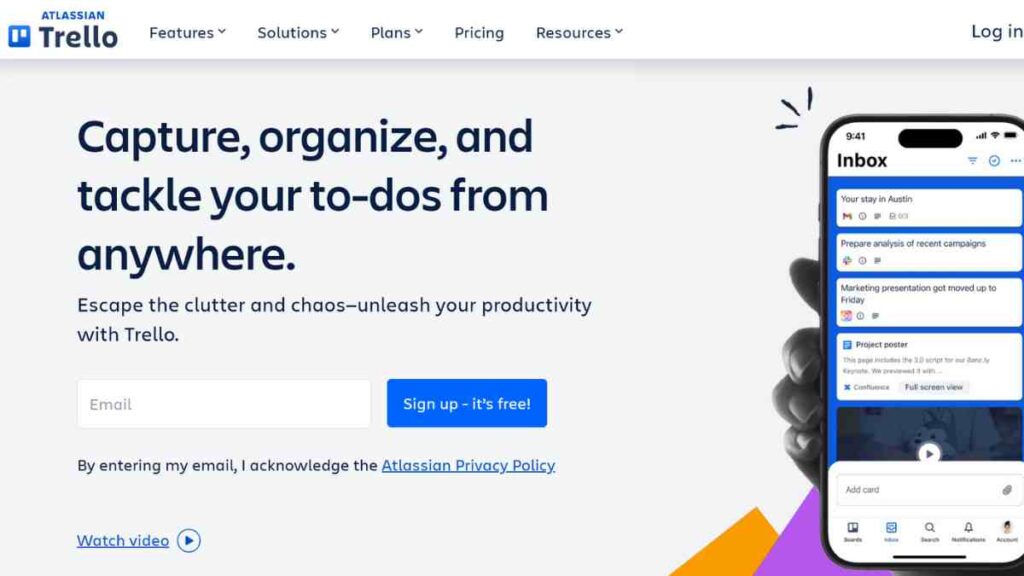
Trello is a highly visual project management tool that helps teams organise projects using boards, lists, and cards.
Its drag-and-drop interface makes tracking tasks and workflows simple, while features like automation, integrations, and team collaboration enhance productivity.
Ideal for small teams and startups, Trello offers an easy entry point into Agile or Kanban-style project management without overwhelming users with complexity.
Standout Features
| Standout Feature | Description |
|---|---|
| Visual Kanban Boards | Organise tasks using boards, lists, and cards for clear project visibility. |
| Drag-and-Drop Interface | Easily move tasks between stages, making workflow management intuitive and fast. |
| Automation (Butler) | Automate repetitive actions like task assignments or due date reminders to save time. |
| Integrations | Connect with popular tools such as Slack, Google Drive, and Jira for seamless collaboration. |
| Customisation | Add Power-Ups and custom fields to tailor boards to your team’s specific needs. |
| Collaboration Tools | Tag teammates, add comments, and share attachments to keep everyone aligned. |
| Cross-Platform Access | Access projects from desktop, mobile, or web to stay updated on the go. |
Pros
- Extremely easy to use and quick to learn.
- Offers a generous free plan with core features.
- Integrates smoothly with Google Workspace, Slack, and more.
- Great for managing simple Agile workflows.
Cons
- Limited reporting and analytics.
- No native time‑tracking tools.
- Not ideal for managing large or highly technical projects.
Pricing
| Plan | Price (Billed Annually) |
|---|---|
| Free | $0 |
| Standard | $5/user/month |
| Premium | $10/user/month |
| Enterprise | From $17.50/user/month |
2. Asana
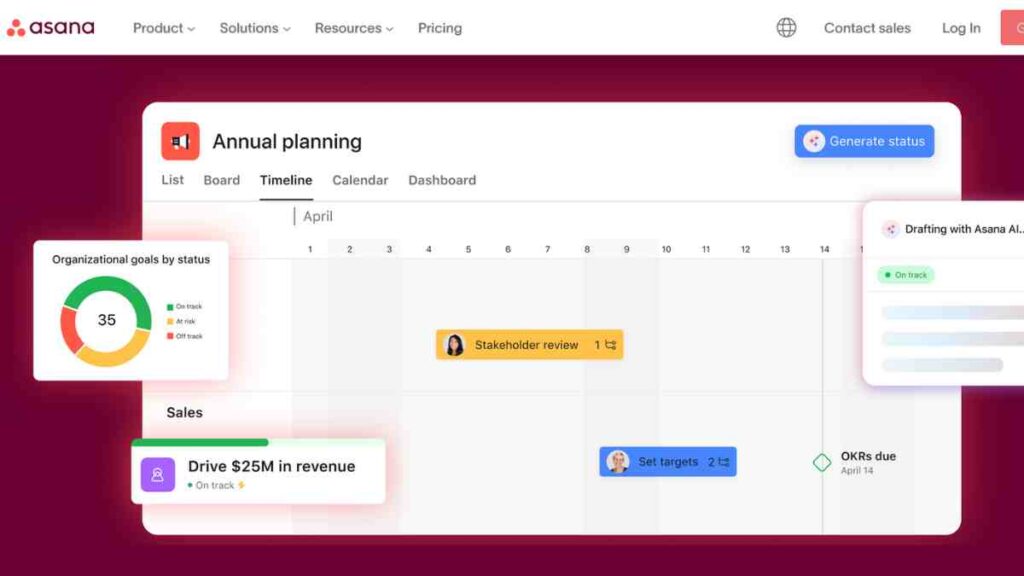
Asana is a powerful and intuitive project management platform designed to help teams plan, organise, and track work seamlessly.
It supports multiple project views, including lists, boards, timelines, and calendars, making it ideal for managing complex workflows.
With robust automation, advanced reporting, and strong integrations, Asana is perfect for teams that want structure and flexibility in their Agile project management process.
Standout features
| Standout Feature | Description |
|---|---|
| Multiple Project Views | Switch between list, board, timeline, and calendar views to manage projects the way your team works best. |
| Automation (Rules) | Automate routine tasks such as assigning teammates, updating fields, or moving tasks between stages. |
| Advanced Reporting | Gain insights into project progress with real-time dashboards and workload tracking. |
| Task Dependencies | Set and track task dependencies to ensure teams meet deadlines without bottlenecks. |
| Goal Tracking | Align individual and team tasks with company objectives using built-in goal management tools. |
| Integrations | Connect with over 200 tools, including Slack, Google Workspace, and Microsoft Teams. |
| Collaboration Tools | Add comments, share files, and receive updates to keep teams aligned in real time. |
Pros
- User-friendly and easy to navigate.
- Multiple project views, including List, Board, and Timeline.
- Supports task dependencies and goal tracking.
- Integrates with hundreds of other tools such as Slack, Google Workspace, and Microsoft Teams.
Cons
- Advanced reporting features are only available in paid plans.
- The free plan has limited team members and features.
- Automation and customisation options are less flexible than some competitors.
Pricing
| Plan | Price (Billed Annually) |
|---|---|
| Free | $0 (up to 10 users) |
| Starter | $10.99/user/month |
| Advanced | $24.99/user/month |
| Enterprise | Custom pricing |
3. ClickUp
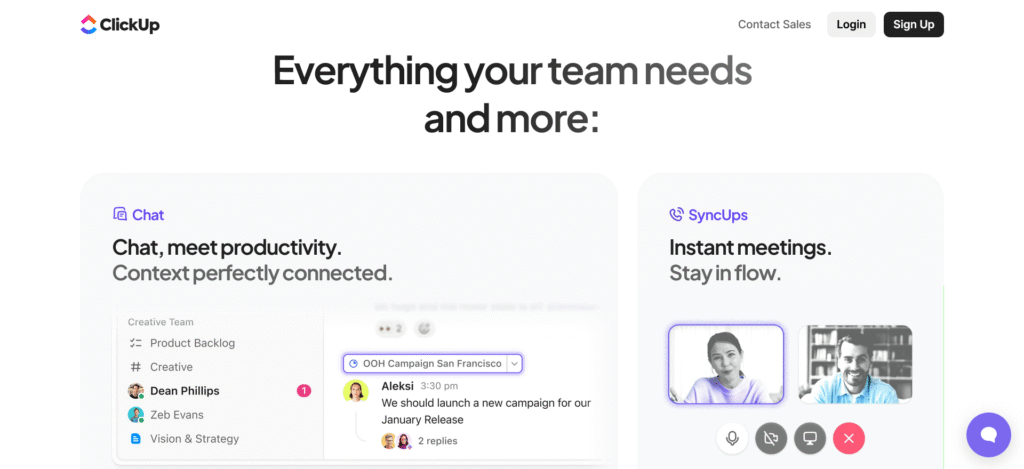
ClickUp is an all-in-one productivity and project management platform built to replace multiple tools. It combines task management, goal tracking, time tracking, and collaboration features in a single workspace.
Its flexibility makes it suitable for Agile teams of all sizes, offering everything from simple to-do lists to advanced project dashboards.
Standout Features
| Standout Feature | Description |
|---|---|
| Custom Views | Manage projects through list, board, or Gantt chart views. |
| Automation | Streamline workflows by automating repetitive tasks. |
| Docs & Whiteboards | Create, share, and collaborate on documents directly within ClickUp. |
| Time Tracking | Track time spent on tasks for better productivity insights. |
| Integrations | Connect with tools like Slack, Google Drive, and Zoom to enhance team workflows. |
Pros
- Highly customisable workflows and dashboards.
- Built-in time tracking and goal setting.
- Supports Agile project management with Scrum and Kanban boards.
- Free plan available with generous features.
Cons
- The interface can feel overwhelming for complete beginners.
- The mobile app is less intuitive than the desktop version.
- Some advanced features require paid plans.
Pricing
| Plan | Cost (Per User) |
|---|---|
| Free | $0 |
| Unlimited | $7 |
| Business | $12 |
| Enterprise | Custom pricing |
4. Monday.com
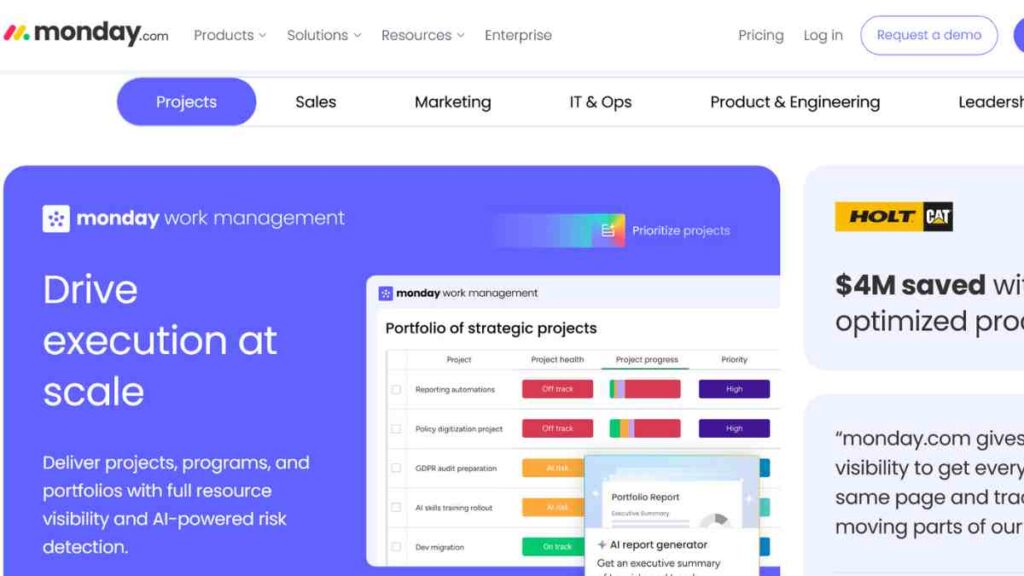
Monday.com is a versatile work operating system that helps teams manage projects, track progress, and collaborate efficiently.
Its colourful, customisable interface makes it easy to visualise workflows, automate tasks, and integrate with popular tools.
Ideal for teams of all sizes, Monday.com simplifies Agile project management with flexibility and ease of use.
Standout Features
| Feature | Description |
|---|---|
| Customisable Dashboards | Build visual dashboards to track project metrics and progress in real time. |
| Automation | Automate repetitive tasks like status updates or notifications to save time. |
| Multiple Views | Choose from timeline, Kanban, calendar, or Gantt views for flexible planning. |
| Integrations | Connect with tools like Slack, Zoom, Google Drive, and Microsoft Teams. |
| Collaboration Tools | Share updates, tag teammates, and comment directly on tasks. |
Pros
- Highly visual and user-friendly interface.
- Flexible templates and workflow automation.
- Supports collaboration and integrations with many apps.
- Quick onboarding for new team members.
Cons
- Pricing can increase with larger teams.
- Some advanced features are restricted to higher-tier plans.
- Limited native reporting options compared to Jira.
Pricing
| Plan | Price (Billed Annually) |
|---|---|
| Free | $0 (up to 2 users) |
| Standard | $12/seat/month |
| Pro | $19/seat/month |
| Enterprise | Custom pricing |

5. Wrike
Wrike is a versatile project management platform built for teams that need powerful collaboration and detailed project tracking.
It combines task management, real-time updates, and robust reporting tools, making it suitable for both small teams and large enterprises.
Wrike’s flexibility allows users to manage Agile workflows, marketing campaigns, or complex product development projects with ease.
Standout Features
| Feature | Description |
|---|---|
| Custom Dashboards | Track progress and monitor performance with real-time, personalised dashboards. |
| Multiple Project Views | Switch between Kanban boards, Gantt charts, and table views. |
| Automation & Workflows | Automate approvals and repetitive tasks for faster project execution. |
| Built-In Time Tracking | Log work hours directly in Wrike to improve productivity and billing accuracy. |
| Advanced Integrations | Connect with tools like Salesforce, Slack, and Google Drive for seamless collaboration. |
Pros
- Robust reporting and analytics.
- Supports Agile, Waterfall, and hybrid workflows.
- Highly customisable dashboards and workflows.
- Good collaboration features, including real-time editing and commenting.
Cons
- It can be overwhelming for small or beginner teams.
- Some advanced features require higher-tier plans.
- Learning curve is steeper compared to simpler tools like Trello.
Pricing
| Plan | Price (Billed Annually) |
|---|---|
| Free | $0 |
| Team | $10/user/month |
| Business | $25/user/month |
| Enterprise | Custom pricing |
| Pinnacle | Custom pricing |
6. Notion
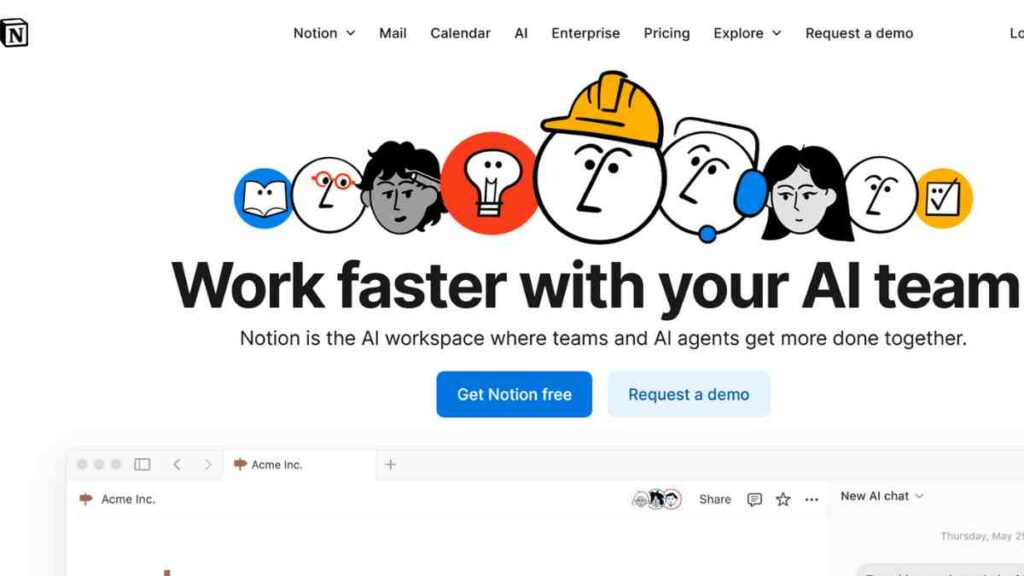
Notion is an all-in-one workspace that combines project management, note-taking, and team collaboration in a single, flexible platform.
It is ideal for startups, small teams, and creative professionals who want to manage projects, track goals, and document processes without switching between multiple tools.
With its clean interface and powerful customisation options, Notion allows users to build workflows that fit their exact needs, from Agile boards to knowledge bases and content calendars.
Standout Features
| Feature | Description |
|---|---|
| All-in-One Workspace | Combines task management, wikis, and documentation in one platform. |
| Customisable Templates | Create or modify templates for project tracking, meetings, and roadmaps. |
| Kanban Boards & Databases | Visualise tasks with Kanban boards or organise information using databases. |
| Real-Time Collaboration | Collaborate with teammates through shared pages, comments, and mentions. |
| Integrations & Embeds | Integrate with tools like Slack, Google Drive, and Figma, or embed live content directly. |
Pros
- Highly flexible and customisable workspace.
- Combines project management with documentation and databases.
- Supports Kanban boards, calendars, and timelines.
- Free plan available for individuals and small teams.
Cons
- Limited automation compared to other Agile tools.
- It can require time to set up templates effectively.
- Less suitable for very large teams or complex projects.
Pricing
| Plan | Price (Billed Annually) |
|---|---|
| Free | $0 |
| Plus | $12/user/month |
| Business | $24/user/month |
| Enterprise | Custom pricing |
7. Zoho Projects
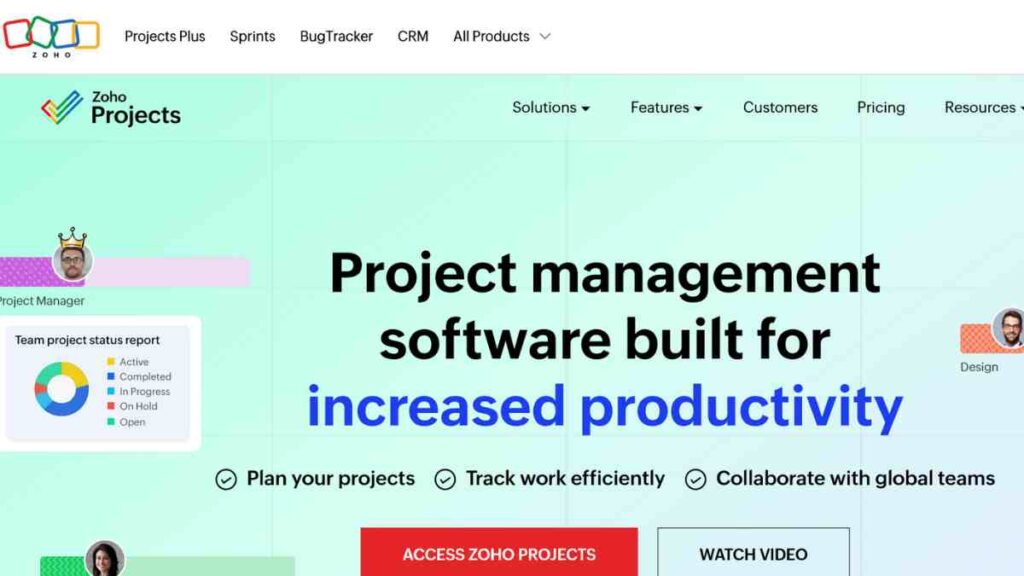
Zoho Projects is a feature-rich yet affordable project management software designed to help teams plan, track, and collaborate effectively.
Known for its simplicity and integration with other Zoho products, it supports Agile methodologies through tools like task automation, Gantt charts, and time tracking.
Zoho Projects is ideal for startups, SMEs, and growing teams seeking a balance between functionality, usability, and cost.
Standout Features
| Feature | Description |
|---|---|
| Gantt Charts | Visualise project timelines, dependencies, and progress easily. |
| Task Automation | Automate recurring tasks and workflows to save time and reduce manual effort. |
| Time Tracking | Log hours, track billable work, and manage timesheets efficiently. |
| Issue Tracking | Monitor and resolve bugs or project issues in real time. |
| Integrations | Connect seamlessly with Zoho Suite, Google Workspace, Slack, and more. |
Pros
- Integrates well with Zoho apps and third-party tools.
- Offers time tracking and resource management.
- Supports Agile workflows with boards and milestones.
- Affordable pricing for growing teams.
Cons
- Some features are limited in the free plan.
- Interface can feel less modern than its competitors.
- Advanced reporting requires a higher-tier plan.
Pricing
| Plan | Price (Billed Annually) |
|---|---|
| Free | $0 (up to 3 users) |
| Premium | $5/user/month |
| Enterprise | $10/user/month |
8. ProofHub
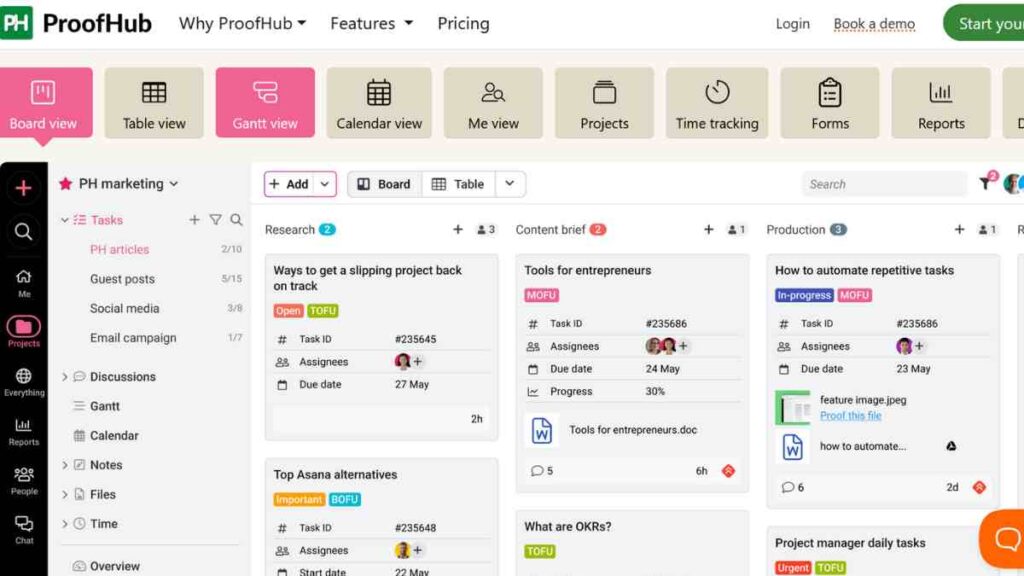
ProofHub is an all-in-one project management and collaboration platform designed to simplify team communication, planning, and execution.
It eliminates the need for multiple tools by combining task management, time tracking, discussions, and reporting in one intuitive interface.
Ideal for teams of all sizes, ProofHub offers a flat pricing model, making it an affordable and efficient alternative to Jira for managing Agile projects.
Standout Features
| Feature | Description |
|---|---|
| Centralised Task Management | Create, assign, and track tasks using Kanban boards or Gantt charts. |
| Team Collaboration Tools | Use discussions, chat, and announcements to streamline team communication. |
| Proofing & Approvals | Review, annotate, and approve designs and documents directly within the app. |
| Time Tracking | Track work hours, log timesheets, and generate time reports easily. |
| Reports & Insights | Get detailed project reports and performance analytics for better decision-making. |
Pros
- Combines task management, collaboration, and time tracking in one tool.
- Simple and intuitive interface for beginners.
- Flat-rate pricing for unlimited users.
- Supports Agile project management with Kanban and Gantt views.
Cons
- Limited third-party integrations compared to other tools.
- Some advanced features may require training to use effectively.
- Reporting tools are less detailed than Jira’s.
Pricing
| Plan | Price (Billed Annually) |
|---|---|
| Essential | $45/month (flat rate) |
| Ultimate Control | $89/month (flat rate) |

9. Teamwork
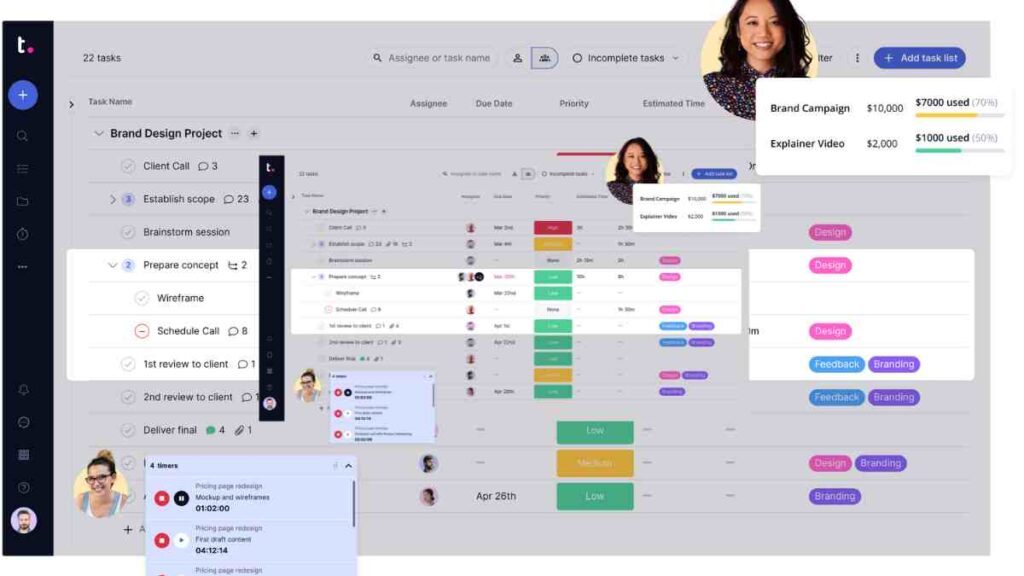
Teamwork is a robust project management tool tailored for client-focused teams, agencies, and service-based businesses.
It combines task management, time tracking, billing, and collaboration in one platform.
With its easy-to-use interface and built-in client management features, Teamwork enables teams to plan, execute, and deliver projects efficiently while maintaining transparency and accountability.
Standout Features
| Feature | Description |
|---|---|
| Client Management | Manage client access, share updates, and maintain transparency on projects. |
| Time Tracking & Billing | Track billable hours, generate invoices, and manage project budgets. |
| Portfolio Management | Get a big-picture view of multiple projects to track progress and performance. |
| Custom Workflows | Build workflows that match your team’s processes and improve efficiency. |
| Integrations | Connect with Slack, Google Drive, HubSpot, and other essential business tools. |
Pros
- Excellent for client-based and service teams.
- Offers time tracking and billing features.
- Supports templates and task automation.
- User-friendly interface with good collaboration tools.
Cons
- It can be expensive for small teams.
- Some advanced features are only available in premium plans.
- Slight learning curve for beginners.
Pricing
| Plan | Price (Billed Annually) |
|---|---|
| Free | $0 (up to 5 users) |
| Deliver | $10.99/user/month |
| Grow | $19.99/user/month |
| Scale | Custom pricing |
10. Basecamp
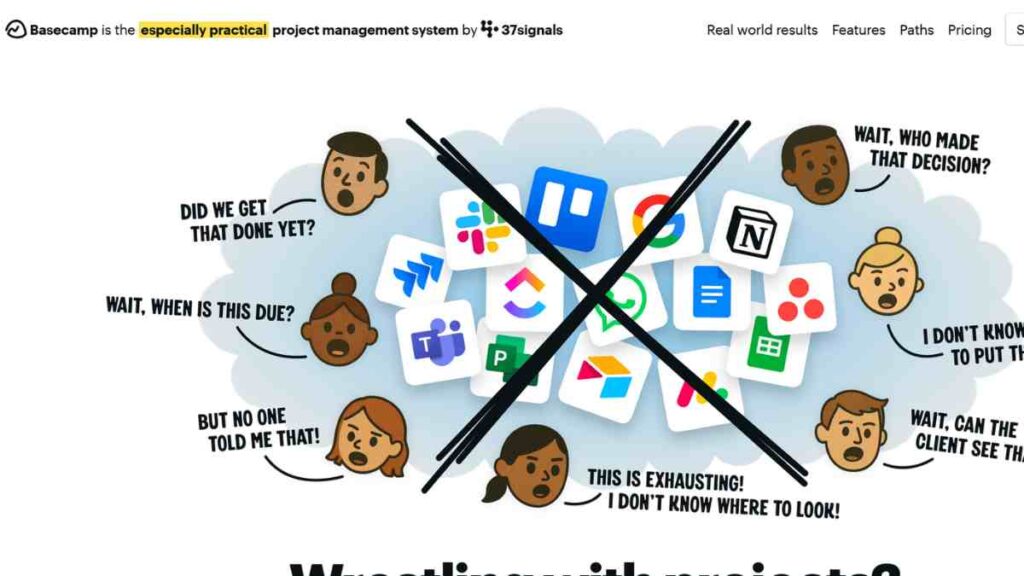
Basecamp is a simple yet powerful project management and team collaboration tool designed for small to medium-sized teams.
It focuses on clarity and communication rather than complex features, making it an excellent Jira alternative for teams that value simplicity and transparency.
With to-do lists, message boards, file sharing, and real-time chat, Basecamp helps teams stay organised and aligned without unnecessary clutter or steep learning curves.
Standout Features
| Feature | Description |
|---|---|
| To-Do Lists & Task Management | Organise tasks with due dates, assignees, and progress tracking. |
| Message Boards | Centralise team discussions to replace long email threads. |
| Real-Time Chat (Campfire) | Enable quick team communication with instant messaging. |
| Docs & File Storage | Share and manage files, documents, and notes in one place. |
| Automatic Check-Ins | Schedule recurring questions to keep everyone updated without meetings. |
Pros
- Simple and easy to learn for beginners.
- All-in-one platform for communication and project management.
- Flat-rate pricing for unlimited users.
- Effective for small and medium-sized teams.
Cons
- Lacks advanced reporting and Agile-specific features.
- Limited customisation options.
- It may not scale well for very large teams with complex projects.
Pricing
| Plan | Price (Billed Annually) |
|---|---|
| Free Personal | $0 (limited users & projects) |
| Basecamp | $15/user/month |
| Basecamp Pro Unlimited | $299/month (flat rate) |
See also: The Complete Project Management Guide – Process, Tools, Methodologies and Standards
Why Look for Jira Alternatives?
Jira is a leading tool for Agile project management, but it’s not ideal for every team. Many find it overly complex, expensive, or rigid for their workflows.
As a result, organisations increasingly turn to Jira alternatives that prioritise simplicity, affordability, and flexibility.
The right choice can help teams save time, cut costs, and improve collaboration, without losing the core benefits of Agile management.
| Reason | Description |
|---|---|
| Complexity and Learning Curve | Jira’s customisation options make it powerful but also complicated. Smaller teams often find their setup overwhelming and prefer tools with simpler, more intuitive interfaces. |
| High Costs | Paid Jira plans and add-ons become expensive as teams scale. Affordable alternatives provide similar functionality at a fraction of the cost, ideal for startups and small businesses. |
| Steep Onboarding | New users may struggle to learn Jira’s advanced workflows. Simpler tools with drag-and-drop features and visual task boards allow faster onboarding and productivity. |
| Overhead for Non-Technical Teams | Jira is tailored for software development teams, making it too technical for marketing, HR, or operations teams who need straightforward task management. |
| Limited Free Features | Jira’s free tier restricts dashboards and reporting. Alternatives often offer richer free plans with essential Agile tools, perfect for small or growing teams. |

How to Choose the Best Jira Alternatives
Selecting the right project management tool is crucial when exploring Jira alternatives. With so many options on the market, finding a platform that fits your workflow, team size, and budget can be challenging.
The ideal alternative should simplify Agile project management, improve collaboration, and provide essential features, without the steep learning curve or cost often associated with Jira.
Below are the key factors to consider when choosing the best Jira alternative for your team.
| Factor | Description |
|---|---|
| Ease of Use | Choose tools with intuitive interfaces and quick setup to minimise onboarding, like Trello or Asana. |
| Features | Ensure the tool offers key Agile functions such as Kanban boards, dashboards, and reporting. |
| Pricing | Opt for affordable plans or free tiers that scale with your team’s growth. |
| Scalability | Pick a platform that can handle more users, projects, and workflows as your team expands. |
| Integrations | Look for tools that connect easily with your existing apps and support real-time collaboration. |
Common Mistakes When Switching from Jira
Switching from Jira to a new project management tool can boost productivity, but a poorly managed transition may cause data loss, workflow issues, or low team adoption.
To ensure a smooth migration, it is vital to recognise and avoid common mistakes when selecting and implementing Jira alternatives.
| Common Mistake | How to Avoid |
| Choosing a tool without testing | Use free trials or demo versions to test usability, features, and integrations |
| Ignoring workflow differences | Map current Jira workflows and ensure the new tool supports them or can be customised |
| Overlooking team training | Provide onboarding sessions, tutorials, and support documentation for all users |
| Neglecting integrations | Review all integrations and ensure the tool connects with communication, storage, and development apps |
| Migrating without a plan | Plan migration step by step, back up all data, and migrate in stages |
Conclusion
Project management has moved beyond Jira, with simpler, more flexible, and affordable alternatives now available.
Whether you are switching for ease, cost, or collaboration, choose a tool that fits your team’s Agile workflow. Test options carefully and plan the transition well to boost productivity, improve communication, and ensure long-term scalability.
We want to see you succeed, and that’s why we provide valuable business resources to help you every step of the way.
- Join over 23,000 entrepreneurs by signing up for our newsletter and receiving valuable business insights.
- Register your business today with Entrepreneurs.ng’s Business Registration Services.
- Tell Your Brand Story on Entrepreneurs.ng, let’s showcase your brand to our global audience.
- Need help with your marketing strategy? Get a Comprehensive Marketing and Sales Plan here.
- Sign up for our Entrepreneurs Success Blueprint Programme to learn how to start and scale your business in just 30 days.
- Book our one-on-one consulting and speak to an expert about structuring and growing your business.
- Visit our shop for business plan templates and other valuable resources to guide you.
- Get our Employee-Employer Super Bundle NDA templates to legally protect your business and workforce.
- Advertise your business to over a million entrepreneurs through our different advertising packages.

Frequently Asked Questions (FAQs)
What are Jira alternatives?
Jira alternatives are project management tools that offer similar features to Jira, such as task tracking, Agile boards, and reporting, but with different pricing, usability, or workflow customisation options.
Why should I consider Jira alternatives?
Teams consider Jira alternatives because Jira can be complex, expensive, or overly technical for some users. Alternatives often provide simpler interfaces that suit small or non-technical teams.
What is the best alternative to Jira?
The best alternative for Jira depends on your team size, workflow, and budget. Popular options include Trello, Asana, ClickUp, and Monday.com, which are intuitive, affordable, and support Agile project management.
Are there free Jira alternatives?
Yes, several free Jira alternatives exist, such as Trello, ClickUp, Notion, and Zoho Projects. These platforms provide essential Agile features without the costs of Jira’s paid plans.
Can Jira alternatives support Agile project management?
Yes, most Jira alternatives for Agile project management offer Scrum boards, Kanban boards, sprints, task dependencies, and reporting to support Agile workflows.
How do I choose the right Jira alternative?
When choosing alternatives for Jira, consider ease of use, features, pricing, scalability, and integrations. Testing free plans or trials helps determine which tool fits your team’s workflow best.
Are Jira alternatives suitable for large teams?
Yes, tools like Wrike, ClickUp, and Asana scale well for large teams, offering advanced reporting, custom workflows, and collaboration features similar to Jira.
What features should I look for in Jira alternatives?
Look for task management, Agile boards, project timelines, reporting, collaboration tools, integrations, and automation. These features ensure the alternative meets your team’s workflow needs.
Can I migrate my data from Jira to an alternative?
Better alternatives to Jira provide import options from Jira, allowing teams to transfer projects, tasks, and users with minimal disruption.



