With information overload everywhere, finding the right tool like Mindgrasp AI can be tough. If you are seeking Mindgrasp AI alternatives, many options now make research easier, organise your notes, and save time.
It is no surprise then that adoption is soaring. According to the HEPI Student Generative AI Survey, usage of generative AI tools by students jumped from 53 % to 88 % in just one year, with many using AI to summarise articles or suggest research ideas.
In this article, we will explore the best Mindgrasp AI alternatives, compare Mindgrasp competitors, and highlight options that balance power and affordability. Let us dive in.
Key Takeaways
- The best Mindgrasp AI alternatives offer smarter summarisation, seamless note organisation, and cross-platform flexibility.
- Students, researchers, and entrepreneurs can save time with AI-powered note-taking software tailored to their needs and budgets.
- From free options to affordable Mindgrasp AI alternatives, there is a tool for every use case and learning style.
- Choosing the right tool boosts productivity, collaboration, and clarity, turning information overload into actionable insights.

What is Mindgrasp?
Mindgrasp is an intelligent AI research assistant app built to make learning, studying, and working more efficient. At its core, it digests complex materials from research papers and lecture slides to long articles and PDFs, and delivers clear, concise summaries.
Beyond just summarisation, it generates flashcards, quizzes, and even answers user questions directly from uploaded content, making it a versatile AI-powered note-taking software.
For students, it acts as a digital tutor; for entrepreneurs and professionals, it is a productivity partner that speeds up reading and comprehension. However, despite its strengths, some users turn to Mindgrasp competitors for more affordable options, better integrations, or specialised features that suit their unique workflows.
Key Features of Mindgrasp
| Feature | Description |
|---|---|
| AI Summarisation | Condenses lengthy texts, articles, and research papers into clear summaries. |
| Flashcards & Quizzes | Automatically generates study aids to reinforce learning and memory retention. |
| Q&A Assistant | Answers user questions directly from uploaded content like PDFs or lecture notes. |
| Multi-Format Support | Works with PDFs, slides, articles, and web content for flexible learning. |
| Note Organisation | Helps structure information into manageable, searchable notes. |
| AI Productivity Tool | Saves time for students, researchers, and professionals by streamlining tasks. |
| Cross-Use Cases | Useful for academic study, business research, and professional development. |
Why Go for Mindgrasp Alternatives?
While Mindgrasp is a solid AI research assistant app, it is not always the perfect fit for everyone. Some users want more affordable pricing, better integrations with existing workflows, or advanced features that Mindgrasp does not yet offer.
| Reason | Explanation |
|---|---|
| Pricing | Monthly and annual subscriptions may be too expensive for students or startups. |
| Limited Integrations | It does not natively integrate with tools like Google Docs, Notion, or Slack. |
| Feature Gaps | Strong in summarisation and flashcards, but weaker in advanced collaboration or project management. |
| Learning Curve | Some users find the interface less intuitive compared to simpler note-taking apps. |
| Device Compatibility | Still developing apps and extensions. It lacks the seamless ecosystem of competitors. |
| Specialised Needs | Researchers may prefer tools with citation management, while entrepreneurs may need broader productivity functions. |
15 Best Mindgrasp AI Alternatives for Research and Note-Taking
If Mindgrasp AI does not tick all the boxes for you, do not worry, there are plenty of powerful competitors on the market.
Below, we break down the best Mindgrasp AI alternatives for students, researchers, and professionals so you can choose the one that fits your workflow and budget.
1. Notion AI
Notion AI is an extension of the popular Notion workspace that adds intelligence to your everyday notes and projects. Think of it as a digital assistant that can summarise articles, tidy up lecture notes, or even draft content while you focus on bigger tasks.
What sets it apart from other Mindgrasp competitors is how it blends AI note-taking tools with project management, so you can research, write, and organise everything in the same place.
For students, it is a study companion; for entrepreneurs, it is a productivity hub that keeps teams aligned.
Key Features of Notion AI
| Feature | Description |
|---|---|
| AI Summarisation | Quickly condenses meeting notes, research papers, or long documents into clear summaries. |
| Content Generation | Drafts blog posts, brainstorms ideas, or rewrites text for clarity and tone. |
| Note Organisation | Automatically restructures and cleans messy notes for better readability. |
| Task & Project Integration | Works seamlessly with Notion databases, calendars, and kanban boards. |
| Collaboration Tools | Real-time editing and sharing for teams and group projects. |
| Cross-Device Sync | Accessible on desktop, mobile, and web with cloud syncing. |
| Customisable Workflows | Flexible templates and databases for students, researchers, and entrepreneurs. |
Notion AI Pricing
| Plan | Monthly Price (user) | Annual Price |
|---|---|---|
| Free | $0 | $0 |
| Plus | $12 / month | $10 / month (billed annually) |
| Business | $24 / month | $20 / month (billed annually) |
| Enterprise | Custom | Custom |
Pros and Cons of Notion AI
| Pros | Cons |
|---|---|
| Combines AI note-taking tools with project management in one app. | Full AI features now require the Business plan, which is pricier. |
| Excellent for summarisation, brainstorming, and drafting content. | Can feel overwhelming for new users due to its many features. |
| Real-time collaboration makes it great for teams and entrepreneurs. | Offline functionality is limited and relies heavily on cloud access. |
| Highly customisable with templates, databases, and workflows. | Advanced setup takes time; not as quick to start as simpler apps. |
| Works across devices with seamless syncing. | Integrations with some third-party tools are still limited. |
See Also: 10 Best Jasper AI Free Alternatives for Powerful AI Writing
2. Obsidian
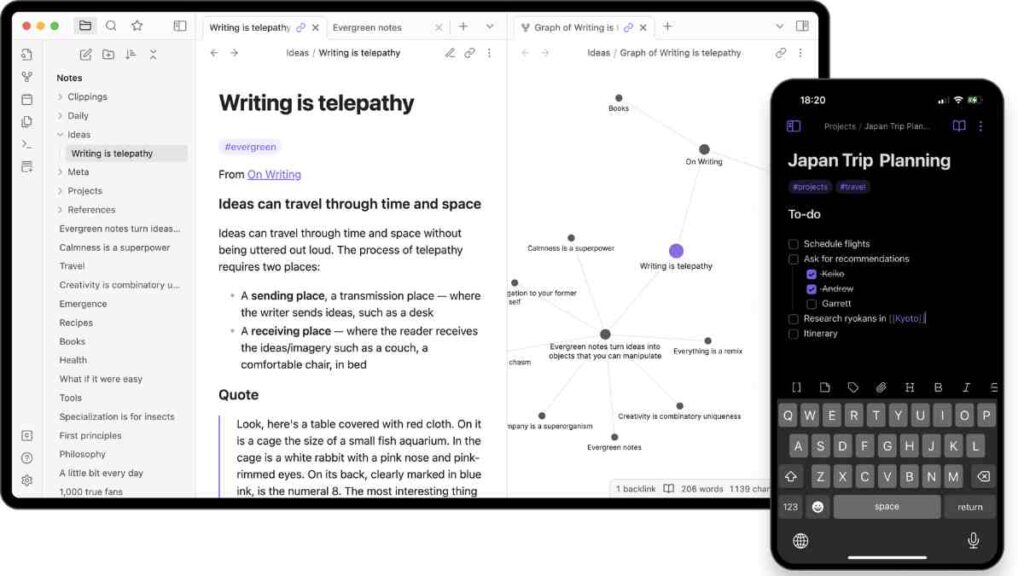
Obsidian is a markdown-based note-taking app that turns your notes into a connected knowledge base. Unlike cloud-first tools, it stores data locally, giving you full ownership of your files.
With its powerful plug-in ecosystem and visual graph view, it is ideal for researchers, writers, and entrepreneurs who want to see how their ideas link together.
Many consider it a strong Mindgrasp competito because it is lightweight, highly customisable, and excellent for organising research without being locked into a subscription.
Key Features of Obsidian
| Feature | Description |
|---|---|
| Local-First Storage | Your notes are stored on your device with no mandatory cloud dependency. |
| Markdown Editor | Simple, clean formatting for notes that is easy to export or share. |
| Knowledge Graph | Visual map shows how your ideas and notes connect to one another. |
| Plug-in Ecosystem | Hundreds of community plug-ins for citation management, task lists, AI, and more. |
| Cross-Platform Support | Works on Windows, macOS, Linux, iOS, and Android. |
| Custom Workflows | Flexible for academic research, creative writing, or business planning. |
Pricing
| Plan | Cost |
|---|---|
| Free | $0 |
| Catalyst | One-time $25+ donation |
| Commercial | $50 per user/year |
| Sync & Publish (Optional) | $4/month (Sync), $8/month (Publish) |
Pros and Cons of Obsidian
| Pros | Cons |
|---|---|
| Local-first storage ensures privacy and control over your notes. | Not beginner-friendly as it requires setup and a learning curve. |
| Flexible and extensible with hundreds of plug-ins. | Lacks built-in collaboration features compared to Notion or Evernote. |
| A knowledge graph helps visualise relationships between ideas. | Advanced features may feel overwhelming for casual users. |
| Free core version makes it very affordable | The mobile app experience is less polished than the desktop. |
| Works offline and is perfect for distraction-free research. | Cloud sync requires a paid add-on. |
See Also: 12 Free Undetectable AI Alternatives for Writers, Entrepreneurs, and Creators

3. Evernote
Evernote has long been a household name when it comes to AI-powered note-taking software, offering robust tools for capturing, organising, and retrieving information.
While it is not as AI-heavy as newer Mindgrasp competitors, it remains one of the most reliable platforms for students, professionals, and entrepreneurs.
Its strengths lie in cross-device syncing, powerful search, and web clipping, making it especially handy for researchers who need to save and structure large volumes of content.
Key Features of Evernote
| Feature | Description |
|---|---|
| Web Clipper | Save articles, PDFs, and web content directly into notebooks with one click. |
| Cross-Platform Sync | Seamlessly syncs across desktop, mobile, and web. |
| Tagging & Organisation | Advanced notebooks, tags, and search filters for easy retrieval. |
| AI Assistance | Summarisation, search enhancements, and smart organisation suggestions. |
| Multimedia Notes | Attach audio, images, PDFs, and scanned documents to notes. |
| Collaboration Tools | Share notes and notebooks with teams or study groups. |
Pricing
| Plan | Cost |
|---|---|
| Free | $0 |
| Personal | $14.99/month |
| Professional | $17.99/month |
| Teams | $24.99/month per user |
Pros and Cons of Evernote
| Pros | Cons |
|---|---|
| Mature platform with years of trust and reliability. | Higher pricing compared to newer affordable Mindgrasp AI alternatives. |
| Excellent organisation features such as notebooks, tags, and advanced search. | Free plan is very limited in storage and syncing. |
| Web Clipper is one of the best for research collection. | Interface can feel cluttered for new users. |
| Available on nearly every device and operating system. | AI features are less advanced than tools like Notion AI or Mem. |
| Good for both individuals and teams with collaboration options. | Some long-time users complain about performance slowdowns. |
4. Microsoft OneNote
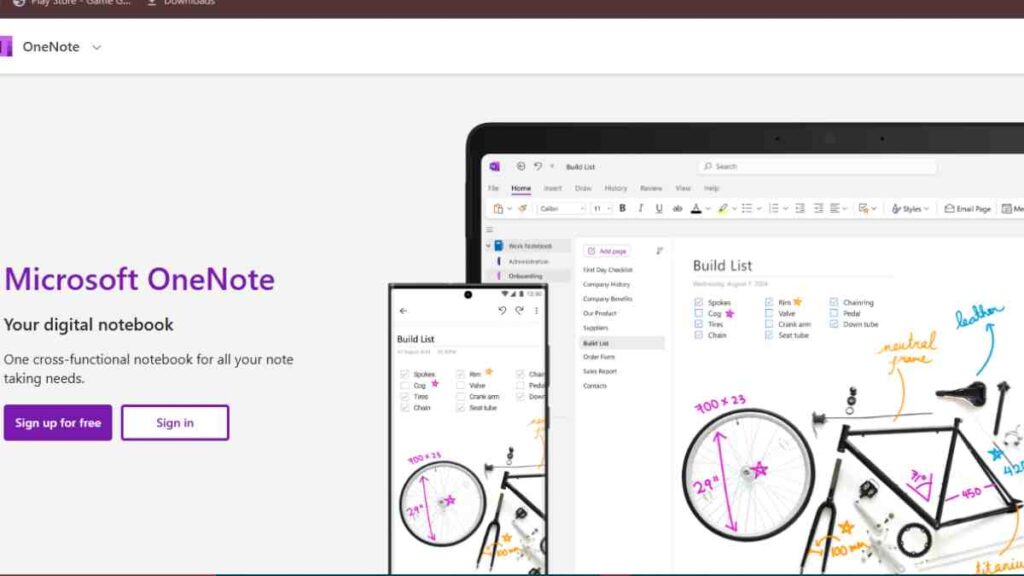
OneNote is Microsoft’s AI-powered note-taking software, offering a free yet robust platform for capturing and organising ideas.
Fully integrated into the Microsoft 365 ecosystem, it is especially appealing to students and professionals already using Word, Excel, or Outlook. With features like handwriting support, audio recording, and cloud syncing, OneNote serves as both a digital notebook and a research assistant app.
While it does not lean as heavily on AI as newer Mindgrasp competitors, its familiarity, accessibility, and cost-effectiveness make it one of the most widely adopted alternatives to Mindgrasp AI.
Key Features of OneNote
| Feature | Description |
|---|---|
| Free & Cross-Platform | Works across Windows, macOS, iOS, Android, and web at no cost. |
| Handwriting & Drawing | Supports stylus input for digital inking, sketching, and annotation. |
| Audio & Multimedia Notes | Record lectures or meetings directly inside notes; embed videos and files. |
| Organisation Tools | Notes are organised in sections and pages, replicating the feel of real notebooks. |
| Microsoft 365 Integration | Syncs seamlessly with Outlook, Word, Teams, and other Microsoft apps. |
| Collaboration | Share notebooks with classmates, colleagues, or project teams in real time. |
| AI Features (via Copilot) | In Microsoft 365, Copilot offers summarisation, search, and task suggestions. |
Pricing
| Plan | Cost |
|---|---|
| Free | $0 |
| Microsoft 365 Personal | $6.99/month or $69.99/year |
| Microsoft 365 Family | $9.99/month or $99.99/year |
| Microsoft 365 Business/Enterprise | $12.50+ per user/month |
Pros and Cons of OneNote
| Pros | Cons |
|---|---|
| Free to use with full functionality. | Interface can feel cluttered compared to minimalist note-taking apps. |
| Works seamlessly across devices and integrates with Microsoft tools. | AI features (Copilot) require a Microsoft 365 subscription. |
| Excellent for handwritten notes and multimedia. | Search and organisation can become messy with very large notebooks. |
| Great for both solo users and teams. | Lacks built-in flashcards and spaced repetition features for students. |
| Reliable, well-supported, and widely adopted worldwide. | Heavier than lightweight AI summarisation tools like Mindgrasp. |
See Also: 15 Best Lightroom Alternatives for Entrepreneurs and Creatives- A Definitive List
5. Roam Research
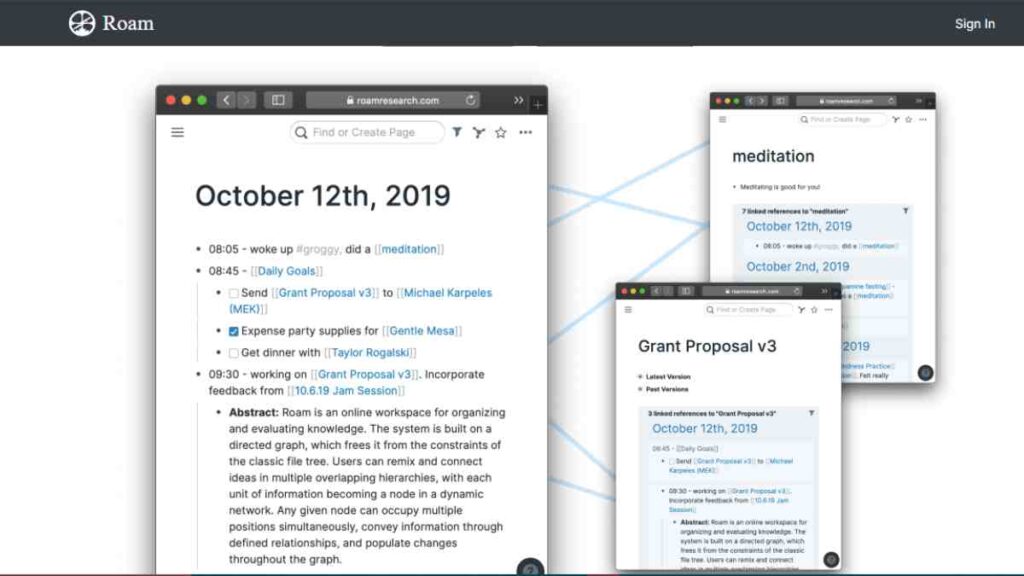
Roam Research is a note-taking app built around the concept of a networked thought system. Instead of stacking notes into folders, Roam connects them like a web, making it especially popular among researchers, writers, and thinkers who value idea mapping.
For many, it is more than just an AI research assistant app but a way to structure thinking itself. Compared to Mindgrasp competitors, Roam does not focus heavily on summarisation or flashcards, but it excels in creating a personal knowledge base where connections between ideas are instantly visible.
Key Features of Roam Research
| Feature | Description |
|---|---|
| Networked Notes | Notes are linked bidirectionally, creating a web of interconnected ideas. |
| Graph View | Visualises the relationships between notes in a dynamic graph. |
| Daily Notes | Encourages journaling and knowledge capture with an automatic daily entry. |
| Collaboration | Share graphs with colleagues or peers for group projects. |
| Markdown Support | Simple formatting for clean, portable notes. |
| Custom Queries | Powerful search and filtering across your entire knowledge base. |
Pricing
| Plan | Cost |
|---|---|
| Monthly | $15/month |
| Annual | $165/year ($13.75/month) |
| Believer Plan | $500 for 5 years |
Pros and Cons of Roam Research
| Pros | Cons |
|---|---|
| Unique networked note system fosters creative, non-linear thinking. | Steeper learning curve for beginners unfamiliar with graph-based notes. |
| Graph view makes relationships between ideas easy to visualise. | More expensive than many affordable Mindgrasp AI alternatives. |
| Daily notes feature encourages consistent writing and reflection. | Lacks built-in AI summarisation and flashcard tools. |
| Excellent for academics and researchers who manage complex projects. | Offline access is limited; primarily cloud-based. |
| Active community with templates and workflows. | Can feel overwhelming for casual note-takers. |
6. RemNote
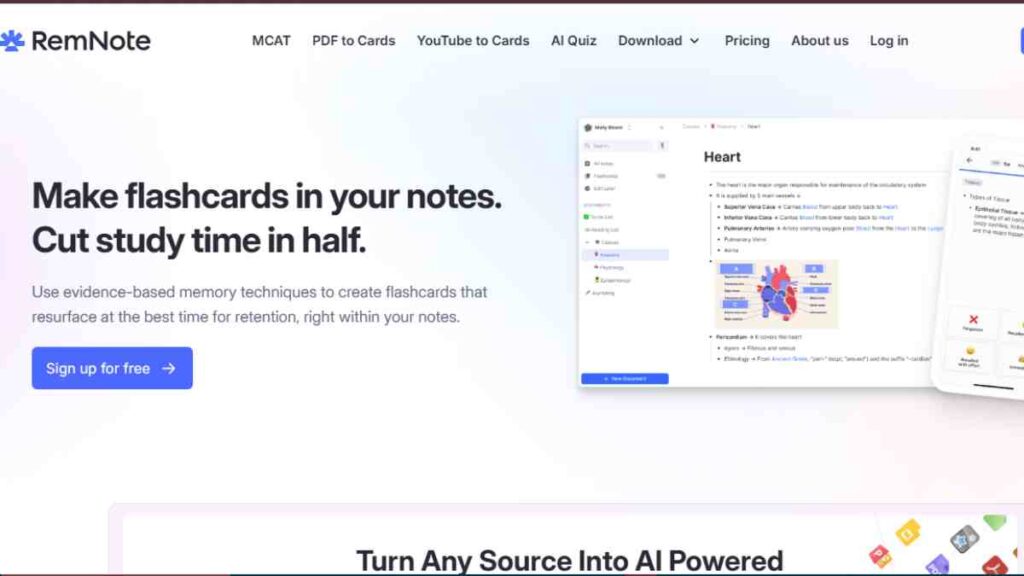
RemNoteia an AI-powered note-taking software with spaced repetition learning, making it a favourite among students and lifelong learners.
Unlike many Mindgrasp competitors, it does not just help you take notes, it helps you remember them. With built-in flashcards, Q&A prompts, and connections between notes, it functions as both a study assistant and a research companion.
It is particularly strong for people preparing for exams, managing complex subjects, or needing long-term retention of information.
Key Features of RemNote
| Feature | Description |
|---|---|
| Spaced Repetition Flashcards | Automatically generates flashcards from notes and schedules them for review. |
| Note-Linking | Connects concepts with bidirectional links, similar to Roam Research. |
| AI Assistance | Summarises content, explains concepts, and helps draft or expand notes. |
| PDF Annotation | Highlight and take notes directly on PDFs. |
| Offline Mode | Access and edit notes without internet connectivity. |
| Knowledge Graph | Visual map of how notes and concepts relate to each other. |
Pricing
| Plan | Cost |
|---|---|
| Free | $0 |
| Pro | $12/month or $96/year |
| Lifetime | One-time $399 payment |
Pros and Cons of RemNote
| Pros | Cons |
|---|---|
| Combines note-taking with flashcards and spaced repetition learning. | Interface can feel less polished compared to tools like Notion or OneNote. |
| Strong AI support for summarisation and Q&A. | Steeper learning curve due to many features. |
| Great for students preparing for exams or complex subjects. | Collaboration features are limited. |
| Affordable pricing with a one-time lifetime option. | Mobile experience is still less smooth than desktop. |
| Knowledge graph makes it easy to visualise connections between concepts. | May feel too study-focused for entrepreneurs or busines |
See Also: I Tested 10 Pictory AI Alternatives For AI Video Content Creation, Here Is What I Found
7. Mem AI

Mem AI is a modern AI-powered note-taking software designed to act like a personal memory assistant. Instead of just storing notes, it helps you recall them at the right time, turning scattered ideas into organised insights.
Unlike traditional Mindgrasp competitors, Mem is built for speed and simplicity. You can capture thoughts instantly and let the AI handle organisation, summarisation, and even drafting content.
For busy entrepreneurs and professionals, it doubles as both an AI productivity tool and a knowledge companion.
Key Features of Mem AI
| Feature | Description |
|---|---|
| Smart Capture | Instantly saves notes, ideas, and snippets without manual organisation. |
| AI-Powered Search | Finds the right note or idea contextually, not just by keywords. |
| Content Generation | Helps draft emails, summaries, and documents directly from your notes. |
| Reminders & Suggestions | Surfaces relevant notes when you need them. |
| Collaboration | Share and co-edit notes with team members. |
| Cross-Platform Access | Available on web, desktop, and mobile for seamless syncing. |
Pricing
| Plan | Cost |
|---|---|
| Free | $0 (Free Forever) |
| Mem Pro | $14.99/month (or $12/month billed annually) |
| Mem Teams | Custom Pricing |
Pros and Cons of Mem AI
| Pros | Cons |
|---|---|
| Fast, lightweight, and intuitive interface. | AI features are still evolving compared to more mature tools. |
| Excellent for busy professionals who need speed over structure. | Free plan is limited in storage and features. |
| AI recalls and suggests notes contextually. | Not as strong for academic needs like flashcards or citations. |
| Good balance between personal productivity and team collaboration. | Smaller ecosystem compared to Notion or Obsidian. |
| Affordable entry-level plan. | Limited offline functionality. |

8. Coda
Coda is more than just a note-taking app, it is a powerful all-in-one AI productivity tool that blends documents, spreadsheets, and workflows.
With its built-in AI, Coda helps summarise research, generate content, and automate tasks, making it a flexible Mindgrasp competitor for teams and entrepreneurs.
Where Mindgrasp focuses on comprehension and flashcards, Coda shines in turning information into actionable systems, making it ideal for managing projects, research, and collaboration in one place.
Key Features of Coda
| Feature | Description |
|---|---|
| Docs + Spreadsheets | Combines documents and spreadsheets into one flexible workspace. |
| AI Assistance | Summarises content, drafts text, and provides data insights. |
| Customisable Workflows | Build wikis, knowledge bases, or project trackers directly in Coda. |
| Integrations | Connects with tools like Slack, Google Workspace, and Jira. |
| Collaboration | Real-time editing, comments, and version control for teams. |
| Automation | Create rules and automations to streamline repetitive tasks. |
Pricing
| Plan | Cost |
|---|---|
| Free | $0 |
| Pro | $10/month |
| Team | $30/month |
| Enterprise | Custom pricing |
Pros and Cons of Coda
| Pros | Cons |
|---|---|
| All-in-one tool that merges docs, spreadsheets, and notes. | Higher cost compared to simpler alternatives to Mindgrasp AI. |
| Strong AI integration for summarisation, writing, and analysis. | Learning curve for new users unfamiliar with custom workflows. |
| Great for teams managing complex projects. | Free plan is limited, especially for larger teams. |
| Integrates with many popular productivity apps. | Less suited for individual students needing simple flashcards or notes. |
| Highly customisable with templates and automation. | Can feel like overkill for personal note-taking. |
9. ClickUp Docs
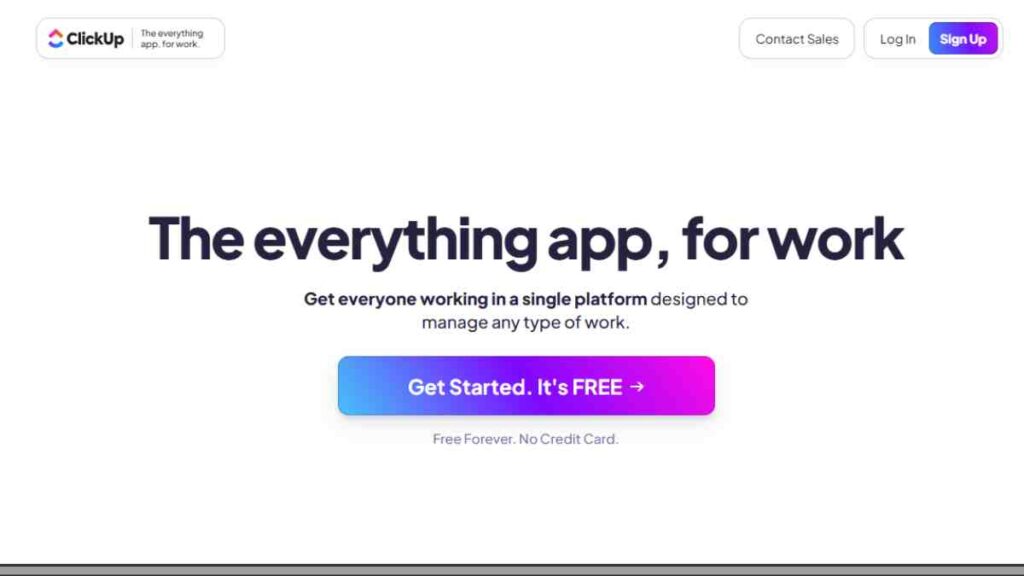
ClickUp Docs is part of the ClickUp productivity suite, combining AI-powered note-taking software with robust project and task management tools.
Unlike Mindgrasp, which focuses on learning and summarisation, ClickUp Docs shines in collaboration. Teams can create, edit, and share documents alongside project boards, tasks, and goals.
Its built-in AI assistant helps summarise research, generate text, and even manage workflows, making it a strong option for entrepreneurs and startups who want one platform for both notes and productivity.
Key Features of ClickUp Docs
| Feature | Description |
|---|---|
| Integrated Docs & Tasks | Link notes directly to projects, tasks, and goals for better organisation. |
| AI Assistance | Summarises text, generates drafts, and provides task suggestions. |
| Collaboration | Real-time editing, comments, and mentions for team members. |
| Customisable Workflows | Build wikis, SOPs, and project documentation within ClickUp. |
| Cross-Platform Access | Available on web, desktop, and mobile apps. |
| Integrations | Connects with Slack, Google Drive, Outlook, and more. |
Pricing
| Plan | Cost |
|---|---|
| Free Forever | $0 |
| Unlimited | $7/month per user |
| Business | $12/month per user |
| Enterprise | Custom Pricing |
Pros and Cons of ClickUp Docs
| Pros | Cons |
|---|---|
| Combines note-taking with project and task management. | Can feel overwhelming due to the wide range of features. |
| Affordable AI add-on compared to other Mindgrasp competitors. | Free plan AI usage is very limited. |
| Strong collaboration tools for teams and businesses. | Overkill for individuals who just need simple note-taking. |
| Integrates with many popular productivity apps. | Learning curve for new users. |
| Highly customisable with dashboards, templates, and workflows. | Some advanced features locked behind higher-tier plans. |
10. QuillBot
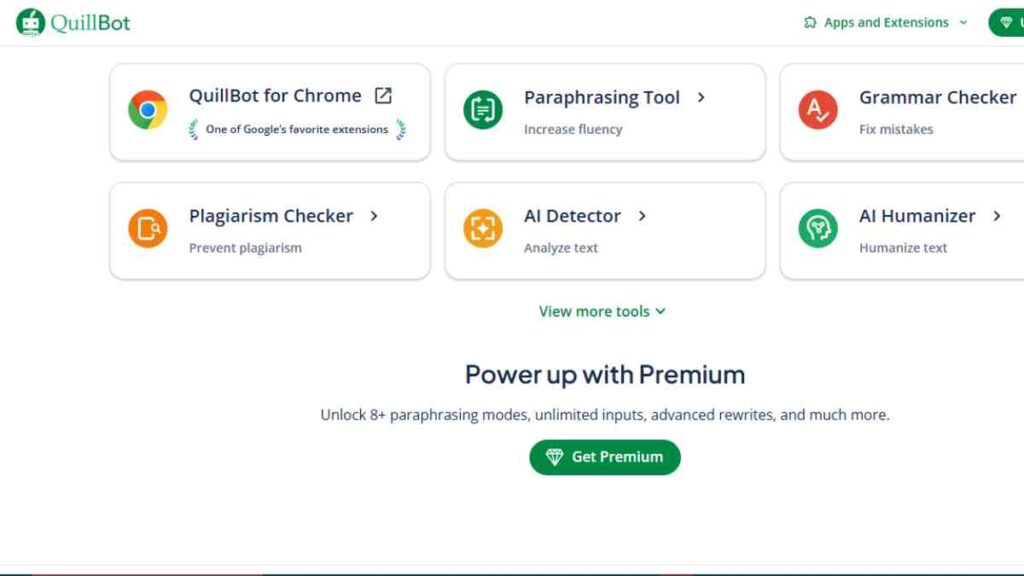
QuillBot is best known as a paraphrasing and summarisation tool, making it a practical choice for students, writers, and professionals who need quick rewrites or condensed versions of lengthy text.
While it does not offer full-fledged AI-powered note-taking software like Notion or Obsidian, it is a strong Mindgrasp competitor for anyone who primarily needs AI apps for summarising research papers or improving the clarity of their writing.
Key Features of QuillBot
| Feature | Description |
|---|---|
| Paraphrasing Tool | Rewrites sentences, paragraphs, or essays with multiple tone/style options. |
| Summariser | Condenses long documents into key points or abstracts. |
| Grammar Checker | Identifies and corrects grammar, spelling, and punctuation errors. |
| Citation Generator | Automatically formats citations in APA, MLA, and other styles. |
| Co-Writer Tool | Integrated workspace for writing, editing, and citing in one place. |
| Extensions | Available as a browser extension for Chrome, Word, and Google Docs. |
Pricing
| Plan | Price (USD) |
|---|---|
| Free | $0 |
| Premium | $4.17 |
| Team | Custom |
Pros and Cons of QuillBot
| Pros | Cons |
|---|---|
| Affordable and easy to use for summarising and paraphrasing. | Not a full note-taking or project management tool. |
| Excellent for rewriting research papers and essays. | Free version has strict limits on usage. |
| Built-in grammar and citation tools enhance academic writing. | Lacks collaboration and organisation features. |
| Works seamlessly with Word and Google Docs. | Less useful for entrepreneurs who need workflow or productivity tools. |
| Quick learning curve — great for beginners. | Relies on internet access with no offline mode. |
11. ChatGPT
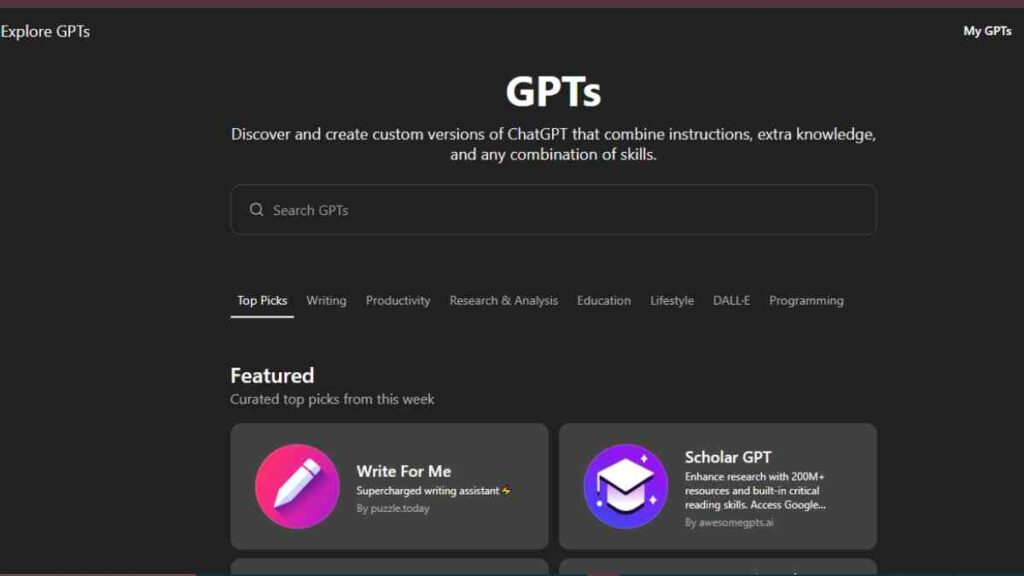
ChatGPT, developed by OpenAI, is one of the most versatile AI research assistant apps available today. Unlike traditional AI-powered note-taking software, ChatGPT functions as a conversational partner. It can summarise research papers, generate study guides, explain complex ideas, and even brainstorm business strategies.
With plugins and browsing enabled, it becomes a powerful AI summarisation tool, pulling in up-to-date information and integrating with other apps.
For many users, it serves as an all-in-one research, writing, and productivity assistant, making it a compelling alternative to Mindgrasp AI.
Key Features of ChatGPT
| Feature | Description |
|---|---|
| Conversational AI | Provides natural, human-like responses for Q&A, explanations, and brainstorming. |
| Summarisation | Condenses research papers, articles, or lengthy documents into digestible notes. |
| Content Generation | Drafts essays, reports, emails, and even business plans. |
| Plugins & Integrations | Connects with apps like Zapier, Wolfram Alpha, and others for extended functions. |
| Web Browsing | Retrieves up-to-date information directly from the internet. |
| Cross-Platform Access | Available via web, mobile apps, and desktop clients. |
Pricing
| Plan | Price (USD) |
|---|---|
| Free | $0 |
| ChatGPT Plus | $20 |
| ChatGPT Pro | $200 |
| Enterprise | Custom |
Pros and Cons of ChatGPT
| Pros | Cons |
|---|---|
| Extremely versatile — works for research, writing, brainstorming, and more. | Requires internet; no true offline use. |
| Plugins and browsing make it more powerful than traditional note apps. | Not specifically built for structured note organisation. |
| Affordable Plus plan for GPT-4 access. | May require fact-checking; not perfect for academic citations. |
| Strong support for entrepreneurs drafting business strategies and reports. | Can become expensive if paired with multiple premium integrations. |
| Constantly updated with new features. | Lacks built-in flashcards or spaced repetition for students. |

12. Zotero
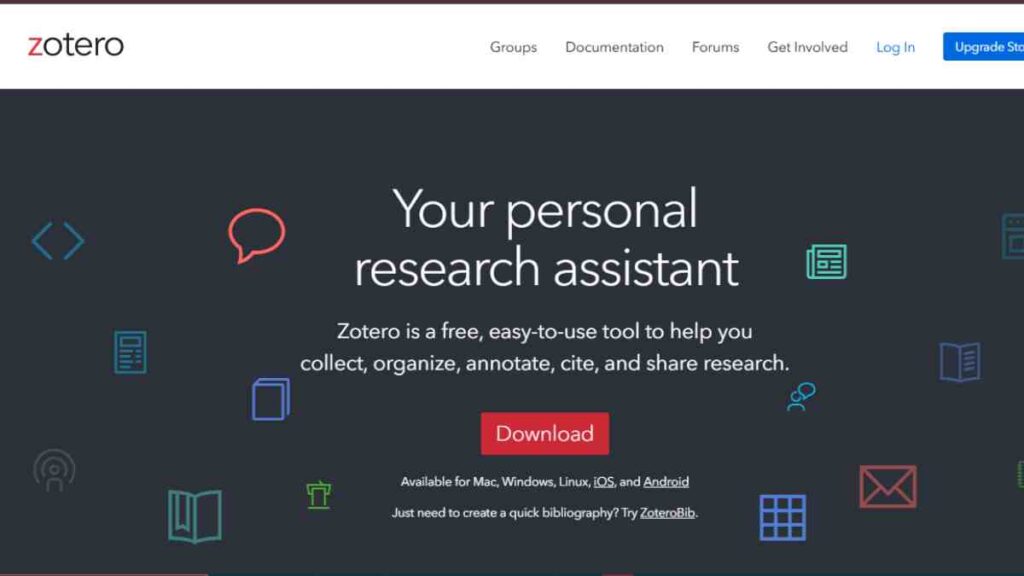
Zotero is a free, open-source AI note organisation tool and reference manager designed specifically for academic research.
Unlike many Mindgrasp competitors, Zotero excels at handling citations, bibliographies, and research libraries. While it doesn’t have advanced AI summarisation like Mindgrasp, it integrates well with word processors and browsers, making it an essential AI app for summarising research papers and managing sources.
For students and researchers writing dissertations, essays, or journal articles, Zotero is often the first choice.
Key Features of Zotero
| Feature | Description |
|---|---|
| Reference Management | Collects, organises, and cites research sources automatically. |
| Browser Integration | Save web pages, PDFs, and references directly from your browser. |
| Word Processor Plugins | Integrates with Microsoft Word, Google Docs, and LibreOffice for easy citations. |
| Note-Taking | Attach notes and annotations to references. |
| Collaboration | Share research libraries with colleagues and peers. |
| Cross-Platform Access | Works on Windows, macOS, Linux, and has a web library. |
Pricing
| Plan | Cost |
|---|---|
| Free | $0 |
| Storage Add-On | $20/year (2GB), $60/year (6GB), $120/year (25GB) |
Pros and Cons of Zotero
| Pros | Cons |
|---|---|
| Completely free and open source. | No built-in AI summarisation or flashcard tools. |
| Excellent for managing academic references and bibliographies. | Interface feels outdated compared to modern AI note-taking apps. |
| Strong integration with browsers and word processors. | Syncing large files requires paid storage. |
| Great for collaborative research projects. | Steeper learning curve for non-academic users. |
| Reliable and trusted by universities worldwide. | Primarily academic-focused, less useful for entrepreneurs. |
13. Mendeley
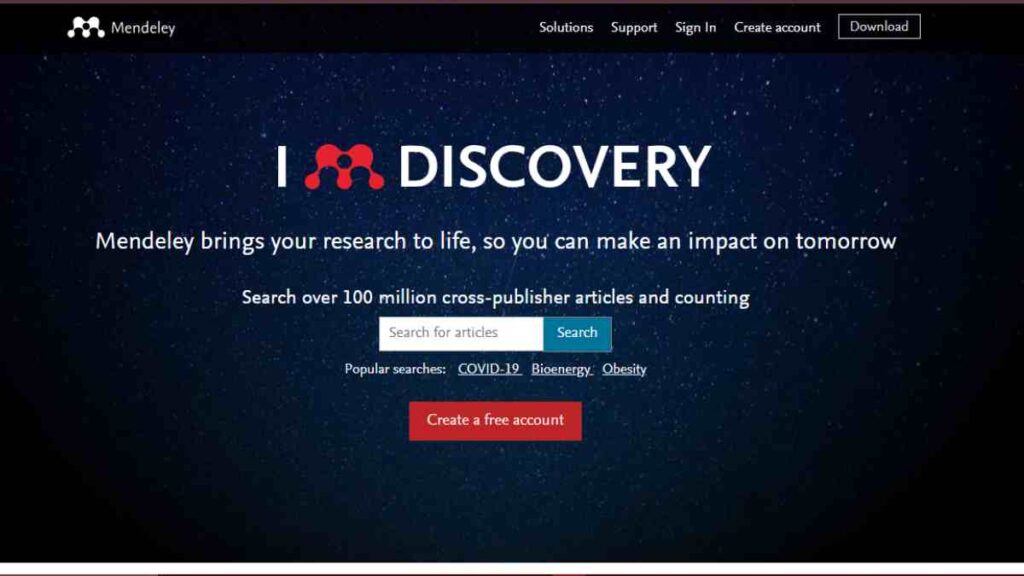
Mendeley is an academic-focused AI research assistant app and reference manager, similar to Zotero but with a more polished, user-friendly interface.
Owned by Elsevier, it is designed to help researchers organise PDFs, manage citations, and collaborate on projects.
While it does not compete directly with Mindgrasp’s AI summarisation tools, it is one of the best Mindgrasp competitors for students and professionals writing research papers or managing large volumes of academic literature.
Key Features of Mendeley
| Feature | Description |
|---|---|
| Reference Management | Collect, organise, and cite references in multiple formats. |
| PDF Reader & Annotation | Highlight and annotate PDFs directly in the app. |
| Word Processor Integration | Works with Microsoft Word and LibreOffice for easy citations and bibliographies. |
| Collaboration | Create groups to share references and notes with colleagues. |
| Cloud Storage & Sync | Sync references and PDFs across devices. |
| Research Network | Connect with other researchers via Mendeley’s community platform. |
Pricing
| Plan | Cost |
|---|---|
| Free | $0 |
| Premium Plans | From $55/year |
Pros and Cons of Mendeley
| Pros | Cons |
|---|---|
| Free to start with solid reference and PDF management tools. | Owned by Elsevier, but some researchers prefer open-source alternatives like Zotero. |
| Excellent for managing citations and bibliographies. | Less focus on AI summarisation compared to Mindgrasp. |
| Cloud sync makes it easy to work across devices. | Free version has limited storage and collaboration options. |
| Built-in research community for networking. | Primarily academic-focused; not ideal for entrepreneurs or casual users. |
| Integrates smoothly with Word and LibreOffice. | Limited integration outside of academic tools. |
14. Bear
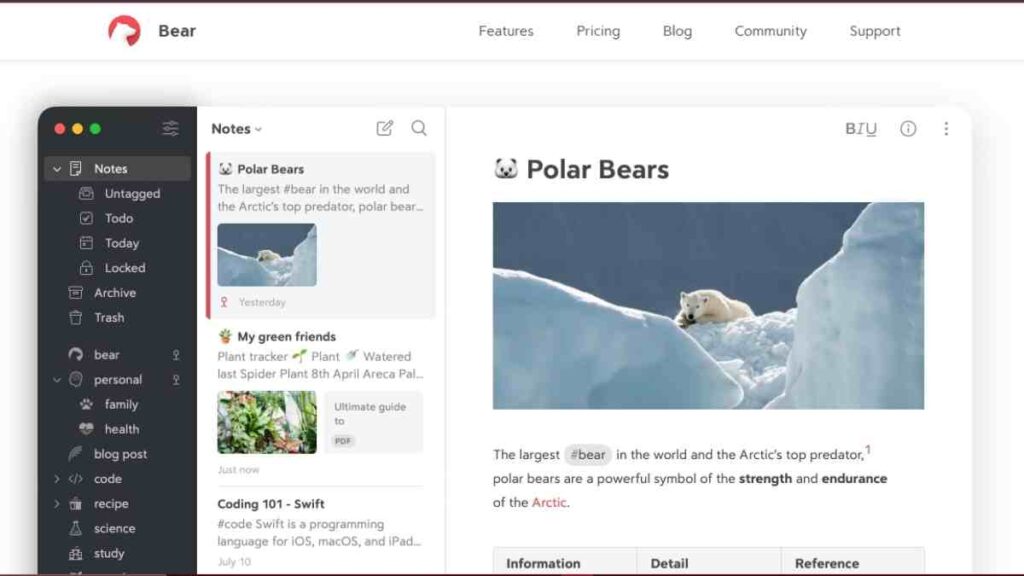
Bear is a beautifully designed AI note organisation tool built for Apple users. Known for its clean interface and markdown-based writing, it is a popular choice among creatives, entrepreneurs, and professionals who value simplicity.
While it lacks the deep AI summarisation tools of Mindgrasp, Bear’s focus on distraction-free writing and seamless syncing across iPhone, iPad, and Mac makes it a stylish yet practical alternative to Mindgrasp AI for those in the Apple ecosystem.
Key Features of Bear
| Feature | Description |
|---|---|
| Markdown Support | Write and format notes using markdown for clean, exportable content. |
| Tagging System | Organise notes quickly with hashtags and nested tags. |
| Cross-Device Sync | Sync seamlessly across iPhone, iPad, and Mac with iCloud. |
| Export Options | Export notes as PDF, Word, HTML, or Markdown. |
| Focus Mode | Minimalist interface for distraction-free writing. |
| Custom Themes & Typography | Personalise the writing experience with themes and fonts. |
Pricing
| Plan | Cost | Notes |
|---|---|---|
| Free | $0 | Core note-taking with markdown and local storage. |
| Bear Pro | $2.99/month or $29.99/year | Adds sync across devices, advanced export, themes, and more storage. |
Pros and Cons of Bear
| Pros | Cons |
|---|---|
| Elegant, minimalist design perfect for writing and creativity. | Only available for Apple devices — no Windows or Android support. |
| Markdown support makes it versatile for exporting and publishing. | Lacks built-in AI features like summarisation or flashcards. |
| Affordable Pro plan compared to many Mindgrasp competitors. | Not ideal for academic research or team collaboration. |
| Tagging system makes organisation simple and intuitive. | Limited integrations with third-party apps. |
| Great for entrepreneurs and writers who want a distraction-free tool. | Better suited for personal use than professional knowledge management. |
See Also: Top 20 TeamViewer Alternatives – The Best Remote Desktop Tools for Entrepreneurs
15. Scrintal
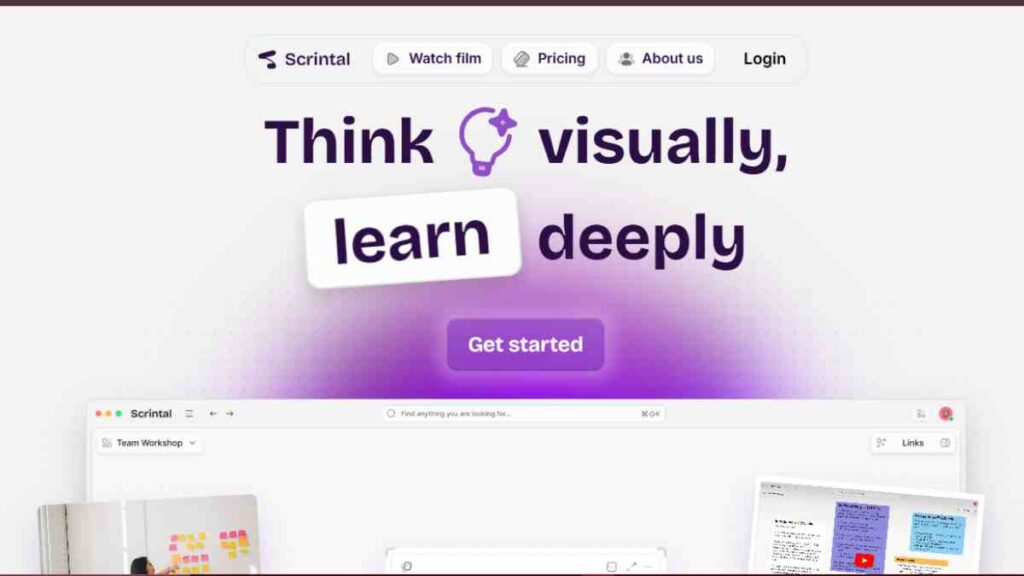
Scrintal is a visual-first AI-powered note-taking software that combines the flexibility of mind mapping with structured note organisation.
Unlike traditional Mindgrasp competitors, Scrintal is built for visual learners who prefer to see how their ideas connect. It allows you to create interactive boards where you can take notes, summarise research, and link concepts together.
This makes it a standout choice for researchers, entrepreneurs, and students who need a more creative way to structure complex projects.
Key Features of Scrintal
| Feature | Description |
|---|---|
| Visual Mind Maps | Combine note-taking with interactive, connected mind maps. |
| AI Assistance | Summarises notes, suggests connections, and helps generate content. |
| Collaboration | Share boards with teammates for group projects and brainstorming. |
| Cross-Referencing | Easily link related notes and ideas across different boards. |
| Export & Sharing | Export boards as PDFs or share links for easy collaboration. |
| Cross-Platform Access | Web-based with plans for broader device support. |
Pricing
| Plan | Cost |
|---|---|
| Free Trial | $0 |
| Pro | $9 |
Pros and Cons of Scrintal
| Pros | Cons |
|---|---|
| Unique blend of mind mapping and note-taking. | Still a newer tool with fewer integrations than established competitors. |
| Excellent for visual learners who prefer non-linear thinking. | Not ideal for users who prefer traditional text-based note organisation. |
| Built-in AI assistance for summarisation and connections. | Free trial is limited; requires paid plan for full features. |
| Strong collaboration for brainstorming and project planning. | Mobile support is still developing compared to mature apps. |
| Affordable pricing for both individuals and teams. | May feel niche compared to broader AI productivity tools. |
Conclusion
Mindgrasp is a powerful tool, but it is not the only option. From feature-rich platforms like Notion AI and ClickUp Docs to academic-focused tools like Zotero and Mendeley, and creative options like Scrintal and Bear, there is a solution for every learner, researcher, or entrepreneur.
The best choice depends on your goals, whether that is affordability, collaboration, or advanced AI summarisation tools.
We want to see you succeed, and that’s why we provide valuable business resources to help you every step of the way.
- Join over 23,000 entrepreneurs by signing up for our newsletter and receiving valuable business insights.
- Register your business today with Entrepreneurs.ng’s Business Registration Services.
- Tell Your Brand Story on Entrepreneurs.ng, let’s showcase your brand to our global audience.
- Need help with your marketing strategy? Get a Comprehensive Marketing and Sales Plan here.
- Sign up for our Entrepreneurs Success Blueprint Programme to learn how to start and scale your business in just 30 days.
- Book our one-on-one consulting and speak to an expert about structuring and growing your business.
- Visit our shop for business plan templates and other valuable resources to guide you.
- Get our Employee-Employer Super Bundle NDA templates to legally protect your business and workforce.
- Advertise your business to over a million entrepreneurs through our different advertising packages.

Frequently Asked Questions (FAQs)
What is Mindgrasp AI used for?
Mindgrasp AI helps summarise long texts, create flashcards, generate quizzes, and answer questions from uploaded documents, making it a versatile study and productivity tool.
Why should I look for Mindgrasp AI alternatives?
Alternatives may offer more affordable pricing, better integrations, or features like advanced collaboration, visual learning, or reference management that Mindgrasp lacks.
What are the best Mindgrasp AI alternatives for students?
Students often benefit most from RemNote (flashcards + spaced repetition), QuillBot (summarisation and rewriting), or Zotero and Mendeley for managing citations.
Which Mindgrasp competitors are best for entrepreneurs?
Entrepreneurs may prefer Notion AI, ClickUp Docs, or Coda since they combine research assistance with project and business management features.
Are there affordable Mindgrasp AI alternatives?
Yes. Tools like Obsidian, Bear, and Zotero are free or low-cost options, while RemNote and Mem AI offer student-friendly pricing plans.
Do these alternatives offer AI summarisation tools?
Some, like Notion AI, Mem AI, and ChatGPT, have strong AI summarisation features. Others, like Zotero and Mendeley, focus more on organisation and citations.