


Choosing the right note-linking software can transform how you organise ideas, manage projects, and retain knowledge. While Obsidian remains one of the most powerful digital note-taking tools, many professionals are now exploring Obsidian alternatives that offer flexibility, collaboration, and cloud-based convenience.
In a world where productivity and information management are essential for entrepreneurs, creators, and teams, finding reliable apps like Obsidian has become a top priority. As the digital note-taking tools market expands, with growth projections up to $23.79 billion by 2029 according to Market Research, demand for Obsidian competitors with diverse features is rising fast.
This guide explores the 10 best alternatives to Obsidian notes, comparing their features, strengths, and suitability for different users, whether you prefer open-source privacy, AI integration, or effortless cross-device syncing.
Key Takeaways
- The best Obsidian alternatives combine linked-note thinking, cloud sync, and user-friendly design for seamless knowledge management.
- Modern note-linking tools prioritise smart organisation, collaboration, and effortless productivity.
- Choosing the right tool depends on workflow needs, privacy, simplicity, and visual thinking.
- Migrating from Obsidian is easy with markdown exports, allowing smooth transitions to new digital note-taking platforms.

Obsidian
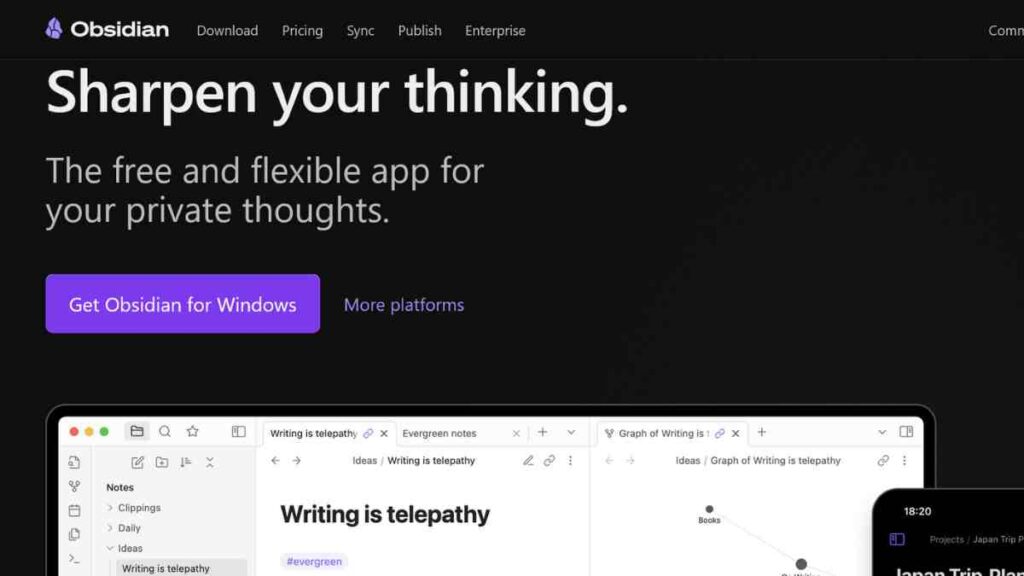
Obsidian is a markdown-based note-taking and knowledge management app that helps users connect ideas through linked-note thinking.
Created by Shida Li and Erica Xu in 2020, it stores notes locally, ensuring privacy and full data control. Its standout features include bi-directional linking, a graph view for visualising connections, and rich community plugins for customisation.
Available on all major platforms, Obsidian also offers cloud sync and publishing options through paid plans. Blending simplicity, flexibility, and control, Obsidian remains one of the most powerful digital note-taking platforms for building a connected knowledge base.
My Comparison of the Best Obsidian Alternatives
After years of using Obsidian for note-linking and personal knowledge management, I decided to explore other tools that offer similar depth with different strengths.
In this comparison, I share my experience with some of the best Obsidian alternatives I have tested, ranging from beautifully designed digital note-taking platforms to open-source apps that prioritise privacy and cloud-sync options for flexibility.
Each tool brings a unique approach to how we think, create, and connect ideas, and this review focuses on how they perform in real-world use rather than just on paper.
1. Notion
Notion is a versatile all-in-one digital workspace that combines note-taking, task management, databases, and collaboration tools in a single platform. Founded in 2016 by Ivan Zhao and Simon Last, Notion has become a leading productivity and knowledge management tool for individuals and teams.
Its block-based system allows users to create and interlink notes, pages, and databases seamlessly, making it a strong Obsidian alternative for those who value structure, collaboration, and cloud accessibility.
Unlike Obsidian’s local-first model, Notion operates primarily in the cloud, making it perfect for users who prioritise real-time collaboration and cross-device syncing.
StandOut features I discovered
- Block-based note-taking system for unlimited flexibility.
- Bi-directional linking and connected pages for knowledge mapping.
- Database functionality for project tracking, CRM, and documentation.
- Built-in AI assistant for writing and summarisation.
- Real-time collaboration with team comments and shared workspaces.
- Rich media embedding (videos, PDFs, code blocks, and more).
- Cross-platform access on web, desktop, and mobile.
Pricing
| Plan | Price |
|---|---|
| Free | $0 |
| Plus | $10 |
| Business | $20 |
| Enterprise | Custom pricing |
Pros
- Highly customisable and visually appealing interface.
- Excellent for team collaboration and project management.
- Integrates seamlessly with popular tools like Slack, Google Drive, and Trello.
- Continuous updates and strong community support.
Cons
- It can feel overwhelming for beginners due to the extensive features.
- Offline access is limited compared to Obsidian.
- Performance can lag with large databases or complex pages.
How It Compares to Obsidian
While Obsidian focuses on local storage, privacy, and deep note-linking, Notion excels in collaboration, cloud accessibility, and visual organisation.
Obsidian is ideal for users building a private, interconnected knowledge base, while Notion suits those managing team projects, content planning, or structured workflows in a visually rich environment.
Both tools empower creative thinking but serve distinct user needs. Obsidian for depth and privacy, Notion for versatility and teamwork.
See Also: 15 Best Notion Alternatives for Smarter Team Docs, Wikis, and Workflows.
2. Mem

Mem is an intelligent AI-powered note-taking and knowledge management tool built to capture, organise, and connect ideas effortlessly.
Mem stands out for its focus on contextual organisation. Notes are automatically linked, tagged, and surfaced when relevant, eliminating the need for manual folder structures.
Unlike traditional note-taking apps, Mem uses artificial intelligence to help users rediscover ideas at the right time, making it a compelling Obsidian alternative for those who want automation and smart insights in their workflow.
Standout features I discovered
- AI-assisted note creation and retrieval for faster information access.
- Automatic tagging and linking of related notes and ideas.
- Powerful search and natural language querying for context-based discovery.
- Shared workspaces for collaborative knowledge building.
- Smart reminders and tasks are integrated into notes.
- Cross-platform support with web and mobile applications.
- Cloud syncing for seamless access across all devices.
Pricing
| Plan | Price |
|---|---|
| Free | $0 |
| Mem Pro | $12 |
| Mem Teams | Custom pricing |
Pros
- Exceptional AI capabilities for automating note linking and retrieval.
- Clean, distraction-free interface with minimal setup required.
- Great for busy entrepreneurs who want effortless organisation.
- Supports cloud sync and easy collaboration.
Cons
- Limited offline functionality compared to Obsidian.
- Fewer customisation options and community plugins.
- Dependent on cloud storage, which may concern privacy-focused users.
How It Compares to Obsidian
Mem takes a modern, AI-driven approach to note-taking, contrasting with Obsidian’s manual linking and local storage model.
While Obsidian empowers users who prefer full control and hands-on structuring, Mem appeals to those who value automation and speed.
Entrepreneurs and creators who want their knowledge base to “think with them” will appreciate Mem’s context-aware intelligence, whereas Obsidian remains ideal for users seeking depth, privacy, and flexibility in their knowledge system.
See Also: Top 15 Knowledge Base Software for SMEs to Streamline Operations
3. Evernote

Evernote is one of the most established digital note-taking platforms, originally launched in 2008 by Stepan Pachikov. It remains a go-to tool for millions who need to capture, organise, and search through notes across devices.
Known for its versatile note organisation, web clipping, and powerful search, Evernote caters to both individuals and teams looking for an all-in-one productivity solution.
As one of the most recognised Obsidian alternatives, it focuses more on structured note storage and accessibility rather than deep-linked note-taking.
Standout features I discovered
- Rich text and multimedia notes (audio, images, PDFs, and web clippings).
- Tagging system for easy organisation and retrieval.
- Web Clipper browser extension for saving online content instantly.
- Task management and reminders within notes.
- Cloud syncing across multiple devices.
- Document scanning and OCR search for handwritten notes.
- Integration with Google Drive, Slack, and Microsoft Teams.
Pricing
| Plan | Price |
|---|---|
| Personal | $12.00 |
| Professional | $15.30 |
| Enterprise | Custom pricing |
Pros
- Mature and reliable platform with years of refinement.
- Excellent web clipping and search functionality.
- Great for cross-platform access and business note management.
- Syncs seamlessly across devices with cloud storage.
Cons
- Limited note linking and networked thinking compared to Obsidian.
- Recent price increases have alienated some users.
- Heavier interface, which is less minimalist than modern alternatives.
How It Compares to Obsidian
Evernote excels as a structured, cloud-based note repository, while Obsidian focuses on idea linking and private, local storage.
Evernote’s strength lies in its ease of use, media integration, and accessibility across devices, making it suitable for entrepreneurs who prioritise organisation and quick access over deep knowledge mapping.
In contrast, Obsidian caters to users who want to build a concept-driven, interconnected system of notes. Evernote is ideal for capturing and retrieving information efficiently, whereas Obsidian is built for exploring how ideas connect.
See Also: Top 15 Miro Alternatives for Whiteboards and Workshops That Drive Team Collaboration

4. Roam Research

Roam Research is a pioneering linked-note app that popularised the concept of networked thinking. Roam’s design centres on bi-directional links and daily notes that encourage idea discovery through connection rather than hierarchy.
Instead of traditional folders, Roam allows thoughts to flow freely, each note automatically linking to related ones. It is widely used by researchers, writers, entrepreneurs, and knowledge workers who want to map how their ideas evolve.
Often seen as one of the earliest and most influential Obsidian alternatives, Roam remains a favourite among users who value the fluidity of thought over structured organisation.
Standout features I discovered
- Bi-directional linking for connecting related ideas intuitively.
- Daily Notes feature for continuous journaling and idea capture.
- Graph overview visualising relationships between notes.
- Block-based editing for flexible content arrangement.
- Real-time collaboration for shared projects and research.
- Markdown support for clean and portable note formatting.
- Custom templates and queries for advanced workflows.
Pricing
| Plan | Price |
|---|---|
| Pro | $15/month or $165/year |
| Believer Plan | $500 (one-time) |
Pros
- Excellent for networked knowledge and idea mapping.
- Encourages creativity and non-linear thinking.
- Powerful for research-heavy workflows.
- Clean interface focused purely on connections, not structure.
Cons
- Entirely cloud-based; no local storage option.
- Offline mode is limited and requires internet access.
- Steeper learning curve for beginners.
- Pricing may feel high compared to similar tools.
How It Compares to Obsidian
Roam Research and Obsidian share the same philosophy of interconnected thinking, but their execution differs. Roam is cloud-first and collaborative, making it ideal for teams and researchers working across devices.
Obsidian, on the other hand, is local-first, plugin-rich, and more customisable, appealing to users who prefer privacy and control.
While Roam offers a more fluid, “thought-network” experience, Obsidian provides deeper flexibility, especially for those who want to tailor their workspace extensively.
See Also: From Free to Premium – 15 Adobe Illustrator Alternatives That Truly Deliver Results
5. RemNote

RemNote is a powerful linked-note app that uniquely combines note-taking with spaced-repetition learning, making it ideal for students, researchers, and lifelong learners.
The tool bridges the gap between knowledge capture and memory retention. Unlike traditional digital note-taking platforms, RemNote allows users to turn notes into flashcards directly within the interface, reinforcing long-term understanding.
Its integration of bi-directional linking, knowledge graphs, and learning algorithms makes it a standout among Obsidian alternatives for users focused on active recall and structured knowledge management.
Standout Features I discovered
- Spaced repetition system (SRS) is built directly into notes.
- Bi-directional linking for interconnected idea mapping.
- Automatic flashcard generation from note content.
- Graph view for visualising knowledge connections.
- Markdown support and nested note hierarchies.
- Offline access with local data storage.
- Cloud syncing across devices and browsers.
- PDF annotation for research and study workflows.
Pricing
| Plan | Price |
|---|---|
| Free | $0 |
| Pro | $8 |
| Pro with AI | $18 |
| Lifetime Plan | $395 (one-time) |
Pros
- Integrates note-taking and learning in one workspace.
- Offline-first with optional cloud sync for flexibility.
- Excellent for students, educators, and researchers.
- Active development and responsive support community.
Cons
- The interface can feel complex for new users.
- Fewer collaboration features compared to Notion or Mem.
- Mobile app experience is still improving.
How It Compares to Obsidian
RemNote and Obsidian share a focus on knowledge linking, but their purposes differ. Obsidian is built for deep thinking and personal knowledge management, while RemNote extends that purpose to active learning and memorisation.
Obsidian’s plugin ecosystem allows broad customisation, whereas RemNote’s strength lies in its integrated spaced-repetition engine.
For users who want their notes to become learning tools, RemNote offers functionality that Obsidian does not natively provide, making it a superior choice for academic or research-based workflows.
6. Scrintal

Scrintal is a visual note-taking and knowledge mapping tool that blends the power of linked-note thinking with digital whiteboarding.
Scrintal helps users organise complex ideas by connecting notes visually, making it especially valuable for entrepreneurs, researchers, and creatives who think best through visual structure.
Unlike text-heavy tools like Obsidian, Scrintal focuses on clarity through visuals, allowing users to drag, connect, and cluster notes into an intuitive network that mirrors how ideas evolve naturally. It is an excellent Obsidian alternative for anyone seeking a more visual, spatial approach to personal knowledge management.
Standout features I discovered
- Visual canvas for organising and connecting notes dynamically.
- Bi-directional linking for interconnected knowledge creation.
- Markdown-based notes for simplicity and portability.
- Integrated media support (images, videos, PDFs, links).
- Real-time collaboration for teams and remote work.
- Graph view and node clustering for big-picture thinking.
- Cloud syncing with secure backups and access from anywhere.
- Cross-platform access via web and desktop.
Pricing
| Plan | Price |
|---|---|
| Early Access (Beta) | Free |
| Scrintal Pro | $9 |
Pros
- Beautiful and intuitive visual interface for idea mapping.
- Combines note-taking and mind mapping in one workspace.
- Great for brainstorming, research, and creative planning.
- Encourages clarity and synthesis of complex information.
Cons
- Still in early development, with limited offline capabilities.
- Fewer advanced features than mature tools like Obsidian or Notion.
- Requires an internet connection for most functions.
How It Compares to Obsidian
Scrintal and Obsidian share the same core principle of linked-note thinking, but their execution differs significantly. Obsidian prioritises depth, structure, and text-based control, while Scrintal emphasises visual clarity and spatial organisation.
For entrepreneurs, designers, or thinkers who process ideas visually, Scrintal offers an engaging way to see connections unfold in real time. Obsidian, on the other hand, remains more powerful for users who prefer advanced plugins, scripting, and customisation.
In short, Scrintal turns your knowledge base into a living mind map, while Obsidian builds a deeply interconnected library.
7. Heptabase
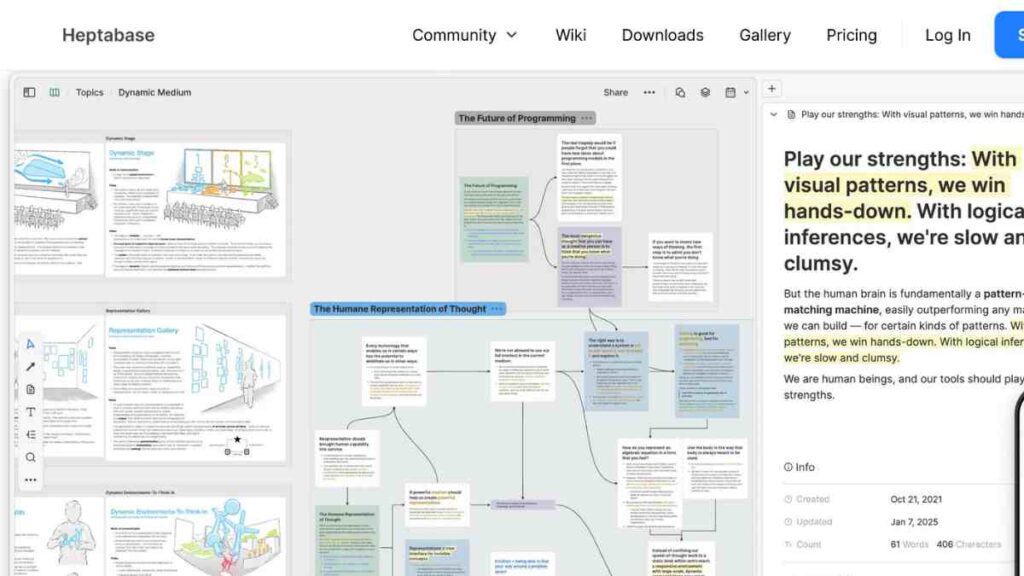
Heptabase is an advanced visual note-taking and knowledge management platform designed for deep thinkers, researchers, and entrepreneurs who prefer a visual, structured workspace.
Heptabase bridges the gap between note-taking, mind mapping, and project management, helping users visually connect ideas, plans, and research insights.
Unlike Obsidian’s text-centric interface, Heptabase organises thoughts on an infinite canvas where notes, cards, and connections coexist seamlessly. This makes it one of the most innovative Obsidian alternatives for those who want to explore ideas spatially and transform scattered thoughts into actionable knowledge.
Key Features
- Visual whiteboard interface for mapping ideas and projects.
- Linked cards and notes to connect concepts dynamically.
- Tagging and backlinking system for structured knowledge networks.
- Powerful search and filters for quick retrieval.
- PDF and media annotation directly within workspaces.
- Cloud syncing across devices for effortless access.
- Daily notes and timeline view for progress tracking.
- Cross-platform support (macOS, Windows, and Web).
Pricing
| Plan | Price |
|---|---|
| Free Trial | $0 |
| Monthly Plan | $11.99 |
| Yearly Plan | $8.99/month |
Pros
- Excellent visual and conceptual organisation for complex ideas.
- Combines note-taking, research, and project management in one tool.
- Clean, minimal interface with powerful linking and visualisation.
- Ideal for creatives, strategists, and deep thinkers.
Cons
- Cloud-only and lacks offline support.
- Still developing some collaboration and export features.
- Pricier than most other digital note-taking tools.
How It Compares to Obsidian
Heptabase and Obsidian both encourage linked-note thinking, but their workflows differ. Obsidian focuses on markdown text, local files, and plugin flexibility, while Heptabase takes a visual-first approach, allowing users to map ideas like sticky notes on a digital canvas.
Heptabase’s interface makes it easier to see relationships and structure big projects, whereas Obsidian excels in depth, extensibility, and offline control.
For visual learners and strategists who think spatially, Heptabase offers a more intuitive, interactive way to explore knowledge.

8. Tana

Tana is a next-generation linked-note and productivity platform that merges the flexibility of networked thinking with the structure of database organisation. Tana introduces a groundbreaking approach to note-taking where every note (or “node”) can act as both content and data, allowing users to link, filter, and query information dynamically.
Designed for knowledge workers, entrepreneurs, and researchers, Tana simplifies complex workflows by combining note-linking, task management, and AI-enhanced organisation in one intuitive space.
It is one of the most forward-thinking Obsidian alternatives, built for users who want intelligence and automation woven into their daily notes.
Standout features I discovered
- SuperTags system for customising and structuring data-rich notes.
- AI-assisted commands for automating repetitive actions and finding information.
- Dynamic linking and references across projects and notes.
- Powerful search and filters for quick knowledge retrieval.
- Workflows for task management, CRM, and project tracking.
- Keyboard-driven interface for speed and efficiency.
- Cloud syncing for seamless access on all devices.
- Graph view and table visualisations for structured insight.
Pricing
| Plan | Price |
|---|---|
| Free | $0 |
| Plus | $8 |
| Pro | $14 |
Pros
- Combines note-taking, task management, and databases in one interface.
- Extremely fast and keyboard-optimised for power users.
- Highly structured yet flexible for different workflows.
- AI tools add intelligence to the note-linking process.
Cons
- Steeper learning curve due to its unique system of SuperTags.
- Cloud-only, with no offline mode yet.
- It can feel complex for users who prefer simple note-taking tools.
How It Compares to Obsidian
Tana and Obsidian share the vision of networked thought, but Tana leans toward structured intelligence while Obsidian thrives on open-ended flexibility. Obsidian empowers users through Markdown and community plugins, ideal for private, self-managed systems.
Tana, by contrast, automates organisation using AI and database logic, perfect for users who want an intelligent assistant managing their notes and projects.
For data-driven entrepreneurs and productivity enthusiasts, Tana offers a modern, AI-powered evolution of what Obsidian started.
9. Capacities
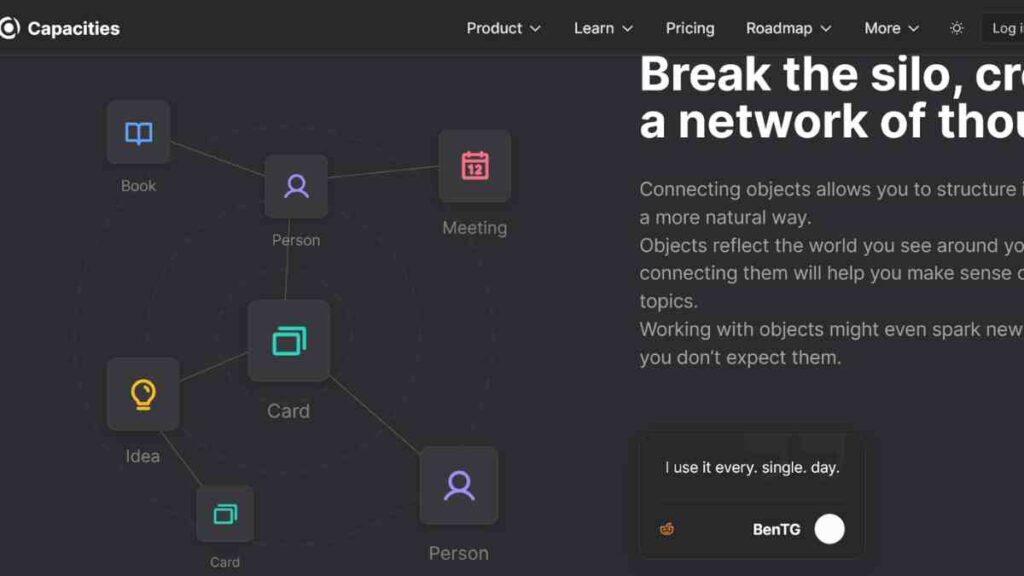
Capacities is a modern linked-note app designed for visual thinkers and creators who want to organise information contextually rather than hierarchically.
Capacities combines the best of Obsidian’s networked knowledge system with the intuitive structure of Notion-like object management. Instead of storing notes as isolated pages, Capacities treats everything from notes, images, tasks, and ideas as “objects” that can be categorised, tagged, and connected visually.
Its clean interface and AI-assisted organisation make it one of the most innovative Obsidian alternatives for entrepreneurs, writers, and designers seeking a balance between flexibility and creativity.
Standout features I discovered
- Object-based knowledge system for visual and contextual note-taking.
- Bi-directional linking and tag-based organisation.
- AI assistance for content generation and structure suggestions.
- Calendar and timeline views for managing ideas over time.
- Media embedding for visual and multimedia notes.
- Cloud syncing with privacy-focused infrastructure.
- Cross-platform support (Web, macOS, and Windows).
- Graph view and filters for knowledge exploration.
Pricing
| Plan | Price |
|---|---|
| Capacities Basic | $0 |
| Capacities Pro | $9.99 |
| Capacities Believer | $12.49 |
Pros
- Beautiful, visual-first interface for creative users.
- Flexible object-based structure instead of rigid folders.
- Great for researchers, writers, and entrepreneurs managing diverse projects.
- Seamless cloud sync and clean UX.
Cons
- Limited offline mode, still cloud-dependent.
- Smaller plugin ecosystem compared to Obsidian.
- Some advanced features are still evolving.
How It Compares to Obsidian
Capacities and Obsidian share a commitment to linked-note thinking, but Capacities offers a more visual and object-oriented experience.
While Obsidian gives users full control through Markdown and plugins, Capacities simplifies knowledge management by transforming notes into connected, visual elements.
For entrepreneurs and creatives who prefer intuitive, design-driven workspaces over complex setups, Capacities delivers a more elegant, visually engaging alternative to Obsidian’s text-heavy environment.
10. Anytype
Anytype is a privacy-first, open-source note-taking and personal knowledge management app that redefines how users store and link information.
Founded by Arianys Labs, Anytype operates as a local-first, peer-to-peer network, giving users total data ownership without relying on cloud servers. It functions like a hybrid of Obsidian and Notion, combining offline security with a visual, object-based workspace.
Each note in Anytype is an “object” that can be interlinked, tagged, and formatted with rich media — ideal for users who value data sovereignty, offline reliability, and linked-note thinking.
Key Features
- Local-first storage ensures full data ownership and privacy.
- Peer-to-peer syncing with end-to-end encryption.
- Object-based system similar to Capacities or Notion.
- Graph view for mapping relationships between objects.
- Offline-first operation, with optional cloud backup.
- Markdown compatibility for seamless export/import.
- Cross-platform support (Windows, macOS, Linux, Android, iOS).
- Custom templates and block-based editing.
Pricing
| Plan | Price |
|---|---|
| Free | $0 |
| Plus | $4 |
| Pro | $8 |
| Ultra | $16 |
Pros
- Completely private and offline-first. User data never leaves the device.
- Beautiful, minimal interface combining text and visuals.
- Supports collaboration through peer-to-peer networks.
- Cross-platform and open-source for full flexibility.
Cons
- Still in active development with occasional sync bugs.
- Smaller community and fewer integrations than Obsidian.
- Some features (like mobile syncing) are still improving.
How It Compares to Obsidian
Anytype and Obsidian both prioritise data privacy and local-first storage, but their user experiences diverge. Obsidian is plugin-driven and markdown-focused, appealing to users who want to customise every aspect of their workflow.
Anytype, however, introduces a block-based, object-oriented system that feels more visual and user-friendly while maintaining the same privacy standards.
For users seeking an open-source Obsidian alternative with built-in sync and visual linking, Anytype offers a secure, future-proof environment where ideas can flourish privately and beautifully.

How to Migrate from Obsidian to Another Linked-Note App
Moving away from Obsidian does not have to be messy. With a clear plan, you can preserve your Markdown files, backlinks, and structure while adapting to your new tool’s features.
Use this concise, step-by-step flow to keep everything intact.
1. Prepare and Organise Your Vault
Start by cleaning up your Obsidian vault. Remove outdated or duplicate notes, rename files with clear titles, and ensure your folder structure makes sense.
Consolidate attachments like images and PDFs into a single folder. This preparation helps avoid confusion or broken links when you import your notes into a new platform.
2. Export Markdown Files
Obsidian stores everything in Markdown format, so exporting is straightforward. Simply locate your vault folder on your computer and copy it to a new location.
If you use Obsidian plugins that add custom syntax, consider converting those notes to plain Markdown to maintain compatibility with your next app.
3. Import into Your New App
Open your chosen app, whether it is Notion, Tana, Capacities, RemNote, or Anytype, and look for an import option. Most modern note-linking platforms support Markdown imports.
Select your exported folder, upload it, and allow the app to index and link your files. Once complete, check that your backlinks and formatting appear correctly.
4. Rebuild Links and Verify Structure
After importing, open a few of your key notes and verify that the links between pages still work. If any links are broken, relink them manually or use the app’s search tool to reconnect them.
Confirm that your attachments display properly and your tags or metadata (like YAML front matter) have transferred correctly.
5. Optimise for Your New Workflow
Once your notes are in place, take time to adapt to your new tool. Create templates, apply the app’s tagging or database systems, and set up cloud sync or offline backups.
Spend a few days testing your new workspace before deleting your old vault, ensuring everything functions as intended.
The Future of Linked-Note Thinking
The rise of linked-note apps has redefined how entrepreneurs, creators, and knowledge workers organise ideas. The future of this space lies in AI-driven automation, contextual linking, and visual knowledge mapping, where notes evolve into intelligent systems that think with you.
As innovation accelerates, the next generation of personal knowledge management tools will focus on privacy, interoperability, and adaptive learning, helping users not just record information, but understand and act on it.
| Emerging Trend | Description | Impact on Users |
|---|---|---|
| AI-Powered Knowledge Linking | Notes will be automatically connected based on meaning, context, and user behaviour. | Reduces manual tagging and improves discovery of related ideas. |
| Visual and Spatial Workspaces | Interactive canvases and graph-based interfaces will replace traditional folders. | Enhances creativity and comprehension through visual organisation. |
| Collaborative Knowledge Graphs | Shared, real-time linking between users and teams. | Promotes collective intelligence and project alignment. |
| Privacy-First and Local-First Models | Offline-first and encrypted storage will become standard. | Empowers users with control over their data and intellectual property. |
| Cross-Platform Interoperability | Seamless migration and integration between note-taking systems. | Eliminates vendor lock-in and encourages open knowledge ecosystems. |
| Adaptive Learning Systems | Notes that adapt to user habits and recommend content or ideas. | Transforms note-taking into a personalised learning experience. |
Conclusion
Linked-note thinking has transformed how we capture, connect, and create ideas. While Obsidian remains a powerhouse for private, markdown-based note management, its many alternatives offer unique strengths, from AI-assisted organisation to visual workspaces and collaborative systems.
The best choice depends on your workflow, priorities, and creative style. Ultimately, the right tool is the one that helps you think better, work smarter, and bring your ideas to life effortlessly.
We want to see you succeed, and that’s why we provide valuable business resources to help you every step of the way.
- Join over 23,000 entrepreneurs by signing up for our newsletter and receiving valuable business insights.
- Register your business today with Entrepreneurs.ng’s Business Registration Services.
- Tell Your Brand Story on Entrepreneurs.ng, let’s showcase your brand to our global audience.
- Need help with your marketing strategy? Get a Comprehensive Marketing and Sales Plan here.
- Sign up for our Entrepreneurs Success Blueprint Programme to learn how to start and scale your business in just 30 days.
- Book our one-on-one consulting and speak to an expert about structuring and growing your business.
- Visit our shop for business plan templates and other valuable resources to guide you.
- Get our Employee-Employer Super Bundle NDA templates to legally protect your business and workforce.
- Advertise your business to over a million entrepreneurs through our different advertising packages.

Frequently Asked Questions (FAQs)
What are the best Obsidian alternatives for linked-note thinking?
Some of the best Obsidian alternatives include Notion, Tana, Capacities, Anytype, RemNote, and Heptabase. Each offers unique features.
Can I migrate all my notes from Obsidian to another app easily?
Yes. Most linked-note tools support Markdown import, allowing you to move your Obsidian vault with minimal effort. However, you may need to reformat backlinks or tags depending on the new platform’s syntax and structure.
Which Obsidian alternative is best for teams?
Notion and Tana are ideal for team collaboration. Notion’s cloud-based workspaces support real-time editing, while Tana’s structured data and shared nodes allow for more dynamic, knowledge-driven teamwork.
Is there a free open-source alternative to Obsidian?
Yes. Anytype is an excellent free, open-source Obsidian alternative. It prioritises data privacy, local storage, and customisation, making it perfect for users who prefer full control over their information.
Do Obsidian alternatives offer cloud sync?
Many do. Apps like Notion, Mem, Capacities, and Tana provide seamless cloud syncing across devices, while Obsidian Sync and Anytype’s peer-to-peer model cater to users who value privacy-first solutions.
Which Obsidian alternative is best for visual thinkers?
Scrintal, Capacities, and Heptabase are standout choices for visual thinkers. They allow users to see connections between ideas through whiteboards, cards, and graph views, offering a more interactive way to organise thoughts.
Is Obsidian still worth using?
Absolutely. Obsidian continues to evolve with regular updates, a vast plugin library, and strong community support. However, exploring alternatives can help users find tools that better match their changing needs, especially if they want built-in collaboration, AI assistance, or visual note mapping.



