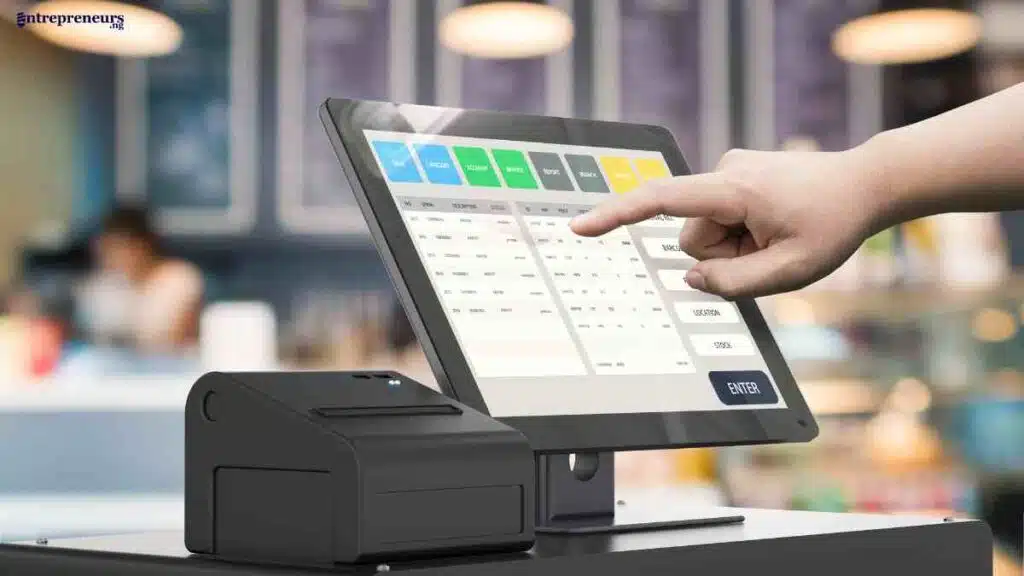
A point-of-sale report is more than a record of daily sales; it is a powerful tool for understanding how your business actually performs.
According to McKinsey & Company, data-driven businesses are 23 times more likely to acquire customers and 19 times more likely to be profitable, showing how critical POS data analytics has become in modern decision-making.
Whether reviewing a POS inventory report, using advanced POS tools, or learning how to boost sales, these insights help you cut waste, improve operations, and grow consistently.
Key Takeaways
- POS reports turn daily transactions into actionable insights for smarter business decisions.
- Analysing POS data helps increase sales, reduce costs, and optimise inventory.
- Understanding key metrics reveals customer behaviour and product performance trends.
- Consistent use of POS reporting tools drives long-term growth and operational efficiency.

What Is a Point-of-Sale Report?
A point-of-sale report is a detailed summary generated by your POS system that captures all sales transactions and business activities over a specific period.
It goes beyond recording what was sold by providing insights into revenue, inventory movement, customer behaviour, and staff performance.
In simple terms, a POS report turns raw sales data into meaningful information. With proper POS report analysis, businesses can track trends, understand what drives sales, and identify areas that need improvement.
Instead of relying on assumptions, entrepreneurs can use these reports to make informed, data-driven decisions that improve efficiency and profitability.
How Does a Point-of-Sale Report Work?
A point-of-sale report works by collecting, organising, and transforming transaction data into structured insights that business owners can easily interpret.
Every time a sale happens, the POS system captures multiple data points and processes them into reports that reveal patterns, trends, and performance metrics.
Step 1: Capturing Transaction Data in Real Time
Whenever a customer makes a purchase, the POS system records key details such as the product sold, price, quantity, payment method, time of sale, and even the staff member handling the transaction.
This happens instantly, ensuring that the data is always up to date and accurate.
Step 2: Storing and Organising Data Centrally
After capturing the data, the system stores it in a central database, often in the cloud. This allows business owners to access their information anytime and from anywhere.
The system automatically categorises the data into segments like sales, inventory, and customer activity, making it easier to analyse later.
Step 3: Processing Data into Structured Reports
The POS software then processes the stored data into organised reports.
It groups transactions into meaningful formats such as daily sales summaries, product performance reports, and inventory updates.
This step is where raw numbers begin to take shape as useful business insights.
Step 4: Analysing Key Metrics and Trends
Once the reports are generated, the system highlights key metrics such as total revenue, best-selling products, peak sales periods, and stock levels.
Through proper POS report analysis, business owners can identify patterns, compare performance over time, and detect both opportunities and problems early.
Step 5: Presenting Insights Through Dashboards
Finally, the POS system presents the analysed data through dashboards, charts, or visual summaries.
These visuals make it easier to understand complex data at a glance, helping business owners quickly interpret results and decide on the next course of action.
In essence, POS reports work by turning everyday transactions into clear, actionable insights that guide smarter and more confident business decisions.
Types of Point-of-Sale Reports Every Business Should Use
To get real value from a point-of-sale report, you need to understand the different types available and what each one reveals about your business.
Each report serves a specific purpose, from tracking sales performance to managing inventory and understanding customer behaviour.
When used together, they form a complete picture that supports smarter, data-driven decisions.
Before diving into each report in detail, here is a quick overview:
| POS Report Type | What It Shows | Importance |
|---|---|---|
| Sales Report | Total sales, revenue, transactions | Tracks overall business performance |
| Inventory Report | Stock levels, movement, low stock items | Prevents stockouts and overstocking |
| Product Performance Report | Best and worst-selling items | Helps optimise product offerings |
| Customer Report | Buying patterns, frequency, preferences | Improves marketing and retention strategies |
| Employee Performance Report | Staff sales and productivity | Enhances staff management and training |
| Financial Report | Profit margins, costs, discounts | Supports financial planning and control |
| Advanced Reports | Trends, peak hours, basket analysis | Unlocks deeper business insights |
Sales Reports
Sales reports are the foundation of any POS system. They show total revenue, number of transactions, and sales trends over a specific period.
By reviewing these reports regularly, business owners can identify peak sales periods, track growth, and evaluate overall performance.
This is often the first step in effective POS report analysis.
Inventory Reports
A POS inventory report tracks stock levels, product movement, and items that are running low or not selling.
This report helps businesses maintain the right balance between supply and demand. It reduces waste, prevents stockouts, and ensures that capital is not tied up in unsold products.
Product Performance Reports
These reports highlight which products are performing well and which are underperforming.
By analysing this data, businesses can focus on promoting high-performing items while reconsidering or replacing slow-moving products.
This is a key part of learning how to use POS reports to increase sales.
Customer Reports
Customer reports provide insights into buying behaviour, purchase frequency, and preferences.
They help businesses understand who their customers are and what they value.
With this information, you can create targeted marketing strategies and improve customer retention.
Employee Performance Reports
Employee reports track individual staff performance, including sales contributions and transaction handling.
This helps business owners identify top performers, address gaps in productivity, and make informed decisions about training or incentives.
Financial Reports
Financial reports go beyond revenue to show profit margins, discounts, refunds, and expenses.
These insights are crucial for understanding the true financial health of your business and making strategic budgeting decisions.
Advanced POS Reports
Advanced reports provide deeper insights, such as peak sales hours, customer purchase combinations, and long-term trends.
These reports are essential for businesses that want to move beyond basic reporting and fully leverage POS data analytics for growth.
Understanding these different types of POS reports is the first step. The real impact comes from knowing how to interpret and apply them, which is what we will explore next.
See Also: Retail Innovation – Trends, Tools, and Strategies Every Business Needs Now

How to Read and Understand POS Reports
Understanding a point-of-sale report is not about looking at numbers; it is about interpreting what those numbers are telling you about your business.
Many entrepreneurs generate reports daily but fail to extract meaningful insights from them.
The real value lies in knowing how to read POS reports and turning that knowledge into action.
1. Start with the Right Metrics
The first step in effective POS report analysis is focusing on the metrics that actually matter. While your report may contain dozens of figures, not all of them are equally important.
Key metrics such as total revenue, profit margins, number of transactions, and average order value give you a clear picture of performance.
By concentrating on these indicators, you avoid getting overwhelmed and instead focus on what drives growth.
Key Metrics to Focus On
When reviewing a point-of-sale report, the goal is not to analyse everything but to focus on the metrics that directly impact your business performance.
These key indicators help you understand sales efficiency, customer behaviour, and profitability, making it easier to take meaningful action.
| Metric | What It Means | Importance |
|---|---|---|
| Total Revenue | Total sales generated over a period | Shows overall business performance |
| Gross Profit Margin | Profit after cost of goods sold | Indicates how much you actually earn |
| Number of Transactions | Total completed sales | Reflects customer activity and demand |
| Average Order Value (AOV) | Average amount spent per transaction | Helps identify upselling opportunities |
| Sales by Product | Performance of individual products | Identifies best and worst sellers |
| Inventory Turnover | How quickly stock is sold and replaced | Measures inventory efficiency |
| Discount & Refund Rate | Value of discounts and returned items | Highlights revenue leakage |
| Peak Sales Periods | Times with highest sales activity | Helps optimise staffing and operations |
| Customer Frequency | How often customers make purchases | Indicates loyalty and retention levels |
Focusing on these metrics allows you to move beyond surface-level reporting and start using POS data to drive smarter, more profitable decisions.
2. Understand the Difference Between Revenue and Profit
One of the most common mistakes when learning how to analyse POS data is confusing revenue with profit.
Revenue shows how much money is coming in, but profit reveals how much you are actually keeping after costs. A product may sell frequently, but if the margin is low, it may not contribute meaningfully to your bottom line.
Reading POS reports with this distinction in mind helps you make smarter pricing and inventory decisions.
3. Look for Patterns, Not Just Numbers
Numbers on their own mean very little without context. The real insight comes from identifying patterns over time.
For example, consistent spikes in sales during certain hours or days indicate peak periods. Similarly, repeated declines in specific products may signal changing customer preferences.
Through POS data analytics, patterns help you predict future behaviour and prepare accordingly.
4. Compare Performance Across Time Periods
To truly understand your business performance, you need to compare data across different time frames.
Daily reports show short-term activity, while weekly and monthly reports reveal broader trends. By comparing these periods, you can identify growth, stagnation, or decline.
This approach is essential when using POS data for business decisions because it prevents you from reacting to temporary fluctuations.
5. Analyse Product-Level Performance
A deeper look into your POS reports should focus on individual products. This involves identifying your best-selling, most profitable, and slow-moving items.
A product that sells quickly but has low margins may require price adjustments, while a slow-moving product may need promotion or discontinuation.
This level of analysis is critical for improving both sales and inventory management.
6. Pay Attention to Customer Behaviour
POS reports also provide valuable insights into customer habits.
By reviewing purchase frequency, average spend, and product combinations, you can better understand what your customers want.
This knowledge allows you to tailor your offerings, improve marketing efforts, and enhance customer experience.
7. Avoid Common Misinterpretations
Finally, it is important to avoid jumping to conclusions based on limited data. A sudden increase or drop in sales may be influenced by external factors such as promotions, seasonality, or market trends.
Without proper context, misinterpretation can lead to poor decisions. Always analyse POS data with a broader perspective to ensure accuracy.
Common Misinterpretations
Recognising these common mistakes helps you use POS data more accurately and confidently.
| Misinterpretation | What It Looks Like | Why It is a Problem |
|---|---|---|
| High Sales = High Profit | Focusing only on revenue numbers | Ignores costs, discounts, and actual profitability |
| One Spike = Growing Demand | Assuming a sudden sales increase is a trend | Leads to overstocking or poor planning |
| Low Sales = Bad Product | Dismissing products too quickly | May overlook seasonal demand or poor placement |
| More Transactions = Better Performance | Judging success by number of sales only | Ignores average order value and profit margins |
| Discounts Drive Growth | Relying heavily on promotions | Can reduce margins and create unsustainable demand |
| Data Without Context | Analysing numbers without external factors | Leads to inaccurate conclusions |
| Reports Without Action | Reviewing reports but making no changes | Wastes valuable insights and limits business growth |
Understanding these common misinterpretations ensures that your POS report analysis remains accurate, strategic, and focused on real business improvement rather than misleading signals.
Identifying Trends vs One-Time Events
One of the most important skills in POS report analysis is knowing the difference between a genuine trend and a one-time occurrence.
Misreading this can lead to poor decisions that either overreact to temporary changes or ignore long-term opportunities.
Understanding Trends Over Time
Trends are consistent patterns that appear repeatedly over a period.
For example, if your point-of-sale report shows that sales increase every weekend or a specific product performs well month after month, that is a trend.
These patterns are reliable indicators of customer behaviour and can guide decisions such as stocking more inventory, adjusting pricing, or extending business hours.
Recognising One-Time Events
On the other hand, one-time events are temporary spikes or drops caused by specific circumstances.
This could be a sudden increase in sales due to a promotion, holiday, or external factor like weather or a local event.
While these moments can be beneficial, they do not necessarily reflect long-term performance.
Using Time Comparisons for Clarity
To accurately distinguish between trends and one-time events, compare data across different time periods.
Look at daily, weekly, and monthly reports together. If a pattern repeats consistently, it is likely a trend. If it appears only once, it is probably situational.
Understanding this difference helps you avoid making reactive decisions. Instead of increasing stock based on a single busy day, you make informed choices based on consistent demand.
How to Use POS Reports to Make Business Decisions in 10 Steps
Having access to a point-of-sale report is only the first step. The real advantage comes from knowing how to turn that data into clear, actionable decisions that improve performance.
By following a structured approach, you can move from simply reviewing numbers to confidently using POS data for business decisions that drive growth, efficiency, and profitability.
Step 1: Define Clear Business Goals Before Analysing POS Reports
Before diving into any point-of-sale report, you need to be clear about what you are trying to achieve.
Without a defined goal, even the most detailed POS report analysis can become overwhelming and unfocused. Data only becomes useful when it is tied to a specific business objective.
Start by asking simple but critical questions. Are you trying to increase sales, reduce costs, improve inventory turnover, or understand customer behaviour?
Your answers will determine which parts of the report you should focus on and how to interpret the data.
| Business Goal | POS Data to Focus On | Decision You Can Make |
|---|---|---|
| Increase Sales | Sales reports, product performance | Promote best-selling products |
| Reduce Costs | Inventory reports, waste data | Cut slow-moving or excess stock |
| Improve Customer Loyalty | Customer reports, purchase frequency | Create targeted offers and retention plans |
| Boost Profit Margins | Profit reports, discount analysis | Adjust pricing or reduce unnecessary discounts |
By setting clear goals first, you give direction to your analysis.
This makes it easier to extract meaningful insights and take actions that directly improve your business outcomes.
Step 2: Focus on the Right Reports for Your Objective
Once you have defined your goal, the next step is to select the specific reports that align with it.
A point-of-sale report system generates multiple reports, but not all of them are relevant to every decision. Trying to analyse everything at once can lead to confusion and poor judgement.
Instead, narrow your focus to the reports that directly support your objective. This is a key part of effective POS report analysis because it ensures your attention is on the data that truly matters.
For instance, if your goal is to improve stock management, your POS inventory report should be your primary focus.
| Objective | Most Relevant POS Reports | What to Look For |
|---|---|---|
| Increase Sales | Sales report, product performance | Best-selling items, peak sales periods |
| Manage Inventory | Inventory report | Low stock items, slow-moving products |
| Understand Customers | Customer report | Purchase frequency, buying patterns |
| Improve Staff Performance | Employee performance report | Sales per staff, productivity levels |
By matching your goal with the right reports, you simplify your analysis and make it easier to extract insights.
This targeted approach helps you avoid unnecessary data overload and ensures that every decision you make is backed by relevant information.
Step 3: Identify Patterns and Trends in Your Data
After selecting the right reports, the next step is to look beyond individual numbers and focus on patterns.
This is where POS data analytics becomes truly valuable. Instead of asking, “What happened today?”, you should be asking, “What keeps happening over time?”
A single point-of-sale report may show you daily performance, but meaningful insights come from analysing data across multiple periods.
By doing this, you begin to spot trends such as consistent increases in sales, seasonal demand shifts, or declining product performance.
| Pattern Identified | What It Means | Action You Can Take |
|---|---|---|
| Consistent increase in sales | Growing demand | Increase stock and marketing efforts |
| Repeated low product sales | Weak product performance | Discount, bundle, or discontinue the item |
| Peak sales at certain hours | High customer traffic periods | Adjust staffing and operations |
| Seasonal spikes | Demand tied to specific times of year | Prepare inventory and campaigns in advance |
By focusing on trends rather than isolated data points, you avoid reactive decisions and build a more strategic approach to growth.
This step is essential if you want to fully understand how to analyse POS data and use it effectively for long-term success.
Step 4: Analyse Product Performance to Drive Sales
At this stage, your focus should shift to understanding how individual products contribute to your overall performance.
A point-of-sale report is particularly powerful when it breaks down sales at the product level, helping you see exactly what is working and what is not.
Through proper POS report analysis, you can identify your best-selling items, most profitable products, and those that are underperforming.
These insights are essential if you want to learn how to use POS reports to increase sales practically and measurably.
| Product Insight | What It Reveals | Action You Can Take |
|---|---|---|
| Best-selling products | High customer demand | Promote more and ensure consistent stock |
| High-margin products | Strong profitability | Highlight in marketing and upsell |
| Slow-moving products | Low demand or poor visibility | Discount, bundle, or discontinue |
| Frequently returned items | Possible quality or expectation issues | Review product quality or descriptions |
By analysing product performance, you gain clarity on where your revenue is really coming from.
This allows you to make smarter decisions about pricing, promotions, and inventory, ensuring that your efforts are focused on the products that drive the most value for your business.
Step 5: Optimise Inventory Based on POS Data
Inventory is one of the biggest cost centres in any business, and a point-of-sale report gives you the clarity needed to manage it effectively.
By analysing your POS inventory report, you can ensure that you always have the right products in the right quantity at the right time.
This step is crucial because poor inventory decisions can tie up cash in unsold stock or lead to missed sales due to stockouts.
Through proper POS report analysis, you can track how fast products move, identify items that sit too long on shelves, and adjust your purchasing strategy accordingly.
| Inventory Insight | What It Means | Action You Can Take |
|---|---|---|
| Fast-moving products | High demand and quick turnover | Reorder frequently to avoid stockouts |
| Slow-moving inventory | Low demand or overstocking | Reduce orders or run promotions |
| Frequent stockouts | Demand exceeding supply | Increase reorder levels |
| Excess inventory | Capital tied up in unsold goods | Bundle, discount, or clear stock |
By using POS data to guide inventory decisions, you create a more efficient system that supports both sales growth and cost control.
This is a key part of using POS data for business decisions that drive long-term profitability.

Step 6: Understand Customer Behaviour and Buying Patterns
Beyond sales and inventory, a point-of-sale report provides valuable insight into how your customers behave.
This is where POS data analytics becomes a powerful tool for improving marketing, increasing retention, and boosting overall revenue.
By analysing customer-related data, you can identify how often people buy, what they prefer, and how much they typically spend.
This helps you move from generic selling to more targeted, personalised strategies. When you understand your customers better, you can serve them better.
| Customer Insight | What It Reveals | Action You Can Take |
|---|---|---|
| High purchase frequency | Loyal and repeat customers | Introduce loyalty or reward programmes |
| Low repeat purchases | Weak retention | Improve customer experience or follow-ups |
| Common product combinations | Products often bought together | Create bundles or upsell offers |
| High average spend | Premium or high-value customers | Offer personalised deals or VIP incentives |
By understanding customer behaviour through POS reports, you can build stronger relationships, increase repeat sales, and create a more customer-focused business strategy.
Step 7: Evaluate Pricing and Discount Strategies
Pricing plays a direct role in profitability, and a point-of-sale report gives you the data needed to assess whether your pricing strategy is working.
Many businesses focus on increasing sales volume without realising that poor pricing or excessive discounts can quietly reduce profit.
Through proper POS report analysis, you can review how pricing affects both sales and margins.
This includes tracking how often discounts are applied, which products are frequently discounted, and whether those discounts actually lead to higher overall revenue.
| Pricing Insight | What It Reveals | Action You Can Take |
|---|---|---|
| High discount frequency | Over-reliance on price reductions | Review pricing strategy or product value |
| Strong sales without discounts | Product has high perceived value | Consider slight price increase |
| Low sales at current price | Pricing may be too high | Test lower pricing or promotional offers |
| Reduced margins | Costs or discounts eating into profit | Adjust pricing or control discounting |
By evaluating pricing and discount patterns, you gain better control over your margins.
This step ensures that you are not just driving sales, but building a sustainable and profitable business.
Step 8: Monitor Staff Performance and Productivity
Your team plays a critical role in driving sales and delivering customer experience, and a point-of-sale report allows you to measure their performance objectively.
Instead of relying on assumptions, you can use data to understand how each staff member contributes to the business.
Through POS report analysis, you can track metrics such as sales per employee, number of transactions handled, and average order value.
These insights help you identify top performers, spot gaps in productivity, and make informed decisions about training, incentives, or scheduling.
| Staff Insight | What It Reveals | Action You Can Take |
|---|---|---|
| High sales per employee | Strong selling skills | Reward and replicate best practices |
| Low transaction volume | Reduced productivity | Provide training or adjust responsibilities |
| High average order value | Effective upselling | Encourage similar techniques across team |
| Performance gaps | Inconsistent staff output | Implement performance reviews and coaching |
By monitoring staff performance through POS data, you can build a more efficient and motivated team.
This ensures that your workforce is aligned with your business goals and contributes actively to growth.
Step 9: Use POS Reports to Improve Operational Efficiency
Beyond sales and marketing, a point-of-sale report is a powerful tool for improving how your business runs on a daily basis.
When you analyse your data properly, you can identify inefficiencies in operations and make adjustments that save time, reduce costs, and improve overall performance.
Through consistent POS report analysis, you can uncover insights such as peak business hours, slow periods, and workflow bottlenecks.
These details help you allocate resources more effectively, ensuring that your business runs smoothly without unnecessary strain or waste.
| Operational Insight | What It Reveals | Action You Can Take |
|---|---|---|
| Peak sales periods | High customer traffic times | Schedule more staff for efficiency |
| Slow business hours | Low activity periods | Reduce staffing or run promotions |
| Long transaction times | Possible process inefficiencies | Improve workflow or staff training |
| Frequent order delays | Operational bottlenecks | Streamline processes or adjust systems |
By using POS data to refine your operations, you create a more efficient business environment.
This ensures that resources are used wisely while maintaining a high level of service and productivity.
Step 10: Turn Insights into Action and Continuously Optimise
The final and most important step in using a point-of-sale report is taking action. Data on its own does not improve your business; what matters is how you apply the insights you gain.
This is where many businesses fall short. They review reports but fail to implement changes.
After completing your POS report analysis, you should translate insights into clear, practical actions. If sales data shows a top-performing product, increase its visibility or stock.
If inventory reports reveal slow-moving items, run promotions or reduce future orders. Every insight should lead to a decision.
However, this process does not end with a single action. Business environments are constantly changing, so you need to review your reports regularly and adjust your strategies accordingly.
| Insight Identified | Action to Take | Expected Outcome |
|---|---|---|
| Best-selling product | Increase stock and marketing | Higher sales and revenue |
| Slow-moving inventory | Discount or bundle products | Improved inventory turnover |
| Peak sales periods | Adjust staffing and operations | Better customer experience |
| Low profit margins | Review pricing or reduce costs | Increased profitability |
By consistently acting on your POS insights, you turn your reports into a growth engine.
Over time, this approach helps you build a smarter, more agile business that responds quickly to opportunities and challenges.
Using POS Reports for Strategic Business Growth
A point-of-sale report is not just a tool for tracking daily operations; it is a powerful asset for long-term business growth.
When used strategically, POS reports help you move beyond short-term fixes and make decisions that shape the future of your business.
This is where POS data analytics becomes a competitive advantage.
Driving Smarter Expansion Decisions
Before expanding your business, whether by opening a new location or adding new product lines, you need reliable data.
POS reports show which products perform best, which locations generate the most revenue, and where demand is strongest.
By analysing these insights, you reduce risk and make expansion decisions based on proven performance rather than assumptions.
Optimising Product and Service Offerings
Over time, customer preferences change. A consistent review of your POS data helps you stay ahead of these shifts.
By identifying trends in product performance, you can refine your offerings, introduce new products that align with demand, and remove those that no longer contribute to growth.
This ensures your business remains relevant and competitive.
Planning for Seasonal and Market Trends
Every business experiences fluctuations influenced by seasons, holidays, or market conditions. A point-of-sale report allows you to anticipate these changes by analysing historical data.
When you understand these patterns, you can prepare in advance by adjusting inventory, staffing, and marketing strategies.
This proactive approach helps you maximise opportunities during peak periods and manage slow seasons effectively.
Improving Financial Forecasting
Accurate forecasting is essential for sustainable growth. By studying past sales trends, revenue patterns, and cost data, POS reports enable you to predict future performance more reliably.
This helps you plan budgets, allocate resources, and set realistic targets. Instead of reacting to financial challenges, you can prepare for them in advance.
Strengthening Competitive Advantage
Businesses that use data effectively often outperform those that rely on intuition.
By consistently applying insights from your POS reports, you can make faster, more informed decisions than your competitors.
Whether it is adjusting pricing, launching promotions, or improving operations, data-driven strategies give you a clear edge in the market.
In essence, using POS reports for strategic growth means shifting your mindset from managing the present to planning the future.
When you treat your POS system as a decision-making engine, you position your business for sustained success and long-term profitability.

How to Build a POS Reporting Routine Step-by-Step
To fully benefit from a point-of-sale report, consistency is key. Analysing your data once in a while is not enough.
You need a structured routine that ensures you regularly review, interpret, and act on your POS data.
This is how you turn POS report analysis into a habit that continuously improves your business performance.
Step 1: Review Daily Sales Performance
Start by checking your daily sales reports at the end of each business day. Focus on total revenue, number of transactions, and top-selling products.
This helps you quickly spot any unusual activity and stay in control of your day-to-day performance.
Step 2: Monitor Inventory Levels Regularly
Make it a habit to review your POS inventory report every few days or at least weekly.
This ensures you are aware of low stock items, fast-moving products, and slow-moving inventory. Regular checks prevent stockouts and reduce unnecessary overstocking.
Step 3: Analyse Weekly Trends
At the end of each week, take a step back and look at broader patterns.
Compare daily reports to identify trends such as peak sales days or recurring slow periods. This is where POS data analytics starts to reveal meaningful insights.
Step 4: Evaluate Product Performance Monthly
Once a month, conduct a deeper review of product-level data. Identify your best-performing and underperforming items.
Use this insight to adjust pricing, promotions, or product offerings to improve overall sales and profitability.
Step 5: Review Customer Behaviour Insights
Regularly analyse customer reports to understand buying habits, frequency, and preferences.
This helps you refine your marketing strategies and improve customer retention over time.
Step 6: Assess Staff Performance Periodically
Review employee performance reports monthly or quarterly. Look at sales contributions, productivity levels, and consistency.
Use this data to reward top performers and provide training where needed.
Step 7: Conduct Monthly Financial Reviews
Go beyond sales and analyse profit margins, discounts, and expenses. This ensures that your business is not just generating revenue but also maintaining healthy profitability.
Step 8: Set Action Points from Each Review
After every review, identify clear actions based on your findings. Whether it is restocking products, adjusting pricing, or improving operations, each insight should lead to a decision.
Step 9: Track Results and Adjust Strategies
Monitor the impact of the changes you implement. Compare new reports with previous data to see what is working and what needs improvement.
This step ensures continuous learning and optimisation.
Step 10: Make POS Reporting a Business Habit
Finally, integrate POS reporting into your regular workflow. Treat it as an essential part of running your business, not an optional task. The more consistent you are, the more value you will extract from your data.
By building a structured POS reporting routine, you create a system that supports ongoing growth, better decision-making, and long-term success.
Best POS Systems with Powerful Reporting Features
Choosing the right system is essential if you want to get the most out of your point-of-sale report.
Not all POS platforms offer the same level of reporting and analytics. Some provide basic sales summaries, while others deliver advanced POS data analytics that support deeper insights and smarter decision-making.
Below is a quick comparison of some of the best POS systems known for strong reporting capabilities:
| POS System | Best For | Key Reporting Features | Why It Stands Out |
|---|---|---|---|
| Square POS | Small businesses | Real-time sales reports, inventory tracking, staff reports | Easy to use with strong built-in analytics |
| Shopify POS | Retail & e-commerce | Multi-channel sales reports, customer insights | Seamless online and offline integration |
| Lightspeed POS | Retail & hospitality | Advanced inventory reports, product performance analytics | Deep insights for scaling businesses |
| Vend (Lightspeed Retail) | Retail stores | Detailed sales reports, customer data, inventory tracking | Strong retail-focused reporting tools |
| Toast POS | Restaurants & cafés | Menu performance, peak hour analysis, staff tracking | Tailored reporting for food businesses |
When selecting a POS system, focus on how well its reporting features align with your business needs. The right tool should not only generate reports but also make it easy to understand and act on the data.
This is what ultimately enables you to use POS data for business decisions that drive growth and efficiency.
The Future of POS Reporting and Data Analytics
The role of the point-of-sale report is rapidly evolving from basic transaction tracking to advanced decision-making intelligence.
As technology continues to improve, businesses are gaining access to smarter tools that not only analyse past performance but also predict future outcomes.
This shift is redefining how entrepreneurs use POS data analytics to stay competitive.
| Future Trend | What It Means | Business Impact |
|---|---|---|
| AI-Powered Insights | Automated analysis and recommendations | Faster, smarter decision-making |
| Predictive Analytics | Forecasting future sales and demand | Better planning and reduced uncertainty |
| Real-Time Data Processing | Instant updates across all sales channels | Quick response to business changes |
| Integrated Business Systems | POS linked with CRM, accounting, and inventory | Seamless operations and unified data |
| Personalised Customer Insights | Deeper understanding of customer behaviour | More targeted marketing and higher retention |
As these innovations become more accessible, businesses that embrace them will gain a significant advantage.
Instead of reacting to past performance, they will anticipate trends, optimise operations in real time, and make proactive decisions that drive sustained growth.
Conclusion
A point-of-sale report is more than a record of transactions; it is a powerful tool for making smarter business decisions.
When you understand how to analyse and apply your POS data, you gain clarity on what is working, what is not, and where opportunities lie.
We want to see you succeed, and that’s why we provide valuable business resources to help you every step of the way.
- Join over 23,000 entrepreneurs by signing up for our newsletter and receiving valuable business insights.
- Register your business today with Entrepreneurs.ng’s Business Registration Services.
- Tell Your Brand Story on Entrepreneurs.ng, let’s showcase your brand to our global audience.
- Need help with your marketing strategy? Get a Comprehensive Marketing and Sales Plan here.
- Sign up for our Entrepreneurs Success Blueprint Programme to learn how to start and scale your business in just 30 days.
- Book our one-on-one consulting and speak to an expert about structuring and growing your business.
- Visit our shop for business plan templates and other valuable resources to guide you.
- Get our Employee-Employer Super Bundle NDA templates to legally protect your business and workforce.
- Advertise your business to over a million entrepreneurs through our different advertising packages.

Frequently Asked Questions (FAQs)
What is a point-of-sale report?
A point-of-sale report is a summary of all sales transactions and business activities recorded by your POS system over a specific period.
Why are POS reports important for businesses?
They provide insights into sales, inventory, and customer behaviour, helping businesses make informed decisions.
How often should I review my POS reports?
You should review them daily for operations, weekly for trends, and monthly for strategic decisions.
What is included in a POS sales report?
It typically includes total revenue, number of transactions, top-selling products, and sales trends.
How can POS reports help increase sales?
They help identify best-selling products, peak sales times, and customer preferences, allowing you to optimise strategies.
What is a POS inventory report?
It tracks stock levels, product movement, and items that are running low or overstocked.
How do I analyse POS data effectively?
Focus on key metrics, compare trends over time, and align insights with your business goals.
What are the most important POS metrics to track?
Key metrics include revenue, profit margins, average order value, inventory turnover, and customer frequency.
Can POS reports improve customer retention?
Yes, by understanding buying patterns, you can create targeted offers and improve customer experience.
What is the difference between revenue and profit in POS reports?
Revenue is total sales, while profit is what remains after deducting costs and expenses.
How do POS reports help with inventory management?
They show which products sell quickly and which do not, helping you maintain optimal stock levels.
What are POS reporting tools?
These are features within POS systems that generate and display reports for analysis and decision-making.
Can small businesses benefit from POS reports?
Absolutely. POS reports help small businesses make smarter decisions and compete more effectively.
What are common mistakes when using POS reports?
Common mistakes include ignoring trends, focusing only on revenue, and failing to act on insights.
How do POS reports support business growth?
They provide data-driven insights that help optimise operations, improve sales, and guide long-term strategy.