I have spent months testing different Otter AI alternatives after realising that Otter, while impressive, is not perfect. It is great for quick transcriptions, but the free plan runs out fast, and accuracy drops when multiple speakers overlap.
That got me wondering, could there be smarter, more affordable tools for entrepreneurs who rely on AI meeting assistants to stay productive? Turns out, there are. The global speech and voice recognition market is projected to reach 24.02 billion by 2032, according to Fortune Business Insights.
That kind of growth tells me people everywhere are ditching manual note-taking for AI transcription tools and voice-to-text software that can keep up with real-world conversations. In this guide, I will share the best Otter AI competitors I have tried, breaking down their features, pricing, and performance to help you find the right fit for your workflow.
Key Takeaways
- I found that the best Otter AI alternatives like Fireflies.ai and Notta.ai. offer more value, accuracy, and flexibility for entrepreneurs and teams.
- Free does not always mean limited. Tools like Fathom.video, and Krisp.ai deliver impressive AI transcription power without breaking the bank.
- Choosing the right AI meeting assistant depends on your workflow.
- AI note-taking is evolving fast, and staying ahead means picking tools that automate summaries, enhance clarity, and respect data privacy.

What I Look for When Choosing the Right Otter AI Alternative

When I started testing different Otter AI alternatives, I quickly realised that the best tool is not always the one with the flashiest features but the one that fits your workflow like a glove.
Some platforms wowed me with their AI summaries; others nailed accuracy or integrations. Over time, I developed a simple checklist I now use to compare every AI meeting assistant or transcription tool I review.
Here is a breakdown of the key things I look for and why they are important if you are thinking of switching from Otter AI.
| Feature | Importance | What I Learned Testing Alternatives |
|---|---|---|
| Transcription Accuracy | The whole point of an AI note-taker is getting words right, especially when multiple speakers talk. | Fireflies.ai and Notta.ai impressed me the most, maintaining over 90% accuracy even in long meetings. |
| Integration with Tools | Smooth syncing with Zoom, Google Meet, Slack, or CRMs saves time. | Fathom.video integrates perfectly with Zoom, while Supernormal.ai handles cross-platform meetings effortlessly. |
| Language Support | If you work with global teams, multilingual transcription is a must. | Notta.ai is far ahead here, offering support for 50+ languages without losing accuracy. |
| AI Summaries and Highlights | Automatic meeting summaries and action points help you focus on decisions, not details. | Tools like Fireflies.ai and Grain.com stand out for generating insightful, shareable summaries. |
| Collaboration and Sharing | Team-based access helps everyone review, tag, and annotate notes together. | Fireflies.ai’s shared workspace and Grain’s highlight clips made collaboration effortless. |
| Pricing and Value | You do not need to overspend for quality; pricing should match usage and scale. | Fathom.video offers solid free options; Notta.ai and Krisp.ai provide affordable paid tiers. |
| Privacy and Security | Your recordings often contain sensitive data, so it is crucial to know how it is handled. | I prioritise tools that offer encryption and GDPR compliance; Krisp.ai and Supernormal.ai tick those boxes. |
See Also: I Tested 10 Pictory AI Alternatives For AI Video Content Creation, Here Is What I Found
My Comparison of the Best Otter AI Alternatives
After trying out several Otter AI alternatives, I quickly learned that no two tools are the same. Some excel at real-time transcription, others at smart summaries or seamless integrations.
In this section, I will share my experience testing top Otter AI competitors like Fireflies.ai, Notta.ai, Fathom.video, Krisp.ai, Grain.com, and Supernormal.ai, what I loved, what I did not, and which ones actually make work easier.
Let’s get into it.
1. Fireflies.ai
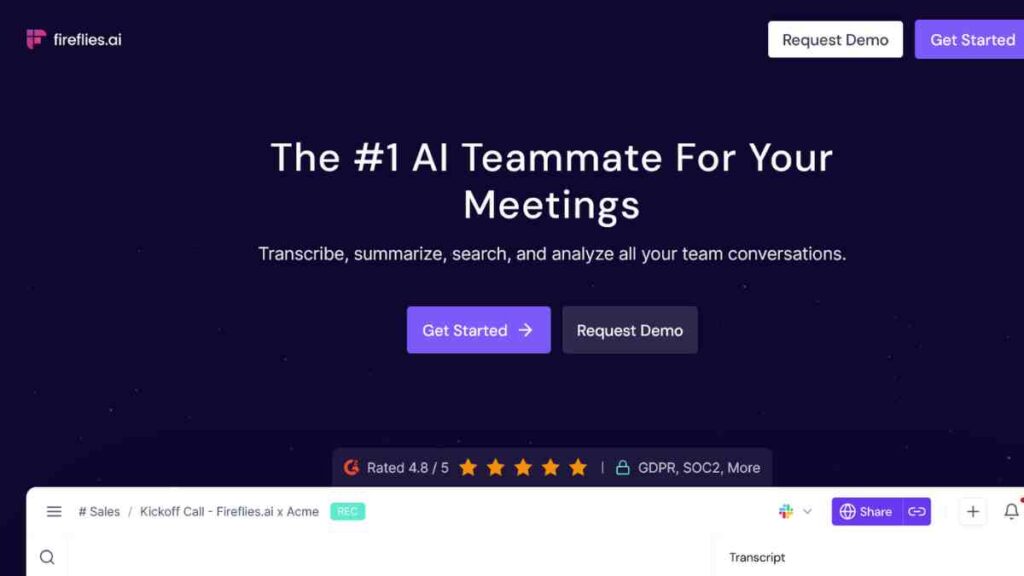
When I first tried Fireflies.ai, it felt like having an extra team member quietly taking notes in every meeting. It automatically joins your Zoom, Google Meet, or Microsoft Teams calls, records everything, and turns the conversation into searchable, shareable notes within minutes.
Among all the Otter AI alternatives I tested, Fireflies felt the most complete. It does not just transcribe; it helps you act on what was said.
Features I Discovered
Here is what stood out during my hands-on testing:
- Automatic Meeting Capture: Joins and records meetings across Zoom, Google Meet, and Microsoft Teams.
- Smart AI Summaries: Generates concise summaries and key takeaways almost instantly after meetings.
- Searchable Transcript Library: I could search every spoken word, making it easy to find context later.
- Integrations: Works smoothly with Slack, Notion, Asana, HubSpot, and over 50 other apps.
- Collaboration Tools: It lets teammates comment, highlight, and share notes in real time.
What impressed me most was how seamlessly it plugged into my existing workflow with no manual uploads or complicated setup.
What I Liked about Fireflies.ai
- The accuracy of the transcripts was surprisingly high, even with overlapping voices.
- AI-generated summaries were clear and surprisingly human-sounding.
- I loved how I could revisit meeting highlights instead of rewatching the entire video.
- The integrations with Slack and Notion made collaboration incredibly easy.
What I Did Not Like about Fireflies.ai
- The bot joining every meeting can feel intrusive if you are meeting new clients.
- The free plan is limited, and once you get used to the features, you will want to upgrade fast.
- Occasionally, the transcription lagged during poor internet connections.
Pricing
Fireflies.ai offers a free plan with limited storage and meeting minutes, which is great for testing the waters.
Paid plans start at around $10 per user per month, which unlocks unlimited transcriptions, custom summaries, and team collaboration tools.
Considering how much time it saves, I found it to be a good value for the price, especially for small teams and entrepreneurs.
How It Compares to Otter AI and My Final Verdict
Compared to Otter AI, Fireflies.ai feels more powerful and team-oriented. Otter does a great job at individual note-taking, but Fireflies takes it up a notch with smart summaries, integrations, and workflow automation.
If Otter AI is a capable assistant, Fireflies is the organised project manager who keeps everything in order.
For me, Fireflies.ai is hands down one of the best Otter AI alternatives available today, which is ideal for entrepreneurs, small teams, and anyone who wants a reliable, intelligent meeting assistant that does more than just transcribe.
See Also: Gamma AI Review — How I Used Gamma AI To Create Powerful Presentations in Minutes
2. Notta.ai

When I discovered Notta.ai, I was genuinely curious about its claim to support over 50 languages, and it delivered. As someone who collaborates with clients and creators across different regions, this feature alone made Notta stand out.
Unlike many Otter AI alternatives, Notta felt global from the first login. Its clean dashboard, quick setup, and cross-device syncing made it an easy favourite for anyone who wants accuracy with simplicity.
Features I Discovered
Here is what caught my attention while testing Notta.ai:
- Real-Time Transcription: Transcribes live meetings, uploaded audio, and videos in multiple languages with impressive accuracy.
- Multilingual Support: Handles languages like Spanish, French, Japanese, and even Nigerian Pidgin, which was a fun surprise.
- Cloud Sync: All notes and recordings sync instantly across desktop, mobile, and browser extensions.
- AI Summaries: Generates clear summaries that capture context, not just raw sentences.
- Collaboration Tools: Allows sharing and editing transcripts within a team workspace.
One of my favourite touches was the instant replay feature. I could listen to key parts without replaying the entire recording.
What I Liked
- Language accuracy is where Notta.ai truly shines. It understood accents and tone better than I expected.
- The interface is clean, intuitive, and distraction-free.
- Multi-device access made switching from my phone to my laptop effortless.
- The export options (Word, TXT, PDF, SRT) gave me flexibility when sharing transcripts with clients.
What I Did Not Like about Notta.ai
- Free users get limited transcription minutes, which can run out quickly.
- Some advanced summary and collaboration features are locked behind paid tiers.
- There is a bit of a learning curve when managing multilingual projects simultaneously.
Pricing
Notta.ai offers a free plan for basic transcription, but the real power lies in its Pro plan, starting around $8.17 per month. That unlocks advanced AI summaries, unlimited storage, and longer recordings.
For global teams or multilingual entrepreneurs, it is well worth the upgrade, especially if you handle clients in different regions or record podcasts across languages.
How It Compares to Otter AI and My Final Verdict
Compared to Otter AI, Notta.ai feels like the world traveller of transcription tools, built for diversity and versatility. Otter performs well in English, but Notta takes inclusivity seriously, handling dozens of languages with near-native accuracy.
If you are running an international business, hosting multilingual webinars, or simply prefer a tool that “gets” your accent, Notta.ai is the Otter AI alternative you have been waiting for. It is fast, accurate, and built for a global audience.
See Also: 15 Best Lightroom Alternatives for Entrepreneurs and Creatives- A Definitive List

3. Fathom.video
When I first tried Fathom.video, I was skeptical. A free, AI-powered meeting assistant that could match Otter AI? It sounded too good to be true.
But after a few weeks of using it for my client calls on Zoom, I realised Fathom is one of those Otter AI alternatives that quietly exceeds expectations. It records, transcribes, and summarises my meetings so effortlessly that I almost forget it is running.
Features I Discovered
Here is what stood out during my test runs with Fathom.video:
- Automatic Zoom Integration: Joins your meetings directly, records, and transcribes everything in real time.
- Instant Summaries: Produces AI-generated summaries and timestamps of key moments seconds after the call ends.
- Highlight and Clip Creation: Lets you mark important sections during calls for quick reference later.
- Searchable Notes: I could search past meetings using keywords to find exact discussions instantly.
- Privacy Controls: All recordings and notes stay in your account unless you choose to share them.
Fathom is designed specifically for Zoom. It is lightweight, fast, and does not clutter your workflow.
What I Liked about Fathom.video
- It is genuinely easy to use with no clutter or learning curve.
- The accuracy of the transcription was surprisingly good for a no-cost tool.
- Automatic highlights saved me hours, and I did not have to rewatch full recordings.
- It is seamlessly integrated with Zoom, so I did not need to install or manage multiple tools.
What I Did Not Like about Fathom.video
- It only works with Zoom. If you use Google Meet or Microsoft Teams, you are out of luck.
- The summaries, while quick, sometimes felt a bit too brief for long meetings.
- There is no deep analytics or CRM integration like in Fireflies.ai or Supernormal.ai.
Pricing
Fathom.video offers a free plan that includes unlimited recordings, transcriptions, and instant AI summaries, perfect for solo users or freelancers getting started.
Paid plans start at $14 per user per month for teams and $16 per month for individual premium users, unlocking enhanced summaries, team collaboration tools, and deeper insights.
Considering how seamless it is to use and the value it delivers, I would say Fathom’s pricing is more than fair, especially for entrepreneurs and small teams who spend most of their time on Zoom.
How It Compares to Otter AI and My Final Verdict
Compared to Otter AI, Fathom.video feels lighter, faster, and far more user-friendly for Zoom users. Otter still wins on cross-platform compatibility, but Fathom’s pricing, speed, and automated summaries make it a top contender for entrepreneurs and small teams.
If you primarily host meetings on Zoom, I would recommend Fathom without hesitation. It is not just an Otter AI alternative but a genuinely capable AI meeting assistant that respects your time, your privacy, and your wallet.
See Also: Top 15 WordPress Alternatives for Fast, Secure Websites
4. Krisp.ai
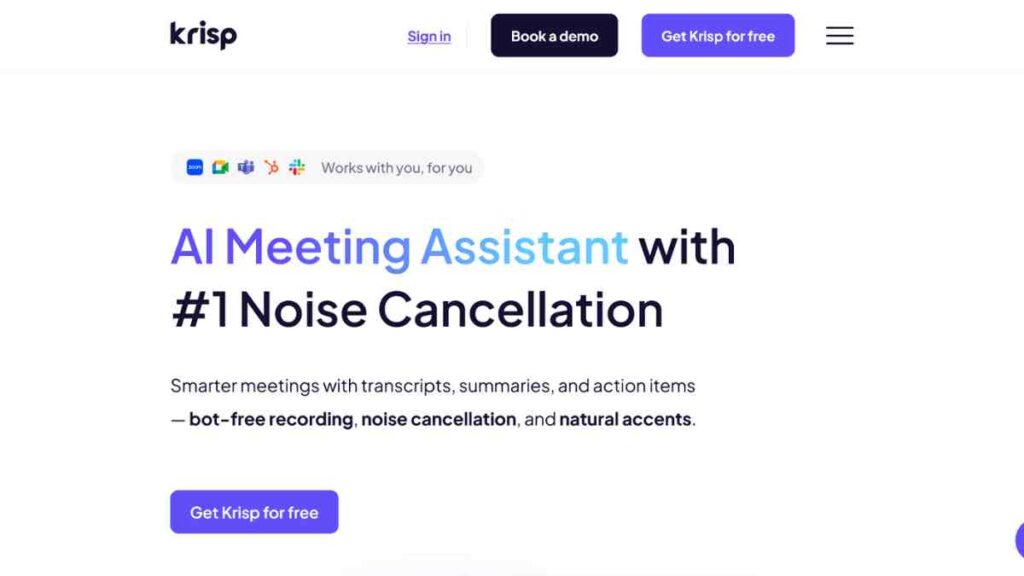
When I first heard about Krisp.ai, it was not the transcription feature that caught my eye, it was the AI-powered noise cancellation.
As someone who works remotely and joins meetings from different locations, background noise is my biggest enemy. Krisp does not just clean up your calls; it also transcribes them with impressive clarity.
It is not a direct Otter copy, but an AI meeting assistant that focuses on delivering crisp audio and reliable transcripts, even in less-than-perfect environments.
Features I Discovered
Here is what stood out for me while testing Krisp.ai:
- AI Noise Cancellation: Removes background chatter, traffic sounds, and echoes in real time for both speakers and listeners.
- Call Recording and Transcription: Records meetings locally and transcribes with high accuracy, even with accents.
- Voice Analysis Dashboard: Tracks your talk time, filler words, and speech patterns, great for presenters and coaches.
- Cross-Platform Compatibility: Works with Zoom, Google Meet, Teams, Slack, and even phone calls.
- Privacy-First Design: All audio processing happens locally, meaning no cloud uploads or data sharing, which is a big plus.
I instantly noticed that even my recordings from noisy cafes sounded polished and professional, a lifesaver for anyone constantly on the move.
What I Liked about Krisp.ai
- The noise cancellation is unmatched. It truly feels like studio-quality sound.
- I appreciate the local processing, which keeps data private and secure.
- The transcription accuracy improved because of cleaner audio input.
- Works with virtually every conferencing tool, so I did not need extra integrations.
What I Did Not Like about Krisp.ai
- Krisp’s meeting summaries are not as sophisticated as Otter AI or Fireflies.ai.
- Free plan limits can feel tight if you attend multiple long meetings daily.
- No built-in collaboration features. It is more for individuals or small teams.
Pricing
Krisp offers a free plan that includes limited noise removal and transcription minutes, perfect for solo users testing the tool.
Paid plans start at around $8 per user per month, unlocking unlimited transcription, HD audio, and analytics features.
I personally found the Pro plan ideal for entrepreneurs and remote workers who need clear audio and accurate transcripts without overpaying.
How It Compares to Otter AI and My Final Verdict
While Otter AI focuses on note-taking and collaboration, Krisp.ai prioritises audio quality and clarity, which directly impacts transcription accuracy. In my experience, Krisp is perfect for anyone who often works in noisy settings or values privacy.
If you are tired of “Sorry, can you repeat that?” moments during calls, Krisp.ai is the Otter AI alternative that ensures your meetings sound professional and stay distraction-free. It may not offer deep meeting summaries, but it nails the basics better than most.
5. Grain.com
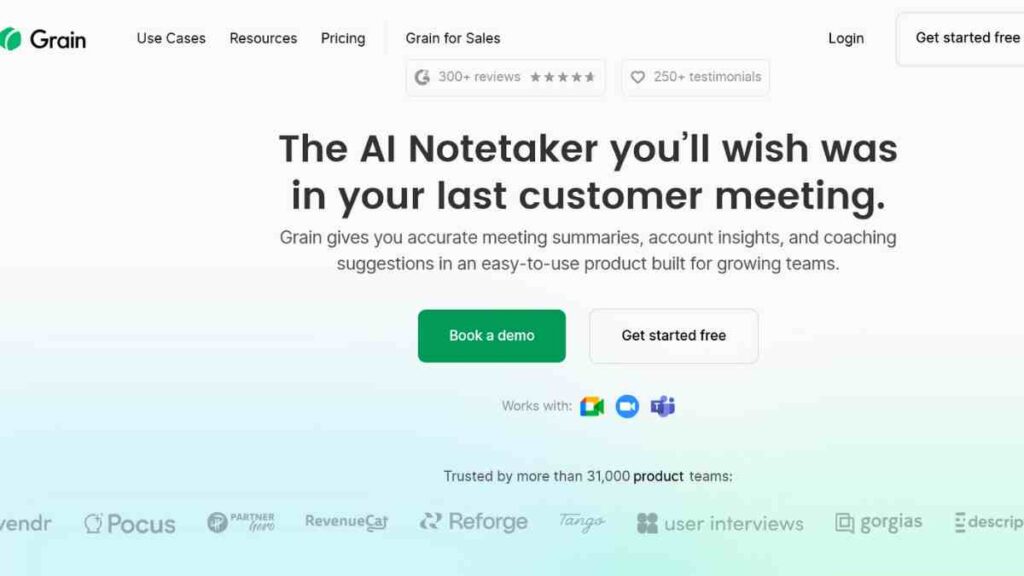
When I first used Grain.com, it felt like a creative spin on what meeting tools could be. While most Otter AI alternatives focus on full transcriptions and summaries, Grain takes a storytelling approach.
Instead of giving you pages of notes, it helps you capture the most meaningful moments and the highlights that actually matter. It is like having a video editor and an AI note-taker in one.
Features I Discovered
Here is what stood out for me after testing Grain in real client meetings:
- Smart Highlights: I could mark and clip important sections of meetings in real time, which is perfect for sales calls and interviews.
- Instant Sharing: After each call, I could send highlight reels or insights to my team within minutes.
- Full Transcription: Generates complete transcripts automatically, synced with the video timeline.
- Integrations: Works with Zoom, Slack, and Notion, making it easy to share or store clips.
- Collaboration Tools: Team members can comment on or tag key parts of the conversation, streamlining feedback and next steps.
It felt refreshing, like the app understood that not every meeting needs a 10-page transcript, just the important parts that drive action.
What I Liked about Grain.com
- Highlight creation is incredibly intuitive. One click and you have a shareable clip.
- The transcript and video sync make it easy to find exact moments.
- Perfect for sales, content, and creative teams who rely on capturing tone, emotion, and key insights.
- The sharing features cut down meeting recap time significantly.
What I Did Not Like about Grain.com
- Storage limits on the free plan are a bit tight if you record often.
- It is less suitable for purely transcription-based workflows designed more for insight extraction.
- No advanced AI summaries like Fireflies.ai or Notta.ai are provided.
Pricing
Grain offers a free plan that includes basic recording, transcription, and highlighting tools, good enough for light users or freelancers.
Paid plans start from around $15 per user per month, unlocking advanced sharing, analytics, and longer video storage.
It is not the cheapest option, but for teams that value clarity and visual insight over long transcripts, the investment feels worthwhile.
How It Compares to Otter AI and My Final Verdict
Compared to Otter AI, Grain.com feels more creative and insight-driven. While Otter provides detailed notes, Grain helps you communicate those notes visually, turning meetings into stories. For me, that is powerful, especially in sales presentations, training sessions, and team updates.
If you are tired of scrolling through endless transcripts and prefer quick, visual takeaways, Grain.com is one of the best Otter AI alternatives for you. It does not just record meetings; it helps you remember what truly matters.
See Also: Best AI Notetakers for Meetings: 10 Tools We Tested and Reviewed

6. MeetGeek.ai
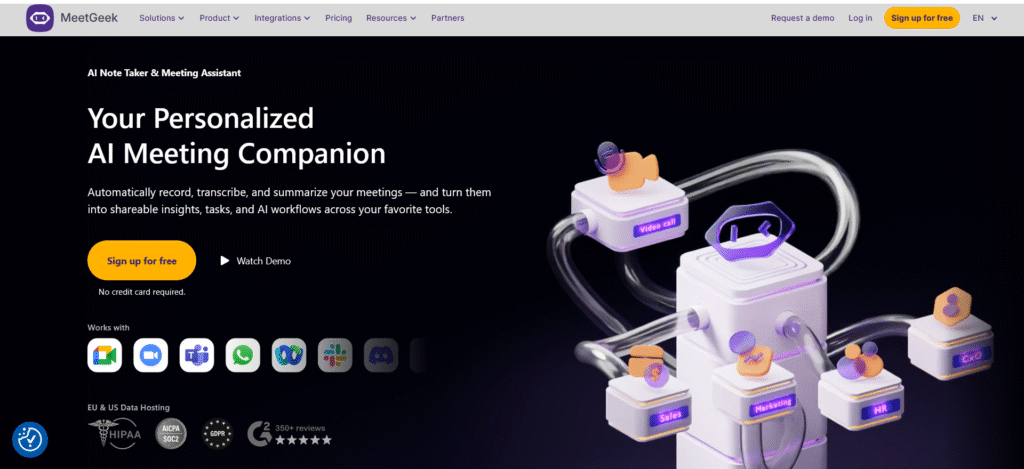
I stumbled upon MeetGeek.ai while searching for a tool that could automatically summarise meetings without me having to scrub through hours of recordings.
It quickly became one of my favourite Otter AI alternatives because it does more than transcribe. It actually understands and organises your conversations.
Think of it as an AI meeting assistant that listens, learns, and turns your discussions into actionable insights.
Features I Discovered
Here is what impressed me while using MeetGeek:
- Automatic Transcription & Summaries: Transcribes meetings in real time and produces structured, digestible summaries within minutes.
- Smart Insights & Highlights: Uses AI to tag key moments like decisions, risks, and follow-ups automatically.
- Cross-Platform Recording: Works across Zoom, Google Meet, Microsoft Teams, and even Webex.
- Meeting Analytics Dashboard: Provides engagement stats, talk ratios, and sentiment analysis, perfect for team feedback.
- Integrations: Connects with Slack, HubSpot, Notion, and Asana to sync notes directly into your workflow.
I especially loved how MeetGeek did not just transcribe my meetings; it made them searchable, actionable, and shareable across my entire team.
What I Liked
- The AI summaries are detailed and context-aware, not just a list of points.
- Automatic highlight tagging saves tons of time with no manual editing.
- I could track who spoke most, which is useful in client or sales meetings.
- Integrations made sharing notes effortless across platforms.
What I Did Not Like
- The free plan limits storage and transcription length, which is great for individuals but not for teams.
- Analytics data can feel overwhelming if you just want simple transcripts.
- Occasional lag when generating summaries after very long meetings.
Pricing
MeetGeek offers a free plan with up to five hours of transcription per month. Paid plans start around $15 per user per month, unlocking full summaries, insights, and integrations.
There is also a Pro tier (about $29/month) for power users and larger teams who want deeper analytics and CRM sync.
For what it offers, intelligent summaries, automation, and accuracy, the pricing feels fair and scalable.
How It Compares to Otter AI and My Final Verdict
Compared to Otter AI, MeetGeek.ai feels smarter and more business-oriented. Otter captures what is said; MeetGeek captures what matters.
Its summaries are better structured, its integrations more flexible, and its insights genuinely help improve how teams communicate.
If you are a founder, manager, or remote worker juggling constant calls, MeetGeek.ai is the Otter AI alternative you will actually stick with. It does not just take notes; it helps you make better decisions faster.
7. Avoma
When I first signed up with Avoma, I was drawn in by its promise not just to transcribe, but to analyse conversations. It is less of a simple note-taker and more of an AI meeting assistant built for smarter insights.
Among Otter AI alternatives, Avoma stood out for its depth: live transcription, conversation intelligence, and follow-up automation all in one.
Features I Discovered
During my testing, these features stood out:
- Real-Time Transcription: Converts speech to text live, even with accents or domain-specific jargon.
- Conversation Intelligence: Detects key moments, objections, risks, decisions and surfaces them in summaries.
- Meeting Analytics Dashboard: Tracks talk ratios, sentiment, engagement, and speaker behaviour.
- CRM & Workflow Integrations: Seamlessly links with tools like Salesforce, HubSpot, Slack, and calendar apps.
- Privacy Controls: You can adjust access, hide sensitive segments, and manage data privacy settings per meeting.
I appreciated how Avoma does not just capture words. It helps you make sense of what was said.
What I Liked
- The conversation intelligence features bring extra context, not just raw text.
- Integrations mean my CRM and notes stayed in sync without extra effort.
- The analytics gave me insight into meeting dynamics (who spoke most, sentiment), which is super valuable for coaching or sales calls.
- I liked that privacy settings are granular, letting me control which parts of a meeting are visible.
What I Did Not Like
- The free or trial plan is limited, and advanced features are gated behind premium tiers.
- For purely transcription-first users, some of Avoma’s analytics and intelligence features might be overkill.
- Occasionally, the AI summary misinterprets subtle statements or nuance, requiring manual edits.
Pricing
Avoma offers a free trial so you can explore its premium features. Paid plans start from around $19 per user per month, giving you access to live transcription, AI summaries, and meeting insights.
For larger teams, advanced tiers unlock analytics dashboards and CRM integrations.
It is definitely a pricier option compared to most Otter AI alternatives, but for businesses that rely on detailed meeting data, the value more than justifies the cost.
How It Compares to Otter AI and My Final Verdict
Compared to Otter AI, Avoma feels like a more strategic, business-grade tool. Otter is excellent at capturing speech, but Avoma adds meaning, structure, and follow-up. Where Otter leaves you with pages of text, Avoma gives you decisions, patterns, and action items.
If you are done with digging through transcripts and want something that thinks for you, Avoma is one of the best Otter AI alternatives to try. It does not just record; it helps you lead smarter conversations.
8. Sonix.ai
I discovered Sonix.ai while working on a content-heavy project that required perfect transcriptions, not “good enough,” but publishable quality.
What impressed me right away was its precision. Unlike some Otter AI alternatives that prioritise speed over clarity, Sonix feels engineered for professionals who care about every word.
It is ideal for entrepreneurs, journalists, and podcasters who need flawless transcripts, translations, and exports across formats.
Features I Discovered
Here’s what stood out after using Sonix for interviews and virtual meetings:
- Industry-Leading Accuracy: Delivers consistently accurate transcriptions (95–98%) across multiple accents and audio qualities.
- Multilingual Transcription: Supports over 40 languages and dialects, ideal for global businesses and international teams.
- Automated Translation: Converts transcripts into multiple languages almost instantly, a rare feature among competitors.
- Editing Tools: In-browser editor lets you play audio and correct transcripts in real time.
- Collaboration & Sharing: Allows team members to comment, edit, and export transcripts seamlessly.
What I found remarkable was how little post-editing I had to do. It is one of the few AI tools I would trust for client-facing content.
What I Liked
- The accuracy is noticeably higher than most AI meeting assistants I have tested.
- Multilingual transcription and translation make it perfect for cross-border projects.
- The built-in editor feels intuitive and saves hours of clean-up work.
- I liked the professional export formats, including SRT, VTT, and DOCX, which are handy for video captions and reports.
What I Did Not Like
- There is no free plan, just a short trial, so you will need to pay from the start.
- It is not designed for real-time meeting summaries; it is more of a transcription-first tool.
- Pricing is usage-based, which can add up for heavy users.
Pricing
Sonix.ai offers a 30-minute free trial, which was enough for me to gauge its capabilities. After that, pricing starts at $10 per hour of audio, with monthly subscriptions offering lower per-hour rates.
For frequent users, the Premium plan (around $22/month) unlocks priority processing, team collaboration, and faster turnaround times.
While not the cheapest option among Otter AI competitors, Sonix delivers the kind of accuracy and polish that justifies every dollar.
How It Compares to Otter AI and My Final Verdict
Compared to Otter AI, Sonix.ai feels more professional and precise, especially for formal content creation or multilingual work. Otter is great for everyday meetings; Sonix is built for accuracy, publishing, and content reuse.
If you are a founder, content creator, or journalist who needs clean, ready-to-publish transcripts, Sonix.ai is easily one of the best Otter AI alternatives on the market.
It is not flashy, it is dependable, accurate, and built to make your words work harder for you.
9. Sembly.ai
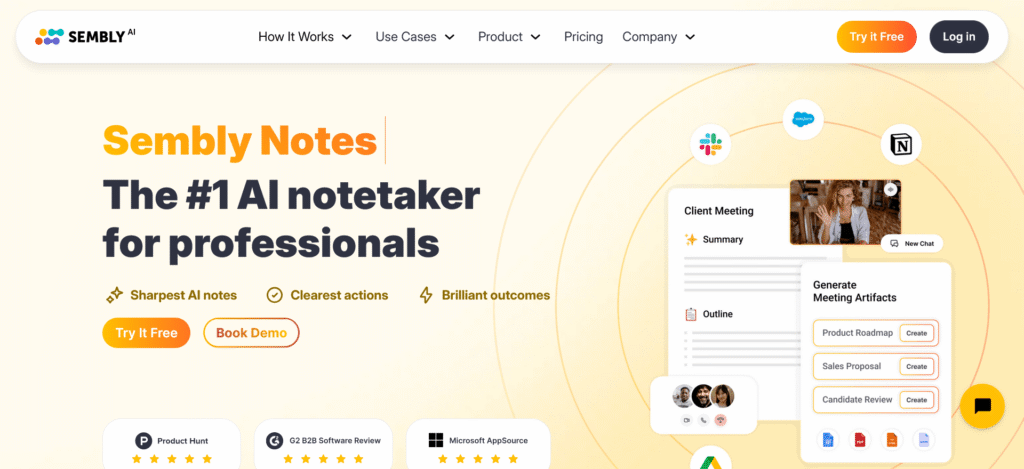
When I first tested Sembly.ai, it immediately felt like the productivity-focused cousin of Otter. It does not just take notes; it helps you understand your meetings.
The platform records, transcribes, and summarises conversations, but it also identifies action items, decisions, and key insights automatically.
For anyone running a busy schedule of client calls, team check-ins, or brainstorming sessions, this AI meeting assistant feels like an extra team member who never forgets a detail.
Features I Discovered
Here is what stood out while using Sembly over a few weeks of client meetings:
- AI Summaries & Highlights: Generates structured summaries that include takeaways, next steps, and assigned actions.
- Cross-Platform Compatibility: Works with Zoom, Google Meet, Microsoft Teams, and Webex seamlessly.
- Sentiment Analysis: Analyses tone and engagement, giving insights into team dynamics and client mood.
- Meeting Playback: It lets me replay specific moments without scrubbing through full recordings.
- Team Collaboration Tools: Notes, highlights, and tasks can be shared directly with teammates or exported to Slack, Notion, or Trello.
It feels built for teams that value both accuracy and accountability. Every summary felt actionable, which is something I rarely see in other tools.
What I Liked
- Structured AI summaries are clearer and more useful than Otter’s freeform notes.
- I loved the “Action Items” detection, which automatically identified follow-ups.
- Works well across platforms. I could move from Google Meet to Teams without issues.
- The analytics dashboard gave me a quick snapshot of meeting sentiment and talk time.
What I Did Not Like
- The interface feels a bit technical at first, especially the analytics view.
- Some advanced insights are locked behind higher tiers.
- The free plan includes watermarks and limited transcription minutes.
Pricing
Sembly.ai offers a free plan with limited meeting recordings and summaries, perfect for individuals testing the waters. Paid plans start at around $10 per user per month, offering unlimited meetings, summaries, and integrations.
There is also a Team plan (around $15/month) with collaboration tools and deeper analytics for growing teams.
It is one of the most affordable Otter AI alternatives if you want structured insights without overpaying.
How It Compares to Otter AI and My Final Verdict
Compared to Otter AI, Sembly.ai focuses more on comprehension than transcription. Otter gives you the text; Sembly tells you what to do next.
Its summaries are action-driven, which makes it perfect for entrepreneurs and managers running back-to-back meetings.
If you want an AI assistant that not only records but also remembers, summarises, and helps you act, Sembly.ai is one of the best Otter AI competitors to try. It is practical, reliable, and surprisingly smart for its price point.
See Also: 12 Best Midjourney Alternatives for AI Image Generation- Ultimate Guide
10. tl;dv
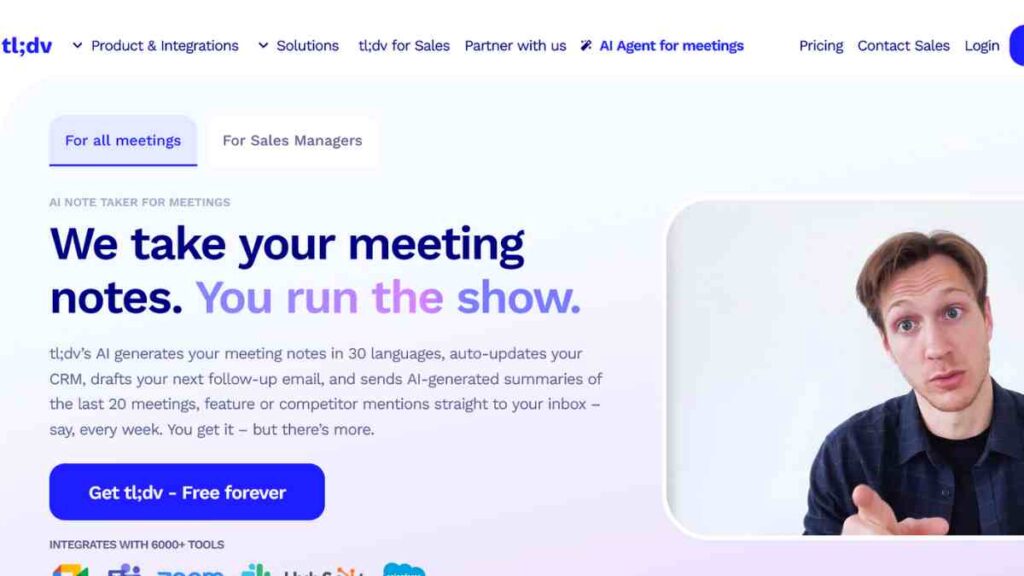
I came across tl;dv while hunting for a lightweight, no-fuss tool that could record, transcribe, and summarise meetings without needing a full onboarding session.
After using it for a few weeks, I realised it is perfect for anyone who just wants actionable meeting notes fast. Unlike some Otter AI alternatives that try to do everything, tl;dv focuses on doing one thing brilliantly: helping you remember what matters in your meetings.
Features I Discovered
Here is what stood out to me while using tl;dv for my team and client calls:
- Instant Recording & Transcription: Automatically records and transcribes meetings on Zoom and Google Meet.
- AI-Powered Summaries: Generates clean, time-stamped summaries and action points within minutes.
- Searchable Highlights: I could search across recordings using keywords to find exact discussions.
- Auto-Sharing: Summaries can be automatically sent to teammates via email or Slack.
- Integrations: Works seamlessly with Notion, HubSpot, and Google Docs for quick sharing and collaboration.
I especially appreciated how it did not flood me with data. It just gave me the right level of insight without feeling overwhelming.
What I Liked
- Simple and intuitive interface, which is perfect for quick onboarding.
- Automatic AI summaries are surprisingly accurate and well-structured.
- I loved being able to search by topic or phrase across my meetings.
- The Slack and Notion integrations made sharing highlights effortless.
What I Did Not Like
- It only supports Zoom and Google Meet, so no Teams integration yet.
- The free plan limits recordings, which might frustrate frequent users.
- AI summaries occasionally missed subtle context in long discussions.
Pricing
tl;dv offers a free plan with unlimited transcriptions but limited AI summaries and recordings. Paid plans start at $18 per user per month, unlocking unlimited summaries, custom sharing options, and deeper integrations.
It is competitively priced and one of the most cost-effective Otter AI competitors for startups and solo founders who want fast, clean summaries.
How It Compares to Otter AI and My Final Verdict
Compared to Otter AI, tl;dv feels refreshingly simple. It is not bloated with unnecessary features, it is focused, fast, and frictionless. Otter still leads in team collaboration, but tl;dv wins in speed, accessibility, and ease of use.
If you are after a lightweight, affordable, and accurate AI meeting assistant, tl;dv is one of the best Otter AI alternatives to end your search. It does exactly what the name implies. It gives you the too-long did not view version of your meetings, so you can focus on what is next.

Future Trends in AI Transcription and Meeting Tools
As someone who has tested countless Otter AI alternatives, I have realised we are only scratching the surface of what these tools can do.
Right now, most of them transcribe and summarise meetings, but the next generation is heading toward contextual understanding, predictive insights, and deeper integration into everyday workflows.
The future of AI meeting assistants is not just about turning speech into text but about helping us make faster, smarter business decisions. From emotional intelligence to workflow automation, these are the trends I am most excited about.
| Trend | What It Means | Impact on Users | My Take |
|---|---|---|---|
| 1. Emotion and Sentiment Detection | AI will begin recognising tone, mood, and emotion in speech. | Helps teams measure engagement, empathy, and customer sentiment in real time. | I can see this being game-changing for sales and HR teams, finally adding emotional context to meeting notes. |
| 2. Automated Action Items & Task Creation | Tools will auto-generate tasks and follow-ups directly from meeting summaries. | Saves hours of manual note-taking and ensures accountability. | This is where transcription meets storytelling. Tools like Fathom.video, and tl;dv are leading the way. |
| 3. Deeper Workflow Integrations | Seamless syncing with CRMs, project management, and productivity tools. | AI summaries will directly update tasks in Asana, Trello, or Slack. | We will move from passive note-taking to active execution, a major leap for remote teams. |
| 4. Multi-Modal AI Notes (Voice + Video + Visual) | Future tools will capture voice, slides, and shared screens. | Provides richer meeting context and eliminates miscommunication. | This is where transcription meets storytelling. Tools like Fathom.video, and tl;dv are leading the way. |
| 5. Privacy-First, On-Device AI Processing | More tools will move to local or hybrid processing instead of cloud-only. | Enhances data privacy and security for businesses. | With increasing data regulations, privacy-first AI tools will dominate the enterprise market. |
| 6. Real-Time Translation & Global Collaboration | Instant translation during live meetings in multiple languages. | Enables smoother communication for global teams. | Notta.ai has a head start here, but soon, this will be a must-have feature for every AI meeting assistant. |
| 7. Context-Aware AI Summaries | AI will understand meeting objectives and tailor summaries accordingly. | Produces more relevant, personalised insights. | No more generic transcripts; summaries will adapt based on user goals or meeting type. |
Conclusion
After testing and comparing these Otter AI alternatives, one thing is clear: there is no single “best” tool for everyone. The right choice depends on what matters most to you: accuracy, collaboration, price, or multilingual support.
No matter which you choose, investing in the right AI meeting assistant will save time, boost productivity, and help you focus on what really counts: building and growing your business.
We want to see you succeed, and that’s why we provide valuable business resources to help you every step of the way.
- Join over 23,000 entrepreneurs by signing up for our newsletter and receiving valuable business insights.
- Register your business today with Entrepreneurs.ng’s Business Registration Services.
- Tell Your Brand Story on Entrepreneurs.ng, let’s showcase your brand to our global audience.
- Need help with your marketing strategy? Get a Comprehensive Marketing and Sales Plan here.
- Sign up for our Entrepreneurs Success Blueprint Programme to learn how to start and scale your business in just 30 days.
- Book our one-on-one consulting and speak to an expert about structuring and growing your business.
- Visit our shop for business plan templates and other valuable resources to guide you.
- Get our Employee-Employer Super Bundle NDA templates to legally protect your business and workforce.
- Advertise your business to over a million entrepreneurs through our different advertising packages.

Frequently Asked Questions (FAQs)
What is the best Otter AI alternative for entrepreneurs?
From my experience, Fireflies.ai stands out as the best overall option for entrepreneurs and small teams. It offers accurate transcription, automatic AI summaries, and seamless integrations with tools like Zoom, Slack, and Notion, all at an affordable price.
Are there any free Otter AI alternatives worth using?
Yes. Fathom.video and tl;dv all offer solid free plans that include recording, transcription, and meeting summaries. They are perfect if you want professional-quality results without paying for premium features.
Which Otter AI competitor provides the most accurate transcription?
If transcription accuracy is your top priority, Sonix.ai delivers the most precise results. It is designed for professionals, journalists, and creators who need ready-to-publish transcripts with minimal editing.
What is the best Otter AI alternative for multilingual teams?
Without question, Notta.ai is the go-to tool for multilingual transcription. It supports over 50 languages and handles different accents remarkably well, making it ideal for international teams and global entrepreneurs.
How do these Otter AI alternatives protect data privacy?
Most tools, such as Krisp.ai and Avoma, now focus heavily on privacy-first AI. They use local processing or encrypted cloud storage to ensure sensitive business conversations remain secure and compliant with GDPR standards.
Can I use Otter AI alternatives with Zoom, Google Meet, or Microsoft Teams?
Yes. Nearly all leading Otter AI alternatives, including Fireflies.ai, Sembly.ai, and MeetGeek.ai, integrate with Zoom, Google Meet, and Microsoft Teams. This makes them easy to plug into your existing workflow without extra setup.
What is the future of AI meeting assistants?
AI transcription tools are evolving fast. Soon, we will see smarter, context-aware meeting assistants that can detect sentiment, create automatic action items, and translate in real time. The next generation will not just record meetings, they will help run them.